Gaming on the Xbox Series X is defined by blistering frame rates, native 4K fidelity, and near-instant load times powered by Microsoft's custom Velocity Architecture. Beneath its monolithic, minimalist exterior lies one of the most densely engineered consumer electronic architectures ever produced. Dual interconnected circuit boards sandwich a heavy aluminum chassis, cooled by a vapor chamber and a quiet 130mm axial exhaust fan. When this high-performance machine suddenly refuses to boot, outputs a black screen, sounds like a vacuum cleaner, or abruptly shuts down mid-match, gamers face immediate disruption.
Hardware failures inside modern home consoles are rarely surface-level annoyances. Navigating an unexpected breakdown requires a clear grasp of internal diagnostics, component vulnerability, and repair viability. Seeking a dependable xbox series x repair does not mean you have to accept exorbitant manufacturer out-of-warranty replacement fees or wait weeks for a refurbished swap. By understanding the mechanical and electrical root causes behind common Xbox Series X malfunctions, console owners can choose cost-effective, same-day component restoration that preserves their original hardware, installed data, and gaming investments.
Independent repair facilities like DC Phone Repair in Washington DC specialize in component-level micro-soldering, internal thermal overhauls, and power delivery diagnostics. Instead of charging blanket swap fees that often approach the cost of a brand-new console, local specialists identify and replace the specific microchips, ports, or capacitors that failed. This precision approach keeps out-of-pocket costs remarkably low while providing gamers with fast turnaround times and extended warranty coverage.
Engineering Anatomy: Inside the Xbox Series X Architecture
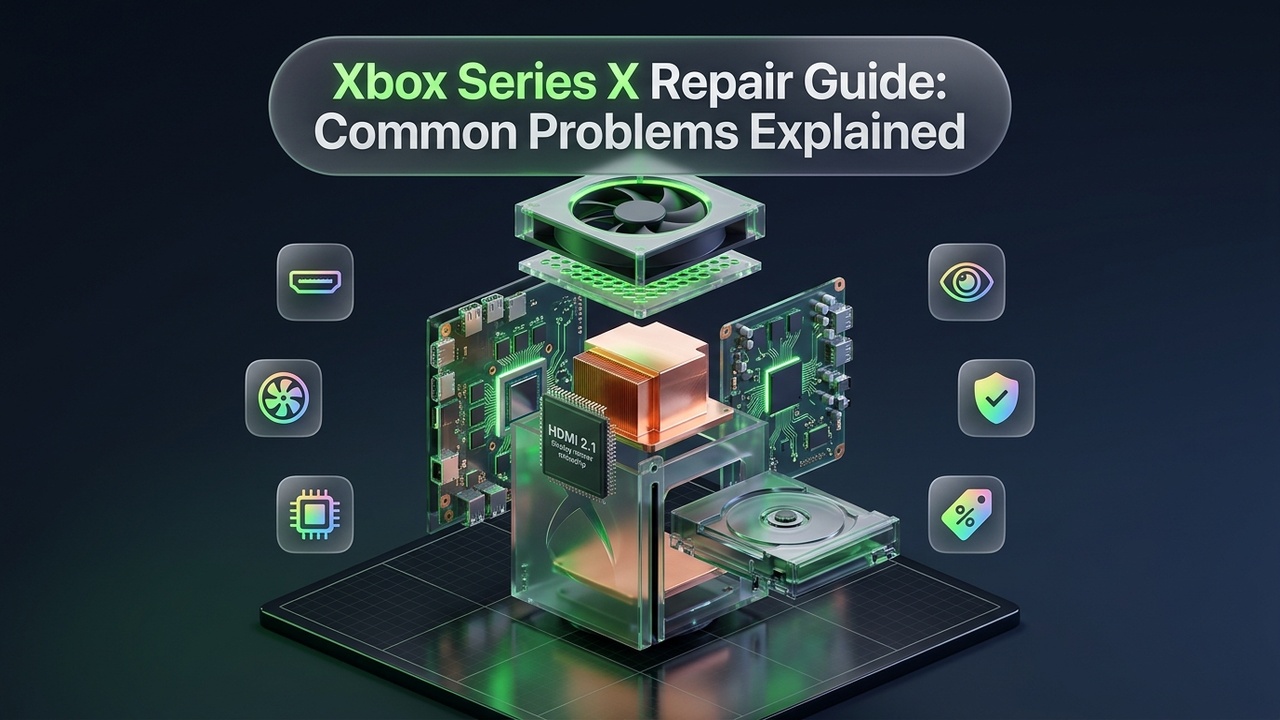
To accurately diagnose Xbox Series X failures, technicians must first examine how Microsoft designed the console's physical internals. Unlike traditional flat motherboards found in earlier console generations, the Series X utilizes a split-board layout connected across a central die-cast aluminum frame. This structural spine serves dual roles: providing rigid mechanical integrity and acting as an auxiliary heat sink.
The console contains two primary printed circuit boards (PCBs):
- The Primary System-on-Chip (SoC) Board: Houses the 8-core AMD Zen 2 CPU, 52-compute-unit RDNA 2 GPU, 16GB of unified GDDR6 memory, solid-state power regulation modules (VRMs), and the high-speed interface routing directly to the custom vapor chamber.
- The Secondary Southbridge / Input-Output Board: Houses the southbridge controller, internal custom Western Digital M.2 2230 NVMe PCIe 4.0 SSD, Wi-Fi and Bluetooth wireless communication controllers, front USB ports, and the main power supply interface ribbon headers.
- The Interconnect Bus: A high-density, multi-pin board-to-board connector bridges data and high-voltage rails between the two PCBs through the central aluminum spine.
- The Thermal Core: A copper vapor chamber base with an aluminum fin stack dissipates heat directly from the SoC and GDDR6 modules, while a top-mounted 130mm brushless axial fan pulls cool ambient air from the bottom intake perforations and vents hot air vertically through the top green-accented grille.
While this compact, vertical chimney thermal design is thermally efficient during normal operation, the dense packaging means that thermal degradation, physical impact shock, or electrical surges can produce chain-reaction faults across both boards. Let us examine the most prevalent real-world issues encountered during daily bench diagnostics.
Problem 1: Damaged HDMI 2.1 Port & Black Screen of Death
By far the single most common hardware issue requiring an xbox series x repair is physical damage to the HDMI output port, frequently resulting in a total loss of video signal—often referred to by the gaming community as the "Black Screen of Death."
Anatomy of the HDMI 2.1 Failure
The Xbox Series X features a native HDMI 2.1 port capable of delivering 4K gaming at 120Hz with Variable Refresh Rate (VRR) and Auto Low Latency Mode (ALLM). This port features 19 microscopic gold-plated pins soldered to miniature surface-mount pads on the motherboard. Because the console weighs nearly 10 pounds (4.45 kg), any accidental tension on the HDMI cable—such as tripping over a cord, moving the console while plugged in, or forcing the cable in at an awkward angle—exerts massive leverage against the internal socket.
Common mechanical and electrical symptoms include:
- Bent, Recessed, or Bridged Pins: Inspecting the port with a flashlight reveals crooked pins pushed into the back housing or bent into adjacent pins, causing short circuits across 5V power and ground rails.
- Torn PCB Copper Traces: When the port's through-hole anchor legs tear free from the circuit board, delicate surface-mount signal traces are ripped off the PCB fiberglass, severing high-speed transition-minimized differential signaling (TMDS) lines.
- Blown ESD Protection Diodes: Electrostatic discharge spikes or shorted pins can blow the tiny electrostatic discharge (ESD) filter arrays situated right behind the HDMI port, dropping video lines to ground.
- Damaged HDMI Retimer IC Chip: The Series X relies on a dedicated retimer chip (often manufactured by Realtek or Panasonic) to boost and clean high-frequency 48Gbps HDMI 2.1 digital signals. When shorted pins send 5 volts into sensitive data lines, this chip burns out internally, causing the console to power on with a solid white power light but transmit zero signal to the television.
Professional Resolution vs. Dangerous DIY Attempts
Replacing an Xbox Series X HDMI port is not a beginner soldering project. Attempting to repair a damaged port with a standard handheld soldering iron invariably destroys the motherboard. Certified repair technicians utilize an industrial infrared preheating plate, hot-air rework station, high-purity leaded or bismuth flux, and high-magnification stereomicroscopes. The damaged port is cleanly desoldered, torn microscopic copper traces are rebuilt using insulated enamel jumper wires and UV-cured solder mask, a reinforced OEM-spec HDMI 2.1 port is bonded to the board, and the retimer circuit is tested on an oscilloscope.
Problem 2: Overheating, Thermal Throttling & Sudden Shutdowns
The Xbox Series X draws between 160 and 215 watts under heavy graphical loads. Dissipating that intense thermal energy relies entirely on unimpeded airflow and perfect thermal conductivity between the AMD SoC silicon die and the copper vapor chamber. Over 18 to 36 months of regular use, thermal performance naturally degrades.
Primary Causes of Console Overheating
When a console begins overheating, users generally observe the cooling fan ramping up to maximum RPM, emitting a noticeable roaring or whining sound. If thermal thresholds exceed 95 degrees Celsius, the AMD processor triggers an automatic emergency hardware cutoff to protect the silicon from permanent damage. The console instantly powers down without warning mid-game. When powered back on, a warning screen appears stating: "Your console is designed to automatically shut down to protect it from insufficient ventilation."
The technical root causes include:
- Lint and Dust Mattress Formation: The vertical chimney architecture functions like a low-speed air purifier. Dust, pet hair, and airborne fibers collect on the bottom intake holes and weave into a dense felt-like layer across the microscopic cooling fins of the heatsink, blocking convective heat transfer.
- Factory Thermal Paste Desiccation: Microsoft utilizes a phase-change thermal compound on the main processor. Over thousands of heating and cooling cycles, the volatile binders in the compound evaporate, leaving a chalky, cracked residue with high thermal resistance. Heat becomes trapped inside the silicon die rather than transferring to the vapor chamber.
- Axial Fan Bearing Seizure or RPM Drift: The 130mm brushless top fan can develop bearing friction or accumulate hair around the central spindle, lowering its actual rotational speed below what the motherboard's pulse-width modulation (PWM) controller demands.
- Vapor Chamber Permeation or Depressurization: In rare cases, microscopic fractures in the sealed copper chamber cause the internal vacuum and working fluid (deionized water) to leak out, destroying its phase-change heat transfer capability entirely.
A comprehensive thermal overhaul at DC Phone Repair includes complete teardown of both motherboard halves, ultrasonic cleaning of the aluminum chassis and fin stacks, inspection of fan PWM tachometer pulses, and application of top-tier enthusiast-grade thermal compound (such as Arctic MX-6 or Noctua NT-H2) to restore factory-quiet acoustics and peak clock speeds.
Problem 3: Power Supply Failure & No Power Conditions
Nothing is more alarming than pressing the Xbox Series X glowing power logo button and receiving total silence: no chime, no light, and no fan movement. Alternatively, some consoles chime once, illuminate the power button for 1 to 2 seconds, and immediately click off.
Diagnosing Power Delivery Breakdowns
The Xbox Series X incorporates an internal 315-watt switch-mode power supply unit (model 1920) seated directly beneath the optical drive. Unlike earlier consoles with external power bricks that could be swapped in seconds, diagnosing power failures requires systematic multimeter probing of primary and secondary voltage rails:
- Dead 12-Volt Standby Rail: When plugged into AC power, the internal power supply must output a continuous 12V standby voltage to the southbridge board. Blown internal ceramic fuses, ruptured primary filtering capacitors, or shorted MOSFET switching transistors on the hot side of the PSU prevent this baseline voltage from ever reaching the power management IC (PMIC).
- Short-Circuited Power Rails on the Motherboard: In many "click and die" cases, the power supply itself is completely functional and actively shutting down to protect itself. When high-side MOSFETs, ceramic multi-layer capacitors (MLCCs), or voltage regulators on the main SoC VRM circuit fail short to ground, the PSU senses immediate overcurrent (OCP) and trips its safety latch within milliseconds.
- Front Power Switch Ribbon Failure: Physical damage or liquid intrusion around the front eject/sync ribbon board can prevent the physical power button signal from pulling the power line low to initiate the boot sequence.
Professional diagnostics involve injecting low-voltage current across the 12V and 5V rails while viewing the boards under a FLIR thermal imaging camera. Shorted capacitors or silicon regulators glow instantly under infrared imaging, allowing technicians to isolate and replace the failed component rather than unnecessarily replacing the entire motherboard or power supply.
Problem 4: Ultra HD Blu-Ray Optical Disc Drive Malfunctions
Physical media collectors and backwards-compatibility enthusiasts rely heavily on the 4K Ultra HD Blu-ray optical drive inside the Series X. As mechanical devices with precision optical lasers, stepper motors, gears, and rubber drive belts, optical drives experience high mechanical wear over time.
Common Disc Drive Symptoms & Mechanical Vulnerabilities
Typical disc drive failures present in several distinct ways:
- Discs Refuse to Feed or Eject: The roller mechanism becomes coated in dust or the rubber drive belt loses elasticity, slipping when the internal loading motor spins. Alternatively, foreign objects (coins, multiple discs, or cards) forced into the slot dislodge the plastic eject gear timing track.
- Grinding, Clicking, or Buzzing Noises: Damaged worm gears or dislodged laser pickup sleds slip against the tracking motor teeth, producing sharp clicking noises whenever the console attempts to read a disc.
- "Check Your Disc" or Unrecognized Disc Errors: The optical drive features a dual-lens optical pickup unit with separate infrared and blue-violet laser diodes for reading DVDs and 4K Blu-ray discs. Over time, the laser diode loses emission intensity (burns out) or the objective focus lens becomes coated with nicotine, dust, or vape residue, preventing the optical sensor from reading disc lead-in data.
The Motherboard-to-Drive Security Pairing Lock
Crucially, an Xbox Series X optical drive cannot simply be swapped with an identical drive purchased online. Microsoft cryptographically pairs the optical drive's internal daughterboard (PCB) to the console's unique CPU security keys. If a replacement drive is installed without transferring the original daughterboard, the console will reject all game discs and trigger system update errors.
When DC Phone Repair services an Xbox optical drive, technicians carefully desolder and transfer the original cryptographically paired logic board to a brand-new optical mechanism, replacing laser sleds, alignment gears, and drive belts to deliver seamless plug-and-play disc playback without security lockouts.
Problem 5: Corrupted System Firmware & Startup Error Codes
The Xbox operating system is a modified Windows Core OS that boots from an internal high-speed PCIe NVMe SSD. When power is lost during a system update, or when bad sectors develop across solid-state NAND flash storage, the console enters the Xbox Troubleshoot startup loop and displays alphanumeric error codes.
Deciphering Critical System Error Codes
Understanding what these error codes signify helps distinguish between software corruption that can be solved via recovery scripts and catastrophic hardware failure:
- Error E100 (Hardware Authentication Failure): Almost always caused by a mismatch or hardware failure involving the optical drive daughterboard during an operating system update. If the optical PCB is dead, disconnected, or uncalibrated, the OS updater halts at 58% to 66% completion.
- Error E101 / E102 (OS Image Mismatch): Occurs when the update package currently on the drive does not match the motherboard's current security patch level. Can frequently be resolved through a clean Offline System Update (OSU1) via formatted USB media.
- Error E105 / E106 (Storage Read/Write Failure): Indicates that the operating system has encountered bad sectors or communication timeouts while reading system partitions from the internal SSD.
- Error E200 / E203 (Kernel Execution Error): The system kernel crashed while attempting to initialize core background services. Usually solved by a factory reset retaining games and apps, unless physical hardware fault is the root trigger.
Problem 6: Internal SSD Degradation & Storage Repair
The Xbox Series X relies on a specialized Western Digital CH SN530 M.2 2230 NVMe PCIe 4.0 SSD mounted to the secondary daughterboard. Unlike standard off-the-shelf PC solid-state drives, the Series X SSD uses a unique sector size, proprietary partition table formatting, and encrypted master boot records.
When this internal SSD reaches the end of its read/write endurance or suffers electrical controller failure, the console will get stuck infinitely on the green Xbox animated boot logo, boot straight to a black screen, or continually crash back to the troubleshooting menu. Repairing an Xbox Series X SSD requires specialized forensic cloning equipment, partition image flashing, and strict adherence to Microsoft's secure sector layout. At DC Phone Repair, technicians can test NVMe SMART health metrics, replace failing M.2 2230 drives, and rebuild corrupt system partitions to restore complete functionality without data loss whenever possible.
Troubleshooting & Diagnostics Comparison Table
The following matrix outlines the most frequent Xbox Series X failure modes, the technical indicators to watch for, the underlying hardware culprits, and the appropriate level of intervention required:
| Observed Symptom | Primary Root Cause | Diagnostic Verification | Required Repair Solution |
|---|---|---|---|
| White power light, no display output on TV | Damaged HDMI 2.1 port pins or blown retimer IC | Microscope visual inspection; signal diode reading | Micro-soldered OEM HDMI port / retimer replacement |
| Loud fan, turns off after 10-20 minutes of 4K play | Clogged heatsink fin stack; dried thermal paste | Exhaust airflow temperature check; thermal imaging | Full ultrasonic heatsink clean; enthusiast repaste |
| No power chime, no lights, completely non-responsive | Dead internal power supply or shorted 12V rail | Standby voltage rail multimeter probing (12V / 5V) | Internal PSU repair/swap; VRM short isolation |
| Discs fail to load or produce constant clicking sound | Degraded laser diode or dislodged eject gears | Optical power meter test; gear timing check | Laser sled overhaul; paired logic board migration |
| Error code E100 during system software update | Optical drive PCB communication / security failure | Drive ribbon continuity test; firmware log analysis | Drive PCB trace repair; security handshake restore |
| Stuck on green Xbox boot animation indefinitely | Corrupted internal SSD partitions or NAND wear | SMART health diagnostics; partition integrity test | NVMe partition reconstruction or M.2 2230 SSD replacement |
Cost Breakdown: Microsoft Out-of-Warranty vs. DC Phone Repair
When an Xbox Series X experiences a hardware fault outside Microsoft's standard one-year limited warranty, contacting the manufacturer often leads to sticker shock. Because Microsoft service depots generally do not perform precision micro-soldering on individual customer consoles, they charge a flat out-of-warranty replacement fee, regardless of whether the console simply has a broken \$15 HDMI connector or a catastrophic motherboard failure.
The gamer must package their console, mail it to a regional depot, wait 2 to 4 weeks, and receive a refurbished replacement console that wipes all local saves, screenshots, and game installations. In sharp contrast, independent certified specialists like DC Phone Repair deliver surgical, low-cost component repairs that preserve your original console and save you significant money.
| Service Category | Microsoft Out-of-Warranty | DC Phone Repair Affordable Rate | Customer Savings & Advantages |
|---|---|---|---|
| HDMI 2.1 Port Replacement | $299.00 (Flat swap fee) | $99.00 – $129.00 | Save up to $200; same-day turnaround; retain your console |
| Thermal Overhaul & Fan Deep Clean | $299.00 (Flat swap fee) | $69.00 – $89.00 | Save up to $230; premium thermal paste; whisper-quiet thermals |
| Internal Power Supply (PSU) Repair | $299.00 (Flat swap fee) | $119.00 – $149.00 | Save up to $180; OEM components; comprehensive stress testing |
| Optical Disc Drive Laser Repair | $299.00 (Flat swap fee) | $89.00 – $119.00 | Save up to $210; original paired security PCB preserved |
| HDMI Retimer IC Chip Replacement | $299.00 (Flat swap fee) | $139.00 – $169.00 | Save up to $160; surgical BGA micro-soldering; 4K 120Hz verified |
| Internal SSD Storage Diagnostics & Fix | $299.00 (Flat swap fee) | $89.00 – $149.00 | Save up to $210; user game library and profiles preserved |
The 5-Stage Professional Repair Workflow at DC Phone Repair
Maintaining console reliability requires disciplined engineering procedures. When you bring your Xbox Series X to DC Phone Repair, your console undergoes an exhaustive five-stage restoration protocol engineered to address root causes rather than temporary symptoms:
Stage 1: Non-Invasive Electrical & Diagnostic Triage
Before turning a single screw, technicians connect the console to an inline current monitor and variable power supply to measure quiescent power draw. We test the resistance across HDMI pins, inspect port geometry under 40x optical magnification, and record error codes from the system debug logs.
Stage 2: Precision Architectural Disassembly & Decontamination
The console is systematically disassembled inside an ESD-protected cleanroom environment. Both motherboards are extracted, disconnected from the central aluminum chassis, and placed on anti-static silicone mats. All chassis surfaces, cooling grilles, and fan impellers undergo gentle pneumatic decontamination and ultrasonic cleaning to remove microscopic particulate buildup.
Stage 3: Component-Level Micro-Soldering & Hardware Restoration
Using digital stereomicroscopes and temperature-calibrated Hakko and Quick hot-air rework stations, failed components are safely removed. Whether soldering a 19-pin reinforced HDMI 2.1 connector, replacing a burned retimer IC, rebuilding lifted PCB copper traces, or swapping swollen power supply filter capacitors, repairs are performed using aerospace-grade solder and certified OEM parts.
Stage 4: Thermal Re-Engineering & Phase-Change Repasting
The copper vapor chamber and AMD SoC die are chemically cleaned using pure isopropyl alcohol and residue-free thermal surface purifiers. We discard dried factory paste and apply high-thermal-conductivity compound across the silicon die with micron-level thickness uniformity, ensuring maximum heat transfer efficiency and quiet acoustic operation under prolonged 12-teraflop compute loads.
Stage 5: High-Stress Burn-In & Quality Assurance Testing
Once reassembled, the console is placed in our dedicated testing station. It is subjected to a two-hour continuous stress test running native 4K 120Hz gaming titles with HDR10 enabled. We verify steady-state thermal behavior, HDMI handshake stability across multiple power cycles, Wi-Fi latency, optical drive disc load/eject timing, and system stability before issuing final quality certification.
Why Choose DC Phone Repair for Console Services in Washington DC?
When searching for dependable console repair in Washington DC, gaming enthusiasts and families across the District, Maryland, and Northern Virginia turn to DC Phone Repair for four foundational reasons:
- Unmatched Affordability: By pinpointing and replacing specific microscopic components rather than charging flat console replacement fees, we save our customers between $100 and $230 on every major repair.
- Same-Day & 24-Hour Turnaround: Most common repairs—including HDMI port replacements and thermal overhauls—are completed within 2 to 4 hours, getting you back into your games the same afternoon.
- Certified Micro-Soldering Technicians: Our bench engineers possess extensive experience in board-level diagnostics, BGA chip rework, and console architecture across Xbox, PlayStation, and Nintendo hardware.
- Ironclad 90-Day Warranty: Every component replaced and service performed is backed by our comprehensive 90-day parts and labor warranty, giving you complete peace of mind.
- Convenient Local Access: Located centrally on Marion Barry Ave SE with dedicated walk-in service and direct phone consultation, you never have to deal with shipping delays or call center queues.
For gamers seeking broader console assistance or multi-device repairs, we also provide specialized service programs including our PS5 repair guide, gaming console repair vs replacement guide, and general monitor HDMI port repair services.
Get Your Xbox Series X Repaired Today at DC Phone Repair
Don't let a damaged HDMI port, loud fan, or unresponsive power button bench your favorite games. Whether you are facing sudden mid-game shutdowns, broken video signals, or disc read errors, our certified technicians are ready to restore your Xbox Series X to peak performance with industry-leading speed and unbeatable affordability.
Walk in today, schedule an appointment online, or give our technicians a call for a free, transparent diagnostic estimate:
DC Phone Repair
2704 Marion Barry Ave SE,
Washington DC 20020, United States
Phone: (202) 478-4799
Website: https://dcphonerepair.com/
Hours: Open Daily from 10:00 AM – 10:00 PM
Frequently Asked Questions About Xbox Series X Repair
How long does an Xbox Series X HDMI port replacement take?
At DC Phone Repair, a standard Xbox Series X HDMI 2.1 port replacement typically takes between 2 to 4 hours. Because we stock high-grade OEM HDMI 2.1 ports, retimer IC chips, and micro-soldering supplies in-house, most customers drop off their console in the morning and pick it up fully tested the exact same day.
Why does my Xbox Series X turn on and then immediately turn off after a few seconds?
This "click and off" behavior usually indicates an electrical short circuit on one of the motherboard's primary voltage rails (such as the 12V or 5V VRM circuit) or an internal failure within the 315W switch-mode power supply. When a short is detected, the console's internal protection circuit instantly cuts power to prevent silicon damage. Our technicians use thermal imaging and multimeter probing to isolate and replace the shorted component.
Can I clean or repair my overheating Xbox Series X with compressed air from the outside?
Blowing compressed air into the top or bottom vents without disassembling the console is not recommended and can actually worsen thermal issues. Compressed air often pushes compacted lint deeper into the vapor chamber fin stack, creating a dense blockage. Furthermore, spinning the cooling fan with high-velocity canned air can generate back-electromotive force (EMF) that damages the fan controller on the motherboard. A full internal teardown and ultrasonic cleaning is the only reliable fix.
Will repairing my Xbox Series X delete my saved games, installed titles, or profile data?
Hardware repairs—such as replacing an HDMI port, power supply, cooling fan, thermal compound, or optical disc drive—do not affect your internal solid-state drive or stored data. All your game downloads, local saves, and account settings remain completely intact. Data is only affected in cases of severe internal SSD physical corruption, and even then, your game saves are securely backed up to the Xbox cloud network automatically.
Is it cheaper to repair an Xbox Series X or replace it with a new console?
Repairing an Xbox Series X is substantially cheaper than purchasing a replacement. A brand-new Series X console retails for approximately $499, and Microsoft charges a flat $299 out-of-warranty replacement fee. At DC Phone Repair, most common component repairs (such as HDMI ports, thermal overhauls, or disc drives) range between $69 and $149, saving you up to 70% while extending the operational lifespan of your original console.
Need Fast & Reliable Device Repair in Washington, DC?
Don't let a cracked screen, dying battery, or faulty charging port slow you down. Our certified technicians provide same-day diagnostics and repairs using premium replacement parts backed by our comprehensive warranty.
Phone: (202) 478-4799 | Open Daily: 10:00 AM - 10:00 PM