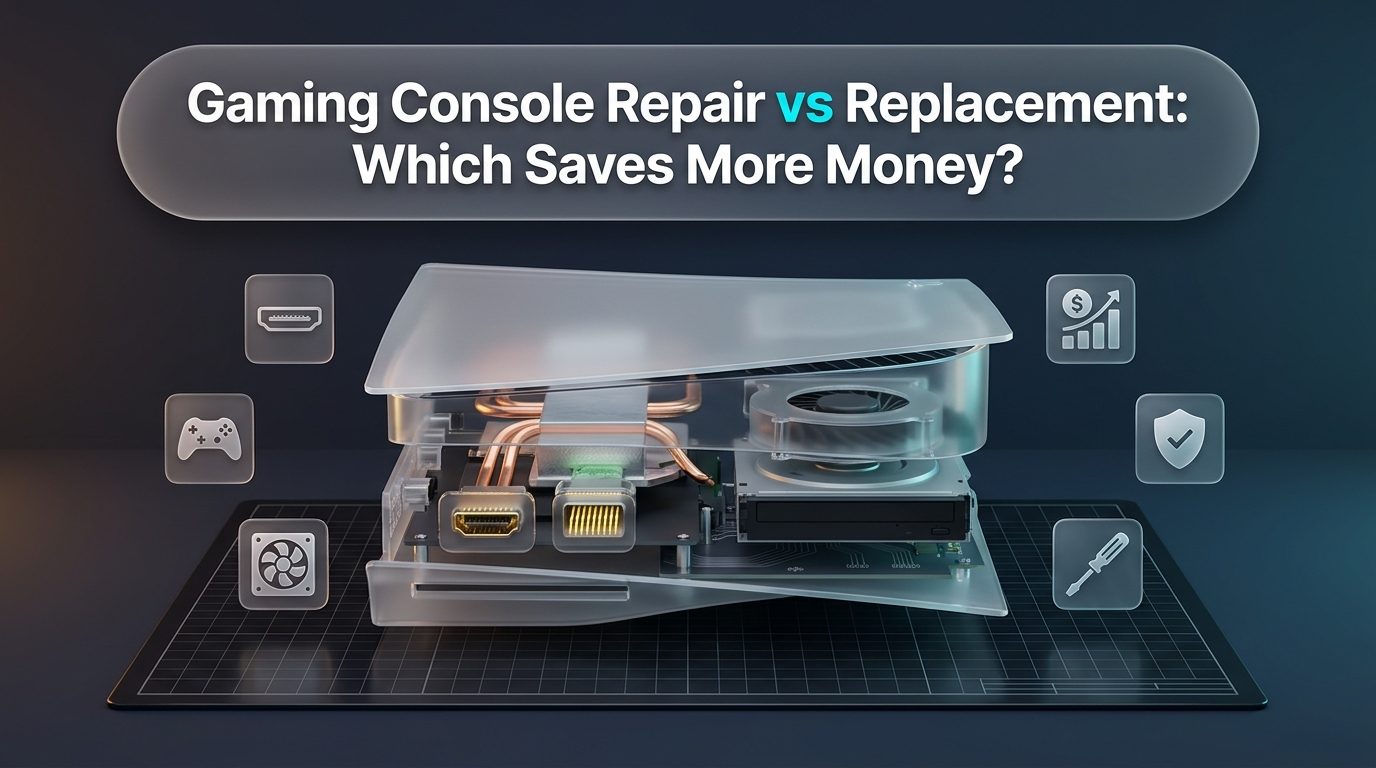
Modern video game consoles represent substantial investments in home entertainment, serving as centralized hubs for competitive multiplayer gaming, cinematic streaming, and digital library collections. Current-generation hardware, including the PlayStation 5, PlayStation 5 Pro, Xbox Series X, and Nintendo Switch OLED, incorporates advanced computing architecture comparable to high-end compact personal computers. When unexpected hardware glitches arise, such as a black screen caused by a damaged video port, random shutdowns during graphic-intensive sequences, or complete refusal to power on, gamers face an immediate financial crossroad. Deciding between investing in professional gaming console repair or purchasing a brand-new replacement requires balancing actual component restoration expenses against current market retail prices, software ecosystem continuity, and long-term hardware reliability.
Consumer electronics marketing often conditions device owners to treat damaged hardware as instantly disposable. Retailers and manufacturers routinely encourage trade-ins or full replacements rather than addressing isolated component wear. However, detailed technical analysis of modern console architecture reveals that over eighty percent of common hardware failures involve localized, replaceable parts rather than catastrophic processor destruction. Understanding the financial, technical, and operational differences between targeted component restoration and full system replacement empowers console owners to save hundreds of dollars while keeping their hardware in peak operational condition.
The Economics of Gaming Consoles: Repair vs Replacement Financial Analysis
Evaluating the financial sense of gaming console repair requires examining current retail price points across major hardware platforms. As production costs, microchip fabrication expenses, and international shipping tariffs have escalated, console retail prices have remained historically high well into their lifecycle. A new PlayStation 5 disc edition or Xbox Series X regularly retails between $499 and $549, with premium mid-generation upgrades like the PlayStation 5 Pro commanding $699 before adding taxes or external disc drive attachments. Even portable hybrid hardware like the Nintendo Switch OLED maintains a steady retail baseline of $349.
Component-level restoration presents a stark financial contrast. The vast majority of typical hardware failures, including damaged HDMI ports, clogged cooling assemblies, worn disc lasers, or failed internal power supply units, cost a fraction of total replacement pricing. A standard high-definition multimedia interface port replacement on a modern home console generally ranges between $99 and $149, including precision micro-soldering labor and high-grade replacement sockets. By choosing targeted repair over buying a new system, gamers routinely save between $350 and $550 on home consoles and over $200 on handheld devices, keeping valuable funds available for software titles, subscription passes, and gaming peripherals.
Manufacturer out-of-warranty service programs frequently mimic the high cost of retail replacement. Major console manufacturers rarely repair a customer's specific console at regional service depots. Instead, their standard out-of-warranty exchange programs charge flat fees ranging from $249 to $329 for home consoles, plus return shipping and processing times that often stretch from three to six weeks. In return, customers receive a refurbished substitute unit rather than their original machine, frequently losing all local save data, custom system settings, and offline media captures. Independent professional repair facilities provide localized, same-day or next-day turnaround while preserving your original motherboard and personal hardware investment.
| Console Platform | Common Failure Mode | Avg. Repair Cost | New Replacement Cost | Estimated Financial Savings |
|---|---|---|---|---|
| PlayStation 5 (Disc / Digital) | Crushed / bent HDMI 2.1 port socket | $99 - $139 | $449 - $499 | $310 - $400 Saved |
| PlayStation 5 | Overheating / liquid metal oxidation dry spot | $89 - $129 | $449 - $499 | $320 - $410 Saved |
| Xbox Series X | Internal power supply unit failure (no power) | $119 - $159 | $499 | $340 - $380 Saved |
| Xbox Series X / S | Physical HDMI port pin shear | $99 - $139 | $299 - $499 | $160 - $400 Saved |
| Nintendo Switch / OLED | USB-C charge port / M92T36 power IC | $79 - $119 | $299 - $349 | $180 - $270 Saved |
| Nintendo Switch OLED | Cracked front display & touch digitizer | $99 - $139 | $349 | $210 - $250 Saved |
Common Hardware Failures and Diagnostic Feasibility
Pinpointing the root source of an operational failure clarifies whether a console can be restored quickly or whether component damage has reached deeper silicon layers. Modern home and portable gaming systems experience a consistent cluster of physical and thermal breakdown points due to their mechanical form factors and high wattage demands.
High-Definition Multimedia Interface (HDMI) port damage ranks as the single most prevalent hardware issue across modern home consoles. Heavy, rigid HDMI cables act as mechanical levers against delicate surface-mount connector pins. Tripping over a display cable, forcefully plugging in connectors at awkward angles behind dark television stands, or transporting a console inside a backpack with cables still inserted causes internal plastic bridges to fracture and copper pins to push backward or bridge together. In severe instances, pins break away from the motherboard, tearing microscopic copper trace pads. Certified technicians resolve this by desoldering the shattered socket using precision infrared preheaters and hot air rework stations, rebuilding severed micro-traces under high-magnification stereomicroscopes, and soldering a reinforced OEM-grade connector that restores full 4K and 120Hz signal transmission.
Thermal management breakdown represents the second major vulnerability in modern console hardware. Current-generation processors generate tremendous heat, consuming between 180 and 220 watts under intense visual workloads. To disperse this thermal load, consoles rely on high-volume radial fans drawing ambient room air through dense heatsink fins. Over months of normal home usage, household dust, pet hair, and airborne fibers accumulate against the intake grilles, forming a dense thermal blanket that restricts airflow.
Thermal degradation on the PlayStation 5 involves an additional specialized complication: its unique liquid metal thermal interface material. Unlike conventional silicone-based thermal paste, liquid metal consists of a gallium-indium alloy that conducts heat with extraordinary efficiency. Over years of thermal cycling, especially when consoles are operated continuously in a vertical orientation, the liquid metal can oxidize, pool at the base of the processor package, or create dry spots on the Accelerated Processing Unit (APU) surface. When dry spots form, heat transfers unevenly, triggering rapid fan acceleration, loud whooshing noises, and abrupt thermal shutdowns within minutes of launching graphically demanding titles. Professional thermal restoration entails deep ultrasonic heatsink cleaning, mechanical agitation and re-spreading of liquid metal, and barrier foam inspection to prevent leaks onto nearby circuitry.
Power delivery breakdowns occur when electrical spikes, unstable household currents, or component fatigue destroy internal power supply units or motherboard voltage regulators. In consoles like the Xbox Series X or PS4 Pro, internal power units step down high-voltage AC wall power into clean 12-volt DC currents. When power supplies burn out, consoles show zero signs of life: no standby indicator lights, no power-on chime, and no fan movement. Replacing a burned internal power module or troubleshooting motherboard power rails through multimeter diode-mode readings is a routine procedure that revitalizes an otherwise healthy console at a modest expense.
Optical disc drive complications continue to affect physical media enthusiasts. Disc drive assemblies rely on delicate optical pickup lenses mounted on precision worm gears, supported by magnetic spindle motors and rubber feed rollers. Mechanical wear or foreign objects inserted by young children frequently jam drive mechanisms, leading to grinding noises, failure to accept discs, or repeated Unrecognized Disc errors. Because optical drive controller logic boards are digitally married to the console's main motherboard via cryptographic security keys, swapping an entire drive from another console will prevent games from booting. Professional repair centers resolve optical issues by servicing the mechanical gear trains or replacing the optical laser diode directly while retaining the original serialized logic board.
| Symptom Observed | Underlying Hardware Cause | Repair Feasibility | Technical Complexity |
|---|---|---|---|
| No TV Signal / White Power Light | Physical HDMI port fracture; HDMI retimer IC failure | High (98% success) | Micro-soldering; trace repair |
| Shuts Down After 5-15 Mins of Gameplay | Clogged heatsink; oxidized liquid metal / dry thermal paste | High (99% success) | Thermal overhaul; deep clean |
| Completely Dead / No Beep or Light | Blown internal PSU; shorted 12V rail MOSFETs | Moderate-to-High (85% success) | Component swap; multimeter diagnostics |
| Grinding Noise / Won't Read Discs | Misaligned drive gears; degraded laser optical pickup | High (95% success) | Laser lens swap; daughterboard transfer |
| Blue Light of Death (PS4/PS5 APU) | Cracked BGA solder balls; severe APU internal silicon failure | Low-to-Moderate (40% success) | BGA reballing; board rework |
The Hidden Costs and Disruptions of Premature Replacement
Replacing a gaming console involves far more than simply swiping a credit card at a retail register. The true cost of abandoning a repairable console includes hidden expenses, lost digital progress, and substantial administrative friction that many gamers overlook during initial frustration.
Data security and save-game continuity represent paramount concerns for dedicated gamers. While cloud backup services such as PlayStation Plus Cloud Storage and Xbox Live Cloud Saves synchronize data for active subscribers, many players do not maintain active paid subscriptions across every profile on their machine. Furthermore, titles with localized offline campaigns, custom user modifications, local multiplayer tournament records, and unexported video captures remain stored strictly on the console's internal non-volatile memory. When an unbootable console is discarded or surrendered to a retailer for trade-in scrap value, that valuable personal data is permanently lost. Professional repair services restore the existing hardware without wiping internal memory, ensuring your hard-earned trophies, game saves, and user profiles remain intact.
Re-establishing an entire gaming environment on a replacement machine consumes immense time and network bandwidth. Modern triple-A gaming titles commonly exceed 100 to 150 gigabytes per installation, with titles like Call of Duty, NBA 2K, and Baldur's Gate 3 requiring massive storage footprints. Re-downloading an average library of ten to fifteen games consumes well over one terabyte of data, pushing household internet connections past monthly data caps and incurring penalty fees from service providers. Installing games across days of sluggish downloads interrupts gaming routines, postpones scheduled online tournaments, and prevents immediate leisure enjoyment.
Hardware compatibility issues frequently emerge when purchasing modern replacement consoles. Retail revisions often modify external interfaces and physical dimensions. For example, upgrading from a standard PlayStation 5 to a PS5 Slim or PS5 Pro eliminates the built-in vertical stand and physical disc drive, forcing consumers to spend an extra thirty dollars for a metal stand and eighty dollars for a separate attachable disc drive. Maintaining and repairing your existing console preserves full compatibility with all of your customized faceplates, charging docks, cooling stands, and external hard drive enclosures without incurring secondary accessory costs.
DIY Repair vs Professional Service: Risks and Reality
Browsing social media video platforms and tech enthusiast forums often leads console owners to believe that home repairs are simple weekend hobbies. Inexpensive replacement parts and tool kits purchased from online marketplaces promise quick fixes for nominal sums. While cleaning dust from external ventilation grilles represents a safe DIY task, opening modern console enclosures without specialized equipment and micro-soldering experience poses catastrophic risks to delicate electronics.
Modern gaming consoles utilize complex multi-layer printed circuit boards populated with microscopic Surface Mount Devices (SMDs). Replacing an HDMI port, for instance, requires heating dozens of through-hole anchors and high-density pin pads simultaneously to over 220 degrees Celsius. Inexperienced attempts using cheap handheld pencil soldering irons invariably result in scorched fiberglass substrate, lifted copper traces, and melted surrounding capacitors. Once physical motherboard traces are ripped away from the board, restoring video output requires hours of microscopic jumper wire reconstruction, driving repair costs far beyond what a standard port replacement would have originally cost.
Thermal overhauls on modern hardware demand meticulous precision. Opening a PlayStation 5 exposes pure liquid metal surrounding the main processor die. Liquid metal conducts electricity with zero resistance. If a single microscopic droplet splatters onto nearby capacitors or slips past the protective foam gasket during an unguided cleaning attempt, powering on the console produces instantaneous short circuits that destroy the processor die beyond all repair. Professional technicians operate in static-controlled clean workspaces, utilizing specialized non-conductive barrier coatings, high-purity isopropyl alcohol, and precision suction equipment that guarantees zero risk of liquid metal migration.
Proprietary fastener systems and fragile interconnects present additional hazards for untrained hobbyists. Manufacturers secure internal shielding using specialized Torx Security screws (TR8 and TR9) featuring center pins that strip immediately when tackled with standard flathead or Phillips drivers. Furthermore, flexible flat ribbon cables connecting power switches, disc drive sensors, and cooling fans are delicate. Yanking housing plastics without releasing microscopic zero-insertion-force (ZIF) locking tabs severs internal connectors, transforming a simple cleaning effort into an extensive wiring repair.
| Comparison Factor | DIY Home Repair Attempt | Certified Professional Service |
|---|---|---|
| Tool Investment Required | $150 - $400 for hot air station, microscope, flux, drivers | $0; all commercial-grade laboratory equipment included |
| Risk of Motherboard Destruction | High; lifted traces, ripped pads, shorted circuits | Zero; certified micro-soldering technicians |
| Turnaround Time | Days or weeks waiting for parts; uncertain success | Same-day or next-day turnaround in most cases |
| Data Preservation Guarantee | Uncertain; accidental short circuits risk storage failure | High; non-destructive component diagnostics prioritized |
| Warranty & Peace of Mind | Zero warranty; user bears full financial replacement loss | Comprehensive parts and labor warranty protection |
When Does Full Console Replacement Actually Make Financial Sense?
While component-level repair proves overwhelmingly cost-effective for most common issues, certain severe failure scenarios make purchasing a replacement machine the more prudent financial decision. Transparency regarding repair viability ensures console owners never waste funds on hardware that has reached the end of its practical lifespan.
Severe silicon degradation within the central Accelerated Processing Unit (APU) represents the most definitive repair boundary. When the primary processor die suffers internal gate breakdown, electromigration, or severe silicon fractures from physical bending, replacing the chip is neither technically nor financially viable. Because console processors are cryptographically paired to secure flash memory controllers, swapping an APU requires transplanting entire multi-chip security groups, a complex procedure whose labor cost often approaches the price of a refurbished retail unit.
Extensive liquid ingress combined with electrical corrosion represents another scenario where replacement is often advised. When sugary beverages, pet urine, or flood water seep inside an active console while connected to power, intense galvanic corrosion rapidly dissolves copper traces across multiple buried layers of the motherboard PCB. If corrosion has spread across power delivery rails, Southbridge control hubs, and high-speed memory interfaces simultaneously, repairing dozens of degraded micro-traces becomes unpredictable, leaving the board prone to future intermittent faults.
Previous botched repair attempts also present severe economic hurdles. When an unqualified individual attempts a DIY repair and tears multiple copper trace pads, bridges processor power rails with sloppy leaded solder, or breaks off plastic chassis standoffs, untangling the resulting cascade of errors requires extensive diagnostic labor. In these rare instances, our technicians provide transparent diagnostic assessments, advising customers when retiring the damaged unit and applying funds toward a replacement console represents the smarter financial path.
Preventative Maintenance: Protecting Your Console Post-Repair
Investing in professional hardware restoration should always be accompanied by sound operational habits that safeguard the machine from future thermal and physical fatigue. Implementing basic preventative care extends console longevity by several years and keeps performance whisper-quiet.
Proper environmental placement serves as the cornerstone of console longevity. Video game consoles should never be operated inside enclosed entertainment cabinets with glass doors, crowded bookcase shelves, or tight cubbies. Maintain at least four to six inches of open clearance on all sides of the console to facilitate unimpeded intake and exhaust cycles. Furthermore, place home consoles on elevated, hard surfaces such as wood, glass, or metal desks. Avoid placing consoles directly on carpet or rugs, where synthetic fibers act as thermal insulators and allow bottom ventilation grilles to vacuum up high volumes of floor dust.
Routine external maintenance prevents internal thermal blockages before they manifest as performance drops. Every two to three months, inspect the console's outer ventilation grilles and gently vacuum surface dust using an antistatic vacuum attachment or wipe the vents with a dry microfiber cloth. Never blast pressurized canned air directly into spinning cooling fans while the console is powered, as forcing fan blades to spin beyond their rated speeds can induce reverse voltage currents that damage motherboard fan controller chips. If you operate your console in environments with domestic pets or heavy airborne particles, scheduling a professional internal cleaning every eighteen to twenty-four months ensures thermal compounds remain fresh and heatsinks stay unobstructed.
Cable management and port protection require mindful handling. Always use high-quality, flexible HDMI cables that do not exert heavy downward mechanical torque on the console's rear socket. When moving a console between rooms or preparing it for travel, completely disconnect all power cords, video cables, and controller leads rather than leaving them plugged in. Leaving cables attached during transport creates leverage that snaps internal port pins at the slightest impact against luggage or furniture.
Our technical repair center provides comprehensive servicing across all consumer electronics categories. In addition to high-end gaming console repair, our certified technicians deliver expert laptop repair, reliable iPhone repair, and precision Samsung repair. Whether your daily driver needs a delicate screen repair, a fresh battery replacement, or an ultrasonic charging port repair, our team delivers certified technical craftsmanship you can rely on.
Handheld Gaming Systems: Switch, Steam Deck, and Modern Portables
The explosive rise of portable gaming platforms has introduced unique maintenance challenges that distinguish mobile systems from stationary home consoles. Hardware platforms like the Nintendo Switch, Nintendo Switch Lite, Steam Deck, and modern PC handhelds combine intense computing densities with frequent physical handling, resulting in accelerated mechanical and electrical wear.
Analog joystick drift represents the single most notorious complaint among portable console owners. Traditional analog thumbsticks utilize carbon film potentiometers where mechanical contact wipers glide across resistive tracks to measure directional input. Over months of gameplay, the friction of normal thumb movement grinds microscopic carbon dust off the sensor tracks while physical spring tension fatigues. This degradation causes the console to register uncommanded movement, making characters walk off ledges or aiming reticles drift across the screen during competitive matches. While manufacturers frequently charge high fees to replace entire controller units, skilled technicians can desolder degraded analog modules and install modern electromagnetic Hall Effect sensors. Hall Effect joysticks utilize magnetic fields rather than physical contact wipers, completely eliminating friction wear and rendering thumbsticks permanently immune to future drift.
Battery wear and thermal throttling present additional hurdles for handheld gaming enthusiasts. Portable consoles pack high-capacity lithium-ion battery cells directly adjacent to hot system processors. Intensive gaming titles demand continuous high-wattage discharge, which accelerates chemical battery aging. Over several hundred charge cycles, battery capacities diminish significantly, reducing portable play sessions from four hours down to barely forty-five minutes. In severe cases, aged lithium cells swell, applying dangerous pressure to the back of the LCD or OLED display panel. Replacing a degraded battery cell with an OEM-capacity fresh pack revitalizes portable usability at a fraction of the cost of purchasing a replacement handheld device.
USB Type-C charging port destruction represents a critical failure mode unique to portable hardware. Handheld consoles undergo constant cable insertion, removal, and accidental tugs while charging in handheld mode or resting on tabletop docks. Repeated mechanical strain pushes internal connector pins backward or snaps the central plastic tongue inside the port. Because modern USB-C ports manage high-voltage USB Power Delivery (up to 15V or 20V) alongside DisplayPort video alt-mode output, a shorted pin inside the charging socket can instantly send high voltage surging into the main power management integrated circuit (such as the M92T36 or BQ24193 chip on Nintendo Switch). Certified technicians use microscope-guided micro-soldering to replace the damaged USB-C socket and swap fried power ICs, restoring full charging and TV docking capability without replacing the motherboard.
Software Glitches vs Hardware Failures: Safe Mode Diagnostic Steps
Before assuming that a console has suffered fatal hardware failure, gamers should perform a structured sequence of non-invasive software diagnostics. Operating system updates, corrupted game installations, and unexpected power outages during background downloads can corrupt internal solid-state drive partitions, producing symptoms that closely resemble hardware failures.
Both PlayStation and Xbox ecosystems incorporate specialized recovery boot environments known as Safe Mode or Troubleshoot Mode. On a PlayStation 5, completely power down the system until all indicator lights turn off, then press and hold the physical power button on the front chassis for approximately seven seconds until a second audible beep sounds. Connect an official controller via a USB data cable and select the Clear Cache and Rebuild Database option. This utility scans internal storage volumes, repairs broken file system pointers, and reorganizes cache blocks without touching personal save games or application data, frequently resolving persistent game crash loops and sluggish menu stutter.
If database rebuilding fails to resolve boot anomalies, performing a clean firmware reinstallation via an external USB flash drive offers a definitive software recovery path. Console owners can download official recovery firmware files from official manufacturer support repositories, format a USB drive using FAT32 or exFAT file systems, and reinstall the core operating system through the recovery menu. While a clean system reinstallation erases local files and requires re-downloading digital titles, it eliminates operating system corruption and confirms whether the underlying hardware is sound before seeking professional service.
Expert Gaming Console Repair Services in Washington, DC
Experiencing sudden video drops, loud cooling fans, or complete power failures on your favorite gaming console is frustrating, but buying a brand-new console is rarely necessary. At DC Phone Repair, our certified technicians diagnose and resolve complex gaming console hardware issues quickly, affordably, and reliably.
From precision HDMI 2.1 port replacements and liquid metal thermal overhauls on PlayStation 5 consoles to internal power supply repairs and disc drive servicing on Xbox and Nintendo Switch systems, we utilize commercial-grade micro-soldering stations and premium OEM-grade parts. Most standard console repairs are completed with rapid same-day or next-day turnaround, backed by our comprehensive parts and craftsmanship warranty.
Stop letting hardware glitches interrupt your gaming sessions. Visit our convenient Washington, DC repair center today for a walk-in diagnostic evaluation, call our team directly, or schedule your repair appointment online.
DC Phone Repair
2704 Marion Barry Ave SE,
Washington DC 20020, United States
(202) 478-4799
https://dcphonerepair.com/
Frequently Asked Questions
Is gaming console repair cheaper than buying a refurbished or new console?
Yes, repairing common console failures such as a damaged HDMI port, clogged cooling assembly, or dead power supply typically costs between $79 and $159, saving gamers between $200 and $500 compared to purchasing a new or manufacturer-refurbished replacement. Over eighty percent of console failures involve modular or surface-mount parts that can be repaired without replacing the entire system.
Can a damaged HDMI port on a PS5 or Xbox Series X be fixed without replacing the motherboard?
Yes, skilled technicians can desolder the crushed or broken HDMI port from the motherboard and micro-solder a brand-new OEM-specification port directly onto the board. Even if internal copper trace pads were torn during an impact, professional micro-soldering can rebuild those traces to restore pristine 4K video output at a fraction of a new motherboard's cost.
How often does a gaming console need internal thermal paste or liquid metal maintenance?
Most home consoles benefit from a comprehensive thermal overhaul every two to three years of active gaming. Over time, silicone-based thermal paste dries out and PS5 liquid metal can oxidize, leading to excessive fan noise and abrupt thermal shutdowns during gameplay that professional cleaning and re-application immediately solve.
Will getting my gaming console repaired erase my saved games and accounts?
Hardware repairs such as HDMI port replacement, power supply repair, fan cleaning, or disc drive servicing do not touch the internal storage drive, meaning your game saves, downloaded games, and user profiles remain completely intact. Standard repairs preserve your data without requiring the lengthy re-downloading that comes with a replacement console.
How long does a professional console repair take at DC Phone Repair?
Most routine gaming console repairs, including HDMI port replacements and deep thermal overhauls, are completed within 24 to 48 hours, with same-day expedited service available depending on workshop schedule. This stands in sharp contrast to official manufacturer mail-in programs, which typically take between three and six weeks.
Need Fast & Reliable Device Repair in Washington, DC?
Don't let a cracked screen, dying battery, or faulty charging port slow you down. Our certified technicians provide same-day diagnostics and repairs using premium replacement parts backed by our comprehensive warranty.
Phone: (202) 478-4799 | Mon - Sat: 10:00 AM - 8:00 PM