Closing a laptop lid on an unnoticed pen, watching a backpack slide off the passenger seat, or opening your screen to find a jagged spiderweb pattern radiating from the bezel brings an instant jolt of frustration. Display damage instantly halts remote work, university assignments, creative production, and gaming. The screen is the primary visual gateway to everything you accomplish on your computer, making any crack, flicker, or blackout an urgent operational crisis.
When confronted with visible display fractures, device owners frequently assume they must buy an expensive new computer or pay exorbitant manufacturer service fees. In reality, addressing a damaged laptop screen is one of the most straightforward and cost-effective hardware services available when managed by experienced technicians. Distinguishing between damage that can be corrected at the component level and issues requiring full modular panel replacement empowers you to make a smart, budget-conscious decision.
Specialized repair facilities like DC Phone Repair in Washington DC provide fast, reliable, and low-cost screen restorations across Dell, HP, Lenovo ThinkPad, Apple MacBook, ASUS, Acer, and gaming laptop brands. By sourcing exact OEM-spec display panels directly and replacing only the damaged modular layers, local technicians can restore pristine visuals within hours at a fraction of manufacturer out-of-warranty depot rates.
Anatomy of a Modern Laptop Display Assembly
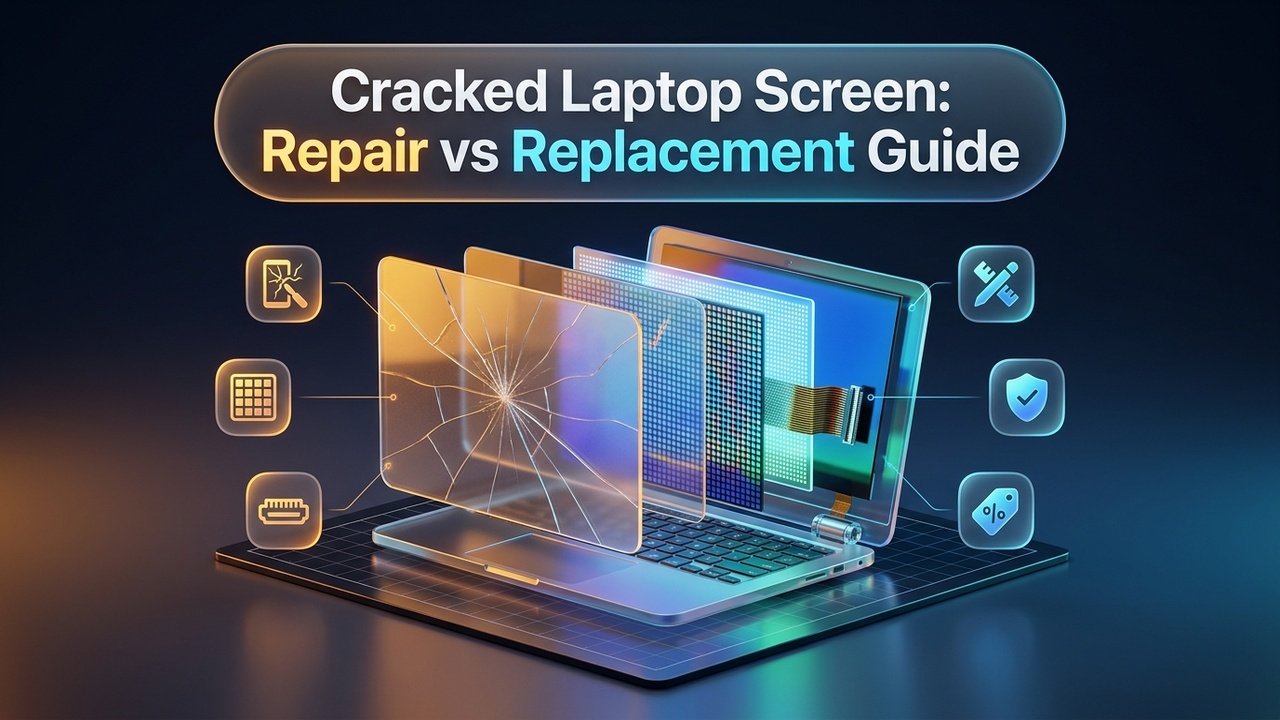
To understand the difference between screen repair and complete panel replacement, one must examine the intricate multi-layered structure enclosed inside a modern laptop display lid. Contemporary laptop screens are marvels of precision optical engineering, packing illumination, color filtration, and microscopic electronic drivers into a housing only a few millimeters thick.
A typical laptop display assembly consists of several distinct layers:
- The Outer Bezel and Cover Glass: On non-touch laptops, a thin plastic or magnesium bezel frames the perimeter. On touchscreen laptops and modern premium ultrabooks (such as Apple MacBooks or HP Spectre x360), a continuous sheet of tempered aluminosilicate glass covers the entire front surface, bonded directly to a capacitive touch digitizer grid.
- The Polarizing Filters: Two sheets of microscopic polarizing film sandwich the active display layer, aligning light waves at perpendicular 90-degree angles to ensure deep contrast and sharp text definition.
- The Liquid Crystal or OLED Subpixel Matrix: In LCD panels, millions of liquid crystal molecules twist and untwist under electrical current to modulate light. In modern OLED laptop displays, organic light-emitting diodes generate their own individual light, providing infinite contrast ratios and true pitch blacks.
- Thin-Film Transistor (TFT) Glass Backplane: An ultra-thin sheet of electrical glass etched with millions of microscopic transistors that route voltage commands to individual subpixels. When a screen "cracks internally," it is this delicate TFT glass layer that fractures.
- Backlight Unit (BLU) and Light Guide Plate (LGP): Located behind LCD panels, a string of high-efficiency white LEDs along the bottom edge fires light into a patterned acrylic light guide plate, which diffuses illumination evenly across the entire surface through prism and brightness enhancement films (BEF).
- Embedded DisplayPort (eDP) Video Cable: A delicate, shielded ribbon cable carrying high-speed differential video signals and low-voltage backlight power from the motherboard, through the friction hinge clutch, directly into the display's 30-pin or 40-pin connector.
Because each of these layers performs a specialized optoelectronic role, physical trauma affects them in drastically different ways. Let us break down how technicians evaluate screen damage during intake diagnostics.
Assessing Display Damage: Surface Cracks vs. Internal Substrate Rupture
Not all screen failures are identical. Determining whether your laptop requires a cosmetic glass fix, a full LCD/OLED panel swap, or a motherboard-level circuit repair begins with accurate symptom recognition.
1. Hairline Surface Cracks on Touchscreen Laptops
On laptops equipped with edge-to-edge protective glass (such as 2-in-1 convertibles or Microsoft Surface laptops), an impact may crack the exterior tempered glass while leaving the underlying LCD or OLED matrix completely unharmed. The display underneath continues showing a clean, unblemished desktop with vibrant colors, but dragging your finger across the surface reveals tactile ridges or broken touch tracking. In specialized cleanroom setups, certain touchscreen models allow glass separation, though modern manufacturing trends often fuse the glass and LCD using Optical Clear Adhesive (OCA), requiring a unified modular replacement for structural reliability.
2. The "Black Ink Blot" (Internal Liquid Crystal Leakage)
The classic indicator of a cracked TFT substrate is the appearance of expanding dark blotches, colorful vertical streaks, or geometric jagged lines across the display. These black patches are physical liquid crystals pooling where the hermetically sealed micro-cavities between glass substrates ruptured. Over days or weeks, these ink-like spots can slowly spread across the screen as atmospheric pressure pushes further into the vacuum layer. This failure cannot be repaired by software, recalibration, or pressure massage; the physical panel must be replaced.
3. Vertical or Horizontal Colored Lines (Gate Driver Failure)
Sometimes a laptop screen exhibits dozens of neon green, pink, or white vertical lines without any obvious exterior glass cracks. This symptom typically stems from damaged Chip-on-Glass (COG) or Chip-on-Film (COF) ribbon cables bonded along the bottom perimeter of the panel. A minor drop, twisting the display by one corner, or liquid cleaning spray seeping beneath the lower bezel corrodes these microscopic anisotropic conductive film (ACF) connections, severing data lines to entire pixel columns.
4. The "Flashlight" Test (Backlight Circuit vs. Panel Failure)
If your laptop powers on, the keyboard lights illuminate, and the cooling fan spins, but the display remains completely pitch-black, shine a bright smartphone flashlight directly onto the glass at a 45-degree angle. If you can faintly see your desktop icons, login prompt, or mouse pointer moving in the illuminated circle, your LCD panel is actively generating images, but the LED backlight has failed. This could indicate a pinched eDP cable, a severed backlight rail, or a blown 0402 surface-mount backlight fuse on the motherboard—a highly affordable component-level repair that avoids buying a new screen entirely.
Repair vs. Replacement: What Can Actually Be Fixed?
The electronics industry frequently uses the terms "screen repair" and "screen replacement" interchangeably, which causes significant confusion for laptop owners. Clarifying what constitutes a genuine repair versus a replacement helps set realistic technical and financial expectations.
When a Laptop Screen Can Be "Repaired" (Without Replacing the Panel):
Certain display issues do not require purchasing a replacement LCD or OLED panel. Certified technicians can repair your existing hardware in the following scenarios:
- Loose or Partially Unseated eDP Video Cable: After physical drops or repeated hinge flexing, the video ribbon connector behind the panel or on the motherboard can slip partially out of its locking latch. Re-seating the cable, cleaning gold contact pins, and applying reinforced Kapton insulating tape restores flawless video transmission at minimal labor cost.
- Pinched or Severed Hinge Wiring: Heavy mechanical friction inside laptop hinges can fray individual strands inside the eDP wire harness. Splicing or replacing the flexible video cable restores the display while preserving your original, factory-calibrated screen.
- Blown Motherboard Backlight Circuit: If a short circuit blows the 19-volt backlight fuse or switching transistor on the motherboard, replacing that individual surface-mount component brings the existing screen back to life.
- Cracked Bezel or Loose Structural Hinges: If the metal hinge mounts have sheared out of their plastic threaded brass standoffs in the display lid, repairing the structural casing with industrial epoxy and laser-cut reinforcement plates saves the perfectly functional display panel from cracking under twisting stress.
When the Screen Must Be Completely "Replaced":
If the internal glass substrate has cracked, if liquid crystals have leaked, or if permanent lines run across the active matrix, physical panel replacement is the only viable solution. Liquid crystal cells cannot be "refilled," and shattered micro-glass cannot be fused back together. In these situations, technicians remove the shattered panel and install a brand-new, factory-identical LCD or OLED panel matching your exact display model number, resolution, and refresh rate.
Display Panel Technologies & Compatibility Considerations
One of the greatest advantages of seeking independent professional service is ensuring exact hardware compatibility. Replacing a laptop screen is not simply a matter of finding a panel with the right diagonal screen size (e.g., 14.0-inch or 15.6-inch). Modern displays require strict compatibility matching across multiple engineering parameters:
| Panel Metric | Standard Budget Displays | Performance IPS Panels | High-End OLED / Creator Displays |
|---|---|---|---|
| Substrate Technology | TN (Twisted Nematic) | IPS (In-Plane Switching) / AHVA | OLED / AMOLED (Self-Emitting) |
| Viewing Angles | Narrow (Color shifting off-center) | Ultra-Wide 178° / 178° uniform | Perfect 180° with zero color shift |
| Color Gamut Coverage | 45% NTSC (~62% sRGB) | 72% NTSC (99–100% sRGB) | 100% DCI-P3 / Adobe RGB HDR |
| Interface Standard | 30-Pin eDP (2-Lane, 60Hz FHD) | 30-Pin or 40-Pin eDP (144Hz+) | 40-Pin eDP (4-Lane High-Bandwidth) |
| Mounting Architecture | Top/Bottom Screw Flanges | Adhesive Stretch-Release Tabs | Precision Bezel-Free Shell Mount |
Installing an incompatible panel can cause immediate electrical shorts, blown motherboard fuses, or a completely blank screen. Professional technicians disassemble the display housing to inspect the manufacturer's exact hardware label—identifying Tier-1 panels fabricated by BOE, AU Optronics (AUO), LG Display, Samsung, or Innolux—ensuring that pinouts, lane configurations, and bracket mounts match to the millimeter.
Diagnostic Troubleshooting Matrix
The following matrix outlines common laptop display symptoms, their technical explanations, and whether they represent a minor circuit/cable repair or necessitate a full modular screen replacement:
| Observed Symptom | Root Mechanical / Electrical Cause | Diagnostic Verification Test | Optimal Technical Action |
|---|---|---|---|
| Visible fractures with expanding black ink blotches | Ruptured internal TFT glass substrate; liquid crystal leak | Visual inspection under angled illumination | Full modular LCD/OLED panel replacement |
| Screen flickers only when adjusting the lid angle | Frayed eDP video ribbon cable passing through hinge | Physical flexion testing across 45° to 135° angles | Video ribbon cable replacement (retaining original panel) |
| Faint image visible only with direct flashlight beam | Blown backlight fuse on motherboard or LED string failure | Multimeter voltage check across backlight rail pins | Motherboard fuse repair or backlight circuit service |
| Persistent single green or multi-color vertical line | Severed Chip-on-Film (COF) tab bond at bottom border | Gentle pressure test along the lower bezel edge | Full modular LCD/OLED panel replacement |
| Touchscreen phantom touches with hairline glass crack | Fractured capacitive ITO digitizer trace grid | Touch input mapping calibration software test | Digitizer & glass assembly replacement |
| Display bezel separates; corner pops open when closing | Hinge clutch seizure; broken brass threaded standoffs | Mechanical torque resistance inspection | Hinge rebuild & structural casing re-anchoring |
Cost Breakdown: Manufacturer Service Depots vs. DC Phone Repair
The cost disparity between sending a laptop back to the original manufacturer versus having it serviced at an independent specialist is staggering. Manufacturer repair depots (such as Dell, HP, Lenovo, or Apple) typically do not replace individual LCD panels on-site. Instead, they charge flat fees to swap the entire display lid assembly—including webcam, Wi-Fi antennas, aluminum casing, and hinges—often billing between $300 and $650+ plus return shipping.
Furthermore, manufacturer mail-in service requires backing up your files, wiping the SSD to comply with privacy policies, mailing the machine out, and waiting 2 to 3 weeks for return delivery. DC Phone Repair takes a fundamentally different, customer-first approach: we replace only the specific modular panel that failed, preserving your personal data and saving you up to 65% on parts and labor.
| Laptop Category & Display Spec | Official Manufacturer Depot Cost | DC Phone Repair Affordable Rate | Your Direct Savings & Benefits |
|---|---|---|---|
| Standard 15.6" / 14.0" FHD (1080p 60Hz) | $279.00 – $349.00 | $89.00 – $119.00 | Save up to $230; same-day turnaround; zero data loss |
| High-Refresh Gaming (144Hz / 165Hz IPS) | $349.00 – $429.00 | $129.00 – $159.00 | Save up to $270; premium AUO/BOE gaming panels installed |
| Touchscreen 2-in-1 Glass & Digitizer | $399.00 – $499.00 | $149.00 – $189.00 | Save up to $310; precise pen pressure & touch sensitivity |
| Apple MacBook Air / Pro Retina Display | $499.00 – $659.00 | $199.00 – $279.00 | Save up to $380; True Tone & color gamut preservation |
| Hinge Clutch Rebuild & Bezel Alignment | $299.00 (Requires casing swap) | $59.00 – $79.00 | Save over $220; stops future screen cracking permanently |
| Motherboard Backlight Fuse Replacement | $450.00+ (Full logic board swap) | $89.00 – $119.00 | Save up to $350; surgical SMD soldering repair |
The 5-Stage Professional Screen Replacement Process at DC Phone Repair
Replacing a laptop screen demands extreme precision to prevent electrical damage to the motherboard and avoid cosmetic blemishes to delicate plastic bezels. When you bring your computer to DC Phone Repair, technicians follow an exhaustive five-stage restoration procedure:
Stage 1: Hardware Diagnostics & External Video Isolation
Before disassembling the laptop, technicians connect the machine to an external 4K monitor via HDMI or USB-C DisplayPort. Verifying that the GPU produces clean, artifact-free video confirms that the motherboard and graphics processor are functioning properly, isolating the fault strictly to the display panel, eDP ribbon cable, or backlight circuitry.
Stage 2: Strict Power Isolation & Electrostatic Protection
Modern laptops with internal lithium-ion batteries maintain active standby voltage across the eDP connector pins even when the laptop is powered down. Plugging or unplugging an eDP video cable with the battery connected can short out the 19V backlight rail directly into the 3.3V CPU logic lines, permanently killing the motherboard. Technicians disconnect the internal battery and drain residual capacitance through grounding pads before touching display connections.
Stage 3: Bezel Separation & Stretch-Adhesive Release
Using ultra-thin nylon pry tools and temperature-controlled heating pads, technicians gently separate the exterior bezel without snapping plastic retaining tabs. If the panel is mounted using stretch-release pull tabs, technicians extract the adhesive strips parallel to the lid housing, preventing warping or bending of the thin aluminum shell.
Stage 4: OEM Panel Matching & Connector Locking
Technicians inspect the manufacturer part number on the rear label of the original panel (e.g., LP156WFC, B140HAN, or NV156FHM) to source an identical, Tier-1 replacement panel. The eDP gold-plated connector is seated squarely into the socket, and the metal locking bale is clicked shut and reinforced with industrial Kapton tape to eliminate future disconnection from vibration.
Stage 5: Pixel Verification, Color Calibration & Burn-In Testing
Once reassembled, the laptop undergoes thorough quality control. We run RGB full-screen color cycle diagnostic tests to ensure zero stuck or dead pixels, check uniformity across pure white and dark backgrounds, verify webcam and ambient light sensor functionality, and test hinge clutch tension across hundreds of degrees of motion before clearing the device for customer pickup.
Why DC Phone Repair Is Washington DC's Top Choice for Laptop Services
Laptop owners across Washington DC, Capitol Hill, Anacostia, Navy Yard, and Northern Virginia choose DC Phone Repair because we combine technical mastery with honest, affordable service:
- Unmatched Affordability: With replacement screen services starting at just $89, we eliminate the inflated fees charged by big-box stores and manufacturer mail-in programs.
- Fast Same-Day Turnaround: We maintain a massive inventory of popular 14.0", 15.6", and 17.3" FHD, IPS, and touchscreen panels in-house. Most screen replacements are completed within 1 to 3 hours.
- Zero Data Loss Guarantee: We work exclusively on your display hardware. Your operating system, personal files, passwords, and creative work remain completely untouched and private.
- Comprehensive 90-Day Warranty: Every replacement panel is covered against dead pixels, lines, or touch defects by our ironclad 90-day parts and labor warranty.
- All Major Brands Supported: We service Dell Inspiron and XPS, HP Pavilion and Envy, Lenovo ThinkPad and IdeaPad, Apple MacBook Air and Pro, ASUS ROG, Acer Swift, and custom gaming laptops.
For customers facing other computer or console challenges, we also offer specialized service guides including our desktop computer repair guide, laptop running slow optimization guide, and monitor HDMI port repair services.
Get Your Cracked Laptop Screen Repaired Today at DC Phone Repair
Don't let a cracked, flickering, or black laptop display stall your productivity or entertainment. Whether your computer suffered an accidental drop, pressure damage inside a bag, or sudden backlight failure, our certified technicians are ready to restore crystal-clear visuals today at unbeatable low prices.
Walk in directly, call our technicians, or schedule your repair online for a free, transparent diagnostic estimate:
DC Phone Repair
2704 Marion Barry Ave SE,
Washington DC 20020, United States
Phone: (202) 478-4799
Website: https://dcphonerepair.com/
Hours: Open Daily from 10:00 AM – 10:00 PM
Frequently Asked Questions About Laptop Screen Repair
How long does a typical laptop screen replacement take?
At DC Phone Repair, most standard laptop screen replacements are completed within 1 to 3 hours. Because we stock a wide variety of 13.3-inch, 14.0-inch, and 15.6-inch high-definition and IPS panels for major PC brands, most customers drop off their laptop in the morning and pick it up completely repaired on the exact same day.
Is it worth replacing a cracked screen on an older laptop?
In almost all cases, yes. When a replacement screen costs between $89 and $149, repairing an otherwise healthy laptop that handles your daily browsing, office tasks, or schoolwork is far more economical than spending $600 to $1,200 on a new computer. If your processor, RAM, and SSD storage meet your daily needs, replacing the screen extends the laptop's useful lifespan for several more years.
Can you upgrade a 720p or 60Hz laptop screen to 1080p or 144Hz during repair?
In many laptop models, yes. If your laptop motherboard features a 2-lane eDP video cable that supports 1080p bandwidth, upgrading from a low-resolution TN panel to a vibrant Full HD 1080p IPS panel is a popular and affordable service. High-refresh upgrades (such as 144Hz) require verifying that your motherboard and eDP cable support 40-pin 4-lane data transmission.
Will replacing the laptop screen erase any of my personal files or software?
No. Replacing a cracked screen is strictly an external hardware component replacement. Your internal solid-state drive (SSD) or hard drive remains completely untouched during the repair process. All your operating system settings, applications, documents, photos, and saved passwords remain intact and ready to use immediately.
Why is my laptop screen dim or completely black, but works fine on an external TV?
If your laptop outputs normal video when connected to an external TV or monitor via HDMI, your graphics card and CPU are working perfectly. A black or dim internal screen typically indicates a fractured LCD panel, a damaged or loose eDP video ribbon cable, or a blown backlight fuse on the motherboard. Our technicians perform diagnostic testing to isolate the exact cause and resolve it at the lowest possible cost.
Need Fast & Reliable Device Repair in Washington, DC?
Don't let a cracked screen, dying battery, or faulty charging port slow you down. Our certified technicians provide same-day diagnostics and repairs using premium replacement parts backed by our comprehensive warranty.
Phone: (202) 478-4799 | Open Daily: 10:00 AM - 10:00 PM