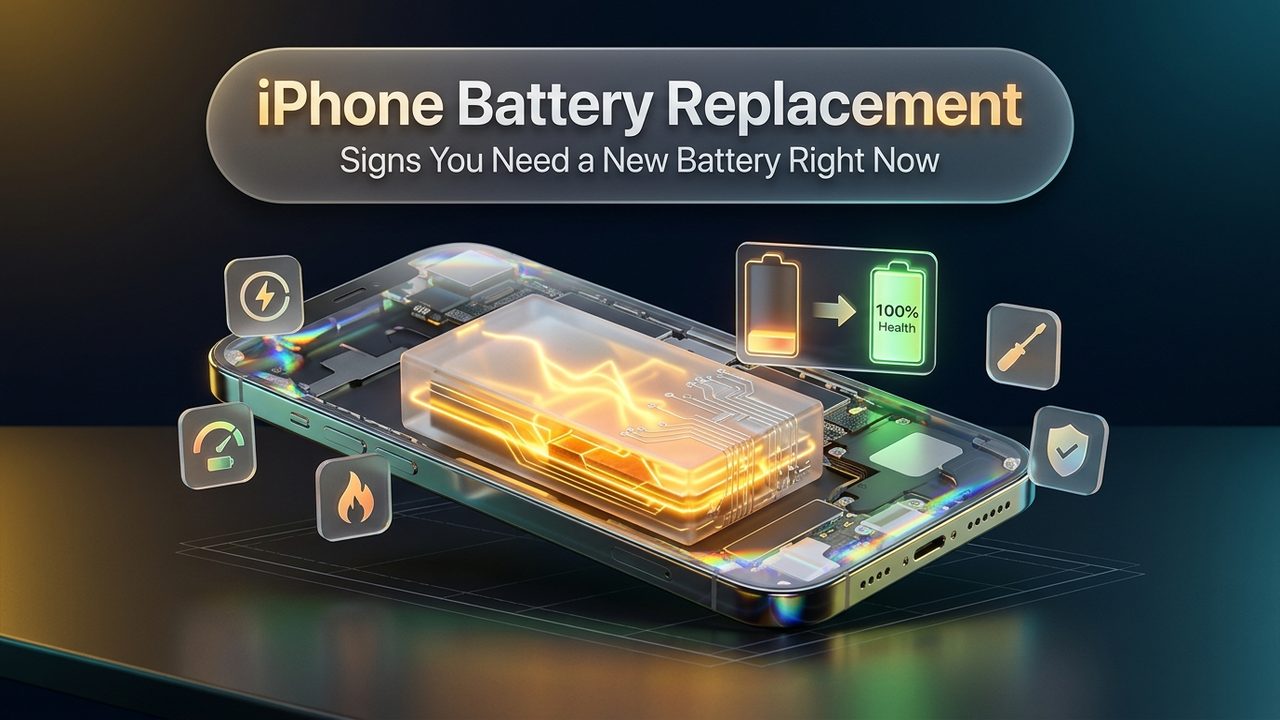
Modern personal and professional life relies heavily on smartphones to manage communication, secure financial transactions, navigate transit routes, and document daily memories. The iPhone represents one of the most sophisticated mobile computing platforms in engineering history, combining high-performance Apple Silicon processors with vibrant displays and advanced sensor arrays. However, every capability of this handheld computer depends entirely on a compact chemical reservoir: the internal lithium-ion battery. When that power source begins to falter, the dependable smartphone experience quickly deteriorates into constant anxiety over remaining charge percentages and desperate searches for power outlets.
Smartphone owners often mistakenly attribute sudden phone slowdowns, sluggish application launches, and unexpected shutdowns to outdated software or deliberate system obsolescence. In reality, the vast majority of these frustrating hardware behaviors stem directly from natural chemical depletion within the battery cell. Rechargeable lithium-ion batteries are consumable components by their fundamental electrochemical nature. From the exact moment a battery is manufactured, chemical reactions begin a steady, irreversible process of degradation that gradually reduces both the total energy the cell can store and the peak electrical voltage it can deliver to the processor.
Understanding when your device requires an iphone battery replacement is crucial not only for restoring convenient all-day performance but also for protecting the physical integrity of your device. Continuing to operate an iPhone with a severely degraded or chemically exhausted battery can lead to aggressive system throttling, unexpected emergency power failures, and in severe cases, dangerous physical swelling that can permanently warp the chassis and shatter expensive display panels from the inside out. Recognizing the warning signs early empowers users to take proactive, cost-effective maintenance steps before a minor inconvenience transforms into a hardware catastrophe.
Navigating modern battery maintenance requires a balance of scientific understanding and practical diagnostic awareness. Whether your phone struggles to survive a morning commute, shuts off abruptly while taking a photograph, or shows a persistent warning banner inside iOS Settings, this comprehensive technical guide breaks down the electrochemistry of battery wear, details ten unmistakable warning signs of failure, analyzes the safety hazards of battery swelling, explains professional servicing protocols, and compares real-world repair costs across iPhone generations to help you restore your phone to peak operational performance.
The Electrochemistry Behind iPhone Batteries: Why Lithium-Ion Degrades
To understand why an iPhone battery eventually fails, one must examine the microscopic electrochemical processes occurring inside the device. Modern smartphones utilize Lithium-ion polymer (LiPo) pouch cells. These batteries are selected across the consumer electronics sector because they offer exceptionally high energy density, lightweight packaging, low self-discharge rates, and the ability to accept rapid recharging without requiring full discharges.
A typical iPhone battery cell consists of four primary internal components: a positive cathode fabricated from lithium cobalt oxide (LiCoO2) or advanced lithium nickel manganese cobalt oxide, a negative anode made of layered crystalline graphite, a liquid organic carbonate electrolyte containing dissolved lithium hexafluorophosphate salts, and a microporous polymeric separator membrane that keeps the positive and negative electrodes physically isolated while permitting lithium ions to pass through freely.
The Intercalation Cycle
During a charging cycle, electrical current supplied by an external charger drives positively charged lithium ions out of the cathode crystal lattice. These ions migrate through the electrolyte and porous separator to become embedded, or intercalated, between the molecular layers of the graphite anode. During discharge—when you browse the web, record video, or place a cellular call—the process reverses: lithium ions de-intercalate from the graphite anode, travel back across the electrolyte, and re-enter the cathode. This movement releases electrons through the phone's external circuit, providing the electrical current that powers the logic board, display, and cellular transceivers.
Primary Causes of Chemical Aging
While this intercalation process is remarkably efficient, it is not completely reversible. Over hundreds of charge and discharge cycles, several parasitic chemical reactions degrade the cell's physical infrastructure:
- Solid Electrolyte Interphase (SEI) Layer Growth: During initial charging cycles, a protective chemical film called the Solid Electrolyte Interphase forms on the graphite anode surface. While this film stabilizes the electrode against solvent decomposition, it consumes active lithium ions in the process. Over time, recurring thermal stress and voltage fluctuations cause the SEI layer to thicken unevenly, consuming more active lithium and creating a physical barrier that restricts ion mobility.
- Electrolyte Decomposition and Gas Generation: Operating the battery at high temperatures (such as wireless charging in direct sunlight) accelerates the chemical breakdown of the liquid organic electrolyte. This decomposition generates volatile hydrocarbon gases and reduces the volume of liquid medium available for ion transit.
- Cathode Crystal Lattice Degradation: Repeated insertion and extraction of lithium ions induces mechanical strain on the cathode crystal structure. Over time, microscopic cracking occurs along the cathode particles, isolating active material from electrical contact and permanently diminishing total charge storage capacity.
- Internal Resistance Escalation: As electrodes degrade and the SEI layer thickens, the battery's internal impedance (electrical resistance) climbs steadily. High internal resistance impedes the battery's ability to supply instantaneous high-current surges demanded by demanding processor tasks, causing localized voltage drops.
Understanding Charge Cycles and Lifespan Thresholds
Battery longevity is universally quantified in charge cycles rather than chronological calendar months. A single complete charge cycle occurs when you discharge an amount of energy equal to 100% of the battery's rated capacity, regardless of whether that discharge happens in a single continuous session or across multiple days. For example, using 60% of your battery during the day, recharging it fully overnight, and then using 40% the following day constitutes exactly one full charge cycle.
For iPhone models ranging from the original iPhone through the iPhone 14 family, Apple engineered batteries to retain up to 80% of their original design capacity after 500 complete charge cycles under standard operating conditions. Beginning with the iPhone 15 and continuing through the iPhone 16 series, advancements in battery chemistry, thermal dissipation, and charging algorithms allowed Apple to double this benchmark, rating newer cells to retain 80% capacity after 1,000 full charge cycles. For average daily users who complete approximately 250 to 300 charge cycles per year, reaching the critical 80% threshold typically takes between 18 and 24 months on older devices, and three to four years on modern flagships.
| Battery Lifecycle Phase | Approximate Cycle Count | Maximum Capacity Range | Internal Electrochemical State | Performance Impact |
|---|---|---|---|---|
| Pristine / Factory Fresh | 0 – 150 cycles | 96% – 100% | Thin, uniform SEI layer; minimal internal impedance; pristine cathode | Peak performance capability; zero processor throttling |
| Moderate Chemical Wear | 151 – 400 cycles | 85% – 95% | Progressive SEI thickening; slight reduction in mobile lithium ions | Minor runtime reduction; full peak power delivery maintained |
| Degraded / Threshold State | 401 – 500+ cycles | 80% – 84% | Elevated impedance; localized cathode micro-fracturing; thermal buildup | Noticeably shorter daily runtime; occasional voltage dips |
| Critical Depletion (Service Required) | 500 – 800+ cycles | Below 80% | Severe lithium trapping; high internal resistance; potential gas evolution | iOS performance management throttling; sudden shutdowns |
| Severe Exhaustion / Hazardous | 800+ cycles | Below 70% or unreadable | Pouch delamination; electrolyte dry-out; structural battery swelling | Screen lifting; device operates only when tethered to power |
10 Critical Warning Signs You Need an iPhone Battery Replacement Right Now
When an iPhone battery reaches the end of its reliable operational life, it does not fail silently. Instead, the device exhibits distinct hardware and software warning signs that signal the immediate need for a professional battery replacement. Recognizing these ten diagnostic symptoms enables you to address the issue before experiencing critical data loss, sudden communication dropouts, or hardware damage.
1. Battery Health Maximum Capacity Has Dropped Below 80%
Apple establishes 80% maximum capacity as the universal industry threshold for battery service. When your battery health metric falls to 79% or lower, the total volume of charge the battery can chemically hold has diminished by more than one-fifth of its original design specification. More critically, reaching this threshold indicates that internal electrical resistance has risen to a level where the battery can no longer guarantee stable instantaneous power delivery during peak processor spikes. Even if you consider yourself a light user, operating beneath 80% capacity places continuous stress on the device's internal power management silicon.
2. Unexpected Sudden Shutdowns Under Moderate or Heavy Workloads
One of the most disruptive symptoms of a failing battery is the unexpected shutdown. You might have 35% or even 50% power indicated on your status bar, but launching the Camera app, opening a graphic-intensive navigation map, or placing a high-volume speakerphone call causes the phone to turn off abruptly. This occurs because heavy computational tasks demand instantaneous spikes in electrical current. In an aged battery with high internal resistance, this sudden current draw causes the terminal voltage to plunge below the minimal operating threshold required by the processor. To protect its memory chips and internal circuits from brownout data corruption, the iPhone abruptly shuts down.
3. Noticeable System Sluggishness and Performance Throttling
Following an unexpected shutdown caused by a depleted battery, iOS automatically engages its proprietary dynamic power management feature, colloquially known as performance throttling. This system software feature dynamically restricts the maximum clock frequency of the central processing unit (CPU) and graphics processing unit (GPU). Users experience this as delayed keyboard responsiveness, stuttering scroll animations, longer app launch times, frame rate drops in games, and reduced speaker volume. While throttling prevents unexpected shutdowns, it reduces your high-performance flagship device to the speed of an entry-level smartphone.
4. The Erratic "Rollercoaster" Battery Percentage Gauge
A healthy battery discharges in a smooth, predictable, linear fashion throughout the day. When a battery suffers chemical degradation, the internal gas gauge integrated circuit struggles to accurately calculate remaining state-of-charge. You may observe the battery percentage plummeting erratically—dropping from 80% to 55% in a matter of minutes, staying frozen at 20% for an hour, or suddenly jumping upward by 15% immediately upon connecting a lightning or USB-C cable. These erratic fluctuations indicate volatile cell voltage under varying load conditions.
5. Physical Screen Lifting or Frame Separation (Battery Swelling)
Physical battery swelling is a critical hardware emergency that demands immediate professional intervention. As lithium-ion batteries degrade under excessive thermal stress, overcharging, or internal microscopic shorts, the liquid electrolyte breaks down and produces volatile gases (including carbon dioxide and hydrocarbons). Because the battery is hermetically sealed inside a flexible aluminum-plastic pouch, these trapped gases cause the battery to inflate like a small metallic pillow.
Because modern iPhones have zero empty space inside their chassis, an expanding battery pushes forcefully against the rear of the display assembly. Warning signs include a subtle white or discolored pressure bruise on the left side of the screen, a spongy or clicking feel when pressing the display glass, or visible separation where the screen frame lifts upward from the aluminum or titanium housing. If you notice any frame separation, power off the device immediately, refrain from connecting a charger, and avoid pressing down on the glass, as puncturing a swollen battery can trigger a catastrophic thermal runaway fire.
6. Chronic Overheating During Routine Tasks and Idle Charging
While smartphones naturally generate warmth during high-resolution 4K video recording or fast charging, an iPhone with a failing battery produces excessive heat during mundane daily activities. Simple tasks like scrolling through social feeds, listening to downloaded music, or basic text messaging can cause the rear chassis to feel uncomfortably hot to the touch. This excess heat is the direct byproduct of elevated internal electrical impedance: the depleted cell must work harder to push electrons across degraded chemical barriers, dissipating excess energy as wasteful, damaging heat.
7. The Phone Only Operates When Tethered Directly to a Charger
When an iPhone battery experiences total chemical exhaustion, its internal electrodes can no longer maintain minimal voltage rails independently. The moment you disconnect the charging cable, the device dies instantly or enters a continuous boot loop, endlessly displaying the Apple logo without ever reaching the lock screen. This symptom indicates that the battery has completely lost its capacity to act as an energy buffer, forcing the logic board to operate solely on external power passing through the charging port.
8. Abnormally Extended Charging Times or Inability to Reach 100%
A degraded battery often exhibits dysfunctional charging behavior. You may leave the phone connected to an authentic 20W USB-PD fast charger for multiple hours, only to find the charge percentage stuck at 82% or 88%. This stalling occurs because internal cell resistance prevents the battery from safely transitioning into the constant-voltage charging phase. The phone's power management controller senses the abnormal resistance and thermal buildup, intentionally throttling the incoming charge current to prevent fire hazards.
9. Peripheral System Throttling: Muted Audio and Dimmed Display
Apple's power management system protects degraded batteries by quietly curtailing secondary hardware subsystems. If your battery is struggling, you may observe that maximum display brightness is noticeably lower even with the brightness slider pushed to 100%, camera flash is disabled with a message stating the phone must cool down, or speaker audio output is attenuated by up to 3 decibels to prevent sudden power draw spikes from the audio amplifier.
10. Prominent iOS Service Advisory Warnings
Apple has integrated sophisticated battery health diagnostic algorithms directly into the iOS operating system. When the software detects that your battery capacity has dropped below 80% or that an unexpected shutdown has occurred, it generates an explicit notification inside Settings > Battery > Battery Health & Charging. Banners stating "Your battery's health is significantly degraded. An Apple Authorized Service Provider can replace the battery to restore full performance and capacity" represent direct confirmation that hardware service is non-negotiable.
| Diagnostic Warning Sign | Underlying Hardware Defect | Risk Level | Immediate Recommended Action |
|---|---|---|---|
| Battery Health below 80% in iOS | Chemical capacity loss; elevated impedance | Moderate | Schedule an iPhone battery replacement service |
| Unexpected shutdowns during app use | Voltage drop beneath minimum processor threshold | High | Replace battery to prevent data corruption and lockouts |
| Severe UI lag and dynamic throttling | iOS Power Management capping CPU/GPU clocks | Moderate | Replace battery to restore 100% factory processor speed |
| Physical screen lifting / frame bulge | Electrolyte breakdown causing hazardous gas pouch inflation | Critical / Hazard | Power off immediately; avoid charging; visit technician today |
| Phone turns off instantly when unplugged | Total cell death; zero independent energy storage | High | Install fresh battery cell; inspect charging port contacts |
| Chronic overheating during basic browsing | Extreme internal resistance dissipating power as heat | High | Replace cell before thermal stress damages motherboard |
Software Diagnostics vs. Hardware Reality: How to Accurately Test Your Battery
Evaluating battery condition does not require blind guesswork. Modern smartphones incorporate a dedicated Texas Instruments battery fuel gauge integrated circuit welded directly onto the battery's protection circuit module (PCM). This chip continuously tracks voltage curves, coulomb counts, charge cycle history, and temperature logs, reporting raw telemetry data back to iOS.
Navigating the Native iOS Battery Menu
The quickest baseline assessment begins inside iOS Settings. Open Settings, navigate to Battery, and tap Battery Health & Charging (on iPhone 15 and 16 models, this section includes a dedicated Cycle Count read-out under General > About). Two critical metrics appear on this screen:
- Maximum Capacity: A percentage rating comparing your current battery's charge retention against its brand-new factory specification. A reading of 100% represents a fresh cell, while anything below 80% officially denotes chemical exhaustion.
- Peak Performance Capability: This section indicates whether the battery is currently capable of supporting normal peak power demands. If an unexpected shutdown has occurred, this status changes to report that performance management has been applied, providing an option to manually disable throttling at the risk of further unexpected shutoffs.
Advanced Analytics and Desktop Diagnostic Tools
While the native iOS Battery Health metric provides a convenient snapshot, it relies on algorithmic smoothing and can occasionally remain frozen at an optimistic number (such as 83%) even when a battery is failing physically. Technicians utilize deeper diagnostic pathways to access raw hardware metrics:
- iOS System Analytics Log Extraction: By navigating to Settings > Privacy & Security > Analytics & Improvements > Analytics Data, users can locate log files beginning with "Analytics" or "log-aggregated". Searching these logs reveals unmasked hardware strings including NominalChargeCapacity (the battery's actual remaining capacity in milliamp-hours) and CycleCount (the precise cumulative number of charge cycles completed).
- Desktop Diagnostic Suites: Connecting the iPhone via USB to desktop utility software—such as CoconutBattery on macOS or 3uTools on Windows—bypasses iOS display smoothing. These tools read the fuel gauge microcontroller directly, reporting real-time millivolt readings per cell, manufacturing production dates, real-time operating temperatures, and true milliamp-hour capacity down to the single digit.
- Hardware Load Testers: In professional service centers, technicians disconnect the battery from the phone entirely and connect its flex ribbon to a specialized hardware battery analyzer. The analyzer applies controlled electrical loads, measuring the true internal resistance in milliohms (mΩ). Healthy cells display internal resistance between 20mΩ and 45mΩ; depleted cells exhibiting voltage collapse routinely measure over 120mΩ.
| Diagnostic Parameter | Healthy Benchmark | Moderately Degraded | Critically Exhausted |
|---|---|---|---|
| iOS Maximum Capacity | 85% – 100% | 80% – 84% | Below 80% (Service Banner Active) |
| Charge Cycle Count (iPhone 14 & earlier) | Under 350 cycles | 350 – 500 cycles | 500+ cycles |
| Charge Cycle Count (iPhone 15 & 16 series) | Under 600 cycles | 600 – 999 cycles | 1,000+ cycles |
| Internal Resistance (Impedance) | 20mΩ – 45mΩ | 46mΩ – 85mΩ | Over 100mΩ (Severe voltage sag) |
| Peak Performance Status | Normal Peak Performance | Normal Peak Performance | Performance Management Applied (Throttled) |
Battery Swelling and Thermal Runaway Risks: A Crucial Safety Warning
Among all smartphone hardware failures, battery swelling represents the single most dangerous condition an electronics owner can encounter. Understanding the mechanics of swelling transforms battery maintenance from a matter of convenience into a matter of personal safety and property preservation.
Why Do Lithium-Ion Batteries Swell?
A healthy lithium-ion pouch cell relies on balanced reversible chemical reactions. However, when a cell is subjected to prolonged high temperatures (such as being left on a car dashboard in midsummer), sustained overcharging via counterfeit charging blocks, physical impact shock, or natural extreme chemical wear, the liquid electrolyte begins to break down. This chemical decomposition produces volatile gases, primarily carbon dioxide, methane, carbon monoxide, and hydrogen fluoride.
Because modern smartphone batteries are engineered as sealed hermetic pouches rather than rigid steel cylinders, these expanding gases have nowhere to escape. The pouch stretches, inflating into a pressurized pillow of flammable gas. While the pouch's flexible design prevents immediate structural explosion, it poses acute physical and fire hazards.
Secondary Physical Damage to the Phone
An expanding battery exerts immense mechanical pressure inside the tight tolerances of an iPhone enclosure. This pressure directly attacks surrounding hardware:
- Display Assembly Destruction: The battery sits directly beneath the fragile OLED or LCD panel. As the pouch inflates, it pushes the display glass upward, causing touch digitizer dead spots, colorful pressure marks, and eventually cracking the cover glass from behind.
- Water Resistance Compromise: Swelling shears the factory waterproof adhesive gasket bonding the display to the frame, completely destroying the device's IP68 water and dust ingress protection.
- Motherboard Trace Strain: In modern two-layer stacked motherboard architectures (utilized from the iPhone X through iPhone 16), physical chassis flexing caused by a swollen battery can crack interposer solder joints, causing permanent loss of cellular baseband, Wi-Fi, or audio capabilities.
The Nightmare of Thermal Runaway
The gravest danger of a swollen battery is thermal runaway. Inside the battery, a micro-thin plastic polymer separator keeps the positive and negative electrodes from touching. When a swollen pouch is subjected to further pressure, bending, or an accidental puncture from a metallic tool, that separator tears. The resulting internal short circuit discharges the cell's entire stored energy instantly, driving internal temperatures past 1,000°F (537°C) in seconds. This triggers a self-sustaining chemical fire that releases dense clouds of toxic white smoke, hazardous sparks, and intense flames that cannot be extinguished by water.
If your iPhone displays any physical swelling, treat it with extreme caution: turn the phone off immediately, do not plug it into a charger, do not store it near combustible materials, and transport it carefully to a certified repair facility equipped with specialized fire-suppression battery containment bins.
The Technical Repair Process: How Certified Technicians Replace an iPhone Battery
Executing an iphone battery replacement requires specialized tooling, cleanroom-grade precision, and disciplined micro-engineering protocols. Unlike changing household AA batteries, servicing a modern bonded smartphone demands strict adherence to safety standards.
Phase 1: Pre-Repair Diagnostics and Safety Discharge
The repair process begins with pre-service diagnostic testing to verify that all device subsystems—including wireless charging, NFC Apple Pay, cameras, and Face ID—are operating properly. Crucially, technicians verify that the battery charge level is discharged below 25%. A discharged lithium-ion cell contains minimal stored chemical energy, drastically mitigating fire hazards in the unlikely event the pouch is accidentally stressed or punctured during removal.
Phase 2: Controlled Thermal Softening and Display Separation
The technician unfastens the two five-point Pentalobe screws flanking the charging port and seats the iPhone into a temperature-calibrated display opening station. The tool applies uniform perimeter heat between 70°C and 75°C to soften the industrial waterproof gasket without exposing the logic board or battery to thermal shock. Using a micro-calibrated suction clamp, the display assembly is gently lifted open like a book, strictly avoiding strain on delicate display flex cables.
Phase 3: Immediate Power Isolation
The cornerstone rule of electronics repair is immediate electrical isolation. Before touching any internal component or battery adhesive tab, the technician removes the tri-point screws securing the logic board shield plate and disconnects the battery terminal using an anti-static nylon spudger. Cutting electrical power prevents accidental short circuits that could destroy sensitive power management ICs on the motherboard.
Phase 4: Stretch-Release Adhesive Extraction
Apple secures batteries to the aluminum chassis using specialized stretch-release acrylic adhesive pull-tabs. The technician grasps the exposed tips of these tabs using precision tweezers and rolls them slowly at a flat, 15-degree angle. When pulled with steady, low-angle tension, the adhesive strips stretch to several times their original length, cleanly shearing their chemical bonds and allowing the battery to lift free effortlessly.
If an adhesive tab snaps—a common occurrence on heavily degraded or aged devices—technicians never use metal pry bars or brute force, which could puncture the battery pouch. Instead, a few drops of high-purity 99% isopropyl alcohol are applied along the chassis edges. The alcohol softens the acrylic polymer within minutes, allowing the technician to slide an ultra-thin, flexible polymer blade underneath the battery to lift it cleanly without deforming the cell.
Phase 5: Cleaning, Re-Gasketing, and Calibration
Once the old cell is removed, the technician thoroughly scrapes away all aged adhesive residue and cleans the aluminum battery bay using solvent wipes. Fresh, OEM-specification pre-cut stretch-release adhesive strips are aligned onto the replacement battery. Concurrently, old waterproof adhesive around the frame perimeter is removed, and a brand-new, factory die-cut IP68 waterproof gasket is burnished into the housing. The new battery is connected, secured under calibrated mechanical pressure, and tested through diagnostic charge cycles before the chassis is re-sealed.
The Serialization Ecosystem: Apple Battery Warnings, BMS Swaps, and Calibration
Replacing an iPhone battery involves far more than physical installation. Over recent hardware generations, Apple has deployed sophisticated component serialization to bind internal parts directly to the device's central logic board through cryptographic security certificates.
Mounted to the top edge of every authentic iPhone battery is a small green circuit board known as the Battery Management System (BMS). This board houses the Texas Instruments gas gauge microcontroller, which stores the battery's unique factory serial number, historical cycle count, and programmed maximum capacity. When an iPhone boots up, the Secure Enclave processor queries this microcontroller. If the cryptographic signature does not match the serial record registered during original factory assembly, iOS triggers specific software responses.
The "Important Battery Message" Notification
If a technician installs a replacement battery without addressing serialization, iOS generates an alert stating, "Important Battery Message: Unable to verify this iPhone has a genuine Apple battery. Health information not available for this battery." Concurrently, the Battery Health Maximum Capacity readout disappears entirely, replaced by a permanent dashed line (- -). While this message does not prevent the phone from operating or charging normally, it can cause user concern and negatively impact future device resale value.
How Professional Technicians Manage Battery Serialization
Professional repair facilities utilize advanced engineering methodologies to navigate Apple's serialization architecture and preserve 100% battery health functionality:
- Original BMS Transplant and Spot-Welding: To retain authentic battery health tracking, technicians perform a microscopic surgical procedure. The technician unpeels the protective kapton tape from the original battery, desolders the original Apple BMS circuit board, and transplants it onto a brand-new, factory-fresh, high-capacity lithium-ion raw cell. The nickel terminals are bonded using an industrial precision pulse spot-welder. Because the phone retains its original serial-matched BMS chip, the logic board detects an authentic component.
- Cycle Count Reset via EEPROM Tag-On Programmers: Because the transplanted BMS chip still remembers the old battery's degraded cycle count and 78% health rating, technicians connect the assembly to an external programmer (such as QianLi Copy Power or JCID V1SE). Using a micro tag-on flex ribbon, the technician communicates with the gas gauge registers, clearing the historical error log, resetting the cycle count to zero, and restoring the maximum capacity reading to 100%.
- Apple System Configuration Cloud Calibration: Through Apple's Self Service Repair and Independent Repair Provider programs, certified technicians installing genuine Apple replacement parts can initiate cloud-based System Configuration. The iPhone connects to Apple's diagnostic servers, cryptographically registering the new battery serial number and clearing unauthorized component warnings wirelessly.
Economic Feasibility & Cost Analysis: Repair Costs Across iPhone Generations
From a financial perspective, replacing an aging iPhone battery represents the single most cost-effective hardware investment in consumer electronics. With the retail price of brand-new flagship smartphones routinely ranging from $800 to over $1,200, discarding or trading in a fully functional smartphone simply because its battery has depleted is economically wasteful.
A professional iPhone battery service generally costs between $60 and $100 depending on the specific model generation. For this modest investment, users eliminate frustrating sluggishness, restore all-day battery endurance, and resolve unexpected shutdowns, effectively extending the practical lifespan of their device by two to three full years. Combining this service with an [iPhone screen repair](https://dcphonerepair.com/service/iphone-screen-replacement) or [charging port repair](https://dcphonerepair.com/service/iphone-charging-port-replacement) during a single visit restores the entire device to like-new condition at a fraction of the cost of device replacement.
| iPhone Model Tier | Rated Battery Capacity | Average Replacement Cost | Service Turnaround Time | Lifespan Extension |
|---|---|---|---|---|
| iPhone SE (2nd & 3rd Gen) / 8 | 1,821 mAh – 2,018 mAh | $55 – $75 | 30 minutes | 2+ years additional daily use |
| iPhone 11 / XR / XS Series | 2,658 mAh – 3,110 mAh | $65 – $85 | 30 to 45 minutes | 2+ years additional daily use |
| iPhone 12 / 12 Pro / 13 / 13 Pro | 2,815 mAh – 3,227 mAh | $75 – $95 | 30 to 45 minutes | 2 to 3 years peak speed |
| iPhone 14 / 14 Pro / 15 / 15 Pro | 3,279 mAh – 3,349 mAh | $85 – $105 | 45 minutes | 3+ years full performance |
| iPhone 13 Pro Max / 14 PM / 15 PM / 16 Pro Max | 4,323 mAh – 4,685 mAh | $95 – $120 | 45 to 60 minutes | 3+ years maximum endurance |
DIY Battery Replacement vs. Professional Service: Why DIY Is a Risky Gamble
In an era filled with online video tutorials and inexpensive mail-order battery kits, many smartphone users consider attempting a do-it-yourself battery replacement. While the prospect of saving modest labor fees can be tempting, smartphone battery servicing carries distinct mechanical, electrical, and physical hazards that frequently result in catastrophic device failure.
1. High Risk of Battery Puncture and Combustible Fire
Modern iPhone batteries are bonded directly to the aluminum chassis with heavy industrial adhesive. Inexperienced users frequently snap the fragile stretch-release adhesive pull-tabs. Frustrated by a stuck battery, DIY hobbyists often resort to flathead screwdrivers, kitchen butter knives, or metal spudgers to pry the cell free. Prying with metallic tools carries an extreme risk of puncturing the thin aluminum-plastic pouch. Piercing a battery causes an instantaneous internal short circuit that triggers violent thermal runaway, emitting plumes of toxic gases and combustible flames that can cause severe personal burns and property fires.
2. Delicate Flex Ribbons and Wireless Charging Coils
Positioned directly beneath and adjacent to the battery are fragile flexible printed circuit ribbons. These ribbons carry connections for the wireless Qi charging coil, rear glass NFC antenna, volume buttons, mute switch, and power button. Slipping with a pry pick or applying leverage in the wrong location frequently slices these microscopic traces, requiring expensive micro-soldering reconstruction to restore basic phone buttons.
3. Stripped Fasteners and "Long Screw Damage"
Apple utilizes proprietary tamper-resistant Pentalobe and Tri-Point Y000 screws throughout their assemblies. Budget DIY toolkits include screwdriver bits made from soft pot metal that quickly strip shallow screw heads. Even worse, reinstalling microscopic screws into the wrong standoffs causes "long screw damage," driving a hardened steel screw directly through microscopic copper traces on the logic board and causing permanent board failure.
4. Substandard Counterfeit Batteries
Online marketplaces are flooded with low-grade, refurbished, or outright counterfeit batteries marketed as "OEM grade" or "super high capacity." In reality, these discount batteries frequently utilize recycled, degraded lithium cores, lack authentic thermal cutoff protection, and feature falsified fuel gauge microcontrollers that misreport health metrics to iOS. In contrast, certified professional service centers source authentic-grade, lab-tested cells equipped with genuine safety thermistors and backed by comprehensive warranties.
| Repair Consideration | Do-It-Yourself (DIY) Approach | Professional Service Facility |
|---|---|---|
| Thermal Fire Safety | High risk of pouch puncture and combustible fire | Zero risk; ESD-safe benches, fire-suppression bins, safety discharge |
| Component Quality | Unverified internet sellers; risk of counterfeit cells | Certified, lab-tested cells with authentic safety thermistors |
| Battery Health Calibration | Displays "Important Battery Message" and blank percentage | BMS transfer, EEPROM programming, and 100% health tracking |
| Water Resistance (IP68) | Lost; old adhesive scraped without proper replacement | Restored using OEM factory die-cut perimeter gaskets |
| Warranty & Liability | Zero warranty; user assumes 100% financial liability | Comprehensive parts and labor warranty protection |
Everyday Habits to Maximize Your New Battery's Lifespan
Investing in a fresh battery replacement restores your iPhone to factory endurance. Adopting a few scientifically grounded charging and usage habits will dramatically slow future chemical aging and maximize the operational lifespan of your new cell:
1. Follow the 20% to 80% Charge Window
Lithium-ion cells experience their highest mechanical and chemical stress when fully saturated at 100% charge (high voltage state) or deeply depleted beneath 10% (low voltage state). Operating your phone predominantly between 20% and 80% charge minimizes structural strain on the cathode crystal lattice. Enable Apple's native "Optimized Battery Charging" feature in iOS Settings, which learns your daily routine and delays charging past 80% until just before you need it. On iPhone 15 and 16 models, you can configure an explicit 80% charging limit to extend battery longevity significantly.
2. Avoid Thermal Extremes and Charging Traps
Extreme ambient heat represents the single greatest enemy of lithium-ion chemistry. Operating or charging an iPhone in environments exceeding 95°F (35°C)—such as leaving the phone on a car dashboard under direct sunlight or charging it beneath a bed pillow where heat cannot dissipate—triggers rapid electrolyte breakdown and accelerates permanent capacity loss. If your phone feels uncomfortably hot during fast charging or intense gaming, remove thick protective cases to facilitate convective heat transfer.
3. Use Certified Power Delivery (PD) and MFi Adapters
Cheap, uncertified charging bricks often lack proper voltage regulation, delivering unstable current spikes with excessive electrical ripple. This electrical noise stresses the battery's internal protection circuit module and can damage the Tristar/Hydra power management IC on the motherboard. Always utilize genuine Apple power adapters or reputable Made for iPhone (MFi) certified USB-PD chargers equipped with active over-voltage and thermal cutoffs.
4. Avoid Intensive Computational Tasks While Fast Charging
Subjecting an iPhone to "parasitic charging loads"—such as playing graphically intensive 3D games, streaming 4K video, or rendering complex video projects while connected to a fast charger—generates simultaneous heat from both the charging battery and the heavily taxed processor. This compounded thermal buildup accelerates electrode wear and triggers aggressive thermal throttling.
Expert iPhone Battery Solutions at DC Phone Repair
Dealing with an iPhone that dies abruptly, drains within hours, or lags during critical phone calls can disrupt your personal and business schedule. Rather than suffering through constant battery anxiety or spending over a thousand dollars on an unnecessary phone upgrade, let our certified technical team restore your smartphone to peak factory performance. At DC Phone Repair, we deliver fast, dependable, and affordable technical services backed by years of micro-electronics repair expertise.
Our experienced technicians utilize cleanroom-grade workstations, genuine-grade high-capacity cells, and advanced EEPROM programming tools to ensure seamless performance, authentic battery health tracking, and zero system throttling. Most iPhone battery replacements are completed on-site in approximately thirty to forty-five minutes. Every repair is backed by our dependable parts and labor warranty, giving you total peace of mind.
Whether you need an immediate walk-in battery replacement, want to book an appointment, or require expert service for related electronics like Samsung repair, laptop repair, or gaming console repair, DC Phone Repair is your trusted neighborhood service center in Washington, DC.
DC Phone Repair
2704 Marion Barry Ave SE,
Washington DC 20020, United States
Walk-ins Welcome • Open 10:00 AM – 10:00 PM Daily • Rapid 30-Minute Turnaround
Frequently Asked Questions
At what battery health percentage should I replace my iPhone battery?
Apple officially recommends an iPhone battery replacement when your maximum capacity drops below 80%. At 79% or lower, internal electrical resistance causes frequent voltage drops that trigger unexpected shutdowns and activate iOS performance throttling. Replacing the battery at this threshold immediately restores full processor speeds and original all-day runtime.
How long does an iPhone battery replacement take at a repair shop?
A professional iPhone battery replacement typically takes between thirty and forty-five minutes at an equipped repair center. Certified technicians carefully soften perimeter waterproof gaskets, extract stretch-release adhesive pull-tabs without puncturing the cell, install a fresh high-capacity battery, and apply a brand-new factory die-cut water-resistant seal while you wait.
Will replacing my iPhone battery erase my photos or data?
A standard battery replacement does not wipe or affect user data stored on the iPhone's NAND flash memory. However, certified repair facilities always recommend completing an iCloud or iTunes backup before any hardware service as standard precautionary best practice. Technicians disconnect power safely, leaving all applications, settings, and personal data completely intact.
Why is my iPhone showing an Important Battery Message after replacement?
The Important Battery Message appears because Apple cryptographically pairs the original battery's Battery Management System circuit board to the logic board Secure Enclave. When an un-serialized battery is installed, iOS displays a notification stating it cannot verify the component. Professional technicians can prevent this message by transplanting the original BMS chip onto the new cell or using specialized programming tools to calibrate battery health.
Is it safe to continue using an iPhone with a swollen battery?
Operating an iPhone with a swollen battery is extremely dangerous and requires immediate technical attention. Swelling is caused by the buildup of pressurized, flammable gases from electrolyte decomposition that can crack the display glass and puncture easily. If your screen is lifting from the frame, power off the phone immediately, disconnect all chargers, and bring the device to a professional repair facility.
Need Fast & Reliable Device Repair in Washington, DC?
Don't let a cracked screen, dying battery, or faulty charging port slow you down. Our certified technicians provide same-day diagnostics and repairs using premium replacement parts backed by our comprehensive warranty.
Phone: (202) 478-4799 | Open Daily: 10:00 AM - 10:00 PM