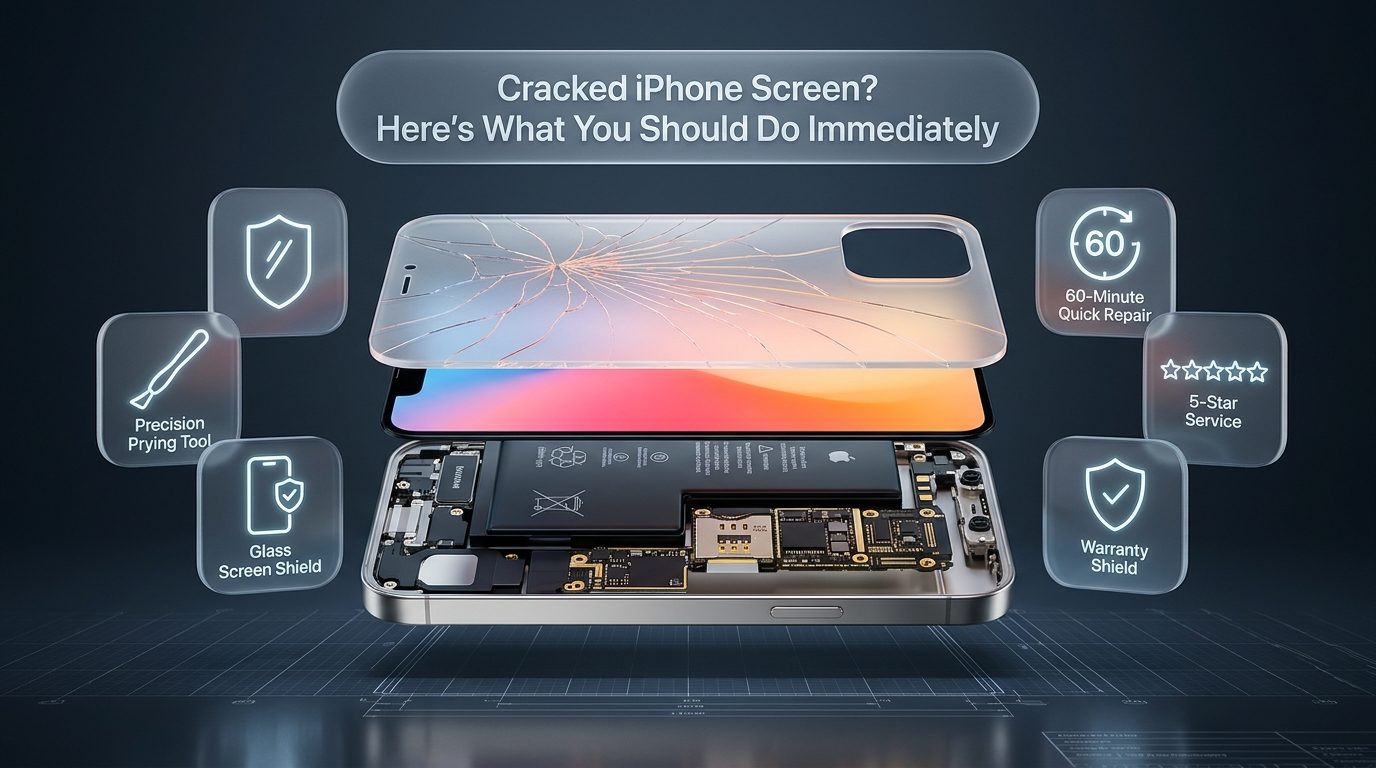
A sudden drop onto concrete, asphalt, or tile often ends with the dreaded sound of glass meeting a hard surface. Picking up the handset and turning it over to see a shattered display is an experience familiar to millions of smartphone users worldwide. When dealing with an iphone cracked screen, the immediate moments following the impact determine whether the device can be salvaged safely, whether vital personal data remains accessible, and how much the final restoration will cost. Physical damage to an iphone screen compromises not only the aesthetic appearance of the handset but also its structural integrity, touch responsiveness, environmental sealing, and internal electrical stability.
Modern smartphones rely on tightly integrated multilayer assemblies where ultra-thin display glass sits directly on top of digitizer arrays and delicate Organic Light Emitting Diode panels. An accidental impact creates micro-fissures that can rapidly propagate across the entire front assembly. Understanding the necessary initial measures prevents personal injury from glass splinters, protects the underlying logic board from progressive short circuits, and ensures you make informed decisions between interim stabilization and professional iPhone screen repair.
Initial Assessment and Immediate Safety Measures
Handling a shattered mobile device requires caution because broken glass presents an immediate physical hazard. Modern iPhone displays feature chemically strengthened glass covers designed to resist surface scratches, yet when subjected to intense torsional or point-impact stress, they fracture into razor-sharp slivers. Running your fingers across an iphone broken screen can easily result in micro-lacerations or embedded glass splinters that are difficult to extract. Before pressing buttons or sliding fingers across the interface, perform a visual and physical safety evaluation under good lighting.
Carefully hold the phone by its metal outer perimeter rather than placing fingers directly over fractured glass sections. If tiny glass particles or dust-like crystalline fragments are shedding from the display edges, hold the phone over a waste container and gently wipe the perimeter with a clean microfiber cloth or a piece of paper towel. Avoid blowing on the display, as airborne glass shards can pose a hazard to eyes and nearby surfaces. Wearing thin nitrile or latex gloves during this initial inspection provides effective protection against surface cuts.
Applying a layer of heavy-duty, crystal-clear packing tape directly across the front assembly stands as the most effective immediate first aid measure for a heavily shattered panel. Smooth the tape across the screen starting from the top speaker grille down to the bottom lightning or USB-C port, pressing outward with the edge of a plastic card to eliminate air bubbles. Trim the excess tape around the phone frame using a hobby knife or precision scissors, ensuring the ear speaker receiver and front camera aperture remain unobstructed if you must continue taking voice calls. This packing tape barrier stabilizes loose shards, prevents glass particles from shedding into your hands or pocket, and creates a smooth temporary glide surface that permits continued touch interaction without injuring your skin.
Powering off the device during the initial inspection is strongly advised if you notice any unusual behavior such as extreme localized heat buildup around the upper logic board area, a distinct chemical odor resembling acetone or sweet fruits, or visual swelling along the phone seam. These symptoms indicate potential secondary damage to the internal lithium-ion battery. A punctured or deformed battery pack represents an immediate thermal runaway risk. If the phone feels abnormally hot to the touch or if the display is physically lifting away from the metal frame, place the device on a non-flammable surface, keep it away from combustible materials, avoid connecting any charging cables, and bring it directly to a certified technician for diagnostic evaluation.
Diagnosing the Scope of Damage: Outer Glass vs OLED and Digitizer
An iPhone front assembly consists of multiple distinct functional layers laminated together using optically clear adhesive. Discerning which specific layer has failed provides accurate expectations regarding repair scope, turnaround time, and restoration costs. When an iphone broken screen occurs, damage typically falls into one of three technical classifications: cosmetic top-glass fracture, touch digitizer failure, or internal display panel destruction.
Cosmetic outer glass damage represents the mildest form of impact failure. In this scenario, hairline cracks or spiderweb fractures run through the protective glass, but the underlying display remains completely illuminated with accurate colors, crisp text rendering, and zero dark patches. Furthermore, the capacitive touch layer responds accurately to every finger gesture across the entire surface area. While the phone remains fully operational, leaving outer glass unrepaired invites long-term complications. Moisture from humid ambient air, perspiration from your hands, and microscopic dust particles gradually migrate through the glass cracks, deteriorating the underlying digitizer matrix and eventually ruining an otherwise healthy display panel.
Touch digitizer failure occurs when the capacitive grid embedded beneath the glass suffers electrical discontinuity or physical tearing. Symptoms include unresponsive touch zones, delayed input registration, erratic jumping of on-screen cursors, or the troublesome phenomenon known as phantom input or ghost touch. During ghost touch events, the phone behaves as if an invisible finger is rapidly tapping buttons, launching applications, dialing random phone numbers, or entering erratic passcode sequences. This behavior demands immediate intervention, as repeatedly failed passcode inputs will trigger security lockouts, eventually forcing a complete device wipe and loss of unbacked data.
Internal display destruction involves catastrophic physical failure of the Super Retina XDR OLED or Liquid Retina LCD matrix. When the display layer ruptures, liquid organic polymers leak or thin-film transistors crack, producing distinct visual artifacts. Common indicators include inky black blobs that gradually spread across the display like an ink spill, bright neon vertical or horizontal lines in vivid green, magenta, or white, rapid screen flickering, or total display blackout where the phone still vibrates and rings for incoming calls but displays nothing. An OLED failure cannot be resolved with surface cleaning or software calibration; it necessitates a full assembly screen replacement using precision diagnostic equipment.
Damage Severity and Diagnostic Indicators
The following technical reference outlines the primary stages of display damage, their associated visual and operational indicators, and the recommended intervention path for each scenario.
| Damage Severity | Visual Indicators | Operational Impact | Recommended Action |
|---|---|---|---|
| Minor Surface Crack | Single hairline fracture; no glass shedding; smooth bezel edges. | 100% touch sensitivity intact; normal colors; zero pixel distortion. | Apply clear film or glass protector; schedule routine repair within 14 days. |
| Severe Spiderweb Shatter | Dense network of cracks; loose glass fragments; damaged bezel borders. | Physical cutting hazard; potential dead touch spots near impact point. | Apply clear packing tape seal immediately; avoid moisture; schedule same-day repair. |
| Digitizer Failure (Ghost Touch) | Cracked glass accompanied by erratic app launches or unprovoked typing. | High risk of passcode lockout and irreversible data erasure. | Force shut down device immediately; backup data via computer; replace screen assembly. |
| OLED / LCD Matrix Rupture | Expanding black ink blotches; vertical colored laser lines; display flickering. | Loss of visual information; partial or complete blindness of interface. | Backup device via trusted computer; professional full assembly replacement required. |
| Total Display Blackout | Screen remains entirely black; phone vibrates, rings, or connects to Bluetooth. | Zero visual interface; device is on but inaccessible through touch. | Professional hardware diagnostics to verify display vs motherboard power rail failure. |
Safeguarding Personal Data and Preventing Lockout Disasters
Preserving your valuable photographs, contacts, financial tokens, and communication history represents the single most time-sensitive priority after an iphone cracked screen incident. Many users focus entirely on the physical glass, delaying backups until the screen unexpectedly shuts down or ghost touch locks them out of iOS permanently. Taking swift, deliberate backup action while the device still possesses partial functionality protects you against irreversible data loss.
Triggering a manual iCloud backup should be performed immediately if touch functionality remains partially operational. Connect your iPhone to a reliable, known Wi-Fi network and plug it into a verified wall charger. Open Settings, tap your Apple ID banner at the top of the interface, select iCloud, tap iCloud Backup, and choose Back Up Now. Allow the process to complete entirely without disconnecting power. Verifying the timestamp of the successful backup under the iCloud Backup menu provides peace of mind that all recent messages, health metrics, and device settings are secured in cloud storage.
Connecting the iPhone to a trusted personal computer running macOS Finder or Windows iTunes provides a comprehensive local backup if touch sensitivity is sluggish or erratic. Because the computer was previously authenticated as a trusted machine, you often do not need to confirm a new Trust This Computer dialogue box. Connect your iPhone via an original Lightning or USB-C cable, open Finder or iTunes, select the device icon, choose Back Up All of the Data on This iPhone to This Computer, and select Encrypt Local Backup to ensure account passwords and Health data are included. Store this encrypted archive safely on your local drive before proceeding with hardware disassembly.
Managing the severe danger of iOS security lockouts requires prompt preventative action. Apple devices enforce strict biometric and passcode security rules. If ghost touch enters incorrect passcodes ten consecutive times, iOS will automatically display an iPhone Unavailable or Security Lockout message, requiring a complete factory restore that erases all non-backed-up data. If you witness the screen tapping random numbers on the lock keypad, perform a hard force shutdown immediately. For iPhone 8 through modern iPhone 16 models, quickly press and release Volume Up, quickly press and release Volume Down, and then press and hold the Side power button continuously until the device powers off completely. Leave the handset powered down until a professional technician can disconnect the damaged digitizer.
Navigating an iPhone with a completely non-responsive touch screen can often be achieved using external hardware peripherals. Modern iPhones with Lightning or USB-C connectors support standard USB Human Interface Devices. By attaching an official Apple Lightning to USB Camera Adapter or a standard USB-C multi-port hub, you can connect an ordinary wired USB computer mouse to your iPhone. An on-screen mouse pointer will appear, allowing you to click your passcode numbers, navigate through menus, enable AirDrop, or initiate local backups even when the physical glass digitizer is 100% unresponsive to touch gestures.
Temporary Protective Measures and Mistakes to Avoid
Stabilizing an iphone broken screen while awaiting a scheduled appointment requires common sense and adherence to proven physical safeguards. Many well-meaning users follow questionable online DIY advice that exacerbates delicate electronic failures into permanent motherboard write-offs. Knowing what actions to take and which home remedies to avoid ensures your phone survives undamaged until expert technicians can service it.
Clear, pressure-sensitive packing tape remains the gold standard for interim home stabilization. Clean any loose debris from the glass using a dry cloth, taking care not to push shards downward into the underlying OLED panel. Lay a clean strip of transparent packaging tape smoothly across the face of the phone, ensuring it adheres firmly across all crack edges. If the cracks are isolated to a single corner, a standard high-adhesion tempered glass screen protector can be applied over the existing surface. This creates a secondary rigid barrier that distributes surface pressure evenly and stops existing cracks from flexing when you carry the phone in a bag or pocket.
Liquid adhesives, cyanoacrylate superglues, and commercial resin windshield repair kits must never be applied to a damaged smartphone display. Automobile windshields consist of thick, dual-layer laminated safety glass designed to absorb low-viscosity UV-curable resins under vacuum pressure. Smartphones, in contrast, feature microscopic margins around display perimeters, speaker grilles, and front microphone chambers. Applying runny liquid glues causes capillary action that sucks adhesives into the ear speaker mesh, ruins front-facing TrueDepth Face ID cameras, and glues internal ribbon cables to the chassis frame, rendering clean disassembly nearly impossible without tearing expensive internal flex circuits.
Submerging a cracked phone in uncooked white rice is another pervasive myth that causes immense hardware harm. Raw rice possesses minimal desiccant capacity compared to proper silica gel packets. More critically, cracked glass breaks the factory ingress protection seal (IP67 or IP68 water resistance). Fine rice starch powder, dust particles, and microscopic grain fragments enter directly through glass fissures, coating the camera lenses, clogging internal charging ports, and settling onto hot circuit components where moisture turns the starch into a corrosive paste. If moisture has entered your cracked phone, keep the device in an airy room with gentle air circulation from an electric fan, or seal it inside an airtight container alongside fresh silica gel packets.
Toothpaste, baking soda pastes, and abrasive buffing compounds should also be strictly avoided. These kitchen abrasive pastes are commonly promoted on social media as magical scratch erasers. In reality, modern iPhone screens are treated with a specialized microscopic fluoropolymer layer called an oleophobic coating, which repels finger oils and smudges. Buffing a cracked screen with abrasive pastes strips away this oleophobic barrier, leaves milky haze patterns across the glass, and forces micro-abrasive grit deep into fracture lines, accelerating glass breakdown and permanently marring display clarity.
Engineering Behind Modern iPhone Screens: Ceramic Shield and Super Retina XDR
Appreciating why an iphone screen cracks under certain angles while surviving other violent falls requires understanding the intricate metallurgy and material science Apple employs across modern handset generations. Since the introduction of the iPhone 12 family, Apple has engineered its flagship displays using a proprietary glass-ceramic matrix developed in partnership with Corning, commercially branded as Ceramic Shield.
Ceramic Shield is fabricated through a high-temperature crystallization manufacturing process that embeds nanoscale ceramic crystals directly inside the glass matrix. Because crystals naturally deflect microscopic crack lines and dissipate mechanical shear energy, Ceramic Shield demonstrates four times better drop performance compared to conventional aluminosilicate smartphone glass. However, material physics always involves a trade-off between hardness and brittleness. While Ceramic Shield excels at absorbing blunt kinetic energy when dropped flat on a smooth surface, it remains susceptible to point-load impact stress. When a phone strikes a sharp pebble, concrete aggregate, or ceramic tile edge, concentrated kinetic energy exceeds the tensile strength of the crystalline matrix, resulting in immediate fracture lines.
The display panel itself has undergone a profound evolution from older Liquid Crystal Displays (LCD) to cutting-edge Super Retina XDR Organic Light Emitting Diode (OLED) technology. Older legacy models such as the iPhone 8 and iPhone SE utilize an LED backlight that shines light through liquid crystal shutters and RGB color filters. In contrast, modern iPhone models utilize self-emissive OLED pixels where every individual pixel generates its own independent illumination and color. This architecture enables infinite contrast ratios, true absolute blacks, and peak HDR brightness exceeding 2,000 nits under direct sunlight.
The flagship Pro models, starting with the iPhone 13 Pro series, introduce ProMotion technology, featuring Low-Temperature Polycrystalline Oxide (LTPO) backplane panels capable of dynamic refresh rates varying from a power-saving 1Hz up to a buttery-smooth 120Hz. The flexible polyimide substrate used in these high-end panels is delicate. Impact shocks that cause minimal cosmetic damage to the top glass can easily sever the microscopic copper traces running along the display ribbon cable, leading to total panel blindness or high-frequency vertical strobe lines that disrupt normal user operation.
Screen Replacement Quality: OEM vs Aftermarket Comparisons
Selecting the appropriate replacement screen represents one of the most critical decisions a device owner faces. The repair marketplace features several distinct tiers of replacement screens, ranging from original factory components to low-budget third-party alternatives. Understanding these differences ensures you receive durable hardware that preserves color fidelity, touch responsiveness, and system longevity.
Original Equipment Manufacturer (OEM) assemblies represent the highest standard of replacement hardware. These displays utilize authentic Apple specification OLED panels, original Ceramic Shield glass substrates, factory-calibrated polarizers, and original digitizer chips. An OEM screen delivers identical color temperatures, full P3 wide color gamut coverage, native HDR peak brightness, and 120Hz ProMotion refresh synchronization. Furthermore, authentic assemblies maintain reliable structural rigidity and precise frame tolerances, ensuring the replacement sits perfectly flush with the phone's stainless steel or titanium enclosure.
Premium Refurbished OEM displays offer an outstanding balance of authentic performance and cost efficiency. When a customer cracks only the outer top glass of an original iPhone display while leaving the underlying OLED and digitizer fully intact, specialized recycling laboratories can separate the broken glass using cryogenic freezing tables or hot-wire diamond slicing machines. A brand-new optical glass lens is then laminated onto the genuine original OLED matrix inside an ISO-certified cleanroom using industrial autoclave bubble removers. The result is an original factory display panel with pristine new glass at a more accessible price point.
Aftermarket Soft OLED and Hard OLED screens are produced by reputable third-party electronics manufacturers such as GX, RJ, or JK. Soft OLED displays utilize a flexible polyimide plastic substrate identical in architecture to original Apple screens, offering excellent shock resistance, deep black levels, slim bezels, and near-OEM color accuracy. Hard OLED displays, by contrast, utilize a rigid glass substrate. While Hard OLEDs produce vibrant colors at a lower price point, their rigid construction makes them slightly thicker and significantly more vulnerable to breaking again from mild secondary drops. Inexpensive Incell LCDs represent the lowest tier, converting an OLED-native phone back to older backlight technology, resulting in washed-out colors, heavy battery drain, thicker black borders, and noticeable chassis heat buildup.
| Display Tier | Color Accuracy & Gamut | Peak Nit Brightness | Impact Durability | Relative Cost Tier |
|---|---|---|---|---|
| Original OEM Assembly | 100% P3 Wide Color; perfect True Tone calibration. | 1,600 - 2,000+ nits HDR peak. | Maximum; genuine Ceramic Shield impact resilience. | Premium / Investment |
| Premium Refurbished OEM | Authentic factory OLED; identical color reproduction. | 1,600 - 2,000+ nits HDR peak. | High; high-grade replacement front glass. | Mid-to-High / Value |
| Aftermarket Soft OLED | 90-95% sRGB / P3 accuracy; natural skin tones. | 800 - 1,200 nits typical. | Very Good; flexible substrate absorbs impact well. | Moderate / Economical |
| Aftermarket Hard OLED | Vibrant saturation; slightly elevated cool blue bias. | 600 - 900 nits typical. | Moderate; rigid glass substrate susceptible to corner shock. | Budget / Entry |
| Aftermarket Incell LCD | Limited gamut; elevated black levels; visible backlight bleed. | 450 - 600 nits max. | Low; increased thickness stresses frame perimeter. | Lowest / Temporary Only |
Display Serialization and True Tone Transfer Requirements
Replacing an iphone cracked screen involves complex software serialization protocols alongside mechanical screw removal. Since iOS 12, Apple has bound the unique serial numbers of the original display panel, ambient light sensors, and touch controller to the handset's central logic board via cryptographically signed EEPROM chips.
When an uncalibrated replacement display is installed without transferring these data parameters, iOS detects a hardware mismatch. The operating system responds by disabling True Tone functionality, which automatically matches the white balance of the display to ambient lighting conditions. In newer releases running on iPhone 11 through iPhone 16 models, iOS will also trigger an Important Display Message or Unknown Part notification within Settings, indicating that Apple cannot verify whether the installed component is a genuine part. While this notification does not hinder the normal operation of touch or display rendering, it can be disconcerting for owners and can lower device resale valuation.
Professional repair centers eliminate these issues through specialized hardware programming tools such as the JCID V1SE or QianLi iCopy Plus programmer. Technicians connect the customer's cracked original display to the programmer's test board, read the native cryptographic display serial, cover code, and touch calibration matrix, and write those exact parameters directly into the EEPROM controller of the new replacement panel. This precise reprogramming preserves full True Tone functionality, maintains native ambient light sensing, and ensures smooth integration with Apple iOS system updates.
DIY Repair vs Professional Service: Risks and Reality
Purchasing an inexpensive DIY screen repair kit online often seems like an attractive weekend project for technologically inclined individuals. Online video tutorials make the procedure appear quick, simple, and straightforward. However, modern iPhones are among the most densely packed, precision-engineered consumer electronics on the planet. Attempting a home repair without professional micro-tools, static-controlled environments, and calibrated torque screwdrivers carries substantial financial and technical risk.
Disassembling modern handsets begins with removing two proprietary pentalobe screws flanking the charging port and applying controlled heat along the chassis edge to soften high-tack water-resistant polyurethane gaskets. If excessive heat above 80 degrees Celsius is applied, the delicate lithium-ion battery can overheat or deform. Conversely, if insufficient heat is used, prying up the display glass using metal tools will bend the aluminum frame, gouge cosmetic chamfers, or fracture the replacement screen before it is even seated.
The most devastating home repair failure involves the front sensor flex assembly, which houses the flood illuminator, ambient light sensor, and proximity module. These components are physically paired at the factory to the device's Secure Enclave to power Face ID biometric authentication. Because this paper-thin ribbon cable is adhered directly to the inside face of the top glass with strong structural adhesive, inexperienced hobbyists frequently tear the flex cable while prying it free. Once severed, Face ID functionality is permanently disabled; Apple's strict cryptographic security prevents third-party re-pairing without complete motherboard replacement or specialized microsoldering jumper repairs.
Screw mismanagement, technically known in the repair industry as long screw damage, represents another severe DIY pitfall. An iPhone contains dozens of microscopic screws varying in length by fractions of a millimeter, ranging from 1.1mm to 1.8mm. Driving a 1.5mm screw into a threaded standoff intended for a 1.2mm screw causes the screw tip to bore directly downward through the multi-layer printed circuit board (PCB) beneath the shield bracket. This severs internal copper traces running critical memory and power circuits, instantly killing the device and rendering the entire phone an unbootable brick that requires hundreds of dollars in specialized microscopic board repair.
| Comparison Factor | DIY Home Repair Kit | Certified Professional Service |
|---|---|---|
| Average Repair Time | 2 to 4 hours; potential multi-day delays if parts fail. | 30 to 60 minutes for complete same-day service. |
| Tooling Requirements | Plastic pry tools, budget screwdrivers, hair dryer. | Calibrated heating plates, torque drivers, programmers, ESD mats. |
| Face ID Preservation Risk | High; easy to tear delicate proximity and IR sensor cable. | Zero risk; expert micro-transplant protocol guaranteed. |
| True Tone Retention | Rarely supported without commercial EEPROM programmer. | 100% retained via programmatic serial transfer tools. |
| Water-Resistance Seal | Usually omitted or misaligned generic double-sided tape. | OEM-grade pre-cut perimeter pressure adhesive seal applied. |
| Warranty Coverage | Zero warranty on customer installation error or part damage. | Comprehensive parts and labor warranty protection. |
Professional repair centers mitigate these risks entirely through standardized operating procedures. Certified technicians work on grounded electrostatic discharge (ESD) workstations, utilize temperature-controlled heating plates that heat the perimeter evenly without stressing the battery, and employ digital microscope stations to verify cable seating. If your device also suffers from related wear such as a degraded cell requiring battery replacement or a loose dock requiring charging port repair, a professional can service all components in a single consolidated visit. In addition to Apple mobile hardware, established repair facilities frequently service broader device ecosystems, offering comprehensive Samsung repair, laptop repair, and gaming console repair.
Preventative Strategies: Safeguarding Your Display Post-Repair
Investing in a fresh display restoration should be paired with strong physical defense habits to prevent future drops from ending in catastrophe. Modern smartphone protection requires a layered security model combining high-energy absorption cases with premium surface glass protectors.
Selecting an effective protective case requires looking beyond basic aesthetic designs. The most vulnerable sections of any smartphone are its four structural corners. When a phone lands on a corner, torsional kinetic energy transfers diagonally across the display frame, causing instantaneous glass shear. Choose cases constructed with dual-layer materials, combining an internal shock-absorbing Thermoplastic Polyurethane (TPU) liner with an outer rigid polycarbonate shell. Ensure the case features a raised perimeter bezel extending at least 1.5 millimeters above the glass plane. This protective lip ensures that when the phone falls face-down on a flat surface, the shock is absorbed entirely by the case perimeter rather than the delicate display glass.
Installing a 9H hardness tempered glass screen protector adds a critical sacrificial defense layer. High-quality tempered glass undergoes thermal and chemical ion-exchange tempering, creating internal compressive stress that resists deep scratches from sand, keys, and gravel. More importantly, during an impact, the tempered glass protector absorbs the initial kinetic shock wave and fractures sacrificially, dissipating energy laterally across its own surface rather than allowing the destructive energy to penetrate the expensive Ceramic Shield below. For enhanced outdoor usability, look for protectors treated with oleophobic and anti-reflective vacuum coatings.
Finally, simple daily handling habits dramatically reduce drop frequencies. Never carry a smartphone in rear pants pockets, where sitting down applies intense bending torque that can warp the aluminum or titanium housing and shatter the glass from within. Avoid balancing your phone on vehicle armrests, bathroom countertops, or uneven workout benches. When exercising or traveling outdoors, use secure lanyard wrist straps or magnetic vehicle mounts that prevent sudden slips.
Professional iPhone Screen Repair in Washington, DC
Living with a cracked or malfunctioning iPhone screen disrupts your personal communication, professional workflow, and daily productivity. Whether you are dealing with a minor hairline crack, unresponsive touch controls, or total display failure, DC Phone Repair provides fast, dependable, and affordable technical restoration tailored to your schedule.
Our experienced technicians utilize top-grade replacement screens, precision diagnostic equipment, and specialized True Tone programmers to restore your iPhone to pristine factory condition. Most screen replacements are completed in under 45 minutes on a convenient walk-in or appointment basis. Every repair is backed by our comprehensive warranty on parts and craftsmanship, ensuring absolute peace of mind.
Stop risking cut fingers, moisture damage, or permanent passcode lockouts. Visit our Washington, DC repair center today, give our friendly team a call, or book your repair online for prompt same-day service.
DC Phone Repair
2704 Marion Barry Ave SE,
Washington DC 20020, United States
(202) 478-4799
https://dcphonerepair.com/
Frequently Asked Questions
Can a cracked iPhone screen damage the internal motherboard if left unrepaired?
Yes, continuing to use a cracked screen allows ambient humidity, perspiration, and dust particles to enter the internal housing through glass fissures. Over time, moisture causes corrosion on delicate motherboard capacitors and ribbon connectors, turning a simple screen repair into an expensive logic board failure.
What is ghost touch, and why is it dangerous for my iPhone data?
Ghost touch occurs when a damaged touch digitizer sends erratic, unprompted input signals to the processor, causing apps to open and random passcode numbers to be entered automatically. If ghost touch enters an incorrect passcode ten consecutive times, iOS triggers a permanent security lockout that wipes all stored device data.
Will I lose Face ID functionality after my iPhone screen is replaced?
Face ID will remain completely functional when repairs are performed by a skilled professional who carefully transplants the original ambient light and proximity sensor assembly. However, inexperienced DIY attempts frequently tear this delicate sensor cable, permanently disabling Face ID biometric capabilities.
What is the difference between replacing the outer glass and replacing the entire screen assembly?
Replacing only the outer glass requires specialized factory equipment to separate the broken glass from the delicate OLED panel without damaging it. In most repair scenarios, replacing the complete display assembly—including the glass, touch digitizer, and OLED matrix—ensures superior reliability, perfect touch calibration, and faster turnaround time.
Does replacing an iPhone screen erase personal photos or apps stored on the device?
Standard hardware screen replacement does not erase any personal data, applications, or device settings. However, backing up your device to iCloud or a computer before any physical hardware service is always recommended as an industry-standard precaution against unforeseen system issues.
Need Fast & Reliable Device Repair in Washington, DC?
Don't let a cracked screen, dying battery, or faulty charging port slow you down. Our certified technicians provide same-day diagnostics and repairs using premium replacement parts backed by our comprehensive warranty.
Phone: (202) 478-4799 | Mon - Sat: 10:00 AM - 8:00 PM