The Critical Nature of the First 24 Hours in Liquid Exposure
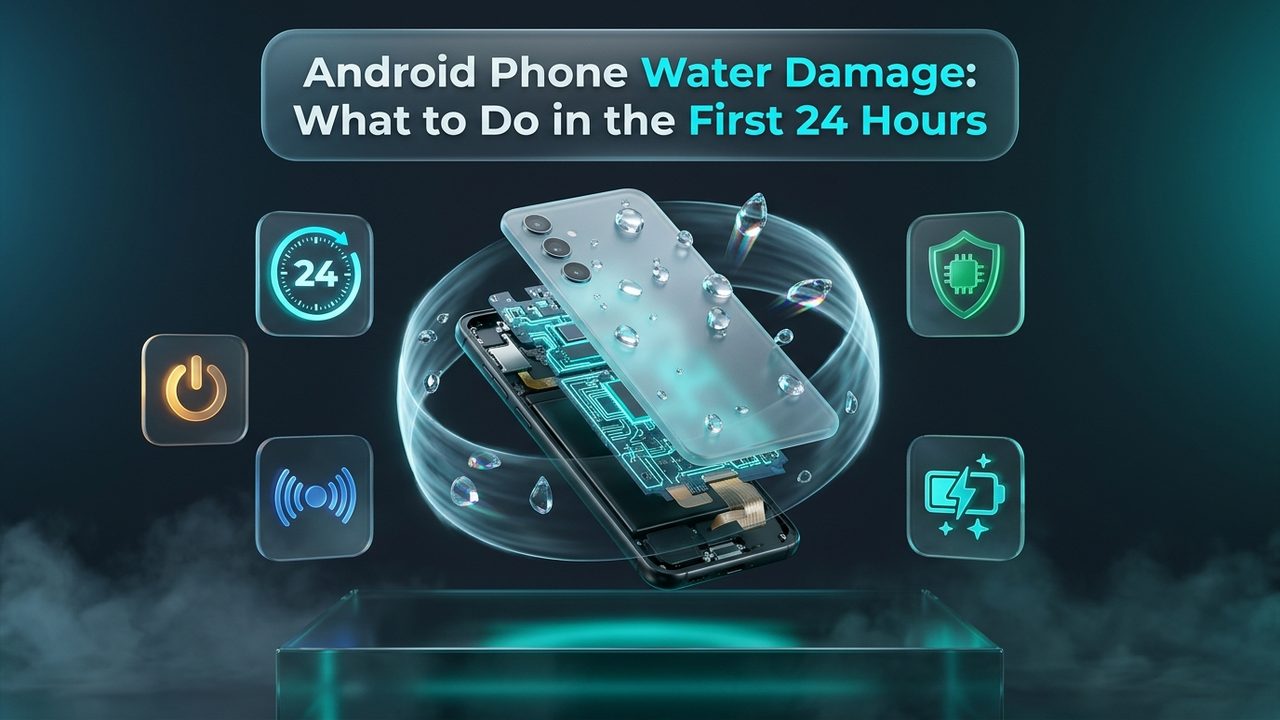
Few technological mishaps trigger an immediate wave of panic quite like seeing a smartphone submerge beneath water. Whether a Samsung Galaxy slips into a kitchen sink, a Google Pixel takes an unexpected plunge into a swimming pool, or a Motorola device suffers a direct splash from a spilled mug of coffee, the ensuing moments dictate whether the device survives or suffers total hardware destruction. In the world of microelectronics, liquid exposure initiates an aggressive, time-sensitive sequence of chemical and electrical degradation. The first 24 hours represent a decisive triage window where correct procedural actions preserve microscopic circuitry, while common reactive mistakes accelerate irreversible component failure.
When an electronic device encounters moisture, liquid does not remain stationary on exterior glass panels. Through capillary action, surface tension, and atmospheric pressure differentials, moisture rapidly seeks out every physical breach in the device chassis. Fluid slips past speaker mesh barriers, traverses around charging port contact pins, permeates mechanical button gaskets, and migrates through microscopic tolerances surrounding the SIM card tray. Once liquid penetrates the inner chassis, it interacts directly with delicate printed circuit boards, high-density surface mount components, micro-soldered electrical traces, and the sensitive lithium-ion battery management system.
Addressing phone water damage requires understanding that liquid alone is rarely the sole cause of destruction; rather, destruction stems from the combination of electrical current, dissolved conductive ions, and atmospheric oxygen. When electrical current flows through mineral-rich moisture bridging two adjacent solder joints, galvanic corrosion occurs within fractions of a second. Copper traces dissolve, solder joints turn to crumbly metal salts, and short circuits divert high-voltage power rails directly into sensitive microprocessors. Navigating android phone water damage effectively demands disciplined, methodical stabilization during the initial 24 hours to halt electrical flow, mitigate moisture propagation, and prepare the device for thorough professional decontamination.
Immediate 0–15 Minute Triage: Critical Actions to Take Instantly
The immediate moments following liquid submersion require rapid, decisive physical actions. Panic often leads smartphone owners to press multiple buttons, shake their phones violently, or immediately inspect screens to determine if displays still function. Every second an active electrical current passes through wet internal components multiplies the rate of irreversible electrolysis. Implementing a calm, structured triage routine within the opening fifteen minutes establishes the baseline conditions necessary for hardware salvage.
1. Immediate Power Cutoff
The primary objective when retrieving a submerged device is severing all electrical activity across the printed circuit board. If the phone display is illuminated, power down the device immediately using the standard manufacturer shutdown procedure. On many modern Android flagships, holding the power key activates digital assistants rather than power menus. Quickly press and hold the Power button simultaneously with the Volume Down button for approximately 5 to 7 seconds until the power dialogue appears, then tap Power Off. If the touch digitizer has become unresponsive due to liquid interference across capacitive screen layers, continue holding both buttons to force a hard hardware shutdown. Once the screen cuts black and haptic vibration ceases, release the keys. If the device was already powered off upon retrieval, resist every temptation to power it on to check functionality. Powering on a wet smartphone sends live battery voltage surging into flooded circuits, triggering instant short circuits that vaporize micro-resistors.
2. Never Connect a Power Cable or Charger
Connecting a USB-C charging cable to a wet device represents one of the most fatal actions an owner can execute. When a smartphone rests connected to a wall outlet or high-output charging brick, 5 to 20 volts of direct current surge into the bottom daughterboard. The pins inside modern USB-C ports sit micrometers apart, handling high-amperage fast-charging currents alongside sensitive high-speed data transmission lines. Introducing conductive liquid across these microscopic pin gaps creates immediate high-temperature electrical arcing, permanently charring the charging port pins, blowing protective overvoltage zener diodes, and potentially burning out the main power management integrated circuit (PMIC). Keep all charging cables, wireless charging pads, and external power banks strictly disconnected from the device.
3. Strip External Cases and Accessories
Protective phone cases constructed from silicone, polycarbonate, or synthetic leather provide excellent shock absorption against drop impact, but they act as moisture traps following liquid exposure. Liquid pools between the inner lining of the case and the rear chassis of the phone, maintaining a saturated microclimate that forces water deeper into perimeter seam seals. Remove the protective case smoothly without twisting or excessively jarring the phone. Detach any adhesive kickstands, magnetic wallet mounts, or protective lens caps that could harbor standing liquid pools.
4. Eject the SIM Card Tray and MicroSD Carrier
Locate the SIM ejector pin tool or an unbent paperclip and firmly depress the release pinhole to eject the SIM card tray. Removing the tray serves two vital purposes: it safeguards your physical SIM card and microSD memory storage from corrosive degradation, and it opens an essential physical aperture in the phone frame. This opening allows internal air pressure to equalize and provides an escape avenue for moisture trapped inside perimeter chassis channels. Carefully extract the plastic carrier, wipe both cards dry with a clean microfiber cloth, and store them in a secure, dry container.
5. Passive Surface Drying and Gravity Drainage
Hold the device firmly with two hands, orienting the phone vertically so that the bottom charging port and speaker grilles face downward toward the ground. Gravity naturally encourages pooled droplets within speaker chambers and connector housings to run toward exterior openings rather than migrating upward toward the main logic board located in the upper third of the chassis. Use an absorbent lint-free microfiber cloth, lintless lens wipe, or cotton towel to gently blot external moisture from the glass panels, camera bezels, and perimeter frame seams. Dab surfaces lightly rather than scrubbing aggressively, which can inadvertently force lingering droplets past rubber perimeter gaskets.
Catastrophic Mistakes: Debunking Common Myths That Destroy Wet Phones
The internet is saturated with well-intentioned folk remedies and viral lifehacks promising instantaneous recovery for liquid-damaged electronics. Unfortunately, the vast majority of these widespread methods are fundamentally flawed from an engineering standpoint, frequently turning minor, remediable moisture ingress into permanent hardware devastation. Understanding why these traditional methods fail enables device owners to avoid worsening underlying component corrosion.
The Raw Rice Fallacy
Placing a wet smartphone into a bowl or bag of raw uncooked rice is perhaps the single most pervasive myth in modern consumer technology. While uncooked white or brown rice possesses mild hygroscopic properties capable of absorbing atmospheric humidity from an enclosed space, its absorption rate is exceptionally slow. Scientific bench testing proves that rice absorbs moisture far too sluggishly to outpace the rapid onset of electrochemical corrosion occurring across wet circuit traces. More critically, raw commercial rice is coated in fine, abrasive starch powder and microscopic grain dust. When introduced to moisture inside speaker chambers, microphone ports, and USB-C receptacles, this starch mixes with liquid to form a thick, corrosive paste. This residue coats electrical contacts, solidifies inside acoustic grilles, and permanently jams mechanical volume switches, creating severe secondary contamination that requires extensive manual micro-scraping to remove.
Thermal Trauma: Hair Dryers, Heat Guns, and Ovens
When panic strikes, many users instinctively reach for hair dryers or heat guns in an attempt to rapidly evaporate moisture trapped inside their phones. Applying high convective thermal energy to a contemporary smartphone is catastrophically counterproductive. Modern smartphones are assembled using precision pressure-sensitive adhesives, thermoplastic gaskets, and optical clear adhesives (OCA) bonding the display glass to the underlying OLED digitizer matrix. Direct heat softens and liquefies these structural adhesives, permanently destroying the factory moisture barriers designed to protect the phone. Furthermore, forced hot air exerts positive pneumatic pressure against perimeter seams, actively blowing standing surface droplets past internal acoustic membranes directly onto the motherboard. Extreme heat can also warp lithium-ion battery casings, degrade battery thermal separators, and cause permanent color distortion or pixel burn across delicate display layers.
Vigorous Shaking, Centrifugal Swinging, and Compressed Air
Another common visceral reaction is violently shaking or swinging the smartphone to sling water out of speaker openings. Modern mobile devices feature compartmentalized internal engineering, where sensitive main logic boards are isolated from lower speaker assemblies by rigid midframe chassis walls and silicone perimeter seals. When a user shakes a wet device vigorously, surface droplets that were previously localized harmlessly within the acoustic chamber or bottom speaker mesh are slung across internal boundaries, splashing onto unshielded microchips, camera sensor prisms, and display ribbon connectors. Similarly, discharging canned compressed air directly into charging ports or microphone pinholes creates high-pressure blasts that rupture acoustic waterproof membranes and propel liquid droplets deep into internal chassis cavities.
| Method / Myth | Theoretical Premise | Actual Engineering Impact | Hardware Risk Level |
|---|---|---|---|
| Uncooked Raw Rice | Absorbs ambient humidity from sealed environment | Negligible moisture extraction; deposits abrasive starch paste inside charging ports and audio mesh | High Risk |
| Hair Dryer / Heat Gun | Rapid thermal evaporation of pooled liquid | Liquefies waterproof adhesive seals, warps OLED layers, pushes water droplets deeper into logic board | Severe Risk |
| Violent Shaking / Tapping | Mechanical ejection of water from ports | Spatially redistributes localized water onto previously dry motherboard circuits and camera modules | High Risk |
| Compressed Air Canisters | Pneumatic displacement of water out of openings | High-pressure blasts puncture delicate acoustic waterproof mesh, driving fluid past perimeter seals | Severe Risk |
| Freezer Storage | Freezes liquid into solid ice to halt conduction | Water expands upon freezing, cracking internal solder joints; generates massive condensation upon thawing | Catastrophic |
Chemical Dynamics: How Different Liquids Affect Android Hardware
Not all liquid encounters inflict identical damage upon microelectronic hardware. The chemical composition, ionic concentration, pH level, and viscosity of the contaminating fluid dictate the speed and severity of structural degradation. Distinguishing between fluid types helps assess the urgency of professional intervention and the probability of component salvage.
1. Pure Freshwater vs. Municipal Tap Water
Completely pure, distilled water is theoretically a non-conductive dielectric fluid because it lacks free mobile charge carriers. However, natural freshwater from lakes, rivers, or rain contains dissolved atmospheric gases, carbon dioxide, dust particulates, and trace minerals. Once inside a phone chassis, this water dissolves microscopic surface salts and manufacturing flux residues lingering on printed circuit boards, transforming into a conductive electrolyte solution. Municipal tap water carries intentionally added mineral salts, including calcium carbonate, magnesium, sodium bicarbonate, and chlorine disinfectant compounds. As tap water evaporates naturally, it leaves behind crusty calcified crystalline mineral residues. These conductive deposits bridge adjacent solder balls, create high-resistance short circuits, and continuously absorb ambient moisture from the atmosphere to perpetuate ongoing corrosion.
2. The Toxic Reality of Ocean Saltwater
Submersion in oceanic saltwater or sea spray represents the absolute emergency scenario in mobile electronics. Seawater contains approximately 3.5% dissolved salts, predominantly sodium chloride, alongside high concentrations of sulfate, magnesium, and calcium ions. Saltwater is an exceptionally potent electrolytic conductor. When saltwater makes contact with energized copper traces or gold-plated connector pins, electrochemical galvanic oxidation occurs at blinding speed. In a matter of minutes, copper circuit traces dissolve completely into green-tinged copper chloride salts, and nickel underplate barriers erode. Furthermore, as saltwater dries, it forms hygroscopic salt crystals that expand physically, dislodging micro-components from solder pads and perpetually pulling humidity from the surrounding air to maintain an active corrosive state. Immediate professional ultrasonic flushing is required to prevent total device loss.
3. Acidic and Sugary Liquids: Soda, Energy Drinks, and Citrus Juice
Dropping a smartphone into carbonated cola, energy drinks, fruit juices, or cocktails exposes delicate electronic components to two distinct destructive mechanisms: severe chemical acidity and viscous sugar saturation. Carbonated sodas frequently contain phosphoric or citric acid, maintaining a low pH between 2.5 and 3.5. This high acidity aggressively dissolves copper circuit lines, eats away protective conformal solder mask coatings, and pits tin-lead solder joints without requiring active electrical current. Simultaneously, high concentrations of sucrose, fructose, and artificial syrups create thick, sticky residues upon partial evaporation. This sugary crust insulates hot components like power management chips, blocking passive heat dissipation and causing severe thermal throttling or processor burnout.
4. Heated and Organic Beverages: Coffee, Tea, and Soups
Hot coffee, caffeinated tea, and savory soups present a dual threat of thermal stress and organic contamination. Elevated liquid temperatures rapidly compromise the elastic properties of perimeter rubber gaskets and silicone seal lines, accelerating fluid ingress through ports and button apertures. Coffee and tea deposit complex organic tannins, oils, and particulate matter that adhere tenaciously to microscopic surface-mount components. Soups and broths add high concentrations of dissolved culinary salt and animal fats, which coat circuit boards in an insulating, corrosive sludge that resists standard air drying.
| Contaminating Liquid | Chemical Properties & pH | Electrolytic Conductivity | Corrosion Rate & Residue | Urgency Window |
|---|---|---|---|---|
| Ocean Saltwater | pH 7.8–8.4; 3.5% NaCl, sulfate, magnesium | Extreme (50,000 µS/cm) | Instant galvanic destruction; expanding hygroscopic salt crust | Immediate (0–2 Hours) |
| Soda / Energy Drinks | pH 2.5–3.2; Phosphoric acid, high fructose | Moderate to High | Acidic copper trace dissolution; sticky thermal insulating syrup | Critical (2–6 Hours) |
| Chlorinated Pool Water | pH 7.2–7.8; Calcium hypochlorite, chlorine | High (oxidizing agent) | Rapid chemical oxidation of solder joints and flexible copper traces | Critical (4–12 Hours) |
| Municipal Tap Water | pH 6.5–8.5; Dissolved minerals, fluorides | Moderate (100–1,000 µS/cm) | Gradual calcium carbonate scale accumulation; dendritic shorting | Elevated (12–24 Hours) |
| Rain / Freshwater | pH 5.5–6.5; Trace airborne particulates | Low to Moderate | Slow oxidation accelerated by lingering PCB manufacturing flux salts | Standard (24 Hours) |
Understanding Android Water Resistance: IP Ratings vs. Real-World Limitations
Modern flagship Android devices from manufacturers such as Samsung, Google, and Motorola prominently feature Ingress Protection (IP) ratings in their marketing collateral. Device owners frequently misunderstand these certifications, treating them as comprehensive waterproofing guarantees rather than laboratory-measured resistance against controlled freshwater penetration. Recognizing the fundamental limitations of IP ratings prevents false security following fluid contact.
Decoding IP67, IP68, and IP69K Ratings
The Ingress Protection code consists of two digits defined by international standard IEC 60529. The first digit represents resistance against solid particulate ingress (a rating of 6 indicates total dust tightness). The second digit measures protection against liquid ingress under highly specific, static laboratory conditions:
- IP67: Guarantees protection against the effects of temporary immersion in still freshwater up to a depth of 1 meter for a duration of 30 minutes.
- IP68: Protects against continuous submersion in still freshwater beyond 1 meter, typically specified by manufacturers like Samsung and Google as up to 1.5 meters for up to 30 minutes.
- IP69K: Found on specialized ruggedized Android devices, certifying protection against high-pressure, high-temperature water jet spray-downs at close range.
Why Laboratory Ratings Fail in Everyday Scenarios
Manufacturers achieve IP compliance by securing exterior chassis joints with die-cut pressure-sensitive adhesive tapes, liquid silicones around mechanical buttons, and fine hydrophobic acoustic mesh barriers across speaker ports. However, laboratory certification testing utilizes stationary, pristine freshwater at room temperature. In the real world, dynamic fluid pressure drastically alters water penetration mechanics. Moving a phone underwater while swimming, exposing it to a running bathroom sink tap, or dropping it into crashing ocean surf creates dynamic hydraulic pressure that easily overcomes static adhesive seals.
Furthermore, internal water resistance degrades steadily across the lifespan of every smartphone. Repetitive daily thermal cycles—such as processor heating during gaming, rapid fast-charging, or leaving the phone on a hot car dashboard—gradually dry out, soften, and compromise flexible perimeter adhesive gaskets. Physical mechanical shocks from minor drops flex the chassis, creating microscopic fractures in adhesive bond lines long before any exterior glass cracks appear. When water-resistant seals degrade, moisture slips directly into internal cavities without meeting resistance.
Liquid Contact Indicators (LCI) and Warranty Realities
Virtually all modern Android smartphones incorporate Liquid Contact Indicators (LCI) or Liquid Damage Indicators (LDI) positioned strategically inside the SIM card tray slot or directly upon internal logic board shielding. In their factory state, these specialized chemical indicator strips appear pure white or silver. Upon contact with moisture or high relative humidity, the indicator paper permanently turns bright red or dark pink. Major smartphone manufacturers explicitly state within their limited hardware warranty terms that liquid damage voids standard warranty coverage, regardless of whether the device carries an advertised IP68 rating. Once an LCI triggers red, manufacturer warranty repair claims are rejected, necessitating independent professional service.
| Ingress Rating | Standard Test Parameters | Representative Android Devices | Real-World Vulnerability Factors |
|---|---|---|---|
| IP67 | 1 meter static freshwater immersion for 30 minutes | Mid-range Samsung Galaxy A-series, older flagships | Easily breached by light water jet pressure, shower steam, or drops into pools |
| IP68 (Standard) | 1.5 meters static freshwater immersion for 30 minutes | Samsung Galaxy S24/S23, Google Pixel 9/8, Motorola Edge+ | Adhesive seals degrade after 6–12 months of thermal cycling; vulnerable to salt, chlorine, and soap |
| IP68 (Deep Water) | Up to 6 meters static freshwater immersion for 30 minutes | Select specialized enterprise and premium devices | Does not protect against dynamic swimming motion pressure or cosmetic hairline fractures |
| IP69K | High-pressure (100 bar) high-temperature (80°C) steam jets | CAT, Sonim, specialized ruggedized industrial Android phones | Port rubber caps must remain securely latched; mechanical seals can wear over time |
The 1–6 Hour Stabilization Phase: Safe at-Home Drying Techniques
Following initial triage and surface blotting, the device enters a pivotal stabilization phase spanning hours 1 through 6. The objective during this period is encouraging passive moisture extraction from internal chambers without introducing damaging heat, mechanical agitation, or particulate contaminants. Implementing scientifically valid desiccant procedures maximizes the rate of ambient vapor reduction.
1. Deploying Synthetic Desiccants (Silica Gel Packs)
Unlike raw agricultural grains, commercial synthetic desiccants—specifically silica gel packets and molecular sieve clays—are engineered explicitly for rapid vapor absorption. Silica gel consists of highly porous, synthetically manufactured silicon dioxide with an immense internal surface area (approximately 800 square meters per gram). Silica gel pulls water vapor from the surrounding atmosphere down to exceptionally low relative humidity levels without producing dust, shedding grains, or undergoing chemical transformation.
To establish a functional drying chamber at home, locate an airtight plastic storage container or heavy-duty resealable zipper freezer bag. Place several clean, dry silica gel packets into the container alongside the vertically oriented phone. If packets with color-changing moisture saturation indicators are available (transitioning from deep blue to pink, or orange to dark green), position them visibly so you can verify that the desiccant remains active. Seal the container hermetically. By creating an enclosed environment with near-zero relative humidity, water molecules trapped within the phone naturally evaporate into the dry air through the open SIM slot and speaker ports, where they are captured by the silica matrix.
2. Active Room-Temperature Convective Airflow
If commercial silica gel packets are unavailable in sufficient quantities, the safest and most effective alternative is continuous room-temperature convective airflow. Position the smartphone resting upright against a stable book or stand on a flat surface, with the bottom USB-C port facing downward. Place a standard electric desk fan, oscillating household fan, or air purifier blowing directly across the phone from a distance of approximately 1 to 2 feet on a medium speed setting.
Continuous airflow across the device creates a localized low-pressure atmospheric boundary layer, accelerating the natural rate of moisture evaporation from external ports and acoustic cavities without generating heat. Ensure the room environment is dry and climate-controlled, ideally operating an active air conditioner or dehumidifier in the space. Leave the device in this continuous airflow stream for a minimum of 12 to 24 consecutive hours. Do not interrupt this drying period to power the device on or insert charging cables.
Anatomical Breakdown: How Water Infiltrates and Damages Key Android Components
A modern Android smartphone represents an extraordinary marvel of dense electronic packaging. Hundreds of interconnected micro-modules operate within millimeters of one another inside a sealed aluminum or titanium perimeter. Understanding the vulnerability profile of each internal module highlights why surface drying alone rarely guarantees long-term device survival.
1. Display Matrix and Digitizer Layers
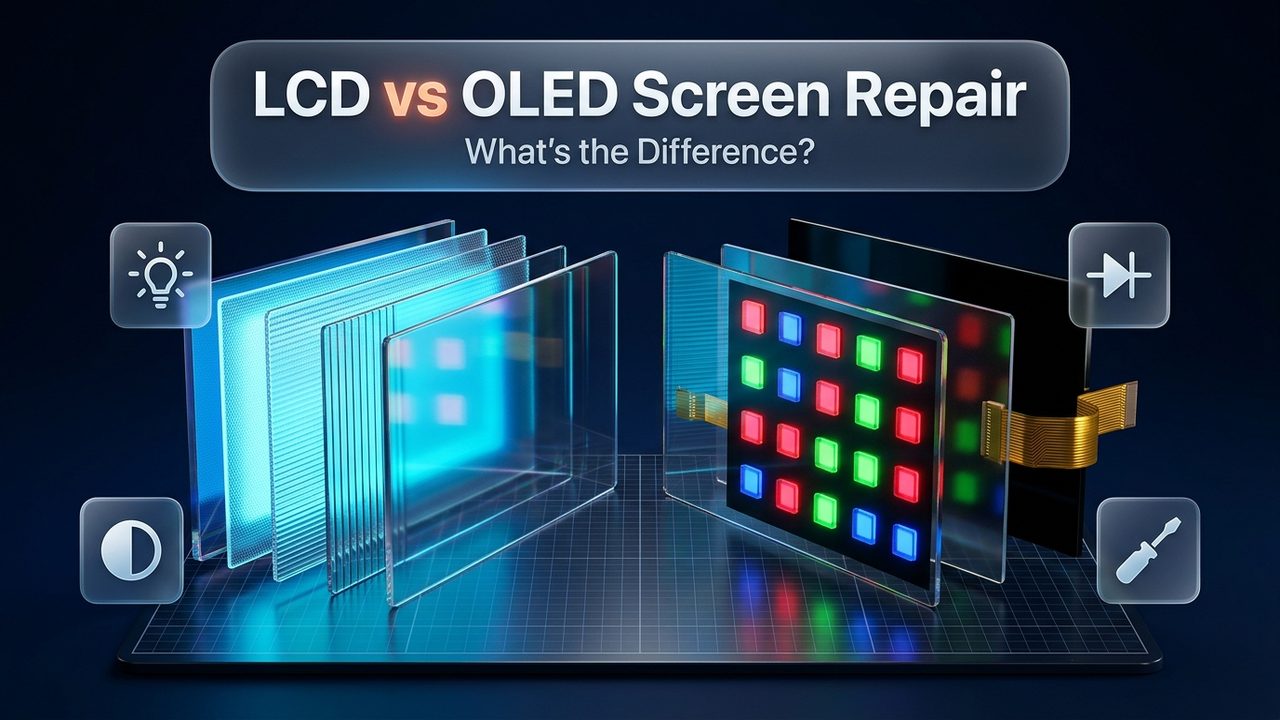
Modern mobile screens are multi-layered sandwiches consisting of exterior tempered cover glass, capacitive touch digitizer grids, polarizing films, organic light-emitting diode (OLED) or liquid crystal (LCD) emitter arrays, and copper flexible printed circuit (FPC) interconnect cables. While OLED panels lack the thick optical backlight layers found in LCDs, they remain acutely vulnerable to moisture ingress. When liquid penetrates the perimeter lamination of an OLED panel, moisture oxidizes organic cathode materials, resulting in expanding black ink-like dead zones across the screen. Furthermore, water trapped between the glass and digitizer alters electrical capacitance, producing phantom touches, unresponsive touch bands, or vertical neon-colored lines across the panel. In severe cases, replacing the entire display assembly via professional screen replacement is necessary to restore visual fidelity and input responsiveness.
2. The USB-C Daughterboard and Sub-Assembly
In most Android smartphone architectures, the lower portion of the chassis houses a secondary printed circuit board known as the daughterboard or sub-board. This board hosts the USB-C receptacle, microphone arrays, haptic feedback vibration motor, and antenna grounding lines. Because the USB-C port is directly exposed to external environments, the sub-board is often the first internal assembly to encounter liquid. Electrolysis across the densely packed 24 pins of the USB-C connector rapidly corrodes the positive VBUS power pins and ground pads. Moisture lingering here triggers the persistent "Moisture Detected in USB Port" warning on Android operating systems, disabling charging functionality to prevent electrical fires. Often, a complete charging port repair and sub-board replacement is required to safely restore fast-charging capabilities.
3. Lithium-Ion Battery and Battery Management System (BMS)
The lithium-ion pouch cell powering a smartphone is permanently wired to a miniature printed circuit board attached to the battery top, termed the Battery Management System (BMS). The BMS oversees continuous voltage balancing, overcharge protection, and temperature regulation. When conductive liquid bridges the exposed nickel tabs connecting the battery pouch to the BMS, high-current micro-short circuits occur. These shorts can degrade safety MOSFET switches, drain the cell below critical cut-off thresholds (rendering it incapable of accepting future charge), or trigger thermal runaway events accompanied by battery swelling. If the battery shows signs of rapid drain, overheating, or physical expansion following water contact, immediate battery replacement is imperative for device and personal safety.
4. The Main Logic Board and Micro-BGA Chips
The main motherboard located in the upper chassis houses the brain of the phone: the System on a Chip (SoC), Power Management Integrated Circuits (PMIC), LPDDR RAM, UFS storage chips, and RF transceivers. These high-density microchips are attached to the motherboard via Ball Grid Array (BGA) solder connections—matrices of microscopic tin-silver-copper solder spheres measuring less than 0.2 millimeters in diameter, positioned underneath chip packages. When moisture penetrates beneath metal electromagnetic interference (EMI) shields, capillary action draws liquid directly into the microscopic spaces beneath BGA chips. Surface air drying cannot evaporate liquid trapped beneath these sealed microchips, leaving moisture to corrode solder joints in total darkness for weeks.
The Microscopic Danger: Electrochemical Migration and Dendrite Growth
One of the most perplexing phenomena experienced by smartphone owners is the "delayed death" of a water-damaged device. An individual drops their phone in liquid, retrieves it quickly, wipes it down, and observes that it appears to function normally for several days. Then, without warning, the device begins freezing, losing network reception, rebooting intermittently, or goes completely black and refuses to power on. This delayed failure is directly driven by a microscopic physical phenomenon known as electrochemical migration.
Electrochemical migration occurs whenever ionic moisture, an electric potential difference, and a metallic substrate coexist. On a high-density printed circuit board, adjacent solder pads and micro-traces operate at varying electrical potentials (for instance, a 4.2-volt battery power rail positioned fractions of a millimeter away from a 1.8-volt logic line or ground plane). When mineralized liquid bridges this microscopic space, the electric field ionizes the metal atoms—typically tin, lead, silver, or copper. Metal cations dissolve from the positively charged anode into the liquid electrolyte and migrate toward the negatively charged cathode.
Upon reaching the cathode, the metal ions regain electrons and precipitate out of solution as pure metallic crystals. Over hours and days, these microscopic metallic deposits accumulate into delicate, tree-like crystal structures known as dendrites. As dendrite whiskers grow across the insulating substrate between circuit traces, they eventually span the physical gap and touch adjacent pins. The moment a metallic dendrite bridges the circuit, it creates a dead short circuit. Depending on the circuit path involved, this sudden microscopic bridge can shunt raw battery voltage directly into the central processor, permanently destroying the silicon die and rendering the phone irrecoverable.
When Professional Intervention is Mandatory
While basic passive drying procedures can stabilize a device that suffered a superficial external splash, deeper liquid submersion demands professional bench intervention. Identifying unmistakable warning signs of severe internal moisture ensures you do not delay critical laboratory decontamination.
Critical Symptoms Demanding Immediate Professional Service:
- Internal Condensation in Camera Lenses: Visible water droplets, misting, or cloudiness behind the rear sapphire camera lenses or front selfie camera aperture prove beyond doubt that liquid has breached the internal chassis and is actively evaporating onto optical elements.
- Persistent Reboot Loops or Sudden Freezes: The phone boots to the manufacturer boot logo (Samsung, Google, Motorola), stutters, reboots, or freezes continuously. This indicates power rail instability or short-circuited pull-up resistors along the I2C or SPI communication buses.
- Total Black Screen with Haptic Feedback: When buttons are pressed or the phone connects to a known device, haptic vibration engines hum or notification chimes sound, but the display remains completely dark. This indicates a blown display backlight fuse, burned OLED driver IC, or corroded display connector pins.
- Localized Extreme Overheating or Scorched Odors: If specific areas of the phone frame—particularly near the upper motherboard assembly or power button—become intensely hot to the touch while idle, or emit faint chemical odors reminiscent of ozone or burning plastic, internal power rails are actively shorting. Disconnect immediately and transport the device to a technician.
- Touchscreen Phantom Ghost Touches: The digitizer registers random, uncommanded screen presses, opens applications erratically, or exhibits broad unresponsive dead zones across the keyboard area.
- Persistent Moisture Detected Alarm: Android operating system alerts stating "Moisture detected in USB charging port" refuse to clear after 24 to 48 hours of thorough drying, indicating irreversible galvanic corrosion across USB-C pins or damaged sensor comparators.
What Happens in a Professional Repair Lab: The Ultrasonic Decontamination Protocol
Professional repair centers like DC Phone Repair do not rely on passive evaporation or surface wiping. Salvaging a liquid-damaged mobile motherboard requires rigorous, laboratory-grade decontamination protocols designed to physically eradicate microscopic mineral salts, halt active oxidation, and restore circuit conductivity.
1. Surgical Teardown and Battery Isolation
Upon intake, a certified technician immediately disassembles the smartphone using specialized precision heat platforms and suction separation tools to soften perimeter adhesives without damaging internal flex ribbons. The battery connector is physically disconnected within the first two minutes, severing all residual voltage to protect surviving micro-circuits.
2. Desoldering Electromagnetic Interference (EMI) Shields
Modern motherboards enclose all critical integrated circuits within soldered stainless steel or nickel-silver RF shielding cages. Many amateur repair shops make the fatal mistake of cleaning motherboards with the shields left attached, leaving trapped water untouched beneath the metal covers. Certified technicians desolder or carefully pop open these EMI shields using micro-hot-air rework stations, completely exposing the bare silicon packages, PMICs, and microscopic passive components to visual inspection.
3. Ultrasonic Cavitation in 99.9% Anhydrous Isopropyl Alcohol
The stripped motherboard is submerged in a specialized electronic ultrasonic cleaner filled with 99.9% electronic-grade anhydrous isopropyl alcohol (IPA) or specialized electronic surfactant solutions. The ultrasonic transducer generates high-frequency acoustic waves (typically 40 kHz) that create millions of microscopic vacuum cavitation bubbles within the liquid. As these cavitation bubbles implode against the surface of the motherboard, they generate intense microscopic acoustic scrubbing action. This cavitation scrubs deep beneath Ball Grid Array (BGA) chip packages, dislodging oxidized metal salts, dried sugars, mineral crusts, and flux residues that manual bristle brushing could never reach.
4. Convective Baking and Thermal Dehydration
Following ultrasonic agitation, the motherboard undergoes an extensive thermal dehydration cycle inside a specialized temperature-controlled laboratory convection oven. Baking the board at a calibrated 60°C to 70°C for several hours ensures every trace of alcohol and dislodged moisture completely evaporates from internal PCB via holes and multi-layer fiberglass planes.
5. Micro-Soldering and Component-Level Rework
Once dried, the technician inspects the entire motherboard under a high-magnification stereomicroscope. Corroded traces are rebuilt using enameled micro-jumper wire measuring 0.02 mm in diameter. Damaged surface-mount capacitors and blown ferrite bead inductors are desoldered and replaced using precision micro-tweezers. Shorted power management ICs are removed, re-balled with fresh solder spheres, and reflowed onto the board. Finally, the board is tested using thermal imaging cameras to verify that all power rails draw factory-standard current without parasitic leakage.
| Repair Phase | DIY Home Stabilization | Professional Ultrasonic Lab Recovery |
|---|---|---|
| Battery Disconnection | Impossible on sealed unibody phones; battery remains live | Immediate surgical physical disconnection within minutes of intake |
| Mineral Salt Extraction | Zero extraction; drying leaves mineral salts on circuits | 40 kHz ultrasonic cavitation scrubbing deep beneath BGA chips |
| EMI Shield Handling | Shields remain in place, trapping liquid underneath | Desoldered or unclipped to expose all microprocessors and PMICs |
| Board-Level Diagnostics | Blind guesswork by attempting to turn the device on | Thermal imaging cameras, multimeters, and schematic diode-mode testing |
| Long-Term Reliability | Extremely low; delayed corrosion causes failure in weeks | High; all corrosive chemistry neutralized and failed components replaced |
Data Preservation Strategies for Liquid-Damaged Android Phones
For many smartphone owners, the physical hardware is secondary in value compared to irreplaceable personal photos, work documents, authentication credentials, and contacts stored on internal flash storage. Modern Android devices utilize hardware-backed File-Based Encryption (FBE), meaning data cannot simply be read by desoldering the NAND flash chip and placing it on a generic programmer without the paired cryptographic keys stored within the secure hardware enclave of the SoC. Restoring the motherboard to an operational state—even temporarily—is therefore essential for complete data salvage.
1. Emergency Cloud Synchronization Protocols
If the device displays partial stability after drying, immediately connect to a trusted Wi-Fi network rather than connecting external storage drives that draw high current. Navigate to Settings and trigger manual backup sweeps across Google Drive, Google Photos, and manufacturer-specific services like Samsung Cloud. Ensure contact books, WhatsApp chat databases, and device settings synchronize fully before attempting reboot cycles or high-intensity workloads.
2. Navigating with USB OTG Peripheral Mice
If liquid intrusion has destroyed the capacitive touch digitizer but the underlying display still renders images, you can bypass touch input using a simple USB On-The-Go (OTG) adapter or USB-C hub. Plug a standard wired or wireless USB computer mouse into the phone port. The Android operating system natively recognizes mouse hardware, projecting a cursor onto the screen. This allows you to effortlessly input PIN codes, bypass security lock screens, and navigate to settings menus to enable developer options, ADB debugging, or direct cloud synchronization without requiring a functional touch screen.
3. Temporary Power Rails for Forensic Data Extraction
When motherboards suffer severe water damage that renders the internal charging circuit and battery connector inoperative, professional technicians utilize external DC bench power supplies. By soldering microscopic positive and ground leads directly to primary system voltage test points, technicians bypass charred charging sub-boards and shorted battery protection boards, supplying steady, calibrated 3.8-volt direct current directly into the main power rail. This powers the phone into a temporary operating state just long enough to extract complete disk image backups to secure external storage drives.
Comprehensive 24-Hour Action Plan Checklist
To ensure systematic execution during high-stress liquid exposure incidents, follow this hour-by-hour timeline protocol to maximize the survival probability of your Android smartphone:
| Timeline Window | Phase Objective | Mandatory Action Items | Strictly Prohibited Actions |
|---|---|---|---|
| Hour 0 (0–15 Min) | Immediate Electrical Triage | Power off device immediately; remove case; eject SIM and SD tray; blot surface dry with microfiber | Do NOT plug in charger; do NOT power on; do NOT shake or blow air |
| Hours 1–3 | Gravity Stabilization | Stand device vertically on absorbent towel with USB-C port facing downward; inspect LCI in SIM tray | Do NOT submerge in raw rice; do NOT apply hair dryer or heat gun |
| Hours 3–12 | Passive Moisture Extraction | Enclose in sealed container with silica gel packets or position in continuous room-temperature fan airflow | Do NOT place in oven or freezer; do NOT press buttons repeatedly |
| Hours 12–24 | Diagnostic Evaluation | Check camera lenses for internal fogging; arrange professional bench decontamination appointment | Do NOT attempt fast charging or intensive computational workloads |
| Hour 24+ | Professional Lab Intake | Complete ultrasonic bath cleaning, micro-soldering inspection, and full hardware diagnostics | Avoid assuming device is completely safe even if basic functions work |
Expert Android Liquid Damage Restoration at DC Phone Repair
When liquid breaches your smartphone, time is the single greatest factor determining whether your device can be saved. Attempting to navigate severe liquid exposure with home remedies leaves microscopic mineral salts eating away at circuit boards, leading to sudden, permanent device death days or weeks down the line. At DC Phone Repair, our certified master technicians utilize state-of-the-art ultrasonic cavitation tanks, laboratory-grade dehydrators, stereomicroscopes, and precision micro-soldering stations to halt corrosion, rebuild damaged motherboard traces, and salvage your essential data.
Whether you require emergency liquid decontamination, precision Samsung repair, specialized iPhone repair, advanced laptop repair, or complex gaming console repair, our team delivers transparent diagnostics, genuine replacement components, and fast same-day turnaround. We stand firmly behind our craft with industry-leading repair warranties and honest, upfront pricing with zero hidden fees. Walk in today or contact our service center to have your device professionally inspected and restored.
DC Phone Repair
Address: 2704 Marion Barry Ave SE, Washington DC 20020, United States
Phone: (202) 478-4799
Operating Hours: Monday – Sunday: 10:00 AM – 10:00 PM
Website: https://dcphonerepair.com/
Frequently Asked Questions
How long should I wait before attempting to power on a wet Android phone?
You should wait a minimum of 24 to 48 hours of continuous passive drying before even considering turning on a liquid-exposed smartphone. Powering on the device prematurely while moisture still bridges internal circuits triggers instantaneous electrical shorting that can permanently fry motherboard microchips. If the phone was submerged in mineral water, pool water, or soda, professional ultrasonic decontamination is strongly recommended prior to powering on.
Can putting my phone in a bag of rice fix phone water damage?
No, uncooked rice is completely ineffective at extracting deep moisture trapped inside electronic components and often worsens existing hardware problems. Rice absorbs atmospheric humidity too slowly to prevent galvanic corrosion, and its powdery starch deposits a sticky, abrasive paste inside charging ports, speakers, and microphone meshes. Utilizing synthetic silica gel packets or continuous room-temperature fan airflow provides vastly superior, dust-free moisture reduction.
What does it mean if my phone works normally right after getting wet?
A wet phone functioning immediately after liquid exposure is often experiencing a dangerous delay before active electrochemical corrosion manifests. As residual moisture and dissolved mineral ions react with live battery voltage and oxygen, metal dendrites gradually grow across solder joints over several days. Left untreated, these microscopic metal whiskers eventually bridge circuit paths, causing sudden unrecoverable power failures, boot loops, or touch digitizer death days after the initial splash.
Will an IP68 water resistance rating protect my phone from pool or ocean water?
IP68 ratings are strictly certified in static, room-temperature laboratory freshwater and do not guarantee protection against chlorinated pool water or saltwater. Saltwater aggressively dissolves copper traces through galvanic corrosion within minutes, while swimming movements create dynamic water pressure that easily breaches rubber adhesive seals. Furthermore, water-resistant perimeter seals naturally degrade over 6 to 12 months due to everyday drops and thermal cycling.
Is it safe to charge my Android phone if the moisture warning will not go away?
Never attempt to force charge an Android smartphone while a persistent moisture warning is displayed on the screen. The operating system disables charging because conductive liquid or mineral salts bridging the 24 microscopic pins in the USB-C port could cause electrical fires or blow the primary power management IC. If the warning persists beyond 24 hours of drying, have the charging port professionally inspected, cleaned, or replaced.
Need Fast & Reliable Device Repair in Washington, DC?
Don't let a cracked screen, dying battery, or faulty charging port slow you down. Our certified technicians provide same-day diagnostics and repairs using premium replacement parts backed by our comprehensive warranty.
Phone: (202) 478-4799 | Open Daily: 10:00 AM - 10:00 PM