How to Fix iPhone Not Charging Issue
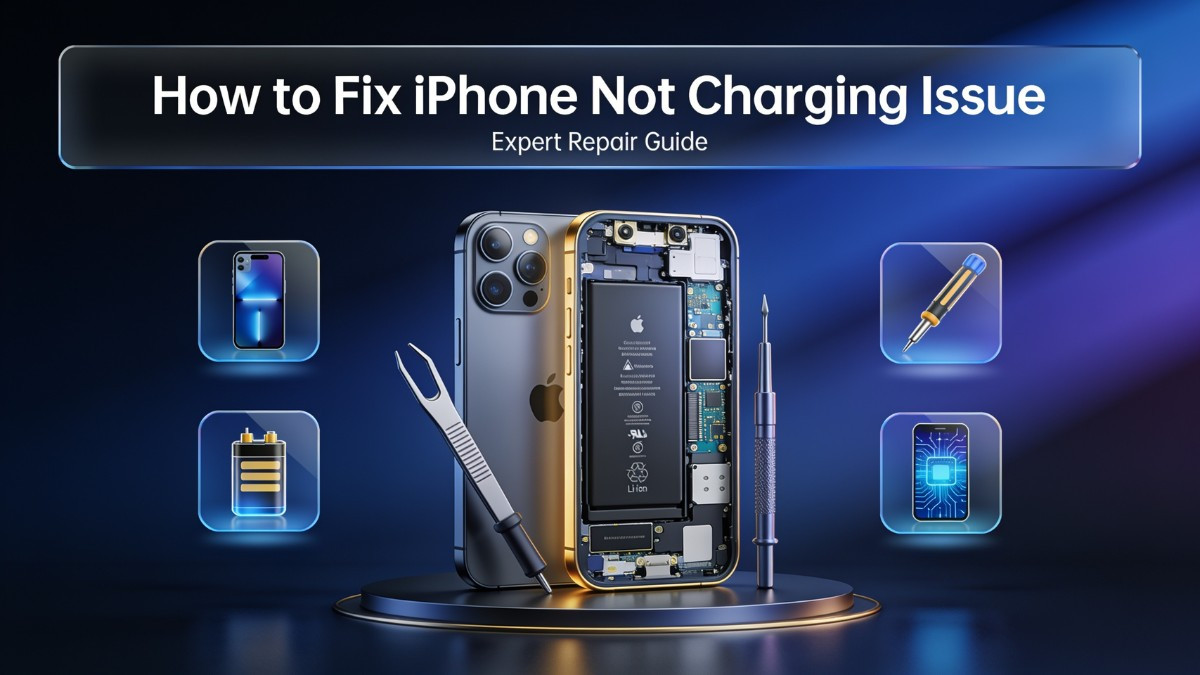
How to Fix iPhone Not Charging Issue
A smartphone that refuses to charge is a source of immediate panic for most users. When you plug your device into a power source and nothing happens, the mind immediately jumps to the worst-case scenario of a dead phone and an expensive replacement. However, an iphone not charging is a highly common issue that stems from a variety of causes, ranging from simple lint accumulation in the port to complex motherboard-level power delivery failures. Understanding how to fix iphone not charging problems requires a systematic approach to diagnosis and troubleshooting. This comprehensive guide will walk you through the mechanics of iPhone charging, physical and software troubleshooting steps, and when to seek professional iphone repair service to resolve persistent iphone charging issues.
The Mechanics of iPhone Power Management
To effectively troubleshoot an iphone charging problem, one must first understand how the device manages incoming power. The charging process is not merely a physical connection of cables; it is a complex negotiation between the charger, the cable, the iPhone's internal hardware, and its operating system. When you connect a Lightning or USB-C cable to an iPhone, the power management integrated circuit (PMIC) on the motherboard immediately assesses the power source. The PMIC, working in tandem with the charging IC (commonly known as the Tristar or Hydra chip depending on the model), determines how much current the device can safely draw without overheating or damaging the battery cells.
This iphone power management system is highly sensitive. It prevents the device from pulling too much power from a low-quality charger, which could lead to thermal events or battery swelling. The software also plays a role; iOS monitors the battery's temperature, voltage, and current capacity in real-time. If the operating system detects an anomaly, such as an unauthorized voltage spike or excessive heat, it will intentionally throttle the charging speed or halt it completely. This is why an iphone charger connected but not charging scenario often points to a protective measure rather than a total hardware failure.
The introduction of USB-C on the iPhone 15 series added another layer of complexity. Unlike the older Lightning standard, USB-C relies on a configuration channel (CC) pin to negotiate power delivery (PD) profiles. If the internal pins corresponding to this negotiation are damaged or dirty, the fast charging protocol fails. The phone might default to an incredibly slow trickle charge, or it might not charge at all. Recognizing that charging is an active, negotiated process helps explain why a seemingly functional cable might suddenly fail to power the device.
Step-by-Step iPhone Charging Troubleshooting
When faced with a phone not charging fix situation, the best approach is to start with the most accessible and common culprits before moving to complex hardware diagnostics. Iphone charging troubleshooting should always begin with the external accessories and work inward toward the device's internal components. This methodical process saves time and prevents unnecessary repair costs.
The first step is to isolate the power adapter and the wall outlet. Plug a different, known-working device into the same outlet and adapter to verify they are delivering power. If the second device charges normally, the outlet and adapter are functioning. Next, examine the charging cable. Cables endure significant physical stress, especially near the connector tips. Look for fraying, exposed wiring, or bent connectors. Even if there is no visible damage, the internal data wires could be severed. Because fast charging requires data pin communication to negotiate power delivery, a cable with damaged data wires will result in iphone fast charging not working, even if it can sustain a slow charge. Trying a brand-new, Apple-certified cable is the most reliable way to rule out an iphone charging cable not working.
If the accessories are verified and functioning, the focus shifts to the iPhone itself. The most common physical obstruction is pocket lint and dust compacted into the charging port. Every time you insert the cable, you compress the debris further into the port until the metal pins can no longer make electrical contact. Performing an iphone charging port cleaning is a safe and highly effective DIY step. Use a non-conductive wooden or plastic toothpick to gently scrape the bottom of the port. Never use metal objects like needles or paperclips, as they can short the pins or scratch the internal shielding, turning a simple cleaning task into a need for immediate iphone charging port repair. Gently work the toothpick around the perimeter and bottom of the port, pulling out any compacted fibers. A can of compressed air can help dislodge loose particles afterward.
Addressing Software and Firmware Glitches
Hardware is only half the equation in smartphone charging repair. iOS software governs the charging process, and firmware glitches can easily interrupt the power delivery chain. Users frequently report an iphone not charging after update, which indicates that a recent iOS revision has either introduced a bug in the power management algorithms or corrupted the device's charging parameters.
The simplest software reset is a hard reboot. This clears the device's temporary memory and restarts all background processes, including the power management daemon. The method for a hard reboot varies by model. For iPhone 8 and later, quickly press and release the volume up button, quickly press and release the volume down button, then press and hold the side button until the Apple logo appears. Often, this simple restart resolves temporary communication errors between the charging IC and the operating system.
If a reboot does not work, the next iphone charging error fix involves checking for pending iOS updates. Apple frequently releases minor patches to address bugs introduced in major updates. Connecting the phone to a computer via iTunes or Finder (or checking over Wi-Fi if the phone has enough residual charge) and installing the latest firmware can resolve software-based charging failures.
In more severe cases, the iOS installation itself may be corrupted, requiring a DFU (Device Firmware Update) restore. This process wipes the device completely and reinstalls the operating system from scratch. It is crucial to have a recent backup before attempting a DFU restore, as all local data will be erased. If a clean iOS restore does not fix the charging issue, the problem is definitively hardware-related, and seeking an iphone repair shop is the next logical step.
Dealing with Specific Charging Scenarios
Charging issues manifest in various forms, and understanding the specific symptoms helps narrow down the root cause. An iphone charger connected but not charging scenario, where the chime sounds and the battery icon appears but the percentage does not increase, usually indicates a negotiation failure. The phone recognizes the cable but cannot draw sufficient current. This is often caused by using an underpowered adapter, a damaged cable lacking data pin connectivity, or a failing charging IC that cannot process the power delivery protocol.
Another highly specific scenario is the iphone usb-c charging issue on newer models. USB-C ports are deeper and have more pins than Lightning ports. A common problem is the separation of the center pin block inside the port. If the small plastic tongue inside the USB-C port breaks, the pins will not align with the cable, preventing any power or data transfer. This requires a complete iphone charging port replacement.
Wireless charging introduces another set of variables. An iphone wireless charging not working issue often stems from physical interference rather than electronic failure. The Qi wireless charging coil located on the back of the iPhone is highly sensitive to thickness and metallic interference. Cases that are too thick, contain metal kickstands, or have magnetic credit card holders will block the electromagnetic field, preventing induction. Removing the case is the first troubleshooting step. If it still fails, the wireless charging coil flex cable inside the phone may be torn or disconnected from a previous drop, requiring professional iphone hardware repair.
The iphone moisture detected charging issue is a protective feature designed to prevent corrosion. The Lightning and USB-C ports have pins dedicated to detecting moisture or conductive debris. If liquid bridges these pins, iOS disables wired charging and displays a warning alert. The best fix is to leave the phone in a dry, well-ventilated area and wait for the liquid to evaporate. Gently tapping the phone port-down can help dislodge water. Do not insert foreign objects into the port to dry it, and avoid using heat guns or hair dryers, which can melt the internal plastic components. If the warning persists for over 24 hours, the pins may be shorted due to oxidation, necessitating iphone charging system repair.
Physical Hardware Failures in the Charging Port
When troubleshooting and cleaning fail to yield results, physical degradation of the charging port is the most likely culprit. The Lightning port is designed for thousands of insertion cycles, but constant plugging and unplugging eventually wears down the metal contact pins. Furthermore, forcing a cable in backwards or at an angle can bend or break these pins. A broken pin cannot establish an electrical connection, rendering the port useless.
Visually inspecting the port with a magnifying glass or a phone camera with macro capabilities can reveal bent pins or burned contacts. A burning smell or blackened plastic inside the port indicates a short circuit occurred, often caused by a cheap, non-regulated car charger causing a voltage spike. Once the physical pins are compromised, no amount of software troubleshooting will restore functionality.
Repairing a damaged port requires micro-soldering and specialized tools. In older iPhone models (iPhone 6 through iPhone 8 series), the charging port is attached to a standalone flex cable that also connects to the microphone and headphone jack. Iphone lightning port repair on these models is relatively straightforward; a technician opens the device, disconnects the old flex cable, and installs a new assembly.
However, in modern iPhones (iPhone X and later), the charging port flex cable is heavily integrated into the lower speaker assembly and is often riveted or strongly adhered to the rear housing. Replacing the port on these models is significantly more labor-intensive. In some instances, the port is soldered directly to a sub-board. A certified iphone technician must remove the display and battery to access the lower chassis, carefully route the new flex cable, and ensure the waterproof seals are properly reinstalled to maintain the device's IP rating.
Battery Degradation and Power Failures
Sometimes the charging port and cable are perfectly fine, but the battery itself refuses to accept a charge. Lithium-ion batteries have a finite lifespan, typically measured in 500 to 1,000 full charge cycles. As the battery ages, its internal resistance increases. High internal resistance prevents the battery from accepting fast charging currents, causing the phone to charge incredibly slowly or to halt charging entirely to prevent overheating.
Performing an iphone battery health check is a critical diagnostic step. Navigating to Settings, then Battery, and selecting Battery Health & Charging reveals the maximum capacity percentage and cycle count (on newer models). If the maximum capacity is below 80%, or if iOS displays a "Service" or "Important Battery Message," the battery is chemically depleted. A degraded battery can also cause unexpected shutdowns under load, forcing iOS to engage performance throttling to prevent the device from turning off.
In extreme cases of battery failure, the cells may swell. A swollen battery pushes against the internal components, potentially separating the display from the frame or cracking the back glass. If you notice the screen lifting, stop using the device immediately and do not attempt to charge it. A swollen lithium-ion battery is a severe fire hazard.
An iphone battery replacement is the only solution for a degraded or swollen battery. Professional iphone repair experts use ESD-safe tools to disconnect the old battery and install a new, OEM-spec cell. Post-installation, the technician must calibrate the new battery by cycling it through a full charge and discharge, ensuring the power management IC accurately reads the new cell's capacity. Attempting a DIY battery replacement risks puncturing the cell, which causes violent thermal runaway, or severing the display flex cables, leading to a much more expensive screen repair.
Motherboard-Level Faults and Power Delivery
If the accessories, port, and battery are all ruled out, the issue lies deeper within the logic board. The power delivery circuit on an iPhone motherboard is complex and highly sensitive to electrical stress. The charging IC (Tristar in older models, Hydra in newer models) acts as a bouncer, regulating the voltage and current coming from the charging port and passing it safely to the PMIC and the battery.
The most common cause of charging IC failure is the use of cheap, unregulated charging accessories. Gas station chargers and counterfeit cables lack the necessary capacitors and resistors to filter out voltage spikes from car alternators or unstable wall grids. When a voltage spike hits the iPhone, the charging IC absorbs the blow to protect the main processor. After absorbing too many spikes, the IC fails. Symptoms of a failed charging IC include the phone only charging when powered off, incredibly slow charging despite using a fast charger, or the device being completely unresponsive when plugged in.
Synthetic liquid damage also destroys the power delivery circuit. Even if a phone is never submerged in water, sweat or condensation entering the charging port can cause micro-corrosion on the pins. This corrosion acts as a resistor, altering the voltage the charging IC sees. If the IC detects an out-of-specification voltage, it disables charging entirely to protect the motherboard.
Repairing motherboard-level charging failures requires advanced iphone charging diagnostics and micro-soldering expertise. A technician must disassemble the logic board, use a thermal camera or multimeter to map the short circuit, and use a hot air rework station to remove the failed microchip. Once removed, the pads are prepped, and a new IC is soldered onto the board. This level of iphone charging system repair is highly specialized and cannot be performed at home. Seeking a specialized iphone repair service that offers micro-soldering is essential, as many standard repair shops only handle modular replacements like screens and batteries and will turn away logic board repairs.
The Importance of iPhone Maintenance and Charging Tips
Preventative care extends the lifespan of an iPhone's charging system significantly. Proper iphone maintenance involves adopting habits that reduce physical and electrical stress on the device. One of the most effective iphone charging tips is to use only MFi (Made for iPhone) certified cables and high-quality power adapters from reputable brands. MFi-certified cables contain a C89 or C94 authentication chip that safely negotiates power with the iPhone, protecting the charging IC from voltage anomalies.
Keeping the charging port clean is another crucial preventative measure. Because iPhones live in pockets and purses, port contamination is inevitable. Periodically inspecting the port and gently removing lint before it becomes severely compacted prevents bent pins and poor connectivity. Furthermore, avoiding the use of the phone while it is charging reduces heat generation. Charging already produces heat; demanding heavy processing power from the CPU simultaneously raises the temperature further, accelerating battery degradation and stressing the power management circuitry.
Managing battery charge cycles also prolongs battery life. Lithium-ion cells do not need to be drained to zero percent before recharging. In fact, deep discharges stress the chemical cells. Keeping the battery between 20% and 80% charge is optimal for long-term health. iOS includes an "Optimized Battery Charging" feature that learns the user's daily routine and delays charging past 80% until just before they wake up, minimizing the time the phone spends at maximum voltage. Enabling this feature is a simple software adjustment that delays the need for an iphone battery replacement.
DIY vs Professional iPhone Repair: Making the Right Choice
Deciding whether to attempt a repair at home or seek professional help depends entirely on the nature of the charging issue and the user's technical proficiency. Simple iphone charging troubleshooting, such as swapping cables, cleaning the port with a wooden toothpick, and performing a hard reset, are highly recommended DIY steps. These actions require no specialized tools and carry minimal risk if done carefully. They often resolve the issue without any financial investment.
However, when the problem requires opening the device's chassis, the risk-to-reward ratio shifts dramatically. Modern iPhones are held together by strong adhesive and proprietary screws (Pentalobe, Tri-point, and Standoff). Opening the device without specialized tools risks stripping the screws, tearing delicate display flex cables, or puncturing the battery. Furthermore, replacing a charging port on a modern iPhone requires transferring microscopic waterproof gaskets and routing delicate cables perfectly to avoid causing secondary damage to the speakers or Taptic Engine.
Professional iphone repair experts possess the schematic knowledge, micro-soldering equipment, and ESD-safe environments necessary to perform complex repairs safely. When dealing with motherboard failures, such as a blown charging IC, professional intervention is the only viable path. A certified technician can run board-level iphone charging diagnostics to pinpoint the exact failed component, rather than guessing and replacing parts unnecessarily.
When seeking professional help, it is important to choose a reputable iphone repair shop that offers a warranty on their parts and labor. A warranty indicates that the shop uses high-quality replacement parts and stands behind their technical workmanship. Searching for an iphone charging repair near me will yield numerous results, but verifying reviews and asking about their micro-soldering capabilities ensures the device is in capable hands.
| Issue Type | DIY Approach | Professional Repair | Cost Estimate & Turnaround |
|---|---|---|---|
| Port Debris | Clean with wooden toothpick, compressed air | Ultrasonic cleaning if corroded | DIY: Free / Pro: $20-$40, 30 mins |
| Bad Accessories | Swap cable and power adapter | N/A | DIY: $15-$30 (Cost of new MFi cable) |
| Battery Failure | Not recommended (Fire risk) | Battery replacement with calibration | Pro: $60-$100, 1-2 hours |
| Broken Port Pins | Not possible | Charging port flex cable replacement | Pro: $70-$120, 1-2 hours |
| Charging IC Failure | Not possible | Logic board micro-soldering repair | Pro: $100-$250, 2-5 days |
Broadening the Scope: Multi-Device Repair Ecosystem
While this guide focuses heavily on Apple devices, the principles of power management and hardware diagnostics apply across the entire consumer electronics landscape. A high-quality mobile phone repair shop rarely limits its expertise to a single brand. The micro-soldering techniques used to fix an iPhone charging IC are identical to those used in broader smartphone charging repair for Android devices. Facilities equipped for apple phone repair almost always offer samsung repair as well, addressing the same broken ports and degraded batteries in Galaxy devices.
Furthermore, the charging and power delivery circuits in smartphones share fundamental architectures with larger electronics. The same diagnostic methodology—checking the power source, verifying the cable, inspecting the input port, and tracing the power delivery circuit on the motherboard—applies to computing and entertainment hardware. A technician skilled in iPhone logic board repair has the foundational skills required for comprehensive laptop repair, where charging jack failures and swollen batteries are equally common.
The ecosystem extends to entertainment hardware as well. Gaming consoles suffer from very similar power delivery failures. A power surge can blow the HDMI retimer chip or the power supply IC in a PlayStation or Xbox just as easily as it kills an iPhone's charging IC. Shops that offer gaming console repair utilize the same thermal cameras, multimeters, and hot air stations used for smartphone micro-soldering.
Therefore, finding a reliable local repair partner is about more than just fixing a single phone. A facility that handles iphone repair alongside tablet, computer, and console repairs demonstrates a deep, comprehensive understanding of electronics troubleshooting. Whether a consumer needs a routine battery replacement or complex screen repair, a full-service electronics repair shop provides reliable, long-term iphone charging solutions and tech support for the entire household's digital devices.
Dedicated Call-to-Action
Dealing with an iPhone that refuses to charge disrupts your communication, work, and daily routine. Do not let a failing charging port, a degraded battery, or a complex motherboard issue keep you disconnected. Our certified technicians provide fast, reliable, and affordable repair services to get your device back to optimal working condition. We understand the urgency of mobile power failures, which is why we offer same-day service for most common charging issues, utilizing high-quality parts backed by a solid warranty. Our team handles everything from basic port cleaning to complex logic board micro-soldering with precision and care.
We encourage walk-ins, phone calls, and online bookings to fit your busy schedule. Whether you need a quick diagnostic, a battery swap, or a complete charging system repair, our shop is fully equipped to deliver exceptional results. Trust our expertise to provide accurate iphone charging support and effective repair solutions that extend the lifespan of your electronics. Stop struggling with a dead battery and let a professional restore your device today.
DC Phone Repair
2704 Marion Barry Ave SE,
Washington DC 20020, United States
Frequently Asked Questions (FAQs)
What should I do first if my iPhone is not charging?The first step is to perform basic iphone charging troubleshooting by testing a different MFi-certified cable and power adapter. If the phone still will not charge, gently clean the charging port using a wooden toothpick to remove compacted lint, as debris blocking the pins is the most common cause of charging failures.
Can a software update really stop my iPhone from charging?Yes, firmware glitches can disrupt the power management system. An iphone not charging after update usually indicates a bug in the iOS charging parameters. Performing a hard reboot or installing the next available iOS patch typically resolves this software-level interference.
How do I know if I need an iphone charging port replacement?If you have verified that the cables and adapters work on other devices, cleaned the port thoroughly, and the phone still will not charge or only charges when you hold the cable at an extreme angle, the internal pins are likely broken. This physical damage requires professional iphone charging port repair.
Is it safe to keep using a cheap, non-certified charging cable?Using non-certified cables is risky because they lack the necessary voltage regulation chips. They can send power spikes directly to the iPhone's motherboard, eventually blowing the charging IC and requiring expensive iphone hardware repair. Always use MFi-certified charging accessories.
Can water exposure cause the iPhone to stop charging permanently?The iphone moisture detected charging issue is a temporary safety feature. However, if liquid sits in the port too long, it causes oxidation and micro-shorts on the pins. If the warning persists for over a day or the port stops responding entirely, the internal components are likely corroded and require professional iphone charging system repair.
Frequently Asked Question
Welcome to our FAQ section! Here, we've compiled a list of commonly asked questions to provide you with quick answers and assistance. If you don't find the answer you're looking for, feel free to contact us directly, and we'll be happy to help.
How long does your repair service take?
At DC Phone Repair, we are able to fix most phones within 10-15min. Walk-in Welcome, We carry all parts including phone screens, charger port, iPhone batteries, android batteries, ear speakers, black glass, loud speakers, Samsung pens and many more. We can fix your cracked screen or broken phone screen within minutes.
Can DC phone repair fix water damaged phones?
We can fix any phones, if you dropped your phone in the water no worries, DC phone repair can repair you phone. our experiences techs can run diagnostics on your device and tell you exactly what is the issue and fix it quick. Our diagnostic is completely FREE!
DO I NEED AN APPOINTMENT OR CAN I WALK-IN?
We welcome all customers including Walk-ins and appointments. Most repair times are less than 10-15mins so you don't have to leave your device with us most of the time. We Love our customers at DC Phone Repair and we strive to serve our customers in the best we can.
WHAT KIND OF PHONE REPAIR SCREEN OPTIONS DO YOU PROVIDE?
At DC Phone Repair, We carry all different types of screens, including OLED replacement Screens, LCD screens, OEM apple screens, OEM Samsung screens, call us today so we can fix your phone right!
-
00
+Glorious Years
-
00
k+Happy Customer
-
00
k+Service Complete
-
00
%Satisfactions