DC Phone Repair
iPhone Air Liquid Damage Repair in Hillcrest DC
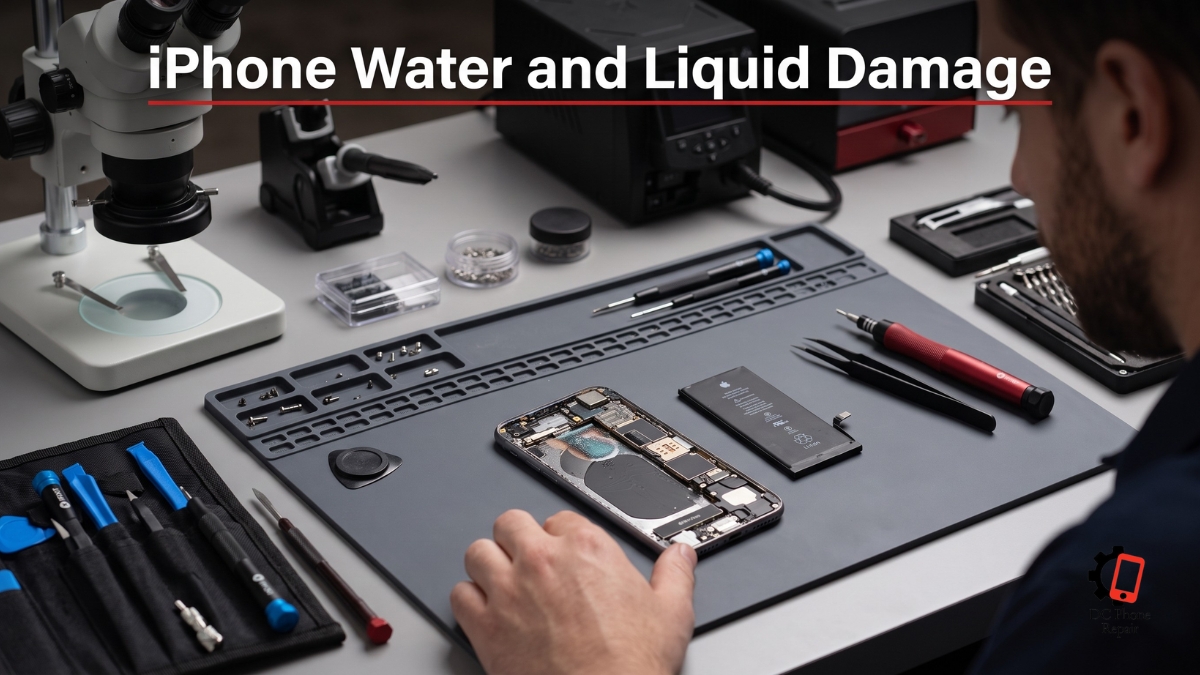
Liquid exposure creates a different kind of repair problem from a cracked screen or worn battery. The phone may continue working immediately after the incident, which can make the damage seem minor. A few hours later, the charging function may stop, the display may flicker, the cameras may become cloudy, the speakers may sound distorted, or the device may shut down without warning. In other cases, the phone appears completely dead from the moment it comes into contact with liquid.
The condition can change quickly because moisture does not need to remain visible to keep causing damage. Liquid can travel through small openings around buttons, speakers, microphones, charging components, damaged glass, frame gaps, and seals that have weakened over time. Once inside, it can create electrical shorts, leave conductive residue, and begin corrosion around connectors, cables, components, and board-level circuits.
A device that works after being dried on the outside is not necessarily safe internally. Turning it on repeatedly, connecting a charger, applying heat, or pressing every button to check whether it still works can increase the risk of additional damage. The safest response is usually to stop using the phone, disconnect it from power, avoid charging it, and arrange a professional inspection as soon as practical.
iPhone Air Liquid Damage Repair is not one automatic part replacement. The repair begins with determining where the liquid reached, which components were affected, whether corrosion has started, and whether the phone can be stabilized before further damage develops. One device may need internal cleaning and connector treatment. Another may require replacement of a damaged component. A more severe case may need board-level repair, data-focused recovery work, or several stages of diagnosis.
This page explains how DC Phone Repair approaches iPhone Air Liquid Damage Repair in Hillcrest DC. It covers immediate steps after exposure, common symptoms, professional diagnostics, internal cleaning, corrosion treatment, component testing, repair limitations, turnaround, quote-based pricing, data safety, part options, warranty considerations, and the differences between local service, manufacturer service, mail-in repair, and do-it-yourself drying attempts.
Liquid-damage outcomes cannot be promised before inspection. Two phones exposed to the same amount of liquid may have very different internal conditions depending on the type of liquid, the point of entry, the device's previous repair history, whether it was connected to power, and how long it remained wet. DC Phone Repair's technicians in Hillcrest DC evaluate the actual condition before explaining what can reasonably be repaired.
What Is iPhone Air Liquid Damage Repair?
iPhone Air Liquid Damage Repair is the process of inspecting, stabilizing, cleaning, testing, and repairing a device affected by water, drinks, moisture, condensation, or another liquid. The exact service depends on how far the liquid traveled and which parts were damaged. It may involve disconnecting the battery, opening the device, removing visible moisture, cleaning residue and corrosion, testing internal components, repairing connections, replacing damaged parts, or performing board-level work.
Liquid damage is not limited to a phone that has been fully submerged. A small spill near the charging opening, a wet pocket, rain exposure, steam, condensation, a damp countertop, or a drink splashed across the display can allow moisture to enter. A cracked screen, damaged back glass, bent frame, loose display, worn seal, or previous repair can make entry easier.
The type of liquid matters. Clean water can still cause electrical and corrosion damage, but drinks containing sugar, salt, acids, minerals, dairy, or other residue may create additional contamination. Even after the moisture evaporates, residue can remain on connectors and circuits. That residue may continue interfering with electrical contact or attracting moisture from the surrounding air.
The device's condition at the moment of exposure also matters. A powered-on phone has active electrical current moving through its circuits. If liquid bridges points that should remain separate, a short can occur. Connecting a charger while moisture remains inside can introduce additional power into the damaged area. Repeated attempts to turn the phone on can create new failures that were not present immediately after the spill.
External drying does not confirm internal dryness. The outside may feel completely dry while liquid remains trapped beneath shields, inside connectors, around the battery, behind the display, under camera assemblies, or between board components. Moisture can also move as the phone is tilted, spreading from one area to another.
Common do-it-yourself advice can create false confidence. Placing a phone in rice does not remove corrosion or conductive residue from internal components. Rice particles and dust can also enter open ports. Using a hair dryer, heater, oven, or direct sunlight can expose the battery, display, adhesive, and internal parts to damaging heat. Strong compressed air may push liquid deeper into the phone.
The safest immediate actions are usually simple. Disconnect the charger or accessory, power the device down if it can be done without repeated attempts, remove the case, wipe away surface liquid, and keep the phone away from heat. Do not continue charging it to see whether it still works. Do not repeatedly press buttons, shake it aggressively, or insert objects into its openings.
Professional iPhone Air Liquid Damage Repair begins with inspection rather than assuming one failed part. DC Phone Repair's technicians in Hillcrest DC examine the entry points, visible damage, moisture indicators, frame condition, previous repair history, and current behavior. If the phone still powers on, relevant functions may be checked briefly before disassembly, but unnecessary operation is avoided when continued power could worsen the damage.
Once opened, the technician can disconnect the battery and examine internal areas for moisture, discoloration, residue, corrosion, and damaged connectors. Components may be tested individually after the device has been cleaned and stabilized. This sequence is important because replacing one visible failed part before cleaning the underlying corrosion may produce only a temporary result.
Not every liquid-damaged device can be restored to normal operation. Severe corrosion, battery damage, destroyed board components, missing pads, damaged storage circuitry, or prolonged exposure may limit the repair. The goal of the diagnostic is to explain the condition honestly and identify whether the practical objective should be full repair, partial function, data access, or safe recovery of important information.
iPhone Air Liquid Damage Repair should therefore be viewed as a condition-based service. The technician cannot determine the final repair by the amount of liquid described over the phone. Internal inspection provides the information needed to estimate the work, explain the risks, and provide a quote.
Signs Your Device Needs iPhone Air Liquid Damage Repair
Liquid exposure can affect almost any internal function. Some symptoms appear immediately, while others develop after the phone has seemed normal for hours or days. The following signs may indicate that the device needs iPhone Air Liquid Damage Repair:
- The phone will not power on after contact with liquid
- The device powered off during or shortly after the incident
- The display flickers, flashes, shows lines, or remains black
- Touch input becomes delayed, erratic, or completely unresponsive
- The phone restarts repeatedly or shuts down without warning
- The device becomes unusually warm without heavy use
- The charging function stops working or becomes intermittent
- A moisture-related charging warning appears
- The battery drains much faster than before the exposure
- The battery percentage changes unpredictably
- The phone charges only when the cable is held at a certain angle
- Speakers sound muffled, distorted, quiet, or crackling
- Call audio becomes faint or cuts in and out
- Recorded voice sounds distant, broken, or filled with static
- One or more cameras appear cloudy from the inside
- The camera preview stays black or refuses to focus
- Buttons become stiff, stuck, or unresponsive
- Biometric or sensor functions become unavailable
- The screen remains active during calls or turns off unexpectedly
- Wireless connections become unreliable after the incident
- The phone reports that an accessory or component is unsupported
- Visible condensation appears beneath the camera glass or display
- White, green, blue, or dark residue appears around an opening
- The device works at first but loses functions gradually
- The phone powers on only when connected to a charger
- Sound or vibration continues even though the display remains dark
- The device was exposed to a sugary, salty, acidic, or sticky liquid
- The phone was charged before it had been inspected
- The display or back glass was already cracked before exposure
- The device has been opened or repaired previously
A phone does not need to show every symptom to have internal damage. One affected connector can disable a camera or speaker while the rest of the device continues working. Liquid near the charging area may create power and accessory problems without affecting the display. Moisture around the upper assembly may affect call audio, sensors, or cameras while charging remains normal.
The absence of symptoms immediately after exposure is not proof that the phone is undamaged. Corrosion develops over time. A connector may work while wet, become unstable as residue dries, and fail later. A device that passes a quick check on the first day can begin restarting or losing functions several days afterward.
Intermittent behavior is particularly important. If the phone works after a restart but fails again, the problem may involve corrosion, unstable power, a damaged connector, or a component that changes as the device warms. Charging that starts and stops can indicate moisture, residue, or damage in the charging path.
Customers should also note the type of liquid and duration of exposure. A brief splash of clean water creates a different contamination risk from a phone dropped into a sugary drink or exposed to saltwater. The point of entry matters as well. Liquid entering through damaged glass may reach different components from liquid entering near the charging opening or speaker area.
What happened after the incident can change the outcome. Charging, repeated power attempts, heat, shaking, or continued use can spread moisture or add electrical stress. This information helps the technician understand why a device that initially worked may have deteriorated.
DC Phone Repair's technicians in Hillcrest DC use the symptoms as a starting point, not a final diagnosis. The device must be opened and inspected when internal liquid exposure is suspected. A failed display may be the visible symptom, but cleaning and board inspection may be needed before a replacement display can be tested safely.
Why Hillcrest DC Customers Choose DC Phone Repair for iPhone Air Liquid Damage Repair
Liquid damage creates urgency because the condition may continue changing. Customers in Hillcrest DC often prefer a local shop where the phone can be inspected without adding shipping time. Bringing the device directly to DC Phone Repair allows the technician to begin with physical evaluation, battery isolation, and internal inspection as appropriate.
Mailing a wet or recently exposed phone requires packaging, transit, and waiting for the repair facility to receive it. During that time, moisture and residue remain inside unless the device has already been opened and stabilized. A local diagnostic can shorten the delay between exposure and professional inspection.
Local service also gives customers a direct explanation of the damage. Liquid-damaged phones rarely fit into one simple repair category. The technician may find that the display, battery, charging assembly, camera, speaker, connector, and board have been affected differently. Customers can ask which areas show corrosion, which parts remain testable, and what repair sequence is recommended.
DC Phone Repair's technicians in Hillcrest DC do not assume that replacing the first failed component will solve the problem. Internal cleaning and stabilization come before final part decisions where appropriate. This reduces the risk of installing a replacement into a contaminated device without addressing the source of the failure.
Transparent pricing is also important because liquid-damage repair can change after disassembly. The external symptoms may suggest one issue, while internal inspection reveals wider corrosion. DC Phone Repair provides a quote based on the condition found and contacts the customer before performing additional work outside the approved scope.
Manufacturer service may be appropriate for customers with applicable coverage, although liquid exposure may be handled differently from ordinary component failure. Depending on the program, the manufacturer may offer replacement rather than internal board-level restoration. Customers should review backup requirements, data policies, appointment availability, and whether the original device will be returned.
Big-box repair counters may provide convenient intake, but customers should ask whether liquid-damage cleaning and board inspection happen at that location. Some facilities perform only modular part replacement or send advanced cases elsewhere. A liquid-damaged device often needs more than replacing a display or charging component.
Mail-in board specialists can be valuable for severe cases requiring advanced micro-level repair or data-focused work. The tradeoffs include shipping, insurance, communication, turnaround, and the risk of sending a phone before the internal condition has been stabilized. Customers should confirm how the device will be handled and what happens if it cannot be restored.
DC Phone Repair provides local accountability. The customer can return to the same shop, review the repair record, and discuss any function that changes after pickup. Liquid-damaged devices can be less predictable than devices with isolated mechanical faults, so clear documentation and realistic expectations matter.
Many recoverable cases can be diagnosed and treated promptly, but no responsible shop should promise that every wet phone will be fully restored. DC Phone Repair explains what has been confirmed, what remains uncertain, and whether the recommended objective is full repair, partial recovery, or access to important data.
Our Repair Process
DC Phone Repair follows a structured five-stage process for iPhone Air Liquid Damage Repair. The sequence is designed to reduce unnecessary power exposure, identify the contaminated areas, clean and stabilize the device, test components safely, and provide the customer with a realistic explanation before major replacement work begins.
Diagnostic
The diagnostic starts with the history of the incident. The technician asks what liquid was involved, how the exposure happened, how long the device remained wet, whether it was fully submerged, whether the display or frame was already damaged, and what the customer did afterward.
Details such as charging, power attempts, heat exposure, rice, compressed air, or continued use are relevant. They do not automatically make the phone unrepairable, but they help explain the current condition and possible electrical damage.
The exterior is inspected for cracks, gaps, damaged seals, corrosion, residue, condensation, and likely entry points. The technician checks whether the device is hot, swollen, unstable, or showing signs that make continued operation unsafe.
If the phone is powered on, testing is limited to what is reasonably necessary. A device showing heat, restarting, charging instability, or severe display problems may be powered down rather than tested extensively. Preserving the remaining functional circuitry takes priority over completing a long checklist before opening the phone.
The device is opened using methods appropriate to its construction. The battery is disconnected as early as practical. Internal areas are inspected for moisture, corrosion, residue, discolored contacts, damaged connectors, affected cables, and contamination beneath shields or around board components.
The technician documents the condition and identifies which parts can be tested after cleaning. A visibly damaged battery, corroded charging path, contaminated display connector, or affected board section may change the repair sequence.
A preliminary diagnosis may be possible during the first inspection, but liquid damage sometimes requires cleaning before reliable testing can begin. Conductive residue can create misleading symptoms. A component that appears dead may begin working after the connection is cleaned, while another may fail once corrosion damage is examined more closely.
Quote
After the initial inspection, the technician explains the level of damage and the proposed next step. The quote may cover internal cleaning and diagnostic work first, followed by component repair or replacement if testing confirms that additional work is needed.
No flat price can represent every request for iPhone Air Liquid Damage Repair. A small amount of moisture around one connector is different from widespread corrosion across the board. A phone needing cleaning and one modular component is different from a device requiring board-level repair and data recovery.
The technician explains which parts appear affected, which parts cannot be tested yet, and whether the original goal is realistic. If the device is severely damaged, the customer may choose to focus on data access rather than full restoration.
The quote includes the approved service scope and available part options. Turnaround is estimated according to the internal condition. Standard cleaning and component testing may be completed quickly, while board-level repair, corrosion treatment, and repeated stability testing can take longer.
If cleaning reveals additional damage, DC Phone Repair contacts the customer before expanding the repair. A corroded connector, shorted component, damaged battery, or failed display may not be confirmed until residue has been removed and safe testing begins.
Repair
The first repair objective is stabilization. The battery remains disconnected while moisture and contamination are addressed. Internal components are handled carefully because corrosion can weaken connectors, cable ends, solder joints, and small board parts.
Visible moisture is removed, and contaminated areas are cleaned using methods appropriate to electronics. The technician focuses on residue, corrosion, affected connectors, component contacts, and areas where liquid may remain trapped.
Cleaning is not the same as simply drying the phone. Drying removes moisture, while cleaning addresses residue and corrosion that can continue affecting electrical performance. A device may be dry and still fail because conductive material remains on the circuitry.
Corroded connectors and cable contacts are inspected after cleaning. A connection may be restored if the metal remains intact. Severe corrosion can remove material, damage pins, weaken pads, or destroy the cable end. Those conditions may require component replacement or board-level repair.
Internal parts are tested in a controlled sequence. The battery, display, charging system, cameras, speakers, microphones, buttons, sensors, wireless functions, and other affected areas may be checked depending on the damage found. Replacement parts may be temporarily connected for testing before final installation.
If a modular component has failed, the technician installs a compatible replacement after confirming that the surrounding connection is stable. Replacing the part without correcting the contaminated connector could cause the new component to behave unpredictably.
Board-level faults require a different repair path. Damaged filters, capacitors, connectors, lines, power circuits, or other small components may need specialized inspection and repair. The feasibility depends on the affected area and the condition of the board.
Battery safety is taken seriously. A battery exposed to liquid, heat, swelling, corrosion, or electrical instability may need replacement. A damaged battery should not be reused simply because it still accepts a charge.
Seals and adhesive disturbed during opening are restored as closely as practical. Customers should understand that a liquid-damaged or previously opened phone should not be treated as water-resistant after repair. Original factory protection cannot be guaranteed once the device has been damaged and opened.
Quality Check
After cleaning and repair, the phone is tested across the functions relevant to the damage. The technician checks power stability, charging, battery behavior, display quality, touch response, cameras, sound, microphones, buttons, sensors, wireless connections, and other functions supported by the device.
Testing is repeated because liquid-related faults can be intermittent. A phone that powers on once may still restart under load. A charging function may work briefly and fail after the device warms. A camera may open but lose focus later. Stability matters more than one successful startup.
The device may be observed while charging and while operating on battery. Unusual heat, rapid drain, unexpected shutdowns, and inconsistent current behavior can indicate that additional damage remains.
Areas that showed corrosion are inspected again after testing. The technician checks whether connectors remain stable and whether the repaired components continue communicating normally.
Not every original function can always be restored. If the phone reaches a stable but partial condition, the customer is told which features work, which remain unavailable, and whether further repair is practical.
Data access may be tested when that is the customer's main objective. The customer can participate in unlocking the phone and verifying important information without giving the technician unnecessary access to private content.
Pickup
When the repair and stability checks are complete, the customer is contacted for pickup. The repair record explains the liquid condition, cleaning performed, components replaced or repaired, and functions tested.
Any remaining limitations are explained clearly. A repaired liquid-damaged phone may work normally, but its history still matters. Corrosion can affect areas that were not visibly damaged during the initial service, and long-term behavior can be less predictable than a device repaired for an isolated dry fault.
The technician explains applicable warranty coverage and exclusions. New liquid exposure, corrosion outside the repaired area, unrelated latent damage, and future failures caused by the original incident may not be covered in the same way as a standard component defect.
Customers are encouraged to back up the device promptly after pickup. Even when the phone appears stable, preserving current data is sensible after any significant liquid incident.
How Booking Works
Customers can arrange iPhone Air Liquid Damage Repair by calling DC Phone Repair, requesting a consultation, or bringing the device to the shop during business hours. Because time can affect liquid-damage outcomes, customers should contact the shop as soon as practical rather than waiting for every function to fail.
When booking, describe the liquid involved, the approximate time of exposure, whether the phone was submerged or splashed, and what happened afterward. Mention whether the device remained powered on, was charged, became hot, shut down, restarted, or lost specific functions.
Bring the phone without connecting it to a charger. Remove the case if it can be removed safely, but do not pry apart a lifted screen or swollen device. Do not insert paper, cotton, metal tools, or other objects into the charging opening.
If the phone contains a removable external card or accessory, bring it separately if relevant. The charging cable is not usually necessary unless the problem occurs only with a particular cable or accessory.
A backup should be made only if the phone is already stable and operating normally enough to complete one without repeated charging or overheating. Customers should not continue powering on an unstable device simply to create a backup. In severe cases, protecting the phone from further electrical damage may be more important than attempting another startup.
The technician may ask whether the customer has an existing cloud backup and whether data recovery is a priority. This helps determine whether the repair objective should be full function or the safest possible access to important information.
The initial visit includes an external inspection and discussion of the incident. Internal inspection may be required before an exact quote can be provided. Liquid damage often cannot be evaluated accurately from the outside.
After the device is opened, the technician explains the contamination level, visible corrosion, likely affected areas, and recommended repair sequence. The customer receives a quote before approved work begins.
If additional component damage appears after cleaning, the customer is contacted before the repair scope changes. This staged approach gives the customer control over the process while allowing the technician to base recommendations on the actual internal condition.
Why Choose DC Phone Repair
Customers with a liquid-damaged phone may consider waiting, using rice, applying heat, attempting a home repair, returning to the manufacturer, mailing the phone to a specialist, or visiting a local repair shop. Each option has practical consequences.
Waiting can be risky because corrosion may continue even after the phone appears dry. A device that currently works may lose functions gradually. Delaying inspection can allow residue to remain on connectors and board components longer than necessary.
Rice is often recommended because it absorbs some environmental moisture, but it cannot clean corrosion or residue from inside a sealed device. It also does not disconnect the battery or prevent electrical current from moving through wet circuitry. Rice dust can enter charging and speaker openings.
Heat can cause additional damage. Hair dryers, heaters, ovens, direct sunlight, and heated surfaces can affect the battery, display, adhesive, seals, cameras, and internal components. Heat may move moisture rather than remove it safely.
Repeatedly powering the phone on is another common mistake. Each attempt sends electrical current through the device. If moisture or conductive residue connects points that should remain separate, the attempt can create a short or damage a component that was previously recoverable.
Do-it-yourself disassembly can reduce the delay before drying, but it carries serious risks for anyone without the correct tools and experience. The display can crack during opening, the battery can be punctured, cables can tear, screws can be misplaced, and moisture can spread to previously unaffected areas.
Home cleaning also requires understanding which chemicals, tools, and methods are safe for electronics. Improper cleaning can remove coatings, damage connectors, leave new residue, or push corrosion beneath shields.
Manufacturer service may offer a replacement path, particularly for customers with applicable coverage. Customers should confirm whether the original phone will be repaired or replaced, whether data recovery is included, and what preparation is required. A replacement option may restore device access but may not recover data stored only on the damaged phone.
Mail-in board specialists can be appropriate for severe liquid damage, particularly when the goal is advanced board repair or data access. Customers should review shipping insurance, intake delays, diagnostic charges, communication, privacy, and return policies.
An uncertified local competitor may offer a low cleaning fee, but customers should ask what the service includes. Simply opening and drying the phone is different from corrosion treatment, connector inspection, component testing, stability checks, and board-level diagnosis.
DC Phone Repair's approach to iPhone Air Liquid Damage Repair is based on condition, not assumptions. The technician begins with battery isolation and internal inspection where appropriate, cleans affected areas, tests components in sequence, and explains the results before recommending major replacement work.
Customers receive transparent communication about uncertainty. Liquid-damage repair cannot honestly be guaranteed before inspection. DC Phone Repair explains what appears recoverable, what may require additional work, and when the cost of repair should be compared with replacement.
Data preservation is also considered. A customer who needs access to important photos, messages, authentication tools, or business information may have a different priority from someone who already has a current backup. The repair plan can reflect that priority.
Devices & Issues We Handle
Phones That No Longer Power On
A device that remains completely dark after liquid exposure may have battery damage, charging-path failure, display damage, board-level power problems, or several faults at once. The absence of visible response does not identify which part has failed.
A business traveler may remove a phone from a wet bag and find that it will not start. Connecting it to several chargers may feel like a logical test, but adding power can worsen an internal short. The safer approach is to stop attempting startup and arrange internal inspection.
DC Phone Repair's technicians in Hillcrest DC disconnect the battery where practical, inspect for moisture and corrosion, and test the power path after cleaning. A replacement screen or battery may be used diagnostically, but only after the surrounding connections are considered safe enough for testing.
Charging and Battery Problems After Exposure
Liquid near the charging area can affect the connector, cable contacts, charging assembly, battery, and board-level charging circuits. Symptoms may include no charging, intermittent charging, moisture warnings, rapid drain, unusual heat, or a phone that works only while connected to power.
A restaurant employee may spill a drink near the bottom edge of the phone and continue using it because the screen still works. Later, the charging cable may connect inconsistently, and the battery may begin draining overnight. Sticky residue can remain inside even after the opening looks dry.
The diagnostic for iPhone Air Liquid Damage Repair examines the charging area, battery condition, connectors, and board path. Replacing the charging component alone may not solve the problem if corrosion remains on the connection or circuit.
Display, Touch, and Camera Damage
Liquid can enter around damaged display adhesive, cracked glass, frame gaps, camera openings, and previous repair points. The display may show lines, flicker, develop dark areas, or stop responding to touch. Cameras may become cloudy, fail to focus, or remain black.
A parent may continue using a phone after a small spill and notice condensation under the camera glass the next morning. The camera module may still work, but moisture trapped around it can create image problems and corrosion.
DC Phone Repair tests these components only after the internal area has been inspected and cleaned. A replacement display or camera should not be installed into a contaminated device without addressing the liquid path first.
Audio, Button, and Sensor Failures
Speakers, microphones, call-audio components, buttons, and sensors sit near openings where liquid can enter. Sound may become muffled, buttons may become stiff, and recognition or screen-control features may stop working.
A student caught in heavy rain may find that the phone still powers on but calls sound distorted and the screen behaves incorrectly near the face. Several nearby components may have been affected by the same moisture path.
iPhone Air Liquid Damage Repair includes testing the related assemblies after cleaning. Some functions may return without replacement once residue is removed, while damaged cables, modules, or connectors may need repair.
Devices That Work but Continue Deteriorating
Some liquid-damaged phones remain usable while losing functions gradually. This pattern often leads customers to postpone repair because the device still handles basic tasks. The risk is that corrosion may be spreading or an unstable power path may fail later.
A contractor may rely on a phone for calls and scheduling even though the camera has stopped and charging has become unreliable. Waiting until the phone is completely dead can make data access and repair more difficult.
DC Phone Repair's technicians in Hillcrest DC inspect partially working devices before more functions are lost. The objective is to identify active corrosion, stabilize the phone, and help the customer decide whether repair or immediate backup and replacement is the better option.
Pricing & Turnaround
The exact cost of iPhone Air Liquid Damage Repair depends on the type of liquid, the time since exposure, the affected areas, the level of corrosion, the condition of the battery and board, part availability, and whether the goal is full repair, partial recovery, or data access.
DC Phone Repair does not publish one flat price for every liquid-damaged device. Internal cleaning is different from replacing several failed components. Board-level repair is different from treating a small amount of corrosion around one connector. The customer receives a quote after the condition has been evaluated.
| Service Stage | Typical Turnaround | Pricing |
|---|---|---|
| Initial external assessment | Usually begins during the first visit | Request diagnostic |
| Internal inspection and cleaning related to iPhone Air Liquid Damage Repair | Often completed the same day or after an initial evaluation period | Call or request an exact quote |
| iPhone Air Liquid Damage Repair | Varies according to corrosion and component damage | Get a quote for the inspected device |
| Component replacement after liquid exposure | Many modular repairs can be completed the same day when parts are available | Call for device-specific pricing |
| Board-level or data-focused repair | Confirmed after cleaning and detailed diagnosis | Request a diagnostic and repair quote |
Turnaround depends on how quickly reliable testing can begin. A lightly affected phone may be cleaned, tested, and repaired within the same day. A device with widespread residue or corrosion may need more time for disassembly, cleaning, board inspection, component testing, replacement, and stability checks.
Board-level work and data-focused repair can require additional time because the technician must identify the damaged circuit, confirm that the storage system remains accessible, and avoid creating further damage during testing.
Customers who need the device for travel, work, or authentication should mention the deadline when booking. The team can explain whether an initial assessment is possible quickly, but the final turnaround cannot be confirmed until the phone is opened.
A phone quote given before internal inspection is preliminary. The same external symptom can be caused by minor contamination or severe board damage. DC Phone Repair bases the final quote on what is actually found.
If the cost of full repair becomes impractical, the technician can explain whether limited repair for data access is possible. The customer can then compare repair, recovery, and replacement without being pressured into work that does not meet their priorities.
Parts & Warranty
Part requirements for iPhone Air Liquid Damage Repair depend on which components were damaged after cleaning and inspection. A phone may need a battery, display, charging assembly, camera, speaker, microphone, cable, connector, sensor, or another component. Some devices may need several parts, while others recover after cleaning without major replacement.
Genuine parts may be available for certain repairs and generally provide the closest match to the original specification. High-quality aftermarket parts can provide a practical alternative when genuine components are unavailable or when the customer prefers another option.
The technician explains the available part choice before installation. Compatibility is especially important after liquid exposure because an unstable connector or board circuit can make a working replacement appear defective. The surrounding damage must be addressed before the replacement can be judged fairly.
Part quality alone does not determine the result. Connector condition, corrosion, board stability, frame alignment, cleanliness, adhesive, seals, and testing all affect performance. Installing a new component into a device with untreated corrosion may lead to another failure.
DC Phone Repair tests replacement parts with the repaired device and checks the related function repeatedly. The phone may also be observed for power stability, heat, charging behavior, and battery drain after the component is installed.
Warranty coverage for liquid-damage work must account for the original incident. The applicable warranty period for the installed part and approved workmanship is [WARRANTY_LENGTH]. The technician explains the exact coverage in writing at pickup.
The warranty may cover a defect in a replacement part or a problem directly related to the completed repair. It does not cover new liquid exposure, new impact, continued corrosion outside the repaired area, unrelated failures caused by the original incident, misuse, tampering, or work performed by another provider.
Liquid-damaged devices can develop later problems in areas that appeared functional during the initial repair. This does not automatically mean the replacement part or workmanship was defective. The shop must inspect the device and compare the new symptom with the original repair record.
Customers should keep the receipt and repair notes. The documentation identifies which areas were treated, which parts were installed, what functions were tested, and what limitations were explained.
What Happens to Your Data
Data is often the most important concern during iPhone Air Liquid Damage Repair. Photos, messages, contacts, documents, authentication tools, application data, and account access may exist only on the affected phone. DC Phone Repair considers the customer's data priority when recommending the repair path.
Internal cleaning and modular component replacement do not normally require erasing the storage. The technician does not need to browse personal files simply to inspect corrosion or replace physical hardware.
The main data risk comes from the liquid damage itself. If power circuits, storage components, board communication, or encryption-related hardware are damaged, the phone may be unable to access its own data even when the storage component remains physically present.
A recent cloud or computer backup provides the strongest protection. Customers who already have a current backup may choose repair or replacement based primarily on cost and reliability. Customers without a backup may prioritize restoring the original board long enough to access and copy important information.
Do not repeatedly power on an unstable phone solely to check the data. A startup attempt can add electrical stress to wet or corroded circuits. The safer option may be internal inspection and stabilization before another attempt.
If the phone remains stable and functional after exposure, customers should create a backup promptly. The device should not be charged or operated extensively if it becomes hot, restarts, shows charging warnings, or loses functions during the process.
The technician may need the passcode to test the device after repair or confirm data access. Providing it is optional. Customers can remain present, unlock the phone during pickup, or complete the backup themselves once the device is stable.
Protected and encrypted data generally depends on the original device hardware and credentials. Moving a storage component into another phone is not necessarily a practical recovery method. This is one reason board-level restoration may matter when data is the main goal.
DC Phone Repair uses the device only for diagnostic and repair-related testing. Passcodes are not intended to be recorded or retained. Customers can ask that temporary test images, recordings, or files be deleted after quality control.
No repair shop can guarantee data recovery before diagnosing the board and storage path. DC Phone Repair explains whether the phone appears capable of normal repair, temporary data access, advanced board work, or no reliable recovery based on the condition found.
Get Started
The best first step after liquid exposure is to stop adding power. Disconnect the charger, remove the case, wipe away surface moisture, and avoid heat, rice, compressed air, or repeated startup attempts. Do not assume the phone is safe simply because it continues working.
DC Phone Repair's technicians in Hillcrest DC provide an initial diagnostic for iPhone Air Liquid Damage Repair. The device is inspected for entry points, visible damage, heat, swelling, corrosion, and unstable behavior. Internal inspection is recommended when liquid may have reached the components.
When contacting the shop, explain what liquid was involved, when the exposure occurred, whether the phone was submerged, and whether it was charged or powered on afterward. Mention every symptom, even if it seems unrelated.
Bring the phone without charging it first. If the device is hot, swollen, separating, smoking, producing an unusual odor, or behaving dangerously, stop handling it unnecessarily and explain the condition when calling.
The technician will inspect the phone, disconnect the battery where appropriate, evaluate the contamination, and explain the recommended repair sequence. The customer receives a quote before approved work begins.
Some devices can be restored fully. Others may be repaired only enough to recover data or regain limited function. Severe corrosion can make repair impractical. DC Phone Repair explains these possibilities based on the actual internal condition rather than making promises before inspection.
Customers who prefer email can contact support@dcphonerepair.com. Include the device model, the liquid involved, the approximate exposure time, the current symptoms, and whether the phone has been charged or powered on since the incident.
FAQs
What should I do immediately after liquid reaches my phone?
Disconnect the phone from power, stop charging it, remove the case, wipe away surface liquid, and power it down if this can be done without repeated attempts. Avoid rice, direct heat, compressed air, shaking, and repeatedly turning the device on to check whether it still works.
Can a phone still need iPhone Air Liquid Damage Repair if it appears to work normally?
Yes. A phone can continue working while moisture, residue, or corrosion remains inside. Symptoms may develop hours or days later, so a device with meaningful liquid exposure should be inspected even when its basic functions still appear normal.
How long does iPhone Air Liquid Damage Repair usually take?
Initial inspection can often begin during the first visit, but the full turnaround depends on contamination, corrosion, part availability, and board condition. Some recoverable repairs can be completed the same day, while board-level or data-focused work may require additional time.
How much does iPhone Air Liquid Damage Repair cost?
The exact cost depends on the liquid involved, the affected components, corrosion level, required cleaning, replacement parts, and whether board-level work is needed. DC Phone Repair provides a quote after inspection and before performing the approved repair.
Does putting the phone in rice repair liquid damage?
No. Rice does not remove corrosion, sticky residue, or conductive contamination from internal components, and it does not disconnect the battery. Rice particles can also enter the charging, speaker, and microphone openings.
Will I lose my photos and other data?
Not necessarily. Many liquid-damaged phones can be repaired without erasing their storage, but data access depends on the condition of the original board and storage path. A current backup is the best protection, and customers should avoid repeated power attempts on an unstable device.
Can every liquid-damaged phone be repaired?
No. Repairability depends on the liquid type, exposure duration, electrical activity, corrosion, damaged components, and board condition. DC Phone Repair explains whether the realistic goal is full repair, partial function, data access, or replacement after inspecting the device.
Does iPhone Air Liquid Damage Repair include a warranty?
Completed repairs include written warranty information for approved replacement parts and workmanship, with the applicable period listed as [WARRANTY_LENGTH]. The warranty does not cover new liquid exposure, continued corrosion outside the repaired area, unrelated latent damage from the original incident, misuse, tampering, or work performed by another provider.
DC Phone Repair
2704 Marion Barry Ave SE,
Washington DC 20020, United States
(202) 478-4799
support@dcphonerepair.com
https://dcphonerepair.com/