DC Phone Repair
iPhone 17e Proximity Sensor Repair in Knox Hill DC
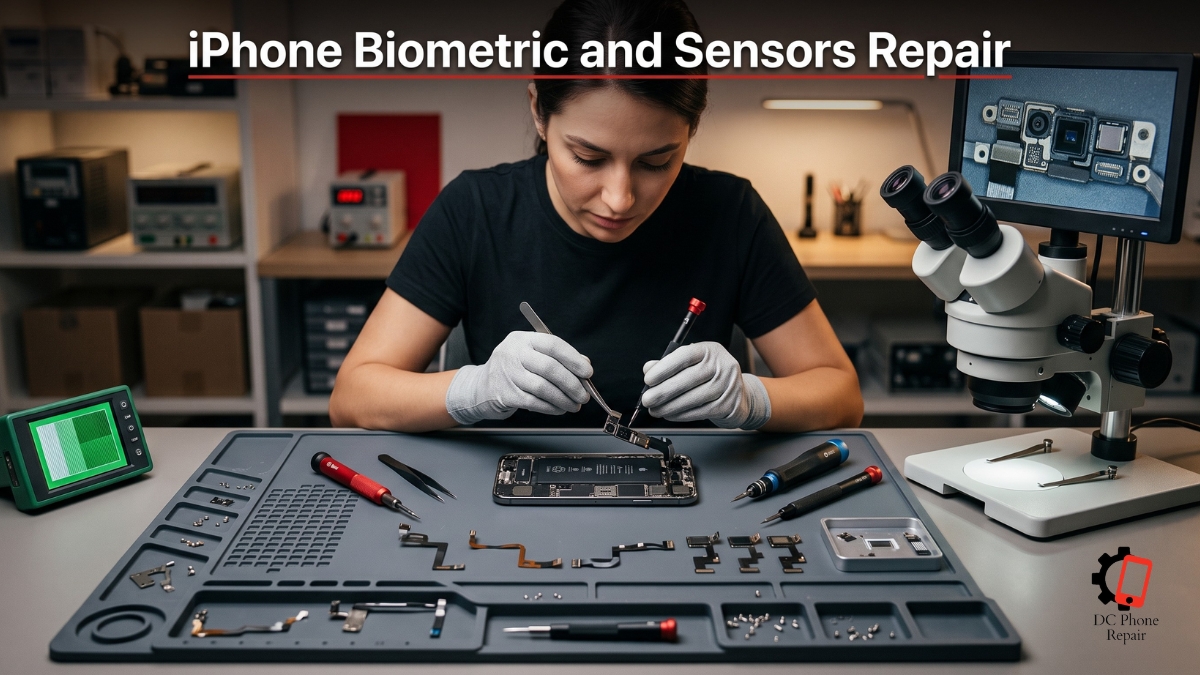
A biometric or sensor problem can make a phone feel unreliable even when the display, battery, camera, and applications appear to work normally. The device may stop recognizing the authorized user, fail to react when it is raised or placed near the face, keep the screen active when it should turn off, or repeatedly ask for a passcode because the expected sensor response never arrives. These failures interrupt small actions throughout the day and can become especially frustrating when the affected function is tied to unlocking the device, approving secure actions, protecting private information, or controlling screen behavior during calls.
A software workaround may keep the phone usable for a while. The customer may rely on a passcode, change a setting, lock the screen manually, or repeat the same action until the sensor responds. That does not identify why the original feature stopped working. The cause may be as simple as an obstruction, misalignment, damaged protective glass, or an incompatible replacement part. It may also involve a torn cable, failed sensor, damaged connector, liquid-related corrosion, a calibration problem, or a security-related component that must remain correctly paired with the device.
iPhone 17e Proximity Sensor Repair therefore requires more than replacing the first part that appears connected to the symptom. Modern biometric and sensor systems can include several components working together. Light emitters, receivers, cameras, recognition surfaces, proximity-detection hardware, protective openings, flex cables, connectors, software calibration, and secure device-level communication may all contribute to one visible function. Damage to one part can cause the entire feature to stop working.
This page explains how DC Phone Repair approaches iPhone 17e Proximity Sensor Repair in Knox Hill DC. It covers common symptoms, likely causes, the diagnostic process, repair limitations, booking, pricing, expected turnaround, replacement-part choices, warranty coverage, data privacy, and post-repair testing. It also explains why some sensor-related repairs require preservation or repair of the original component rather than a simple replacement.
The goal is to determine whether the fault is caused by hardware, software, alignment, contamination, previous repair work, or a wider internal problem. Once the cause is confirmed, the technician can explain what can be repaired, which parts must be preserved, what testing is possible, and whether the device requires a standard modular repair or more specialized work.
What Is iPhone 17e Proximity Sensor Repair?
iPhone 17e Proximity Sensor Repair is the process of diagnosing and correcting the biometric or sensor-related failure described by the service name. Depending on the exact device and function involved, the work may require cleaning an external surface, correcting alignment, replacing protective material, reconnecting a flex cable, repairing an original sensor assembly, replacing a compatible supporting component, addressing corrosion, or correcting damage caused during an earlier repair.
Biometric and sensor systems are different from basic components such as a conventional speaker or battery. Some of these parts participate in security-sensitive functions. The device may be designed to recognize the original component or communicate with it through secure hardware. In those cases, replacing the original part with an unrelated component may not restore the protected feature, even when the replacement physically fits and appears functional.
This is why preservation matters. If an original sensor, recognition component, or paired assembly can be repaired, transferred, realigned, or reconnected safely, that approach may provide a better chance of restoring the intended function than installing an unpaired replacement. The correct method depends on the device design, the damaged part, and whether the original component remains recoverable.
Other sensors are less restricted but still require accurate positioning. A component that detects distance, movement, orientation, light, or presence may sit behind the display or near another front-facing assembly. If it is installed at the wrong angle, blocked by adhesive, covered by an incompatible screen, or shifted away from its opening, the device may receive an incorrect reading even though the sensor itself still works.
Common causes of failure include direct impact, screen damage, frame deformation, liquid exposure, corrosion, dust, damaged protective glass, torn flex cables, loose connectors, internal pressure, software faults, and previous repair work. A display replacement can affect a nearby sensor if the original component is damaged during transfer, installed incorrectly, covered by adhesive, or placed behind an incompatible opening.
A drop may cause several types of damage at once. The outer display can remain intact while the internal sensor bracket moves out of position. A cable can tear without leaving a visible mark. The frame can bend slightly and place pressure on the sensor assembly. The device may continue functioning normally except for the biometric or sensor feature.
Liquid exposure can create gradual symptoms. The feature may work immediately after the incident and fail later as corrosion develops around the connector or component. Drying the outside does not remove liquid trapped inside the device, and repeated attempts to use the affected function may not improve it.
Software behavior must also be considered. A feature may be disabled by settings, security requirements, recent system changes, failed enrollment, or a temporary operating-system problem. The device may require a passcode after restarting or after certain security conditions, which does not automatically mean that the hardware is damaged.
DC Phone Repair's technicians in Knox Hill DC begin by checking the circumstances in which the function fails. The technician may review settings, attempt enrollment or activation, inspect the relevant area, test associated features, remove accessory interference, and look for signs of display, frame, impact, moisture, or previous repair damage.
The diagnostic then separates the main possibilities. The sensor may be functioning but blocked. The original component may be damaged yet repairable. A supporting cable or connector may have failed. The display or protective opening may be incompatible. The device may have a board-level communication fault. The feature may also be unavailable because the original paired component was replaced or damaged previously.
iPhone 17e Proximity Sensor Repair is recommended only after those possibilities have been considered. The technician explains whether the service is likely to restore the full protected function, correct only the related sensor behavior, or require more advanced work. This distinction is important because not every biometric or sensor failure can be resolved through a simple part swap.
Signs Your Device Needs iPhone 17e Proximity Sensor Repair
Biometric and sensor failures can be complete, intermittent, or limited to one condition. Some problems appear as an error message, while others change how the screen or security system behaves without naming the failed component. The following symptoms may indicate that the device needs iPhone 17e Proximity Sensor Repair:
- The device no longer recognizes the authorized user
- Enrollment or setup repeatedly fails before completion
- The feature is shown as unavailable in the device settings
- The device asks for a passcode every time instead of attempting recognition
- Recognition works only from one angle or under very specific conditions
- The feature responds slowly or requires several attempts
- The function stopped working immediately after a drop or impact
- The problem began after a display or front-assembly repair
- The screen stays active when the phone is positioned for a call
- The screen turns off unexpectedly during normal use
- Accidental screen touches occur while the device is being used near the face
- A sensor-related warning appears after restarting the device
- The affected feature works occasionally but becomes unavailable later
- The problem changes when a screen protector or case is removed
- The relevant area appears cracked, scratched, cloudy, blocked, or misaligned
- The device cannot complete secure approval through the expected method
- The function stopped after liquid or heavy moisture exposure
- The sensor works while the display is loose but fails when the device is fully assembled
- The feature works in one application but not in system-level functions
- A replacement display caused unexpected screen or sensor behavior
- The device reports that an original or recognized component cannot be confirmed
- The affected function stopped after an internal cable was disturbed
- The phone behaves differently when pressure is applied near the sensor area
- Recognition becomes unreliable after the device warms up
One symptom does not prove that the sensor itself has failed. A screen that remains active during a call may be caused by a blocked opening, incompatible protector, incorrect display installation, damaged sensor, misalignment, or software behavior. Recognition failure may result from dirt, physical changes, a damaged original component, failed enrollment, or communication between the sensor and the device.
The timing of the failure provides important evidence. A problem that begins immediately after display replacement often points toward transfer damage, alignment, connector seating, protective-film interference, or component compatibility. A failure that appears after impact may involve a torn cable, shifted bracket, or damaged front assembly. A gradual decline may indicate contamination, wear, corrosion, or an internal connection becoming unstable.
Intermittent behavior can be especially useful during diagnosis. A feature that works only when the phone is pressed, moved, warmed, or held at an angle may involve a loose connector, cable fracture, pressure issue, or misalignment. Repeated software resets may temporarily change the behavior without correcting the underlying hardware fault.
Accessories should also be ruled out. A poorly aligned protector can cover a sensor opening or change how light reaches the component. A thick case can put pressure on the frame or display. Dirt trapped beneath a protector can interfere with recognition or presence detection. Testing without these accessories is a simple step, but customers should not remove a damaged display or force a loose component themselves.
Security-related features may also require normal passcode entry under certain conditions. The phone may request the passcode after restarting, after a period without unlocking, or after repeated unsuccessful attempts. That behavior can be normal. A hardware concern becomes more likely when the feature remains unavailable after normal security requirements have been satisfied.
DC Phone Repair's technicians in Knox Hill DC evaluate the complete pattern rather than one error message. The technician checks the physical condition, recent repair history, software status, accessory interference, sensor response, and related functions before recommending iPhone 17e Proximity Sensor Repair. This helps avoid replacing a functional part when the actual problem is alignment, contamination, a display issue, or normal security behavior.
Why Knox Hill DC Customers Choose DC Phone Repair for iPhone 17e Proximity Sensor Repair
A biometric or sensor failure affects both convenience and trust. Customers depend on these systems to behave consistently. A feature that works only sometimes can be more frustrating than one that has failed completely because the customer cannot predict whether it will respond during an important action.
Local diagnosis is useful because these problems often depend on the physical condition of the phone and its repair history. A mail-in form may ask the customer to select one service, but the same symptom can involve several components. An in-person technician can inspect the display, front assembly, frame, connector area, protective openings, and previous repair quality before deciding what work is appropriate.
DC Phone Repair provides local iPhone 17e Proximity Sensor Repair service for customers in Knox Hill DC. The customer can demonstrate the problem, explain when it began, and show whether it changes with a protector, case, application, or device position. The technician can then test the feature under the same conditions rather than relying only on a written description.
This matters because biometric and sensor repairs sometimes have important limitations. A paired security component may need specialized preservation or repair. An unrelated replacement may restore a basic supporting function without restoring the protected feature. A responsible shop should explain that possibility before beginning work.
Local service gives customers an opportunity to ask direct questions. Which component appears damaged? Is the original part still present? Was the feature working before another repair? Can the original component be preserved? Is the problem caused by the display or by the sensor itself? What functions will be tested after the repair? What does the warranty cover?
Manufacturer service may be appropriate for customers with an active manufacturer protection plan or for devices requiring proprietary calibration. The tradeoff may include appointment availability, shipping, device preparation, data-backup requirements, replacement policies, and time without the phone.
Mail-in specialists may offer advanced repairs that are not available locally, especially for difficult paired-component or board-level faults. Customers considering mail-in service should review shipping protection, diagnostic fees, repair limitations, warranty terms, data procedures, and the process used if the device cannot be repaired.
Big-box repair counters can offer convenient locations. Customers should confirm whether the sensor diagnosis and repair are performed at that counter or transferred to another facility. The employee accepting the phone may not be the technician who evaluates component pairing, alignment, or internal damage.
DC Phone Repair's technicians in Knox Hill DC emphasize transparent diagnosis, preservation of recoverable original components, and realistic explanations. A repair is not described as guaranteed when the damage involves paired security hardware, severe corrosion, or an original component that is missing or destroyed.
Many standard sensor-related repairs can be diagnosed and completed the same day when the required part is available and the fault does not require advanced component-level work. More complicated cases may take longer. The expected turnaround is explained after the device is inspected.
Our Repair Process
DC Phone Repair follows a structured five-stage process for iPhone 17e Proximity Sensor Repair. The process begins with confirming the exact failure and ends with testing the repaired function under practical conditions. Because biometric and sensor systems can involve calibration, alignment, component pairing, and security-sensitive communication, each stage is handled carefully.
Diagnostic
The technician first asks when the problem started and what happened immediately before it. Relevant details include a drop, screen crack, liquid exposure, software update, display replacement, battery repair, frame repair, or earlier attempt to replace the affected component.
The device is then tested without assuming that the sensor has failed. The technician checks whether the feature is enabled, whether the device permits enrollment, whether a normal security condition requires passcode entry, and whether related functions behave correctly.
External accessories are removed where appropriate. A case, protector, adhesive layer, or damaged cover can interfere with light, distance detection, recognition, or alignment. The relevant surface is inspected for dirt, scratches, cracks, cloudiness, gaps, and missing material.
The technician examines the display and frame because the sensor may depend on accurate positioning behind them. A lifted screen, bent frame, poor-quality replacement display, shifted bracket, or thick adhesive can change the distance and angle between the sensor and its opening.
Associated functions are tested separately. A sensor assembly may contain or sit near several components. One feature can fail while another remains functional. Comparing them helps identify whether the problem affects the entire assembly, one component, the display, or the connection between them.
When internal inspection is necessary, the technician explains why the device must be opened. Disassembly may reveal a torn flex cable, missing bracket, loose connector, corrosion, damaged original component, adhesive obstruction, pressure damage, or evidence that the original paired part was replaced previously.
The diagnostic also considers board-level communication. A sensor can be physically intact but unable to communicate with the device because of connector damage, corrosion, or a fault along the circuit. In that situation, replacing the sensor alone may not solve the problem.
Quote
After diagnosis, the technician explains what has been confirmed and what remains uncertain. The customer is told whether the issue appears to involve alignment, contamination, a supporting component, the original sensor, a connector, a cable, the display, corrosion, or device-level communication.
The quote is based on the exact device and repair path. A cleaning or realignment service is different from replacing a supporting part. Repairing an original paired component is different from installing a conventional modular replacement. Board-level work may require different tools, time, and expertise.
The technician also explains the expected result. Some repairs may restore the full biometric or sensor function. Others may correct related screen behavior without restoring a protected recognition feature. If the original security-related component is missing, severely damaged, or no longer recognized by the device, the repair options may be limited.
No specific price is assumed from the phrase iPhone 17e Proximity Sensor Repair. The customer receives a quote before work begins. Part availability, expected turnaround, warranty coverage, and known limitations are discussed at the same time.
If internal inspection reveals additional damage, DC Phone Repair contacts the customer before expanding the repair. The customer can review the findings and decide whether to approve the updated work.
Repair
Once the repair is approved, the device is powered down and prepared for service. The technician uses an opening method appropriate to the device, taking care around the display, battery, front assembly, cameras, cables, brackets, and seals.
If the issue is caused by contamination or obstruction, the relevant surface and opening are cleaned carefully. Abrasive tools, excessive liquid, and aggressive scraping can damage coatings or push debris deeper. The cleaning method must protect both the external surface and the internal sensor.
Alignment-related faults may require repositioning the original component, correcting bracket placement, removing obstructive adhesive, or restoring the intended distance between the sensor and the display opening. A functioning sensor can still give incorrect readings when it is installed slightly out of place.
If a supporting cable, connector, bracket, or non-paired component has failed, the technician repairs or replaces the damaged part with a compatible option. The original security-related component is preserved where required and where its condition allows.
Paired-component damage may require specialized repair of the original assembly. This can involve restoring a damaged cable, connector, or supporting element while retaining the identity-sensitive part. The feasibility depends on how much of the original component remains intact.
Corrosion is treated according to the area affected. Cleaning visible corrosion may not be enough if the damage has reached contacts, cable traces, or board-level circuits. The technician explains when liquid damage makes the outcome less predictable than a standard repair.
If the display is contributing to the fault, the technician checks compatibility, openings, thickness, adhesive placement, and sensor alignment. A sensor-related problem caused by an unsuitable replacement display may require correcting the display installation rather than replacing the sensor.
Adhesive and seals disturbed during repair are restored as closely as practical. Customers should understand that opening a factory-sealed phone can affect its original resistance to water and dust. The technician can explain the limitations that apply after service.
Quality Check
After repair, the technician repeats the tests that reproduced the original problem. The affected function is checked through setup, recognition, response, screen behavior, or another model-appropriate method.
Testing is performed more than once. An intermittent sensor may appear functional during one attempt and fail later. The technician checks consistency across repeated use and, where relevant, different device positions, lighting conditions, distances, or application states.
Related functions are tested because the repair may involve a shared assembly. The technician confirms that the display, front-facing hardware, call behavior, screen response, and other nearby features continue to operate as expected.
The physical installation is inspected for gaps, pressure, misalignment, blocked openings, or loose components. A sensor may pass an initial test yet become unreliable if the display presses against it after full reassembly.
If the protected function cannot be restored, the technician does not represent a partial result as a complete repair. The customer is told what was corrected, what remains unavailable, and why the original component or device-level communication limits the outcome.
Pickup
When testing is complete, the customer is contacted for pickup. The repair record explains what was cleaned, adjusted, preserved, repaired, or replaced. Known limitations and warranty coverage are reviewed before the device leaves the shop.
Customers are encouraged to test the affected function during pickup. Secure features may require the customer to enter a passcode, complete enrollment, or verify their own identity. This testing can be completed without giving the technician access to private credentials.
Many standard iPhone 17e Proximity Sensor Repair jobs can be completed the same day when the required parts are available. Specialized paired-component repair, liquid damage, board-level communication faults, or uncommon parts may require more time.
The customer receives an estimated turnaround after diagnosis. If the scope changes during repair, DC Phone Repair provides updated information before performing additional work.
How Booking Works
Customers can arrange iPhone 17e Proximity Sensor Repair by calling DC Phone Repair, requesting a consultation, or visiting the shop during business hours. Walk-in diagnostics may be available, while booking ahead helps customers with limited schedules or devices that may require an uncommon component.
When contacting the shop, provide the device model if known and explain the exact behavior. Mention whether the feature is completely unavailable, intermittently unreliable, unable to complete setup, or affecting screen behavior during use.
Repair history is especially important. Tell the team whether the problem began after a display replacement, battery replacement, front-assembly repair, frame repair, drop, liquid exposure, or previous attempt to replace the sensor. Knowing whether the original component is still installed can affect the available repair options.
Bring the phone and remove accessories that may interfere with testing. If a particular protector or case appears connected to the problem, bring it as well so the technician can compare the device with and without it.
A current backup is recommended before service. Standard iPhone 17e Proximity Sensor Repair work does not normally require erasing the device, but a backup is a sensible precaution before any hardware repair, particularly when impact, corrosion, or earlier repair damage is involved.
The customer may need to enter a passcode during diagnosis. Security-related features often cannot be tested fully without unlocking the phone or completing enrollment. Providing the passcode to the technician is optional. The customer can remain present, unlock the device during check-in, or perform protected steps personally.
The initial visit includes a symptom review, accessory check, software review, physical inspection, and functional testing. If the device must be opened, the technician explains the reason and the limitations before proceeding.
After the diagnostic, the customer receives a repair recommendation, quote, expected turnaround, and explanation of the likely result. There is no obligation to approve the repair.
If the work is authorized, the team confirms part availability and contacts the customer when the phone is ready. Any additional damage discovered during repair is discussed before the scope or cost changes.
Why Choose DC Phone Repair
Customers with a biometric or sensor problem may consider using a passcode permanently, adjusting settings, attempting a do-it-yourself repair, returning to the manufacturer, mailing the device to a specialist, or choosing a local repair shop. Each option has advantages and limitations.
A software workaround can keep the device usable. A passcode may replace a failed recognition feature, and manual screen control may reduce the inconvenience of a sensor that no longer behaves correctly. The limitation is that the underlying hardware remains damaged, and some screen-behavior faults can cause accidental input, interrupted calls, or unpredictable operation.
Basic cleaning can help when the relevant surface is dirty or blocked. Customers should avoid harsh chemicals, sharp tools, excessive moisture, and aggressive pressure. Damage to protective coatings, display openings, or delicate front-facing components can make the original problem worse.
Do-it-yourself repair is particularly risky for biometric and sensor systems. The parts can be small, fragile, and closely integrated with the display or front assembly. Thin cables may tear during transfer. A component can be installed in the wrong position. Heat used to open the phone can damage nearby hardware.
The greatest risk is replacing or destroying an original paired component. A conventional replacement may fit physically but fail to restore the secure feature. Once the original part is lost or damaged beyond repair, the available options may become much more limited.
Manufacturer service may offer proprietary calibration, original parts, and standardized procedures. It may be the best option for a device covered by an applicable plan or for a repair that independent shops cannot complete. Customers should consider appointment availability, shipping, replacement policies, data preparation, and the possibility that a larger assembly or entire device may be replaced.
Mail-in specialists can provide advanced component-level work, including repairs that preserve original paired hardware. Before shipping, customers should verify insurance, tracking, turnaround, diagnostic fees, warranty terms, communication procedures, and the shop's experience with the exact failure.
An unusually low local quote should be examined carefully. Customers should ask whether the repair preserves the original component, whether the feature will be tested, whether the quote includes diagnosis and reassembly, and whether the shop understands the difference between a supporting sensor function and a protected biometric feature.
DC Phone Repair approaches iPhone 17e Proximity Sensor Repair with diagnosis before replacement. The technician checks software, physical condition, display compatibility, alignment, accessories, repair history, original-component status, and internal connections.
Customers receive a realistic explanation. If a simple repair is likely to restore the feature, the team explains the process. If the result is uncertain because of paired-component damage or corrosion, that limitation is explained before the customer approves the work.
The device is tested after repair, and the customer can participate in protected setup or verification at pickup. This protects privacy while confirming whether the intended feature has been restored.
Devices & Issues We Handle
Recognition That No Longer Works
A recognition feature can stop working completely or become unreliable. The device may fail to detect the authorized user, reject every attempt, or disable the feature after repeated failures. The cause may involve contamination, damaged protective material, an original sensor fault, a cable, a connector, alignment, or secure communication with the device.
A financial consultant who relies on protected applications may find that every secure action now requires manual credentials. The phone remains usable, but the original convenience and speed are gone. Repeatedly setting up the feature may not help if the hardware cannot complete the required scan or communication.
DC Phone Repair's technicians in Knox Hill DC check whether setup is available, whether the device detects the sensor, and whether the original component is still present. The diagnostic determines whether iPhone 17e Proximity Sensor Repair can be handled through cleaning, alignment, supporting-part repair, or more specialized preservation of the original assembly.
Screen Behavior During Calls and Close Use
Some sensor faults affect how the display behaves when the device is placed near the user. The screen may remain active and register accidental touches, or it may turn off unexpectedly during ordinary use.
A customer-service representative handling frequent calls may accidentally mute conversations, press controls, or end calls because the screen remains active. A manual lock may reduce the problem, but it does not correct the sensor reading.
The fault may be caused by a protector, incompatible display, misaligned sensor, blocked opening, damaged flex cable, or installation error after screen replacement. DC Phone Repair tests the behavior with accessories removed and inspects the display and sensor position before recommending iPhone 17e Proximity Sensor Repair.
Failures After Display Replacement
Biometric and sensor components often sit close to the display or must be transferred during display repair. A feature that worked before the screen replacement but failed immediately afterward requires careful evaluation of the transferred assembly, connector, bracket, adhesive, and replacement-display compatibility.
A teacher may replace a cracked screen and later notice that secure recognition no longer works and the display behaves incorrectly during calls. The new screen itself may be functional, but a nearby original component could have been damaged, misaligned, or blocked during installation.
DC Phone Repair's technicians in Knox Hill DC inspect the repair history and check whether the original component is present. Correcting the earlier installation may restore the feature when the original part remains intact. Severe transfer damage may require specialized repair.
Intermittent or Position-Dependent Sensor Response
A sensor that works only occasionally may have a loose connector, damaged cable, pressure issue, partial corrosion, or alignment problem. The feature may work while the device is open, fail after full reassembly, or change when pressure is applied near the display.
A project manager may find that the feature works in the morning but becomes unavailable after the phone warms up. That pattern may suggest an unstable connection rather than a permanently failed sensor.
The diagnostic for iPhone 17e Proximity Sensor Repair includes repeated testing and inspection for movement-related changes. DC Phone Repair checks the connection, component position, frame condition, and internal pressure before recommending replacement.
Impact, Moisture, and Previous Repair Damage
Impact and liquid exposure can affect several components in the same assembly. A drop may damage the display, bracket, cable, and sensor at once. Moisture may corrode the connector or board-level communication path. Previous repair attempts may leave missing hardware, torn cables, or replaced original components.
A traveler may continue using a phone after light moisture exposure and notice no immediate problem. Several days later, the sensor feature may become intermittent and eventually unavailable. The delay can reflect corrosion developing around the connection.
DC Phone Repair evaluates the full condition rather than treating iPhone 17e Proximity Sensor Repair as an isolated part replacement. The customer is told when corrosion, paired-component loss, or board damage makes the repair more complex or the outcome less predictable.
Pricing & Turnaround
The exact cost of iPhone 17e Proximity Sensor Repair depends on the device, the affected function, the condition of the original component, display compatibility, repair history, part availability, and whether the service involves cleaning, alignment, supporting-part replacement, original-component repair, corrosion treatment, or board-level work.
DC Phone Repair does not apply one price to every biometric or sensor symptom. A blocked opening is different from a torn cable. Correcting a display installation is different from repairing an original paired component. The customer receives a diagnostic and quote before work begins.
| Service Stage | Typical Turnaround | Pricing |
|---|---|---|
| Initial diagnostic | Usually 15–30 minutes | Request diagnostic |
| Cleaning, alignment, or minor correction related to iPhone 17e Proximity Sensor Repair | Often completed during the same visit | Call or request an exact quote |
| iPhone 17e Proximity Sensor Repair | Many standard repairs can be completed the same day | Get a quote for the specific device |
| Original-component or paired-assembly repair | Confirmed after the original component is inspected | Call for repair-specific pricing |
| Liquid, corrosion, or board-level diagnosis | Varies according to the damage found | Request a diagnostic and repair quote |
Many standard repairs can be completed the same day when the required component is available and the original sensor remains recoverable. Cleaning, alignment, connector correction, or supporting-part replacement may take only a few hours.
Specialized work can take longer. Repairing a torn original assembly, diagnosing paired-component communication, treating corrosion, correcting previous repair damage, or sourcing an uncommon part may require additional time.
Customers with a deadline should mention it when booking. The team can check likely part availability, but the final turnaround is confirmed only after the device and original component have been inspected.
A phone quote is preliminary when the internal condition is unknown. The final quote reflects the exact repair required and the likelihood of restoring the intended function.
If additional damage is discovered during service, the customer is contacted before the repair scope or price changes. This is especially important when opening the device reveals a missing original component, corrosion, or previous work that changes the expected outcome.
Parts & Warranty
Part choices for iPhone 17e Proximity Sensor Repair depend on whether the affected component is conventional, paired, calibration-dependent, or integrated into a larger assembly. Genuine and high-quality aftermarket parts may both be available for some supporting components, but not every sensor-related function can be restored with an ordinary replacement.
Genuine parts are manufactured to the original specification and generally provide the closest match to the factory component. Availability varies by device and repair type. Some genuine parts may still require device-level configuration or calibration.
High-quality aftermarket parts can be appropriate for compatible supporting functions. The technician explains whether an aftermarket option can restore the expected feature or whether the original security-related component must be preserved.
The original component may be the most important part of the repair. If it is paired to the device, replacing it with a visually identical part may not restore the protected function. Repairing the original cable, connector, bracket, or supporting structure may therefore be preferable.
Installation quality also matters. Sensor alignment, display compatibility, adhesive placement, bracket position, connector condition, cleanliness, and internal pressure can affect performance. A functioning part may fail after reassembly if it is blocked or installed at the wrong distance.
DC Phone Repair tests the repaired function before pickup. Where secure enrollment requires the customer, final confirmation may be completed with the customer present.
Completed repairs include written warranty information. The applicable warranty period is [WARRANTY_LENGTH]. The warranty covers defects in the installed replacement part and problems caused by repair workmanship during that period.
The warranty does not cover new impact, new liquid exposure, misuse, tampering, later display or frame damage, software changes outside the repair, loss of the original paired component, or work performed by another provider.
Some specialized repairs may carry limitations based on the original damage. Those limitations are explained before the work is approved and documented at pickup. Customers should keep the repair receipt because it connects the device to the original service record.
What Happens to Your Data
iPhone 17e Proximity Sensor Repair normally focuses on physical biometric or sensor hardware and does not require deleting photos, messages, contacts, applications, or accounts. The device's storage is generally not replaced or reformatted during a standard repair.
A current backup is still recommended before service. This is a general precaution for any hardware repair, especially when the phone has impact damage, corrosion, display problems, or previous repair history.
The recommendation does not mean that data loss is expected during iPhone 17e Proximity Sensor Repair. A backup protects the customer if the device has a separate internal problem or becomes unstable because of damage unrelated to the sensor.
Customers can back up through the supported cloud service or a compatible computer. Important photos, documents, contacts, authentication information, and account-recovery details should be confirmed before the phone is left for repair.
Biometric templates and protected recognition data are handled by the device's security system. A repair technician does not need to view or extract that protected information to inspect or replace physical hardware.
The technician may need the phone unlocked to review settings, test sensor response, or determine whether enrollment is available. Providing the passcode is optional. Customers can unlock the device during check-in, remain present for testing, or complete secure setup themselves at pickup.
DC Phone Repair does not need the customer's biometric sample to perform the physical repair. Final enrollment or recognition testing can be completed by the customer after the hardware has passed preliminary checks.
If the phone is completely locked or cannot start, some tests may be limited. The technician can still inspect physical damage and determine whether the sensor problem is part of a wider power, display, board, or liquid-related fault.
The device is used only for testing reasonably connected to the repair. Passcodes are not intended to be recorded or retained after service. Temporary test activity can be reviewed with the customer during pickup.
Get Started
The first step toward iPhone 17e Proximity Sensor Repair is determining whether the problem comes from the sensor, the display, alignment, software, accessories, a supporting cable, the original paired component, or communication with the device.
DC Phone Repair's technicians in Knox Hill DC begin with a diagnostic. The device is tested, the relevant area is inspected, and the repair history is reviewed before any part is replaced.
Before visiting, create a current backup where possible. Remove accessories that may cover the sensor area and note whether the behavior changes without them. Bring information about previous display or front-assembly repairs, especially if the problem began immediately afterward.
Do not discard or replace the original component before diagnosis. An original paired part may be necessary to restore the protected feature. Even a damaged original assembly may contain recoverable components that should be preserved.
The technician explains the repair option, expected result, turnaround, warranty, and exact quote before work begins. If the protected function cannot be guaranteed because the original component is missing or severely damaged, that limitation is discussed clearly.
Many standard repairs can be completed the same day when parts are available. Advanced original-component repair, corrosion treatment, or board-level work may require additional time.
Customers who prefer email can contact support@dcphonerepair.com. Include the device model, the exact symptom, when it began, and whether the phone has been dropped, exposed to liquid, or repaired previously.
FAQs
How long does iPhone 17e Proximity Sensor Repair usually take?
Many standard iPhone 17e Proximity Sensor Repair jobs can be completed the same day when the required part is available and the original component remains repairable. The initial diagnostic usually takes about 15–30 minutes, while paired-component repair, corrosion, uncommon parts, or board-level faults may require additional time.
How much does iPhone 17e Proximity Sensor Repair cost?
The exact cost depends on the device, the affected function, the original component's condition, the repair method, and part availability. DC Phone Repair provides a quote after the diagnostic and before beginning work, without assuming one price for every sensor-related symptom.
Can a replacement sensor restore every biometric function?
Not always. Some security-related components are paired to the original device, so an unrelated replacement may fit physically without restoring the protected feature. DC Phone Repair checks whether the original component can be preserved, repaired, transferred, or reconnected before recommending replacement.
Why did the feature stop working after a screen repair?
The original sensor may have been damaged, misaligned, disconnected, covered by adhesive, or placed behind an incompatible display. The technician inspects the transferred assembly, connector, bracket, display opening, and original-component status to determine whether iPhone 17e Proximity Sensor Repair can restore the function.
Can a screen protector or case interfere with the sensor?
Yes, an incorrectly aligned protector, thick material, trapped debris, or frame pressure from a case can interfere with some sensor functions. Testing the device without those accessories helps determine whether the problem is external or whether hardware repair is needed.
Will I lose my photos or accounts during iPhone 17e Proximity Sensor Repair?
A standard sensor repair does not normally erase photos, messages, applications, or accounts. A current backup is still recommended before hardware service, and customers can complete protected enrollment or identity verification themselves at pickup.
Do I need an appointment for iPhone 17e Proximity Sensor Repair?
An appointment is not always required, and walk-in diagnostics may be available during business hours. Booking ahead is helpful when the customer has a limited schedule or when the repair may require an uncommon component or specialized original-part work.
Does iPhone 17e Proximity Sensor Repair include a warranty?
Yes, completed repairs include written warranty information for the installed part and repair workmanship, with the applicable period listed as [WARRANTY_LENGTH]. The warranty does not cover new impact, liquid exposure, tampering, later display damage, loss of the original paired component, or work performed by another provider.
DC Phone Repair
2704 Marion Barry Ave SE,
Washington DC 20020, United States
(202) 478-4799
support@dcphonerepair.com
https://dcphonerepair.com/