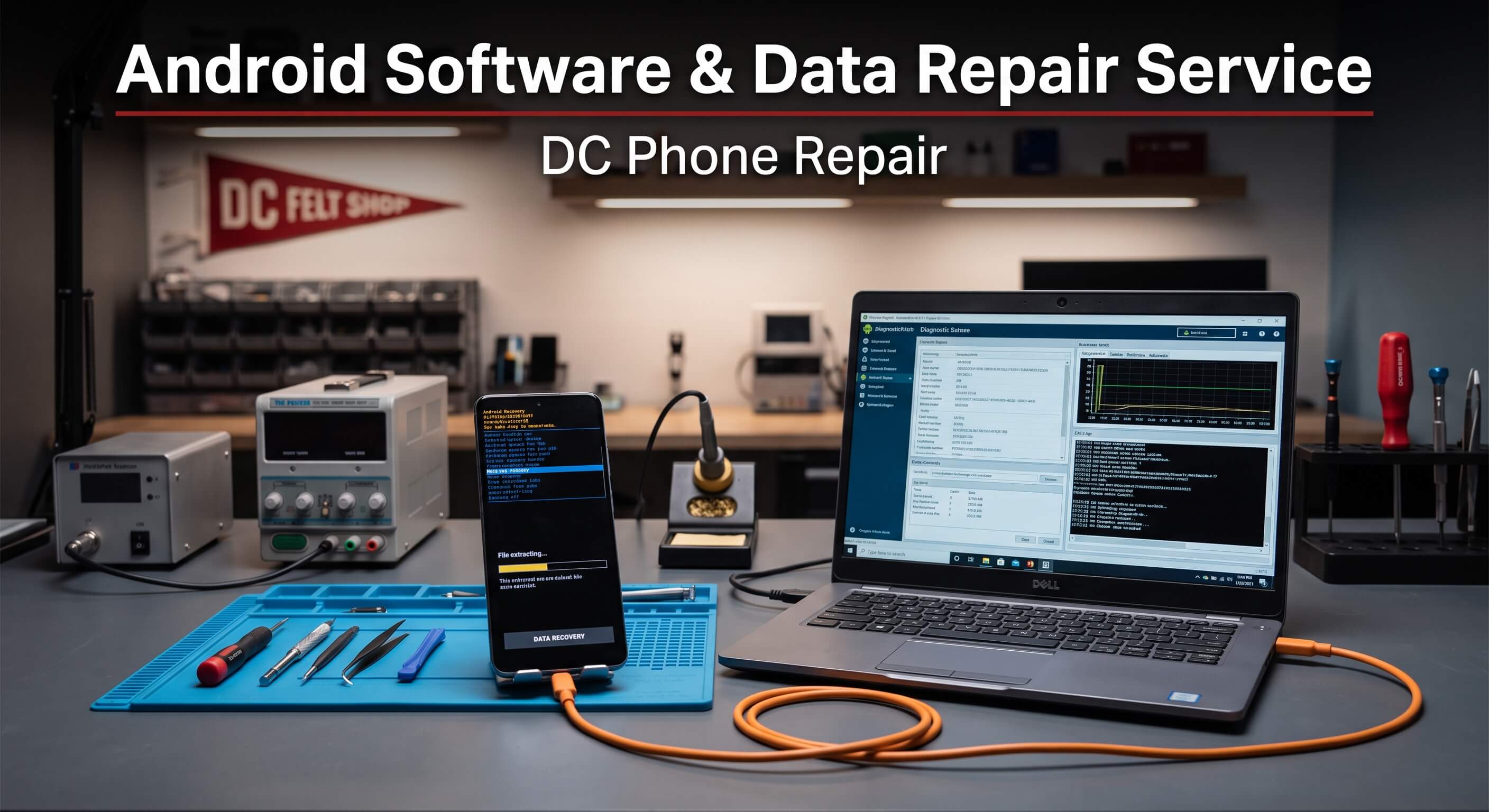
DC Phone Repair
iPhone 14 Pro Max Software Repair in Good Hope DC
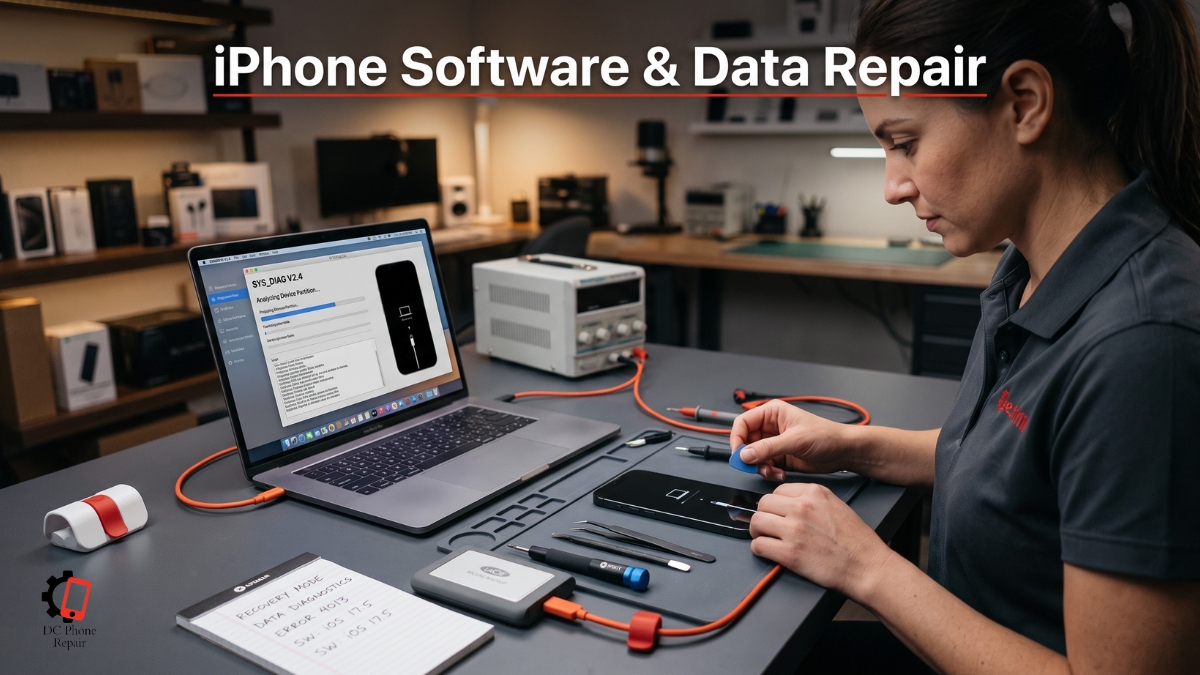
An iPhone can look physically undamaged and still become difficult or impossible to use because of a software, storage, account, or startup problem. The screen may turn on, the battery may charge, and the buttons may respond, yet the iPhone may remain stuck during startup, restart repeatedly, fail during an update, refuse to complete activation, or stop providing access to important photos, messages, contacts, and applications.
Software and data problems can be especially stressful because the customer is often dealing with two separate concerns at the same time. The first concern is getting the iPhone working again. The second is protecting the information already stored on it. A repair method that restores the operating system by erasing the iPhone may be acceptable for someone with a current backup, but it may be the wrong first step for a customer whose photos, documents, or account information exist only on the affected device.
iPhone 14 Pro Max Software Repair must therefore begin with the customer's priority. Some customers need a stable, usable iPhone and already have their data backed up. Others care mainly about recovering files from an iPhone that no longer starts normally. A customer dealing with an unavailable screen lock or account issue may need lawful owner-authorized restoration, proof-of-ownership guidance, or help using the official recovery process rather than any attempt to bypass the iPhone's security.
DC Phone Repair approaches iPhone 14 Pro Max Software Repair in Good Hope DC by separating software faults, hardware-related startup problems, backup and storage concerns, account-recovery issues, and data-focused cases. The technician checks what the iPhone is doing, what happened before the problem began, whether a backup exists, and whether the phone can be repaired without erasing the information the customer wants to preserve.
This page explains common iPhone software and data problems, how technicians distinguish software failure from hardware damage, what happens during diagnosis, how authorized owner recovery is handled, when data may be recoverable, what turnaround and pricing depend on, and what customers should know before approving a reset, restore, update, or board-level repair.
No legitimate repair provider should promise access to another person's locked iPhone or claim to defeat ownership protections. DC Phone Repair provides support only for the owner or an authorized representative who can verify the right to service the device. Where official account credentials, recovery keys, proof of purchase, or manufacturer assistance are required, the customer is told clearly.
What Is iPhone 14 Pro Max Software Repair?
iPhone 14 Pro Max Software Repair refers to diagnosing and correcting the iPhone software, startup, data, account, storage, or authorized-access issue described by the service name. The exact process depends on whether the iPhone still starts, whether the operating system loads, whether the device is recognized by a computer, whether the customer knows the account credentials, and whether preserving the current data is the main priority.
Software repair can include resolving failed updates, repeated restarts, application crashes, system freezing, activation problems, incomplete restores, corrupted operating-system files, storage-related instability, and other problems that prevent the iPhone from operating normally. Some cases can be corrected without erasing the device. Others require an update, recovery-mode procedure, full restore, or deeper hardware diagnosis.
Data recovery is different from ordinary software repair. The goal is not necessarily to return the iPhone to perfect daily operation. The immediate goal may be to restore enough stable function for the owner to unlock the device, create a backup, export important files, or access information that is not stored elsewhere.
Modern iPhones protect data through hardware-based encryption, device credentials, and account security. Stored information is not simply a collection of files that can always be moved from a damaged storage component into another phone. Access may depend on the original logic board, original security hardware, the owner's passcode, and the iPhone being able to complete its normal security process.
This is why the original iPhone board can be important in a data-focused case. Replacing the board may produce a working phone, but it does not normally transfer access to information encrypted through the original hardware. If the customer's priority is data, repairing the original board or restoring its ability to start may be more useful than installing a different board.
Authorized screen-lock support must also be understood correctly. DC Phone Repair can help a verified owner evaluate official recovery and restoration options, but it cannot provide unauthorized access to a locked iPhone or remove security protections while preserving data without the required credentials. In many official restore situations, the existing contents are erased as part of returning the device to a usable state.
An iPhone that displays an unavailable, disabled, or security-related message may require the owner to use the supported account and recovery process. If the owner has a current cloud or computer backup, the iPhone may be erased and restored, then the data can be returned from the backup. If no backup exists, the customer must understand that an official erase-and-restore process does not recover the information currently stored on the locked device.
Account activation and ownership protections are separate from the screen passcode. After an iPhone is erased, the device may still require the account previously associated with it. A repair shop cannot lawfully or reliably remove another person's account protection. The owner may need to recover the account, provide proof of purchase to the manufacturer, or contact the original owner if the phone was purchased used.
Software symptoms can also be caused by hardware damage. An iPhone that repeatedly restarts may have corrupted system files, but it may also have a damaged charging assembly, sensor cable, battery connection, storage circuit, board component, or another internal fault. A phone that fails during an update may have unstable power or communication rather than a purely software-based problem.
Liquid exposure creates another overlap between software and hardware. Corrosion can interrupt communication with an internal component and cause the operating system to restart, freeze, or fail to complete startup. Reinstalling the software will not fix the damaged electrical path.
Storage capacity can create instability as well. An iPhone with almost no free space may become slow, fail to save new information, struggle during updates, or remain stuck while trying to load the system. Freeing space may help if the phone remains accessible, but a device that no longer starts may require a more careful recovery approach.
Failed applications do not always mean the entire iPhone needs software repair. One application may have corrupted data, outdated permissions, an account issue, or incompatibility with the current system version. DC Phone Repair's technicians in Good Hope DC compare system-wide behavior with application-specific behavior before recommending an operating-system restore.
A black screen can also be misdiagnosed as a software problem. The iPhone may still be running while the display has failed. If the phone vibrates, rings, makes charging sounds, or is recognized by a computer, the technician must determine whether the issue is the display, software, board, or a combination.
Professional iPhone 14 Pro Max Software Repair begins with preserving options. A technician should not erase the iPhone before asking whether the customer has a backup and whether the current data matters. If a non-erasing update, hardware correction, temporary stabilization, or original-board repair may provide access, that option should be considered before destructive restoration.
DC Phone Repair's technicians in Good Hope DC document the current condition, customer authorization, ownership status where relevant, backup availability, and intended outcome. The customer then receives an explanation of what can be attempted, what may erase data, and what cannot be guaranteed.
Signs Your iPhone Needs iPhone 14 Pro Max Software Repair
iPhone software and data problems can appear during startup, normal use, updating, activation, backup, synchronization, or account recovery. The following symptoms may indicate that the iPhone needs iPhone 14 Pro Max Software Repair:
- The iPhone remains stuck on the startup logo
- The iPhone repeatedly restarts and never reaches the Home Screen
- The screen shows a recovery or computer connection image
- A software update repeatedly fails
- The iPhone freezes during setup or activation
- The device is recognized by a computer but does not start normally
- The iPhone is not recognized consistently during an update or restore
- The operating system loads but crashes frequently
- Applications close unexpectedly across the entire iPhone
- The iPhone becomes extremely slow even after restarting
- The device reports that storage is full or nearly full
- Photos, messages, contacts, or files appear missing
- A backup will not complete
- The iPhone cannot restore from an available backup
- The device becomes stuck while transferring data to another iPhone
- The iPhone displays an unavailable or disabled message
- The owner cannot complete the official passcode recovery process
- The device requests an account the owner cannot currently access
- The iPhone was erased but cannot complete activation
- The device was purchased used and remains associated with another account
- The iPhone starts only after several attempts
- The device shuts down during updates or data transfers
- The iPhone becomes unusually warm while stuck during startup
- The device experienced liquid or impact damage before the software problem began
- The screen is black but calls, vibration, or sounds still occur
- The iPhone remains locked after the customer forgot the passcode
- The customer needs data from an iPhone that does not operate normally
- A previous restore attempt erased the system but did not fix the fault
- The iPhone shows repeated errors during recovery or restoration
- The device works temporarily and then returns to the same startup problem
- The iPhone has important information that is not included in any known backup
These symptoms do not all require the same solution. A failed update may be resolved through a non-erasing system update, while a severely corrupted installation may require a full restore. A full restore erases the existing contents, so the customer must understand the difference before authorizing the procedure.
Repeated restarting can be caused by software corruption, but it can also point to an internal hardware fault. If the iPhone restarts at a consistent interval, becomes hot, or began failing after another repair, the technician may need to inspect internal connections and components before trying another restore.
An iPhone stuck on the startup logo may still contain accessible data, but repeated recovery attempts can reduce the available options if the process includes erasing or changing the device state. Customers whose main priority is data should stop attempting random online procedures and seek diagnosis before approving a full restore.
A screen-lock problem must be handled with realistic expectations. If the owner forgot the passcode and no supported recovery method preserves access, the official process may require erasing the iPhone. The device can then be set up again by the verified owner, and data can be returned only from an existing backup.
Account-related activation problems require account recovery or proof of ownership. A software reinstall does not automatically remove activation protection. Customers buying used iPhones should contact the seller when the device remains linked to the seller's account.
Missing photos or messages may not indicate physical data loss. The content may exist in cloud storage, a computer backup, a recently deleted folder, a different account, or a synchronization state that has not completed. DC Phone Repair can help the owner identify the available sources before attempting invasive recovery.
A backup that will not complete can be caused by insufficient cloud space, damaged cables, computer software, account issues, unstable Wi-Fi, full iPhone storage, system corruption, or hardware instability. Testing the backup method helps isolate the cause.
A black screen requires careful diagnosis because the iPhone may still be functioning. Erasing or restoring a phone with a failed display would not correct the screen and could create unnecessary data loss. DC Phone Repair tests whether the device is alive before treating the issue as software failure.
Customers should note every action taken before the problem began. Updates, failed transfers, account changes, repairs, drops, moisture exposure, storage warnings, and computer restore attempts can all affect the diagnosis. Error messages should be photographed or written down when possible.
Why Good Hope DC Customers Choose DC Phone Repair for iPhone 14 Pro Max Software Repair
Software and data cases often require a conversation rather than a simple part selection. The customer may not know whether the issue is the operating system, storage, display, battery, account, passcode, board, or backup. Local diagnosis allows DC Phone Repair's technicians in Good Hope DC to examine the iPhone and understand the customer's priority before changing the device.
Walk-in service is useful when the iPhone is unstable or when the customer needs to demonstrate an intermittent problem. The technician can watch the startup process, check whether the phone is recognized by diagnostic equipment, observe error messages, and compare the iPhone's response while connected to power or a computer.
Local service also makes authorization and ownership discussions clearer. Screen-lock, account, and activation cases require the customer to demonstrate lawful ownership or authorization. This protects the owner, the repair shop, and the privacy of the information stored on the iPhone.
DC Phone Repair does not describe security bypass as a normal repair service. If the owner cannot access the iPhone, the technician explains the official restoration and account-recovery options. If those options erase the device, the customer is told before proceeding.
Data preservation is another reason customers choose an in-person repair shop. A remote support guide may instruct the customer to restore the iPhone immediately. That may be appropriate when a backup exists, but it can be the wrong first step when the data exists only on the phone.
DC Phone Repair's technicians in Good Hope DC ask whether the customer has a cloud backup, computer backup, synchronized photos, stored contacts, or another device containing the same information. This helps establish whether the repair should prioritize data or device usability.
Manufacturer support can be a good option for account recovery, activation protection, supported system restoration, and devices covered by an applicable service plan. The manufacturer may also require proof of purchase for ownership-related assistance. Customers should understand whether the process will erase the iPhone or replace the device.
Mail-in data-recovery specialists may be appropriate for severe board damage or cases requiring advanced micro-level repair. Customers should review shipping insurance, privacy practices, diagnostic charges, repair limits, data-return methods, and whether the original iPhone will be returned if recovery is unsuccessful.
Big-box support counters may help with basic backup, update, and restoration procedures. Customers should ask whether the technician can diagnose board-level startup problems or whether the service is limited to standard software tools and modular hardware replacement.
DC Phone Repair provides local accountability. The customer can ask which procedure will be used, whether it will erase the iPhone, whether the original board will remain in the device, what backup was found, and what result is expected.
Transparent pricing matters because software and data cases vary widely. A standard software update or owner-authorized restore requires different work from recovering access to a failing original board. The customer receives a quote based on the actual condition and objective.
Turnaround also depends on the case. Basic software correction may be completed the same day. Large data transfers, backup restoration, intermittent startup problems, board-level repair, and advanced recovery can take longer. DC Phone Repair explains the expected timeline after diagnosis rather than applying one promise to every iPhone.
Our Repair Process
DC Phone Repair follows a five-stage process for iPhone 14 Pro Max Software Repair. The process protects the customer's choices by identifying the priority, confirming the current condition, avoiding unnecessary erasure, completing only authorized work, and verifying the result before pickup.
Diagnostic
The technician begins by asking what the customer wants to achieve. The goal may be to make the iPhone usable, preserve data, create a backup, recover account access, complete activation, or determine whether repair is practical.
The technician asks whether the customer knows the iPhone passcode and account credentials, whether a backup exists, and whether the device belongs to the customer or an authorized organization. Ownership verification may be required for lock, activation, or account-related cases.
The iPhone is inspected for physical damage, liquid exposure, battery swelling, screen failure, charging problems, and previous repair work. A software symptom can be caused by hardware damage, so the exterior and basic functions are not ignored.
The startup behavior is documented. The technician notes whether the iPhone remains on the startup logo, restarts, enters recovery mode, displays an error, becomes hot, or is recognized by a computer.
Where possible, the current data state is protected. The technician checks whether a non-erasing update, normal startup, safe-mode-style isolation through supported tools, or hardware correction may restore access before considering a full erase.
Available backups are reviewed with the customer's permission. Cloud backup dates, computer backups, synchronized photos, contacts, and other data sources can change the recommended approach.
If the issue is application-specific, the technician checks storage, permissions, account status, application updates, and system compatibility. A full iPhone restore is not recommended simply because one application is failing.
For startup and restore errors, the technician checks cables, computer connection, power stability, storage symptoms, and internal hardware indicators. A repeated restore error may suggest a board or storage problem rather than a bad software file.
For authorized screen-lock support, the technician explains the official process. The shop does not attempt unauthorized bypass. If the supported restoration requires erasing the iPhone, the customer must approve the data consequence before the procedure begins.
For data-focused cases, the technician evaluates whether the original board can be stabilized. If the iPhone cannot start because of hardware damage, internal repair may be required before any software or backup process can succeed.
Quote
After the diagnostic, the customer receives a clear explanation of the current problem and available options. The technician distinguishes between non-erasing software repair, erase-and-restore service, backup restoration, account-recovery support, hardware stabilization, and advanced data-focused repair.
The quote is based on the exact work. A standard update is different from recovering a failing board. An authorized restore is different from rebuilding the iPhone sufficiently to create a backup. No specific price is assumed from the phrase iPhone 14 Pro Max Software Repair.
The customer is told whether the proposed work can erase data. This information is provided before authorization, not after the restore has begun.
If a backup exists, the technician explains what can likely be restored and what may not be included. Cloud services may synchronize some information separately from the main device backup.
If no backup exists and the iPhone is locked, damaged, or unstable, the technician explains the limitations. Secure data cannot be promised when the original board, credentials, or encryption path cannot be restored.
Turnaround and expected results are discussed at the same time. A customer authorizing a standard restore may receive the iPhone quickly, while advanced board work or data extraction may require a longer evaluation period.
No work begins without approval. If new hardware damage or a different software condition appears during the process, DC Phone Repair contacts the customer before expanding the service.
Repair
The repair follows the approved objective. When data preservation is required, the technician avoids a full erase unless the customer later authorizes it after understanding the consequences.
A non-erasing system update may be attempted when the iPhone supports it and the current condition suggests that operating-system files can be repaired without removing user data. This process is not guaranteed, especially when the storage or board is unstable.
A full restore may be used when the customer has approved erasure, a reliable backup exists, or the iPhone must be returned to a clean operating state. The iPhone is then set up again using the owner's credentials.
Backup restoration can involve returning data from an available cloud or computer backup. The time required depends on backup size, connection speed, account access, application downloads, and the iPhone's available storage.
Account-recovery support stays within official methods. The owner may need to reset credentials, complete trusted-device verification, use a recovery key, wait through an account-recovery period, or provide proof of purchase to the manufacturer.
Activation-related cases are handled carefully. If the iPhone remains linked to another person's account, DC Phone Repair cannot remove that protection without the required authorization. The customer may need the original account holder or manufacturer support.
Hardware-related software failures require physical repair. The technician may need to repair a charging path, battery connection, sensor cable, storage circuit, board component, or another internal fault before the iPhone can complete startup.
Data-focused board repair aims to preserve the original hardware relationship required for access. The goal may be temporary stable operation rather than long-term daily use. The customer is told when the repair is intended only to create a backup.
After the iPhone starts, the technician may help the owner create a current backup before performing any additional software work. This reduces the risk of losing the recovered access.
Quality Check
The technician checks whether the approved objective has been achieved. A software repair should allow the iPhone to start, remain stable, connect to required services, and perform normal system functions.
A restored iPhone is checked for activation, account sign-in, network connection, storage, application installation, and available backup data. The customer may need to enter private credentials personally.
Startup problems are tested repeatedly. The iPhone may be restarted several times and observed for heat, looping, freezing, or unexpected shutdown.
Charging and battery behavior are checked when power instability contributed to the software failure. A restore that completes only while the phone is held in one position does not confirm a stable device.
Available data is reviewed with the customer where appropriate. The technician does not browse private content unnecessarily. The customer can confirm whether expected photos, contacts, messages, or files are present.
For data-focused repair, the iPhone may be connected to a backup method immediately. The customer is told to copy the information before relying on the device for normal use.
For lock or activation cases, success means the verified owner can complete the supported setup or restoration process. It does not mean bypassing another person's account or preserving inaccessible encrypted data without the correct credentials.
Pickup
When testing is complete, the customer is contacted for pickup. The repair record explains what procedure was performed, whether the iPhone was erased, which backup was used, what data was restored, and whether any hardware work was completed.
The technician explains remaining limitations. An iPhone restored for data access may not be recommended for long-term use. A device with recurring board or storage problems may need replacement after the information has been backed up.
The customer is encouraged to confirm account access, backup status, application sign-in, photos, contacts, and other important information before leaving.
Warranty coverage and exclusions are explained in writing. Software behavior affected by future updates, forgotten credentials, new account locks, or third-party application changes may not be covered as a repair defect.
How Booking Works
Customers can arrange iPhone 14 Pro Max Software Repair by calling DC Phone Repair, requesting a consultation, or visiting the shop during business hours. Booking ahead is helpful for data-focused cases, large backup transfers, and iPhones that may need extended board-level diagnosis.
When contacting the shop, describe the exact screen or behavior. Mention whether the iPhone is stuck on the startup logo, restarting, showing a recovery image, displaying an unavailable message, failing activation, or missing data.
Bring the iPhone, the charging cable if the connection is part of the problem, and any computer previously used for backup or synchronization when practical. Existing backup information can shorten the diagnosis.
The verified owner should bring relevant credentials and proof of ownership for lock, account, and activation cases. This may include the account email, trusted phone number, proof of purchase, organization authorization, or other documentation.
Do not share private credentials through unsecured messages. Sensitive account entry can be completed by the customer in person during check-in or pickup.
If the iPhone is still accessible, create a backup before the visit where possible. Do not repeatedly attempt updates or restores on an iPhone that overheats, restarts, or disconnects during the process.
If the data is important and no backup exists, tell the technician before authorizing any restore. A full restore may erase the information currently stored on the device.
The initial diagnostic includes review of the symptom, account and backup status, connection testing, startup observation, and hardware screening. The customer receives an explanation before a destructive procedure is used.
After diagnosis, DC Phone Repair provides a quote and expected turnaround. There is no obligation to proceed. If the customer approves the work, the technician follows the agreed data and restoration priority.
Why Choose DC Phone Repair
Customers dealing with iPhone software or data problems may consider online tutorials, repeated restore attempts, manufacturer support, mail-in recovery, or a local repair shop. Each option can be appropriate in the right situation.
Online instructions can help with simple updates, account recovery, and backup restoration. The risk comes from following a destructive step without understanding it. A full restore can erase the iPhone, and repeated attempts can complicate an unstable hardware condition.
Customers should be cautious of software claiming to unlock any iPhone, remove account protection, or recover all data without credentials. These claims may be misleading, unsafe, unlawful, or designed to collect payment and personal information.
DC Phone Repair does not install questionable bypass software or assist with unauthorized access. Lock-related support is limited to verified owners using lawful recovery, restoration, and account procedures.
Manufacturer support is often the correct place for account-recovery and activation-protection issues. The manufacturer can verify ownership under its policies and provide official restoration guidance. Customers should understand that the process may erase the device.
Mail-in data-recovery specialists can be valuable when the original board needs advanced repair. Customers should verify the provider's privacy procedures, experience, pricing, shipping protection, and whether recovered data is returned through a secure method.
An unusually low local quote should be examined carefully. The customer should ask whether the service includes diagnosis, backup review, hardware screening, account authorization, data-preservation planning, and post-repair testing.
DC Phone Repair begins with the customer's priority. A customer with a current backup may choose the fastest path to a clean iPhone. A customer without a backup may choose slower diagnostic work designed to preserve the original data.
The shop also separates hardware and software. Reinstalling the system repeatedly will not fix a failing board or internal component. Replacing hardware will not solve an account credential problem. Correct classification saves time and reduces unnecessary risk.
Transparent communication is important because data recovery cannot be guaranteed before diagnosis. DC Phone Repair explains the probable path, possible erasure, ownership requirements, and expected result before work begins.
Devices & Issues We Handle
iPhones Stuck During Startup
An iPhone stuck on the startup logo or restarting repeatedly may have corrupted system files, full storage, a failed update, unstable power, damaged internal communication, or board-level failure.
A project coordinator preparing for an early meeting may find that the iPhone restarted overnight and now never reaches the Home Screen. The fastest-looking solution may be a full restore, but that could erase important notes and messages if no backup exists.
DC Phone Repair's technicians in Good Hope DC check backup status and hardware stability before recommending iPhone 14 Pro Max Software Repair. A non-erasing update may be considered when appropriate, while hardware diagnosis may be needed when the iPhone restarts because of an internal fault.
Failed Updates, Restores, and Transfers
Updates and device-to-device transfers can fail because of limited storage, unstable Wi-Fi, damaged cables, computer software, battery problems, corrupted system files, or hardware communication faults.
A parent moving information to a replacement iPhone may find that the transfer stops repeatedly at the same point. The original phone may have storage damage or unstable power, while the new phone may be functioning normally.
DC Phone Repair tests the source iPhone, available backup, cable connection, storage condition, and account status. The repair stays focused on the iPhone and the exact software or data problem named by iPhone 14 Pro Max Software Repair.
Authorized Lock and Account Recovery
A verified owner may need help after forgetting the passcode, losing account access, or encountering an unavailable or activation-related message. The supported process depends on the credentials, backup, trusted devices, recovery methods, and proof of ownership available.
A small business owner may inherit a company iPhone from a former employee without the necessary account transition. DC Phone Repair cannot bypass the previous account protection. The business may need organizational records, the former account holder, or manufacturer assistance.
DC Phone Repair's role is to explain lawful recovery and restoration options. If the official process erases the iPhone, the owner is told before proceeding.
Data Access from Unstable iPhones
An iPhone may contain important information while failing to remain powered on, complete startup, charge reliably, or communicate with a computer. The repair objective may be temporary stability long enough to create a backup.
A photographer may have recent work stored on an iPhone that shuts down during every transfer. Replacing the entire board would not bring the encrypted information with it. The original hardware may need repair.
DC Phone Repair evaluates the battery, power path, charging system, board, storage behavior, and startup condition. Data recovery is not guaranteed, but the original iPhone is treated as the source that must be preserved where possible.
Missing, Unsynchronized, or Incomplete Data
Photos, messages, contacts, and files may appear missing because the customer is signed into a different account, synchronization is paused, cloud storage is full, the backup is incomplete, or the content was deleted.
A university researcher may set up a replacement iPhone and find that only older files appear. The missing information may still exist on the original phone, in another account, or in a computer backup.
DC Phone Repair helps the owner identify available data sources before attempting advanced recovery. The shop does not promise recovery of information that was never stored, synchronized, or backed up.
Pricing & Turnaround
The exact cost of iPhone 14 Pro Max Software Repair depends on the iPhone's current condition, the customer's objective, backup availability, account status, software procedure, required data transfer, hardware involvement, and whether board-level repair is needed.
DC Phone Repair does not publish one flat price for every software or data case. Updating an accessible iPhone is different from stabilizing an original board for data access. An owner-authorized restore is different from diagnosing repeated recovery errors caused by hardware damage.
| Service Stage | Typical Turnaround | Pricing |
|---|---|---|
| Initial iPhone software and data diagnostic | Usually 15–30 minutes for preliminary review | Request a diagnostic |
| Standard software correction related to iPhone 14 Pro Max Software Repair | Often completed the same day | Call or request an exact quote |
| iPhone 14 Pro Max Software Repair | Confirmed after backup, account, and hardware status are checked | Get a quote for the specific iPhone |
| Owner-authorized restore and backup return | Varies according to backup size, connection, and account access | Call for service-specific pricing |
| Hardware-assisted or board-level data recovery | Confirmed after detailed diagnosis and stability testing | Request a diagnostic and recovery quote |
Standard software work can often be completed the same day. A non-erasing update, account review, restore, or backup setup may take a few hours depending on the iPhone's condition and connection speed.
Backup restoration can take longer when the backup is large or applications must be downloaded again. Cloud synchronization may continue after the customer leaves the shop.
Data-focused repair can require extended diagnosis. The technician may need to repair the original board, test stability, unlock the iPhone with the owner, and complete a backup before the phone fails again.
Account recovery may follow a waiting period controlled by the account provider. DC Phone Repair cannot shorten an official security waiting period or override ownership requirements.
Customers receive a quote before approved work begins. If the iPhone requires hardware repair that was not visible during the first software test, the customer is contacted before the scope changes.
Parts & Warranty
Software-only iPhone 14 Pro Max Software Repair may not require replacement parts. When the software symptom is caused by hardware, the repair may involve a battery, charging component, display, cable, connector, sensor assembly, storage-related board circuit, or another internal part.
Genuine and high-quality aftermarket options may be available for supporting hardware repairs. The technician explains the available part choice before installation.
Data-focused board work usually prioritizes the original iPhone board because it may be required for access to encrypted information. Installing another board may create a working device without restoring the customer's original data.
Part quality matters, but diagnosis matters just as much. Replacing a battery will not resolve corrupted account credentials. Restoring the operating system will not fix a damaged storage circuit. DC Phone Repair matches the work to the confirmed cause.
Completed hardware repairs include written warranty information. The applicable warranty period is [WARRANTY_LENGTH]. The warranty covers approved replacement-part defects and workmanship during that period.
Software warranty coverage applies to the procedure performed, not every future change to the iPhone. New operating-system updates, third-party application changes, forgotten credentials, account locks, cloud-service problems, and new user-created settings may fall outside the repair warranty.
Data recovery and data-focused repairs may have specific limitations. A successful recovery means the agreed information was made accessible or backed up. It does not guarantee that a severely damaged iPhone will remain reliable for long-term daily use.
The warranty does not cover new impact, liquid exposure, misuse, tampering, new hardware failure, unauthorized account changes, or work performed by another provider.
What Happens to Your Data
Data handling is central to iPhone 14 Pro Max Software Repair. DC Phone Repair begins by asking whether the information on the iPhone exists anywhere else. A cloud backup, computer backup, synchronized account, or previous iPhone may already contain some or all of the needed data.
No software procedure should be described as data-safe without explaining whether it erases the iPhone. A non-erasing update may preserve information, while a full restore removes the current contents before reinstalling the system.
Customers must approve an erasing procedure after understanding the consequence. DC Phone Repair does not silently restore an iPhone when the customer has said that the unbacked-up information is the main priority.
Modern iPhone data is encrypted. Recovery may require the original board, original security hardware, correct passcode, and a functioning operating state. A repair shop cannot promise access when those requirements cannot be restored.
Forgotten-passcode cases are especially limited. If the owner cannot unlock the iPhone and no supported method preserves access, the official restoration process may erase the data. A backup can then be restored, but information stored only on the locked iPhone may not be recoverable.
Account credentials are handled carefully. Customers can enter passwords and verification codes themselves. DC Phone Repair does not need to retain the customer's credentials after service.
For data-focused board repair, the technician may restore the iPhone only long enough for the owner to unlock it and create a backup. The customer should copy the information immediately rather than assuming the repaired phone will remain reliable indefinitely.
Recovered data can be returned through a supported backup, transfer, or customer-provided storage method depending on the type of information and the iPhone's condition. The specific process is explained before work begins.
DC Phone Repair uses the iPhone only for diagnosis, repair, testing, backup, and recovery tasks authorized by the owner. Personal photos, messages, and documents are not reviewed beyond what is necessary to confirm that the requested data is accessible.
Get Started
The first step toward iPhone 14 Pro Max Software Repair is deciding what matters most: restoring normal iPhone operation, preserving current data, recovering an account, completing an authorized restore, or determining whether repair is practical.
DC Phone Repair's technicians in Good Hope DC review the iPhone, backup status, account access, ownership information, startup behavior, and hardware condition before recommending a procedure.
Do not approve a full restore if the iPhone contains important information that is not backed up until the data consequence has been explained. A restore may solve the software problem while permanently removing the only accessible copy of the customer's data.
Bring account information, proof of ownership, backup details, and any computer previously used with the iPhone. Verified-owner documentation is required where security, activation, or lock-related service is involved.
If the iPhone overheats, restarts, disconnects, or loses power, stop repeated restore attempts. The device may have a hardware problem that must be addressed before software recovery can succeed.
The customer receives a quote, turnaround estimate, data-risk explanation, and expected result before work begins. DC Phone Repair does not promise unauthorized access, guaranteed recovery, or removal of another person's account protection.
Customers who prefer email can contact support@dcphonerepair.com. Include the iPhone model, exact screen or error message, whether a backup exists, and whether the device has experienced impact, liquid exposure, or previous repair.
FAQs
Can iPhone 14 Pro Max Software Repair be completed without erasing my iPhone?
Sometimes. A non-erasing update, hardware correction, account adjustment, or temporary stabilization may preserve the existing data, but the available option depends on the iPhone's condition. DC Phone Repair explains whether the proposed procedure may erase the device before the customer approves it.
Can DC Phone Repair unlock an iPhone if I forgot the passcode?
DC Phone Repair can help a verified owner understand the official recovery and restoration options, but it does not bypass iPhone security or provide unauthorized access. If the supported process requires erasing the iPhone, data can be returned only from an available backup.
Can you remove another person's account from a used iPhone?
No. The original account holder must remove the iPhone from the account, or the verified owner must follow the manufacturer's proof-of-purchase process where available. DC Phone Repair does not bypass activation or ownership protection.
How long does iPhone 14 Pro Max Software Repair usually take?
Many standard software repairs can be completed the same day, while large backup restores, official account recovery, intermittent startup faults, hardware-assisted recovery, and board-level data work may require additional time. The technician provides a clearer estimate after reviewing the iPhone and the customer's objective.
How much does iPhone 14 Pro Max Software Repair cost?
The exact cost depends on the software problem, backup status, account access, data objective, hardware condition, and repair method. DC Phone Repair provides a quote after diagnosis and before beginning the approved software, restoration, or data-recovery work.
Can data be recovered from an iPhone that will not turn on?
It may be possible when the original board, storage path, security hardware, and owner credentials remain recoverable. Data recovery cannot be guaranteed before diagnosis, and repairing the original board may be necessary before the owner can unlock the iPhone and create a backup.
Do I need an appointment for iPhone 14 Pro Max Software Repair?
An appointment is not always required, and walk-in diagnostics may be available during business hours. Booking ahead is helpful for large data transfers, authorized account-recovery cases, board-level work, or iPhones that need extended startup testing.
Does iPhone 14 Pro Max Software Repair include a warranty?
Completed repairs include written warranty information for approved software procedures, replacement parts, and workmanship, with the applicable period listed as [WARRANTY_LENGTH]. The warranty does not cover forgotten credentials, future account locks, third-party application changes, new updates, new damage, tampering, or unrelated hardware failure.
DC Phone Repair
2704 Marion Barry Ave SE,
Washington DC 20020, United States
(202) 478-4799
support@dcphonerepair.com
https://dcphonerepair.com/