DC Phone Repair
Android Home Button Repair in Good Hope DC
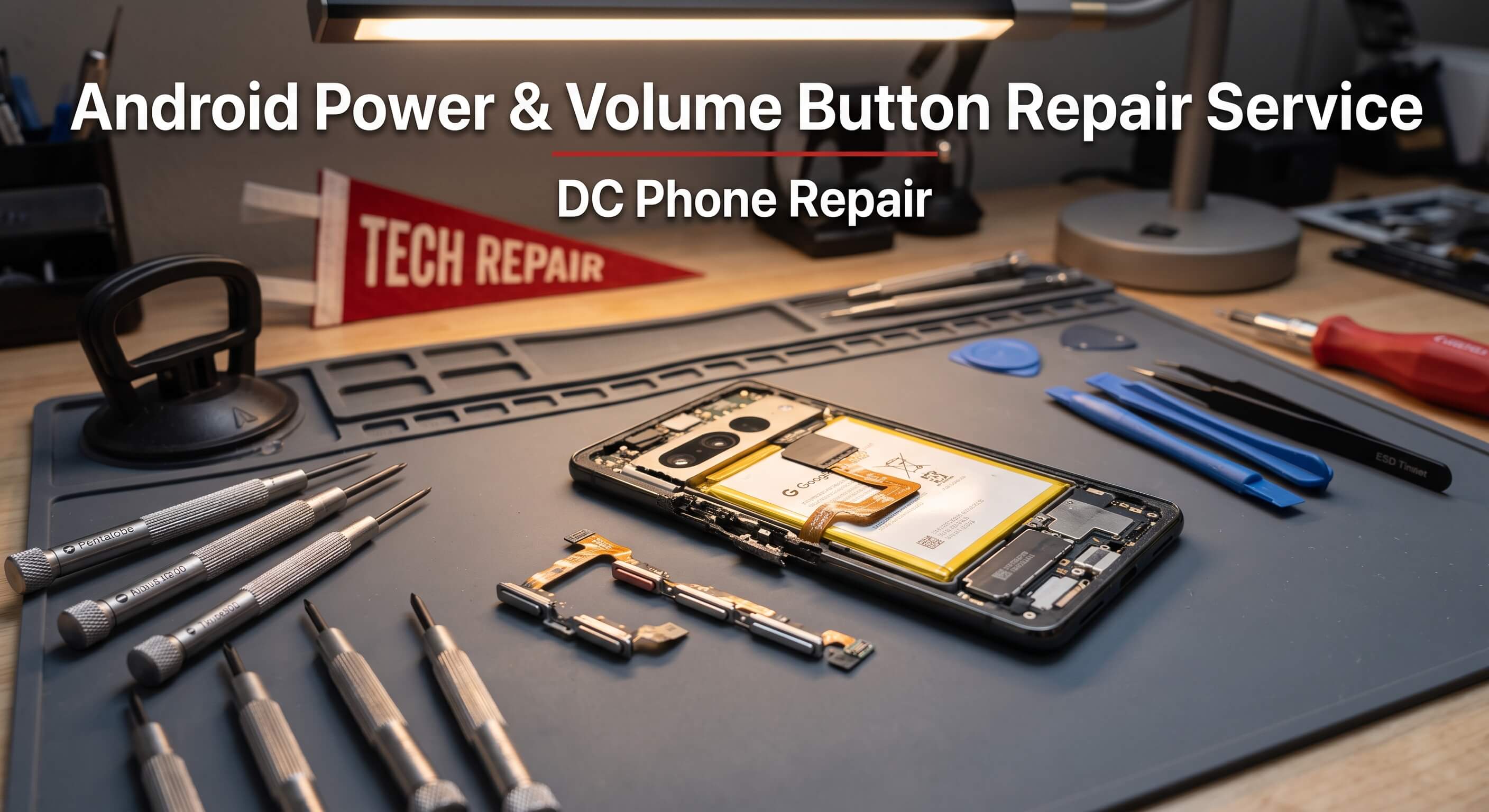
A power button that needs three or four presses before the phone actually wakes up. A volume rocker that's stopped responding on one side, so turning music down means fumbling through the on-screen slider instead. A home button that's gone stiff and unreliable after years of daily use. Physical buttons are one of the few parts of a phone that still involve an actual mechanical switch underneath the surface, and mechanical parts wear out in a way that touchscreens mostly don't. This page covers what Android Home Button Repair actually involves, how to tell a button problem apart from a software glitch, how DC Phone Repair's technicians in Good Hope DC diagnose and complete the repair, and what it costs against the alternatives. If you already know what's wrong, the booking section below will get you moving — otherwise, the next section should help confirm it first.
What Is Android Home Button Repair?
Android Home Button Repair covers diagnosing and repairing the physical buttons on an Android phone — the power button, the volume rocker, and on older or budget models that still include one, a dedicated home button. Underneath the visible button cap, most of these are small mechanical switches called tactile switches, mounted to a flex cable or directly to a small circuit board. Every press physically actuates that switch, and like any mechanical component, it has a finite lifespan measured in presses rather than years, though for most people that translates to years of normal use before wear becomes noticeable.
The most common cause of button failure is simply repetitive mechanical wear — a power button gets pressed dozens of times a day for years, and eventually the switch underneath loses its crisp click and starts requiring extra pressure or multiple attempts to register. Debris is another frequent cause: dust, lint, or grit works its way into the small gap around a button over months of pocket carry, and it can either block the button's travel entirely or get into the switch mechanism itself and cause intermittent contact. Liquid exposure causes a different kind of failure — corrosion on the tiny internal contacts that shows up as a button that sticks, double-registers a single press, or stops working altogether, sometimes weeks after the actual liquid exposure happened. Physical impact from a drop can also crack the housing around a button or knock a flex cable connection loose without any obvious external sign.
It's worth being clear about what Android Home Button Repair is not. If a button seems unresponsive but the phone is also frozen or unusually slow overall, a software issue or a full restart is worth trying first, since an unresponsive system can make a perfectly functional button seem broken. If volume changes on its own or buttons seem to trigger without being touched, that's sometimes a case or screen protector interfering mechanically with the button rather than the button itself failing. And if the power button works fine but the phone won't turn on at all, the issue is more likely the battery or charging circuit than the button itself.
Timing on button issues tends to follow a predictable pattern. A button that occasionally needs a second press today typically needs it more often as the weeks go on, since the underlying mechanical wear or debris causing the problem doesn't reverse on its own. A power button in particular is worth addressing before it fails completely, since a phone with a fully broken power button can become difficult to restart, wake from sleep, or power off normally. A diagnostic costs nothing to sit through and quickly separates a hardware issue from a software or case-related one.
Signs Your Android Phone Needs Android Home Button Repair
Button problems aren't always as obvious as a button that does nothing at all. Here's what DC Phone Repair's technicians in Good Hope DC see most often when a customer's issue turns out to need Android Home Button Repair:
- A power button that requires multiple presses before the screen turns on
- A power button that feels loose, mushy, or has lost its distinct click
- Volume buttons that only work when pressed at a specific spot or angle
- One side of the volume rocker working while the other doesn't respond at all
- A button that sticks in the pressed position instead of springing back
- Double registration — a single press triggering the action twice, like a phone waking up and immediately going back to sleep
- A home button on older or budget models that's become unresponsive or inconsistent
- Visible looseness, a gap, or rattling around a button when the phone is shaken gently
- A button that's become difficult to press because it's physically sunk below the surrounding housing
- Buttons that worked fine until after a drop or exposure to rain, dust, or liquid
A power button and volume button failing around the same time often points to a shared cause — debris or liquid affecting the whole button assembly area rather than two unrelated coincidental failures. Mentioning that pattern during the diagnostic conversation helps a technician narrow down the likely cause before opening the phone.
Why Good Hope DC Customers Choose DC Phone Repair for Android Home Button Repair
Shipping a phone to a manufacturer's repair program or a national chain for a button issue means days without a fully functional device over a repair that's often fairly contained. DC Phone Repair's technicians in Good Hope DC handle Android Home Button Repair on-site, so a customer can walk in, watch the diagnostic happen, and in most cases walk out the same day with buttons that respond reliably again instead of a tracking number to check. For a rideshare driver who needs to wake their phone quickly between fares, or a parent managing a household while half-watching their phone, a sluggish power button is a small annoyance that adds up fast.
Local service also comes with accountability a mail-in program can't offer. If a button still feels inconsistent after the repair, the fix is walking back into the same shop rather than starting a new support conversation with someone who's never held the actual phone. DC Phone Repair serves walk-ins throughout Good Hope DC without requiring an appointment for most Android Home Button Repair jobs, though booking online ahead of time guarantees a specific time slot for anyone working around a tight schedule. Mail-in service is available for customers outside comfortable driving distance of Good Hope DC as well.
There's a practical advantage specific to button repairs too: because a failing button can sometimes be cleaned or reseated rather than fully replaced, a technician who checks that possibility first can occasionally save a customer from paying for a part swap they didn't actually need.
Our Repair Process
Android Home Button Repair at DC Phone Repair follows the same five-stage process regardless of which Android phone comes through the door, and regardless of whether the affected button is the power button, the volume rocker, or a home button on an older model.
Diagnostic
A technician tests each button's response, travel, and click feel, checks for visible debris or looseness around the button housing, and inspects for signs of liquid exposure that might point to corrosion as the underlying cause. This step also rules out a case or screen protector that's mechanically interfering with a button, which happens more often than most people expect.
Quote
Once the diagnostic wraps up, a customer gets a plain-language explanation of what's actually wrong and a quote before any work begins. If the technician finds something additional during disassembly — a flex cable connection that's also come loose, for instance — that gets flagged before it's addressed, not after it's already billed.
Repair
The technician powers down the phone, accesses the affected button assembly, and either cleans and reseats the existing switch if that resolves the issue or replaces the flex cable and switch assembly entirely if it's worn or damaged beyond a simple fix. The button housing and any surrounding seals are restored to keep dust and moisture out going forward.
Quality Check
Before the phone is handed back, every repaired or adjacent button is tested repeatedly to confirm consistent response, proper click feel, and that no double-registration or sticking remains.
Pickup
Most Android Home Button Repair jobs at DC Phone Repair are completed the same day. A customer gets a call or text when it's ready, and the technician who worked on it — or a colleague with full notes on the job — walks through the results and confirms warranty coverage before handing the phone back.
How Booking Works
Starting the process for Android Home Button Repair takes a few minutes. Call DC Phone Repair directly, request a consultation online, or walk in during business hours if you're already in Good Hope DC. There's no charge for the initial diagnostic conversation, and no obligation to move forward with the repair after hearing the quote.
Bring the phone itself, and if you're using a case or screen protector, bring those too so a technician can quickly rule out mechanical interference before assuming the button itself is at fault. Being able to describe exactly which button is affected and when the problem started helps speed up the diagnostic. Most walk-in customers are through the initial diagnostic conversation in under fifteen minutes, with the repair itself typically finishing within a couple of hours depending on same-day parts availability for the specific model.
Why Choose DC Phone Repair
There are three real alternatives to a professional shop for button repairs, and each comes with tradeoffs worth naming honestly. DIY button assembly kits exist online, and for someone comfortable with fine tools, a swap is technically possible on some models. The risk is that button assemblies are often connected to delicate flex cables that share space with other components, and a misstep during disassembly can affect something unrelated to the original problem. Manufacturer or mail-in repair is reliable on parts quality, but it usually means several days without a phone for what's frequently a contained, same-day repair in person.
An uncertified local competitor might quote a lower price on paper, but that price can reflect a lower-grade switch that loses its click again within months. DC Phone Repair's technicians in Good Hope DC use quality-tested replacement parts, check whether a simpler cleaning fix will resolve the issue before recommending a full part swap, and back the repair with a warranty — so the decision isn't just about the number on the quote. A shop that only talks up its own strengths and never acknowledges what DIY or mail-in service does well isn't being straight about the tradeoffs, and that's not how DC Phone Repair operates.
Whatever the reason for choosing a local shop, the logic holds the same way every time: seeing the workspace, asking questions face to face, and having someone to hold accountable if a button feels inconsistent afterward isn't realistically available once a phone has been shipped off to an anonymous repair center.
Devices & Issues We Handle
Power Button Repair
A remote worker who wakes their phone constantly throughout the day to check messages between calls needs a power button that responds every single time, not one that requires a second or third press. DC Phone Repair's technicians diagnose whether a sluggish power button needs cleaning, a switch replacement, or a full flex cable swap, based on what the diagnostic actually finds.
Volume Button Repair
A content creator adjusting audio levels constantly while recording or reviewing footage needs volume buttons that respond precisely, not a rocker that only works from one side. DC Phone Repair repairs volume buttons that have gone unresponsive, inconsistent, or physically loose, matching the replacement to the specific model's button assembly.
Home Button Repair
A student using an older or budget Android model with a dedicated home button needs that button working reliably for basic navigation. DC Phone Repair repairs home button assemblies on the models that still include them, addressing wear, debris, or looseness the same way as power and volume button repairs.
Buttons Affected by Drops or Liquid Exposure
A parent whose phone took a splash during an outdoor activity might notice a button sticking or double-registering days later as corrosion sets in. DC Phone Repair's diagnostic catches liquid-related button issues even when the exposure happened a while before the symptom showed up, since delayed corrosion is a common pattern with this kind of damage.
Button Issues Alongside Other Symptoms
Sometimes a button problem shows up after the same drop that also affected the screen or charging port, and a small business owner who needs the whole phone working reliably needs every affected component addressed, not just the most obvious one. DC Phone Repair's diagnostic checks for related damage alongside the buttons themselves, so the repair covers everything actually contributing to the problem.
Pricing & Turnaround
DC Phone Repair doesn't publish flat prices for Android Home Button Repair because the exact cost depends on the specific phone model, which button is affected, and whether the fix is a cleaning, a switch replacement, or a full flex cable swap. What stays consistent is the process: every job starts with a diagnostic and a clear quote before any work begins, so the exact cost is known in advance rather than an estimate that shifts after the fact.
| Service | Typical Turnaround | Pricing |
|---|---|---|
| Diagnostic | 15–30 minutes | Call for details |
| Android Home Button Repair | Most repairs completed same day | Call or request a quote |
| Mail-in service | Varies by shipping distance | Call or request a quote |
Anyone who'd rather not wait for an in-person visit can call DC Phone Repair directly for pricing guidance on a specific model before coming in — the team can often give a realistic range over the phone based on the model and symptoms described.
Parts & Warranty
DC Phone Repair offers both genuine and high-quality aftermarket button components for Android Home Button Repair, depending on the model and preference, and the technician explains the practical differences during the quote rather than assuming a customer already knows them. Genuine parts match the original manufacturer specification exactly, including button travel distance and click feel. High-quality aftermarket parts are tested for consistent response before installation and offer a lower-cost option for anyone who wants full functionality without paying for original branding — the tradeoff is sometimes a subtle difference in click feel rather than a difference in reliability.
Every Android Home Button Repair completed at DC Phone Repair is backed by a warranty covering the replacement part and the labor involved in installing it. If the button develops a problem unrelated to new damage — sticking, requiring extra pressure, or double-registering again — it's covered for repair or replacement at no additional cost within the warranty period. The technician confirms the exact warranty length for the specific repair in writing at pickup, so there's no ambiguity about what's covered or for how long.
Warranty coverage doesn't extend to new physical or liquid damage — a fresh drop or a phone exposed to water after the repair is a separate issue, not a warranty claim — but it does cover the kind of defect that shows up over the following days or weeks through no fault of the customer. If that happens, bringing the phone back gets it inspected against the original repair record before any next steps are determined, at no cost if the defect traces back to the part or the installation.
What Happens to Your Data
A button repair doesn't require access to photos, messages, or accounts, and internal storage isn't touched during Android Home Button Repair. That said, DC Phone Repair recommends backing up a phone before any repair as standard practice, simply because any hands-on hardware work carries a small inherent risk, and a recent backup means there's nothing to worry about regardless of what happens during the repair itself. Anyone unsure how to back up their specific Android model can get walked through it in a couple of minutes before the repair begins.
The phone stays in the shop for the duration of the repair, handled only by the technician assigned to the job, and isn't connected to any external network or service beyond what's needed to confirm the repair was successful. This repair doesn't require a PIN or pattern in most cases, since the quality check is a physical button test rather than an unlock-dependent function check.
Get Started
Anyone dealing with the symptoms described above can get a clear answer — and a clear cost — through a diagnostic with DC Phone Repair's technicians in Good Hope DC. Call to ask questions or book a time, walk in during business hours, or request a quote online before arriving.
Prefer email? Reach out to support@dcphonerepair.com and a technician will follow up with next steps and a quote timeline.
FAQs
How long does Android Home Button Repair take?
Most Android Home Button Repair jobs are completed the same day, often within a couple of hours of drop-off, depending on parts availability for the specific Android model. The diagnostic itself takes about 15 to 30 minutes and gives a firm time estimate before any work begins.
My power button needs multiple presses — does it need full replacement?
Not always. Sometimes debris or a loose connection is the cause, and cleaning or reseating the switch resolves it without a full part swap. The diagnostic identifies which fix is actually needed before any work begins.
Do I need an appointment for Android Home Button Repair?
No appointment is required for most walk-in Android Home Button Repair jobs at DC Phone Repair's Good Hope DC location, though booking online ahead of time guarantees a specific time slot for anyone working around a tight schedule.
Could my case be causing the button problem instead of the phone itself?
Yes, a tight-fitting case or a screen protector that overlaps a button edge can mechanically interfere with how it presses. Bringing the case along to the diagnostic lets a technician rule that out quickly before assuming hardware failure.
Is a broken power button an emergency?
It's worth addressing sooner rather than later, since a phone with a fully unresponsive power button can become difficult to wake, restart, or power off normally. It's not typically urgent the way a swollen battery or cracked screen digitizer might be, but it shouldn't be ignored for long either.
Will I lose my photos or data during Android Home Button Repair?
No — a button repair doesn't require access to storage or accounts, and data isn't touched during the process. A backup beforehand is still recommended as standard precaution with any hardware repair, not because Android Home Button Repair specifically puts data at risk.
Why did my volume button start working again after I removed my case?
That's a strong sign the case itself was interfering mechanically rather than the button being damaged. If the problem returns even without a case, that points toward an actual hardware issue worth having diagnosed.
Do you offer a warranty on Android Home Button Repair?
Yes, every Android Home Button Repair completed at DC Phone Repair includes a warranty covering both the part and the labor. The technician confirms the exact length in writing at pickup so there's no ambiguity about what's covered.
DC Phone Repair
2704 Marion Barry Ave SE,
Washington DC 20020, United States
(202) 478-4799
support@dcphonerepair.com
https://dcphonerepair.com/