DC Phone Repair
Android Face ID Repair in Good Hope DC
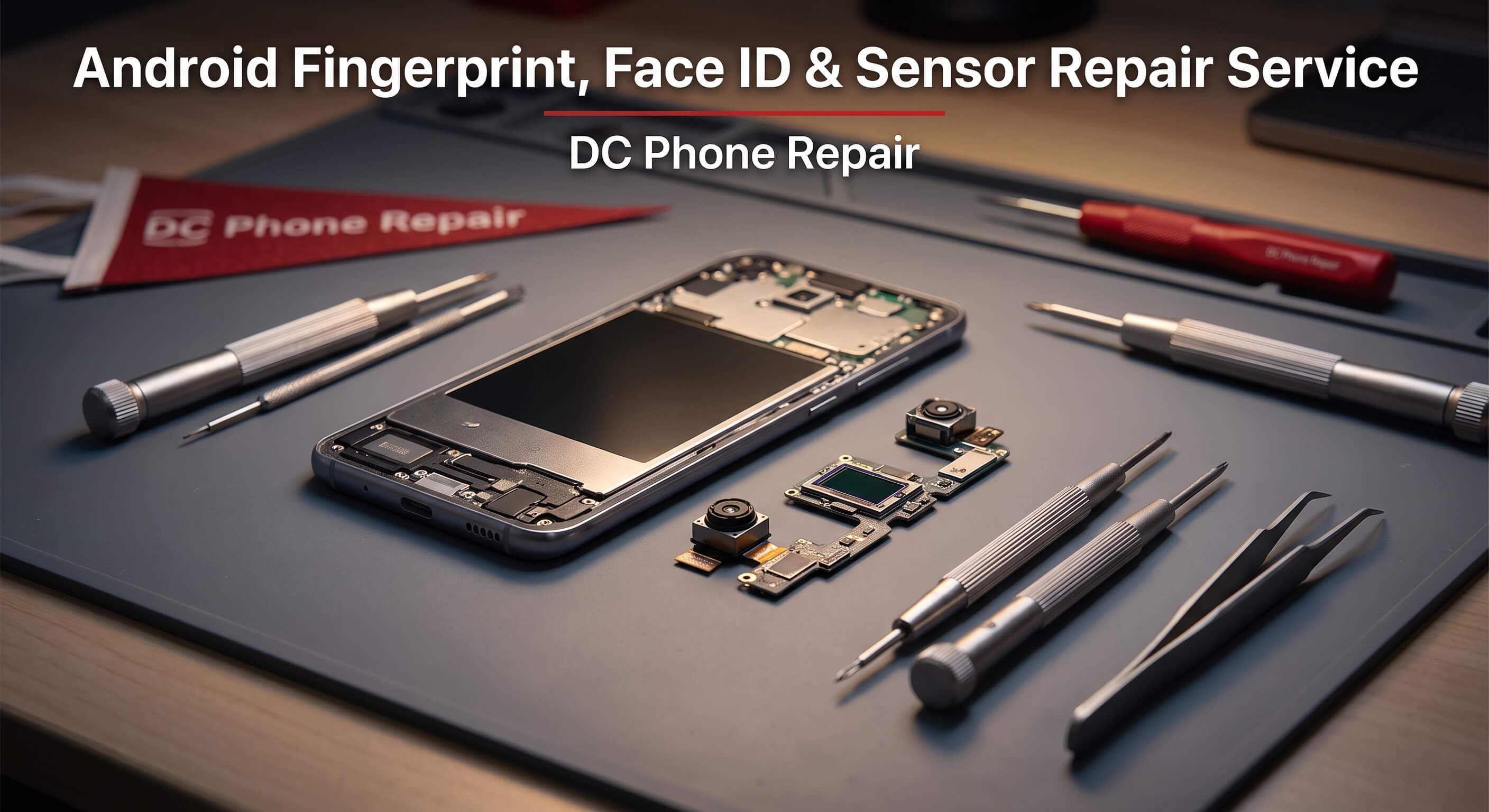
Face unlock that used to work in under a second now takes three or four tries, or doesn't work at all. A fingerprint sensor that reads a print fine nine times and rejects it on the tenth. A phone that presses the earpiece against your cheek during a call and the screen doesn't dim like it should, or worse — it goes dark mid-call and stays dark until you pull it away and tap the screen manually. None of these problems announce themselves with a cracked screen or a dead battery indicator. They just quietly stop working the way they're supposed to, and most people live with the annoyance for weeks before looking into Android Face ID Repair. This page walks through what Android Face ID Repair actually covers, how DC Phone Repair's technicians in Good Hope DC figure out which sensor is at fault, what the repair itself involves, and what it costs to get it fixed properly instead of working around it. If you already know what's wrong, skip ahead to the booking section — otherwise, the next few sections will help you pin down the actual issue before you commit to anything.
What Is Android Face ID Repair?
Android Face ID Repair covers diagnosing and repairing the sensors an Android phone relies on for biometric unlock and basic situational awareness — the front-facing camera and IR components used for face unlock, the capacitive or ultrasonic fingerprint sensor (built into the power button on some models, under the display on others), and the proximity sensor that tells the phone when it's held up to your ear so the screen shuts off during a call. These are small, low-power components, but they sit close to the display assembly, the earpiece speaker, and the front camera module, which means a drop, a cracked screen, or even a botched prior repair can knock one of them out of alignment or sever the connection entirely without leaving any visible sign of damage. Software is sometimes the actual culprit — a system update that resets sensor calibration, or a case and screen protector combination that's physically blocking the sensor window — which is exactly why a real diagnostic matters more than guessing.
It helps to know what Android Face ID Repair typically doesn't involve. If the entire screen is unresponsive to touch, not just biometric input, that's a digitizer or display problem, not a sensor issue specifically, even though the two can look similar from the user's side. If the phone won't power on at all, no sensor repair is going to fix that — it's a battery, charging, or motherboard issue further down the diagnostic chain. And if face unlock or fingerprint unlock simply stopped being offered as an option in settings after a factory reset or an account change, that's usually a software or security-policy setting, not hardware failure, and a technician can usually tell the difference in the first few minutes of a diagnostic rather than after parts have been ordered.
Timing is worth thinking about here too. A proximity sensor that's stuck "covered" will drain your battery faster than normal because the screen never fully wakes for calls, and a fingerprint sensor that's failing intermittently today often fails completely within a few weeks as the underlying connection degrades further with normal handling. None of these issues are urgent the way a shattered screen is, but none of them get better with time either, and a short diagnostic is the fastest way to know whether you're looking at a five-minute cleaning fix or a component swap.
Signs Your Android Device Needs Android Face ID Repair
Sensor problems show up in a handful of recognizable patterns. Here's what DC Phone Repair's technicians in Good Hope DC see most often when a customer's complaint turns out to need Android Face ID Repair:
- Face unlock that fails repeatedly in normal lighting, or only works at certain angles
- A fingerprint sensor that misreads a registered print consistently, not just occasionally
- The screen staying lit during phone calls and pressing against your cheek, triggering accidental mutes or hang-ups
- The screen staying dark after a call ends, requiring a power-button press to wake it back up
- Biometric unlock options disappearing from settings without you having removed them
- A fingerprint sensor under the display that's visible but doesn't respond to touch at all
- Face unlock working in the dark but failing in daylight, or vice versa
- Auto-brightness or screen rotation behaving erratically alongside biometric issues, which often points to a shared sensor cluster problem
- A sensor that worked fine before a screen or battery replacement done elsewhere, and stopped afterward
- Persistent "sensor error" or "authentication unavailable" notifications that weren't there before
More than one of these showing up together usually means a single connection or component is behind all of it, not several unrelated failures. A phone with both proximity-sensor and face-unlock trouble, for instance, often traces back to one dislodged ribbon connector near the earpiece housing, and a technician can typically confirm that with a visual inspection and a quick functional test rather than swapping parts to see what sticks.
Why Good Hope DC Customers Choose DC Phone Repair for Android Face ID Repair
Sensor issues are exactly the kind of problem that's hard to explain over the phone to a national repair chain or a manufacturer support line, and even harder to trust to a mail-in service where nobody actually sees the phone misbehave in person. DC Phone Repair's technicians in Good Hope DC handle Android Face ID Repair on-site, which means you can describe what's happening, watch the diagnostic run, and get a straight answer about whether it's the sensor itself, a connector, or something else entirely — the same day, without shipping your phone anywhere. For a delivery driver who needs face unlock working every time a dispatch notification comes in, or a nurse who can't be fumbling with a passcode between patients, that turnaround is the entire point of choosing a local shop.
Local also means the same team handles it if something's still off after the repair. You're not starting over with a new call center representative reading a different script — you come back to the same shop, and the technician who worked on it has the notes from the original diagnostic already in hand. DC Phone Repair serves walk-ins throughout Good Hope DC for most Android Face ID Repair jobs without requiring an appointment, though booking ahead online reserves a specific time slot for anyone working around a tight schedule. Customers outside a comfortable driving distance can also use mail-in service, so living near Good Hope DC isn't a strict requirement — it's simply the fastest option for people who do.
Sensor repairs reward experience in a way screen repairs don't always demand. A technician who's worked through dozens of face-unlock and fingerprint complaints across different Android manufacturers develops an instinct for where the failure usually sits on a given model — which connector tends to work loose, which sensor window collects dust behind the glass, which case brands are known to interfere with IR emitters. That pattern recognition shortens the diagnostic and reduces the odds of paying to replace a part that wasn't actually the problem.
Our Repair Process
Android Face ID Repair follows the same five-stage process at DC Phone Repair regardless of which sensor is misbehaving or which Android model you're carrying in. Sensor problems are notorious for masquerading as something else, so the process is built to isolate the actual failure point before any part gets ordered or replaced.
Diagnostic
A technician starts by reproducing the symptom under controlled conditions — testing face unlock in varied lighting, checking fingerprint response across multiple registered prints, and confirming proximity sensor behavior during a simulated call. This step also rules out software causes, like a stale calibration after a system update or a case interfering with a sensor window, before assuming hardware is at fault. Where the display or a prior repair is involved, the technician checks the surrounding ribbon cables and connectors, since sensor issues frequently trace back to a connection disturbed during other work rather than the sensor component itself.
Quote
Once the diagnostic identifies the actual cause, you get a clear explanation of what's failing and a quote before any work begins. If the issue turns out to be a loose connector rather than a failed sensor — which happens more often than most people expect — that's reflected in the quote rather than charged as a full component replacement.
Repair
Depending on what the diagnostic found, the repair might mean reseating a ribbon cable, cleaning debris from behind a sensor window, or replacing the sensor module itself. On models where the fingerprint sensor is integrated into the display assembly, this sometimes means the display and sensor are serviced together rather than as separate components, and the technician will explain that scope clearly if it applies to your device.
Quality Check
Before handing the phone back, the technician re-runs the same tests used during diagnostic — multiple face-unlock attempts across lighting conditions, several fingerprint reads, and a simulated call to confirm the proximity sensor is dimming and waking the screen correctly. A repair that fixes one symptom but leaves another sensor issue unresolved doesn't pass this stage.
Pickup
Most Android Face ID Repair jobs at DC Phone Repair finish the same day. You'll get a call or text when it's ready, and the technician will walk you through what was actually wrong, what was replaced or repaired, and anything worth knowing about re-registering fingerprints or face data once you're back home.
How Booking Works
Getting Android Face ID Repair started takes a few minutes. Call DC Phone Repair directly, book a consultation online, or walk in during business hours if you're already near Good Hope DC. There's no obligation to move forward with the repair after hearing the diagnostic results and quote if you'd rather think it over.
When you come in, bring the phone and be ready to describe exactly when and how the problem shows up — whether face unlock fails only in bright light, whether the fingerprint sensor rejects every print or just one finger, whether the screen-during-calls issue happens every time or only sometimes. That detail speeds up the diagnostic considerably. If you're comfortable providing your PIN or pattern, the technician can confirm biometric functionality directly during the quality check; this is optional, and declining it just means re-registering your fingerprint or face data will be on you once you're home. Most walk-in diagnostics for sensor issues wrap up within twenty to thirty minutes, with the repair itself typically finishing within a few hours depending on same-day parts availability for your specific model.
Why Choose DC Phone Repair
There are a few real alternatives worth being honest about. DIY sensor troubleshooting is possible for the simplest cases — cleaning a dusty sensor window, or removing a case that's covering an IR emitter — and there's no reason to pay a shop for that. Where DIY gets risky is anywhere past that point: reseating a ribbon connector near a fingerprint sensor or replacing a face-unlock module means working close to delicate flex cables that tear easily, and a misstep can turn a simple connection issue into a display or camera problem that didn't exist before. Manufacturer or mail-in repair is reliable on parts, but sensor issues are hard to diagnose remotely, which often means paying for shipping and diagnostic time on a problem that turns out to be a five-minute fix in person.
An uncertified local competitor might offer a lower quote, but sensor work in particular rewards experience that's hard to fake — misdiagnosing a connector issue as a failed sensor means paying for a part that was never the problem, and a rushed repair near the front camera or earpiece assembly can introduce a new issue while "fixing" the original one. DC Phone Repair's technicians in Good Hope DC test thoroughly before quoting, explain what they actually found rather than defaulting to the most expensive explanation, and back the repair with a warranty — so you're not just trusting a guess. A shop that won't walk you through what it found before charging you isn't being straight with you, and that's not how DC Phone Repair operates.
A small business owner who badges into a payment app dozens of times a day with a fingerprint has different stakes than someone who mostly uses a passcode as backup — a sensor that fails intermittently is a bigger daily drag for one than the other, and that's the kind of context a rushed diagnostic is more likely to miss. Whatever's driving your decision to have Android Face ID Repair done locally instead of shipping the phone off, the underlying logic holds: you can watch the diagnostic happen, ask questions in person, and hold someone accountable if the fix doesn't stick — none of which is realistically available with a mail-in service.
Devices & Issues We Handle
Face Unlock and Face Recognition Sensor Issues
A remote worker who unlocks their phone dozens of times a day between video calls and messages notices a failing face-unlock sensor almost immediately — it's the kind of friction that adds up fast. DC Phone Repair's technicians diagnose whether the issue sits with the front camera module, the IR or dot-projector components used for depth sensing on models that support it, or a software calibration reset, and address it accordingly rather than assuming a full module swap is always required.
Fingerprint Sensor Issues
Whether the sensor is built into the power button, mounted on the back panel, or integrated under the display, a fingerprint sensor that's inconsistent is often more frustrating than one that's completely dead, since it invites repeated failed attempts before falling back to a passcode. A rideshare driver checking fares at red lights needs that unlock to work on the first try, and DC Phone Repair's technicians isolate whether the sensor, its connector, or its calibration is the actual point of failure.
Proximity Sensor and Screen-During-Calls Issues
A parent juggling calls while managing kids doesn't have a free hand to manually dim the screen mid-conversation, which makes a malfunctioning proximity sensor more than a minor annoyance. This issue is diagnosed by simulating call conditions directly, checking whether the sensor is failing to detect proximity, stuck in a "covered" state, or miscommunicating with the display controller.
Multi-Sensor and Post-Repair Complications
A college student whose phone had a screen replaced elsewhere and started having face-unlock or proximity issues right afterward is dealing with a common pattern — sensors and connectors disturbed during other repairs, not new independent failures. DC Phone Repair's technicians check for this specifically when a customer mentions a recent prior repair, since it usually points straight to the fix.
Pricing & Turnaround
DC Phone Repair doesn't publish flat prices for Android Face ID Repair because the actual fix — a cleaning, a reseated connector, or a full sensor replacement — isn't known until the diagnostic identifies the real cause. What's consistent is the process itself: every job starts with a diagnostic and a clear quote before any work begins, so the cost is confirmed up front rather than guessed at.
| Service | Typical Turnaround | Pricing |
|---|---|---|
| Diagnostic | 20–30 minutes | Call or request a quote |
| Android Face ID Repair | Most repairs completed same day | Call or request a quote |
| Mail-in service | Varies by shipping distance | Call or request a quote |
If you'd rather get a sense of pricing before coming in, call DC Phone Repair directly — describing the symptom over the phone often gets you a realistic range even before the in-person diagnostic confirms the exact cause.
Parts & Warranty
Where Android Face ID Repair requires a component replacement rather than a connector fix or cleaning, DC Phone Repair uses quality-tested parts appropriate to your specific model, and the technician explains the options during your quote rather than assuming you already understand the tradeoffs. Genuine sensor and camera modules match original manufacturer specifications for accuracy and response time; high-quality aftermarket alternatives are tested for full functionality before installation and offer a lower-cost path when a genuine part isn't practical or available for older models.
Every Android Face ID Repair completed at DC Phone Repair is backed by a warranty covering both the part and the labor involved in the repair. If a sensor issue returns without new physical damage causing it — the same fingerprint misreads, face unlock failing the same way, a proximity sensor sticking again — it's covered for further repair at no additional cost within the warranty period. The technician confirms the exact warranty length for your repair in writing at pickup.
Warranty coverage doesn't extend to new damage from a fresh drop or spill after the repair, but it does cover a defect that resurfaces through no fault of your own, like a fingerprint sensor that worked fine at pickup and starts misreading again two weeks later. If that happens, bring the phone back and the technician will check it against the original repair record before deciding next steps, at no cost to you if it traces back to the part or the work performed.
What Happens to Your Data
Android Face ID Repair doesn't require access to your photos, messages, or app data, and the internal storage isn't touched during most sensor repairs. That said, DC Phone Repair recommends a backup before any hands-on hardware work as standard practice, simply because it removes any uncertainty regardless of what the repair involves. If you're not sure your Android backup is current, the technician can confirm it in a couple of minutes before starting.
Your phone stays with the technician assigned to your repair for the duration of the job and isn't connected to any outside network beyond what's needed to confirm the repair worked. If you provided your PIN or pattern for the post-repair biometric check, it's used only for that verification and isn't recorded or kept afterward. Face and fingerprint data specifically are stored in a secure hardware enclave on most Android devices that a display or sensor repair doesn't access directly — re-registering them after the repair is a normal step, not a sign anything was compromised.
Get Started
If any of the symptoms above sound familiar, the fastest way to find out exactly what's wrong — and what it takes to fix — is a diagnostic with DC Phone Repair's technicians in Good Hope DC. Call with questions, book a time online, or walk in during business hours.
Prefer email? Reach out to support@dcphonerepair.com and a technician will follow up with next steps and a quote timeline.
FAQs
What usually causes face unlock or fingerprint sensor failure on an Android phone?
Most sensor failures trace back to a disturbed ribbon connector, dust or debris behind a sensor window, or a stale calibration after a system update — actual sensor component failure is less common than people assume. A diagnostic identifies which of these is happening before any part gets replaced.
How long does Android Face ID Repair take?
Diagnosing the issue typically takes 20 to 30 minutes, and most Android Face ID Repair jobs are completed the same day once the actual cause is confirmed, depending on parts availability if a replacement component is needed.
Can a screen replacement cause fingerprint or face unlock problems afterward?
Yes — sensors and their connectors sit close to the display assembly, and a prior repair elsewhere is a common reason sensor issues appear afterward. Mentioning a recent repair during your diagnostic helps the technician check that connection first.
Will I need to re-register my fingerprint or face data after Android Face ID Repair?
Often, yes, especially if a component was replaced rather than just reconnected. It's a normal step that takes a minute or two and doesn't indicate anything went wrong with the repair.
Is my phone's biometric data safe during Android Face ID Repair?
Yes — face and fingerprint data are stored in a secure hardware enclave that a sensor or display repair doesn't access, and the phone isn't connected to outside networks during the repair. A PIN or pattern provided for post-repair testing is used only for that check and isn't retained.
Do I need an appointment for Android Face ID Repair?
No appointment is required for most walk-in Android Face ID Repair jobs at DC Phone Repair's Good Hope DC location, though booking online ahead of time guarantees a specific time slot if your schedule is tight.
What if the diagnostic finds the sensor itself isn't actually broken?
That happens regularly — a loose connector or a blocked sensor window can look identical to a failed sensor from the user's side. You're only quoted for what the diagnostic actually finds, not for a default component swap.
Do you offer a warranty on Android Face ID Repair?
Yes, every Android Face ID Repair completed at DC Phone Repair includes a warranty covering the part and the labor. The technician confirms the exact length in writing at pickup so you know precisely what's covered.
DC Phone Repair
2704 Marion Barry Ave SE,
Washington DC 20020, United States
(202) 478-4799
support@dcphonerepair.com
https://dcphonerepair.com/