DC Phone Repair
Android Earpiece Repair in Naylor Gardens DC
Nobody notices their phone's audio hardware until it stops working right, and then it's suddenly the only thing that matters. A call where the other person keeps asking you to repeat yourself. A video that plays with no sound until you cup your hand around the bottom of the phone. A voice memo that comes out muffled no matter how close you hold the phone to your mouth. Audio problems on an Android phone are easy to dismiss at first — turn the volume up, try a different app, restart the phone — right up until none of that fixes it and it's clear something in the hardware itself needs attention. This page covers what Android Earpiece Repair actually involves, how to tell which audio component is actually failing, how DC Phone Repair's technicians in Naylor Gardens DC diagnose and complete the repair, and what it costs against the alternatives. If you already know what's wrong, the booking section below will get you moving — otherwise, the next section should help narrow it down.
What Is Android Earpiece Repair?
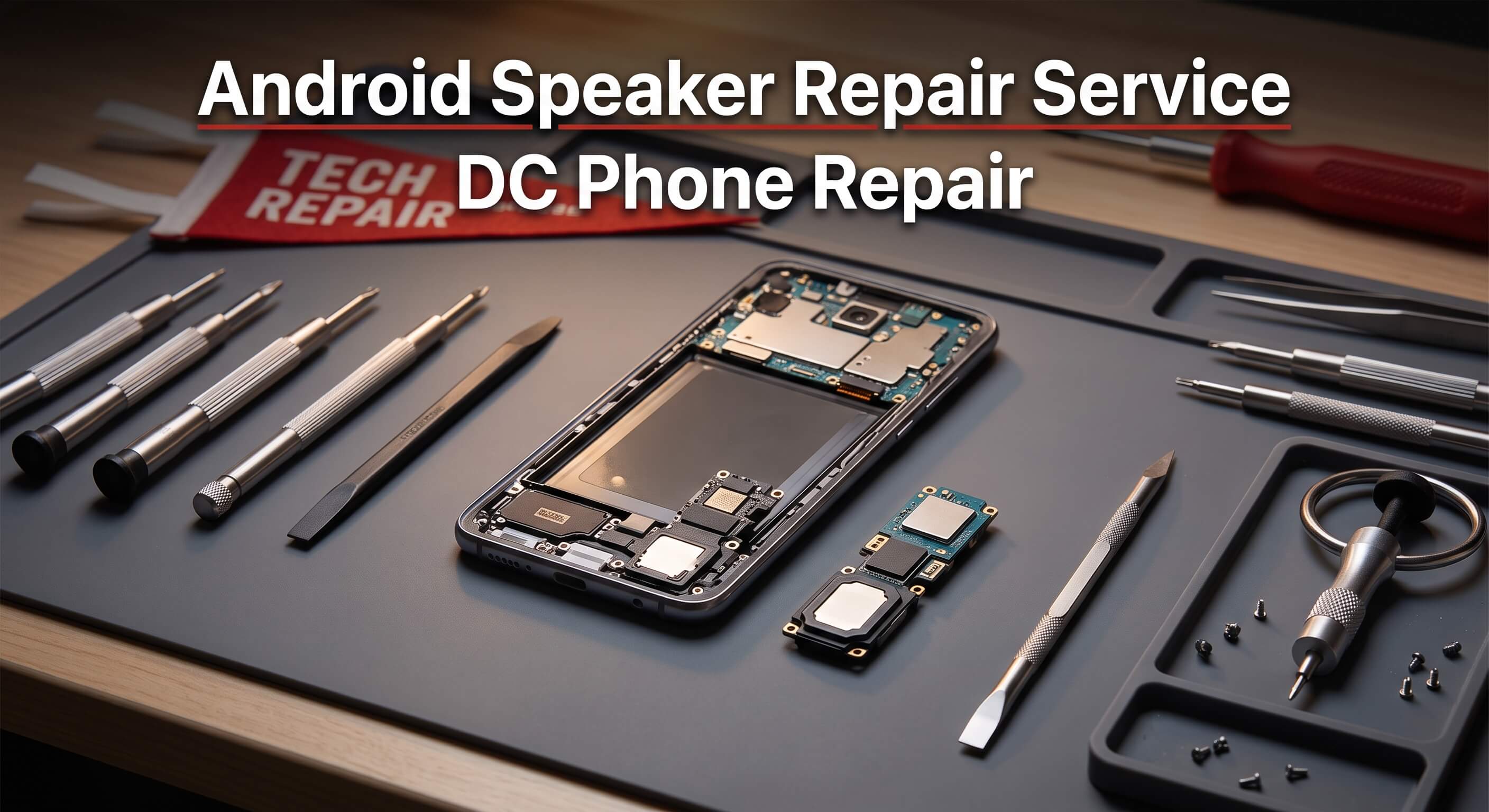
Android Earpiece Repair covers diagnosing and repairing any of the audio hardware components built into an Android phone: the loudspeaker used for media and speakerphone calls, the earpiece speaker used for regular calls held up to your ear, the microphone or microphones that pick up your voice, and the 3.5mm audio jack on models that still include one. These are four physically separate components, often with separate points of failure, which is part of why an audio problem can be confusing to pin down without a proper diagnostic — a call that sounds fine on speaker but muffled at the ear, for instance, points to the earpiece specifically rather than a general "audio is broken" problem.
The most common cause for a speaker or earpiece issue is debris — dust, lint, or pocket grit that's worked its way into the speaker mesh over months of daily carry, muffling sound output even when the speaker itself is functioning correctly underneath. Liquid exposure is another frequent cause, and it doesn't take a full dunk in water; a phone that got misted with rain or set near a splash can develop corrosion on the speaker's internal contacts that shows up as crackling or reduced volume weeks later. Microphone issues often trace back to the same causes — debris blocking the mic opening, or liquid corrosion on the small internal component — though a microphone can also fail from a loose internal connection after a drop, even without any visible damage. Audio jack problems are almost always mechanical: a jack that's had headphones plugged and unplugged thousands of times, sometimes at an awkward angle, develops worn or bent internal contacts that cause static, one-sided audio, or a connection that only works when the plug is held at a specific angle.
It's worth being clear about what Android Earpiece Repair is not. If audio only cuts out in one specific app while everything else sounds normal, that's more likely a software or app-specific issue than a hardware failure, and worth ruling out before assuming a repair is needed. If Bluetooth audio to headphones or a speaker works fine but wired audio through the jack doesn't, that isolates the problem to the jack specifically rather than the phone's broader audio system. And if the issue only happens with one particular pair of headphones, the headphones themselves are sometimes the actual problem rather than the phone.
Timing on audio issues varies by cause. A muffled speaker from debris buildup tends to get gradually worse rather than better, since more debris accumulates over time rather than clearing on its own. A jack with worn contacts that only connects at certain angles will keep degrading with continued use, since the same mechanical wear causing the problem doesn't reverse itself. A diagnostic costs nothing to sit through and usually identifies the specific cause within a few minutes.
Signs Your Android Phone Needs Android Earpiece Repair
Audio problems show up in different ways depending on which component is affected. Here's what DC Phone Repair's technicians in Naylor Gardens DC see most often when a customer's issue turns out to need Android Earpiece Repair:
- Sound from the main speaker that's noticeably quieter, muffled, or distorted compared to before
- Crackling, popping, or static coming through the speaker during calls or media playback
- Calls that sound fine on speakerphone but muffled or quiet when held to your ear
- The person on the other end of a call repeatedly asking you to speak up or repeat yourself
- Voice memos or recordings that come out muffled, distant-sounding, or unusually quiet
- Wired headphones or earbuds that only produce sound in one ear, or none at all
- Audio through the headphone jack that cuts out unless the plug is held at a specific angle
- A phone that thinks headphones are still plugged in even after they've been removed
- No sound at all from any speaker, even with the volume turned all the way up
- Voice assistant or voice-to-text features failing to pick up your voice reliably
Symptoms isolated to one function — the earpiece specifically, or just the audio jack — usually point to a problem contained to that single component rather than something affecting the phone's audio system more broadly. That's useful to mention during the diagnostic conversation, since it helps narrow down testing right from the start.
Why Naylor Gardens DC Customers Choose DC Phone Repair for Android Earpiece Repair
Shipping a phone to a manufacturer's repair program or a national chain for an audio issue means days without reliable calls or media playback, which is a real disruption for a rideshare driver who depends on turn-by-turn audio directions or a remote worker who's on calls most of the day. DC Phone Repair's technicians in Naylor Gardens DC handle Android Earpiece Repair on-site, so a customer can walk in, watch the diagnostic happen, and in most cases walk out the same day with audio working the way it should instead of a shipping label to print.
Local service also comes with accountability that's hard to get from a mail-in program. If a call still sounds off after the repair, the fix is walking back into the same shop and describing exactly what's wrong to the technician who already worked on the phone, not starting over with a new support agent. DC Phone Repair serves walk-ins throughout Naylor Gardens DC without requiring an appointment for most Android Earpiece Repair jobs, though booking online ahead of time guarantees a specific time slot for anyone working around a tight schedule. Mail-in service is available for customers outside comfortable driving distance of Naylor Gardens DC as well.
There's a practical advantage specific to audio work too: because there are several possible components involved, a technician who handles this repair often develops a quick sense for which symptom points to which part, which shortens the diagnostic considerably compared to a shop or support line working through it for the first time on your specific complaint.
Our Repair Process
Android Earpiece Repair at DC Phone Repair follows the same five-stage process regardless of which Android phone comes through the door, and regardless of whether the issue turns out to be the speaker, earpiece, microphone, or audio jack.
Diagnostic
A technician tests the loudspeaker, earpiece, microphone, and audio jack individually, using both the phone's built-in diagnostic tools where available and direct functional tests — playing audio, recording a voice sample, testing wired headphones at multiple angles. This step identifies exactly which component is failing rather than treating "audio problems" as one single issue, since the fix and the cost differ depending on what's actually affected.
Quote
Once the diagnostic wraps up, a customer gets a plain-language explanation of what's actually wrong and a quote before any work begins. If more than one component turns out to be affected — a speaker issue that's also tied to liquid corrosion elsewhere, for instance — that gets flagged before it's addressed, not after it's already billed.
Repair
The technician powers down the phone, accesses the affected component, and replaces it with a new part matched to the specific model. Ribbon cables and connectors are reseated carefully, and any mesh covers or seals over the speaker or microphone openings are restored to keep dust and moisture out going forward.
Quality Check
Before the phone is handed back, every relevant audio function is tested again: speaker volume and clarity, earpiece audio during a test call, microphone recording quality, and headphone jack connection at multiple angles if that was part of the repair.
Pickup
Most Android Earpiece Repair jobs at DC Phone Repair are completed the same day. A customer gets a call or text when it's ready, and the technician who worked on it — or a colleague with full notes on the job — walks through the results and confirms warranty coverage before handing the phone back.
How Booking Works
Starting the process for Android Earpiece Repair takes a few minutes. Call DC Phone Repair directly, request a consultation online, or walk in during business hours if you're already in Naylor Gardens DC. There's no charge for the initial diagnostic conversation, and no obligation to move forward with the repair after hearing the quote.
Bring the phone itself, and if headphones are part of the issue, bring the specific pair you've been using so the technician can rule them in or out. Being able to describe exactly when the problem happens — during calls only, during media playback, with headphones plugged in — helps speed up the diagnostic conversation considerably. Most walk-in customers are through the initial diagnostic conversation in under fifteen minutes, with the repair itself typically finishing within a couple of hours depending on same-day parts availability for the specific model.
Why Choose DC Phone Repair
There are three real alternatives to a professional shop for audio repairs, and each comes with tradeoffs worth naming honestly. DIY component kits exist online, and for someone comfortable with fine soldering or micro-connector work, a speaker or jack swap is technically possible on some models. The risk is that these components are small and often connected via delicate ribbon cables that tear easily, and a failed DIY attempt can turn a contained repair into a more expensive board-level problem. Manufacturer or mail-in repair is reliable on parts quality, but it usually means days without reliable calls or audio for what's frequently a same-day job in person.
An uncertified local competitor might quote a lower price on paper, but that price can reflect a lower-grade speaker that sounds noticeably worse or fails again within months. DC Phone Repair's technicians in Naylor Gardens DC use quality-tested replacement parts, explain what's actually being replaced and why, and back the repair with a warranty — so the decision isn't just about the number on the quote, it's about how the phone actually sounds afterward. A shop that only talks up its own strengths and never acknowledges what DIY or mail-in service does well isn't being straight about the tradeoffs, and that's not how DC Phone Repair operates.
Whatever the reason for choosing a local shop, the logic holds the same way every time: seeing the workspace, asking questions face to face, and having someone to hold accountable if the audio still isn't right isn't realistically available once a phone has been shipped off to an anonymous repair center.
Devices & Issues We Handle
Loudspeaker Repair
A parent who relies on speakerphone while cooking or managing kids around the house needs a speaker that's clear and loud enough to actually hear across a room. DC Phone Repair's technicians diagnose whether a weak or distorted speaker is a debris issue, a damaged component, or liquid-related corrosion, and repair accordingly rather than defaulting to a full replacement.
Earpiece Repair
A small business owner fielding client calls throughout the day can't afford an earpiece that makes every call sound muffled. Earpiece repair addresses a smaller, separate speaker component from the main loudspeaker, and DC Phone Repair's technicians test it independently to confirm it's actually the source of the problem.
Microphone Repair
A content creator recording voiceovers or narration on their phone needs a microphone that captures clear audio without distance or muffling. DC Phone Repair diagnoses microphone issues separately from speaker issues, since a phone can have a perfectly clear speaker and a failing mic at the same time, or the reverse.
Audio Jack Repair
A student who plugs in wired headphones for lectures and study sessions throughout the day needs a jack that makes a reliable connection every time, not one that requires finding a specific angle. DC Phone Repair repairs or replaces the audio jack assembly on models that include one, addressing worn or bent internal contacts causing static or one-sided sound.
Audio Issues Alongside Other Symptoms
Sometimes an audio problem shows up after the same drop or liquid exposure that also affected the charging port or camera, and a delivery driver who needs the whole phone working reliably needs every affected component addressed together. DC Phone Repair's diagnostic checks for related damage alongside the audio hardware itself, so the repair covers everything actually contributing to the problem.
Pricing & Turnaround
DC Phone Repair doesn't publish flat prices for Android Earpiece Repair because the exact cost depends on the specific phone model, which audio component is affected, and the part grade chosen — a single audio jack repair and a full speaker and microphone replacement aren't comparable jobs. What stays consistent is the process: every job starts with a diagnostic and a clear quote before any work begins, so the exact cost is known in advance rather than an estimate that shifts after the fact.
| Service | Typical Turnaround | Pricing |
|---|---|---|
| Diagnostic | 15–30 minutes | Call for details |
| Android Earpiece Repair | Most repairs completed same day | Call or request a quote |
| Mail-in service | Varies by shipping distance | Call or request a quote |
Anyone who'd rather not wait for an in-person visit can call DC Phone Repair directly for pricing guidance on a specific model before coming in — the team can often give a realistic range over the phone based on the model and symptoms described.
Parts & Warranty
DC Phone Repair offers both genuine and high-quality aftermarket audio components for Android Earpiece Repair, depending on the model and preference, and the technician explains the practical differences during the quote rather than assuming a customer already knows them. Genuine parts match the original manufacturer specification exactly, including speaker output range and microphone sensitivity. High-quality aftermarket parts are tested for audio quality before installation and offer a lower-cost option for anyone who wants full functionality without paying for original branding — the tradeoff is sometimes a subtle difference in maximum volume or bass response rather than a difference in everyday clarity.
Every Android Earpiece Repair completed at DC Phone Repair is backed by a warranty covering the replacement part and the labor involved in installing it. If the new component develops a problem unrelated to new damage — reduced volume, static, or a connection that stops holding — it's covered for repair or replacement at no additional cost within the warranty period. The technician confirms the exact warranty length for the specific repair in writing at pickup, so there's no ambiguity about what's covered or for how long.
Warranty coverage doesn't extend to new physical or liquid damage — a fresh drop or a phone exposed to water after the repair is a separate issue, not a warranty claim — but it does cover the kind of defect that shows up over the following days or weeks through no fault of the customer. If that happens, bringing the phone back gets it inspected against the original repair record before any next steps are determined, at no cost if the defect traces back to the part or the installation.
What Happens to Your Data
An audio component repair doesn't require access to photos, messages, or accounts, and internal storage isn't touched during Android Earpiece Repair. That said, DC Phone Repair recommends backing up a phone before any repair as standard practice, simply because any hands-on hardware work carries a small inherent risk, and a recent backup means there's nothing to worry about regardless of what happens during the repair itself. Anyone unsure how to back up their specific Android model can get walked through it in a couple of minutes before the repair begins.
The phone stays in the shop for the duration of the repair, handled only by the technician assigned to the job, and isn't connected to any external network or service beyond what's needed to confirm the repair was successful. Test calls and recordings made during the diagnostic and quality check are used only to verify the repair and aren't retained afterward.
Get Started
Anyone dealing with the symptoms described above can get a clear answer — and a clear cost — through a diagnostic with DC Phone Repair's technicians in Naylor Gardens DC. Call to ask questions or book a time, walk in during business hours, or request a quote online before arriving.
Prefer email? Reach out to support@dcphonerepair.com and a technician will follow up with next steps and a quote timeline.
FAQs
How long does Android Earpiece Repair take?
Most Android Earpiece Repair jobs are completed the same day, often within a couple of hours of drop-off, depending on parts availability for the specific Android model. The diagnostic itself takes about 15 to 30 minutes and gives a firm time estimate before any work begins.
How do I know if it's the speaker, earpiece, or microphone that's the problem?
The symptom usually points to it — speakerphone calls sounding fine while regular calls sound muffled points to the earpiece, while nobody being able to hear you points to the microphone. The diagnostic tests all three individually to confirm exactly which one is affected.
Do I need an appointment for Android Earpiece Repair?
No appointment is required for most walk-in Android Earpiece Repair jobs at DC Phone Repair's Naylor Gardens DC location, though booking online ahead of time guarantees a specific time slot for anyone working around a tight schedule.
My headphones only work in one ear — is that the phone or the headphones?
It could be either, and testing with a second pair of headphones is one of the first things checked during the diagnostic. If the same one-sided issue happens with multiple pairs, the audio jack itself is the more likely cause.
Can debris in the speaker really cause sound problems, or does it need a full replacement?
Debris buildup is a common and often less expensive cause of muffled or quiet sound, and a careful cleaning sometimes resolves it without any part replacement. The diagnostic identifies whether cleaning will fix it before a full repair is recommended.
Will I lose my photos or data during Android Earpiece Repair?
No — an audio repair doesn't require access to storage or accounts, and data isn't touched during the process. A backup beforehand is still recommended as standard precaution with any hardware repair, not because Android Earpiece Repair specifically puts data at risk.
Is audio jack damage from headphone wear covered under warranty?
The warranty covers the new part and labor going forward once the repair is completed. Normal wear from continued headphone use over a long period is a separate consideration from a defect in the repair itself, and the technician can explain what applies at pickup.
Do you offer a warranty on Android Earpiece Repair?
Yes, every Android Earpiece Repair completed at DC Phone Repair includes a warranty covering both the part and the labor. The technician confirms the exact length in writing at pickup so there's no ambiguity about what's covered.
DC Phone Repair
2704 Marion Barry Ave SE,
Washington DC 20020, United States
(202) 478-4799
support@dcphonerepair.com
https://dcphonerepair.com/