DC Phone Repair
Android Battery Draining Repair in Greenway DC
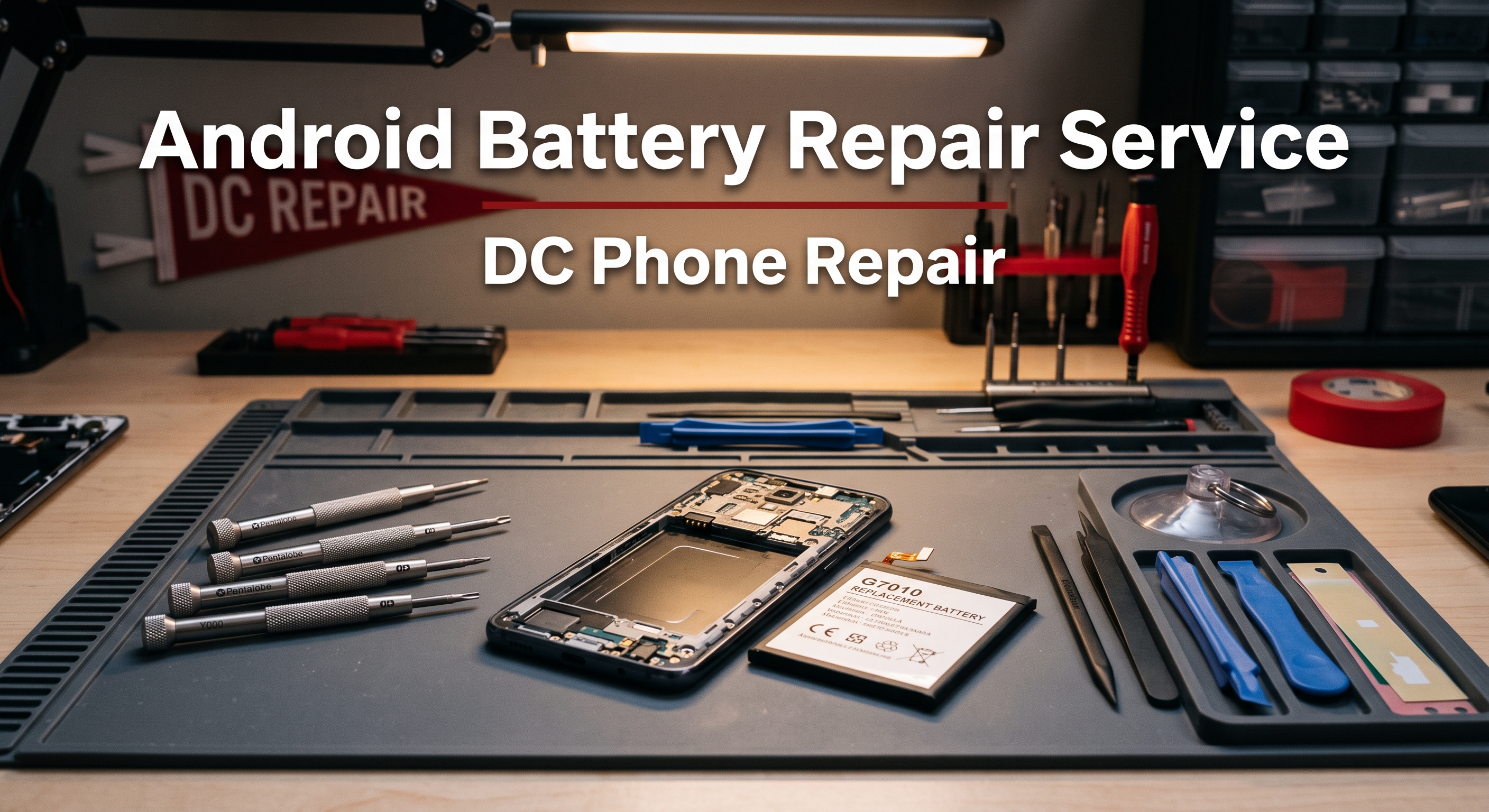
An Android phone with a failing battery has a way of quietly taking over your day before you notice what's happening. The charge that used to carry you from morning coffee to evening commute now dips into the red by early afternoon. The phone gets warm in your pocket for no obvious reason. Maybe it shuts off at 20% like it's out of power, or maybe the back has started to bulge just slightly at one edge — a sign that shouldn't be ignored. This page covers what Android Battery Draining Repair actually involves, how to tell a battery problem apart from something else draining your phone, how DC Phone Repair's technicians in Greenway DC handle the repair from start to finish, and what it costs versus what a new phone costs. If you already know what's wrong, the booking section below will get you moving — otherwise, the next few sections should help confirm it before you commit to anything.
What Is Android Battery Draining Repair?
Android Battery Draining Repair means removing a degraded or damaged lithium-ion battery from an Android phone and installing a fresh one, restoring the phone's ability to hold a charge through a normal day of use. Every rechargeable battery loses capacity over time — it's basic chemistry, not a defect — but the rate of that decline depends heavily on charging habits, heat exposure, and how many charge cycles the phone has been through. A battery that shipped with a full day of use in mind can, after a year or two of daily charging, drop to a fraction of its original capacity, and the phone starts showing it in ways that are easy to misread as something else entirely.
The most common cause is simple age: lithium-ion cells are rated for a finite number of full charge cycles before their capacity noticeably degrades, and a phone charged every night for eighteen months to two years has usually put a real dent in that rating. Heat accelerates the process — a phone left in a hot car, used heavily while charging, or run through demanding apps for hours builds up internal heat that wears the battery down faster than normal use alone. Physical damage from a drop can also crack or dent a battery cell internally without any external sign, and in rarer cases a battery can begin to swell, which is a safety issue that needs attention regardless of how the phone is otherwise performing.
It's worth being clear about what Android Battery Draining Repair is not. If a phone won't hold any charge at all and won't power on even when plugged in, the issue might be the charging port or the charging circuitry on the logic board rather than the battery itself — a proper diagnostic sorts that out in minutes rather than requiring a guess. If battery drain shows up alongside overheating and a specific app running in the background, that's sometimes a software problem rather than a hardware one, and it's worth ruling out before paying for a battery that wasn't the actual cause. A phone that's simply a generation or two behind and has always had modest battery life isn't necessarily a battery repair candidate — sometimes that's just the phone's original spec, not degradation.
Timing matters here in a way that's easy to underestimate. A battery that's merely inconvenient today — needing a midday top-up — tends to get worse on a predictable curve, not a random one, so waiting rarely improves the situation. A swollen battery in particular shouldn't sit unaddressed; the swelling itself indicates internal gas buildup, and it can progress to a point where it puts pressure on the screen or frame. A diagnostic costs nothing to sit through and usually saves money compared to waiting until the phone won't hold a charge at all.
Signs Your Android Phone Needs Android Battery Draining Repair
Battery problems don't always look like a phone that simply dies fast. Here's what DC Phone Repair's technicians in Greenway DC see most often when a customer's issue turns out to need Android Battery Draining Repair:
- Battery percentage dropping noticeably faster than it used to, even with the same usage habits
- The phone shutting off unexpectedly at a charge level well above 0%, sometimes 20% or higher
- Needing to charge more than once a day for use that previously lasted from morning to night
- The phone feeling unusually warm to the touch during normal use, not just while charging or gaming
- Slower performance or apps that stutter, especially as the charge level drops
- The battery percentage jumping suddenly — showing 40%, then dropping straight to 10% within minutes
- A back panel or screen that's started to lift, bulge, or separate slightly at one edge, which can indicate a swollen battery
- The phone taking noticeably longer to charge fully than it did when new
- Random restarts that happen more often as the battery level gets lower
- Battery health readings in phone settings showing a significant drop from 100%, on models that expose that figure
A swollen battery is the one symptom on this list that deserves faster action than the others — if a back panel or screen looks like it's lifting away from the frame with no drop or damage to explain it, that's worth having looked at promptly rather than waiting to see if it gets worse. Every other symptom above is a normal candidate for a standard diagnostic and repair timeline.
Why Greenway DC Customers Choose DC Phone Repair for Android Battery Draining Repair
Mailing a phone off to a manufacturer's battery service or a national chain means going without a device for days, boxing it up, and trusting a technician you'll never meet with a phone full of personal accounts and data. DC Phone Repair's technicians in Greenway DC handle Android Battery Draining Repair on-site, so a customer can walk in, watch the process begin, and in most cases walk out the same day with a phone that holds a charge again instead of a tracking number to check every morning. For a delivery driver who depends on GPS navigation for an entire shift, or a small business owner running point-of-sale from their phone, going days without a reliable device isn't a minor inconvenience — it's lost income.
Local service also means accountability that a call center simply can't replicate. If a battery repair doesn't feel right afterward, the fix is coming back to the same shop and often the same technician, not explaining the issue over again to a new voice on a support line. DC Phone Repair serves walk-ins throughout Greenway DC without requiring an appointment for most Android Battery Draining Repair jobs, though booking online ahead of time guarantees a specific time slot for anyone working around a tight schedule. Mail-in service is also available for customers outside comfortable driving distance, so proximity to Greenway DC helps but isn't a strict requirement.
There's a practical safety angle here too. Battery work, especially anything involving a swollen cell, calls for careful handling — a technician who does this regularly knows how to remove a compromised battery without puncturing or bending it, which matters more than most people realize until they've seen what happens when it's done carelessly.
Our Repair Process
Android Battery Draining Repair at DC Phone Repair follows the same five-stage process regardless of which Android phone comes through the door. Each stage exists to catch problems before they turn into surprises — whether that's an unexpected cost or a repair that doesn't actually solve what was wrong in the first place.
Diagnostic
A technician checks the phone's charge cycle count and battery health where the software exposes it, runs a load test to see how the battery performs under actual use rather than just sitting idle, and visually inspects the battery and surrounding area for swelling or physical damage. This step also rules out a charging port or charging-circuit problem masquerading as a battery issue, which happens more often than most people expect.
Quote
Once the diagnostic wraps up, a customer gets a plain-language explanation of what's actually degraded and a quote before any work begins. If the technician finds something additional during disassembly — a charging port that also needs attention, for instance — that gets flagged before it's addressed, not after it's already billed.
Repair
The technician powers down the phone, carefully disconnects and removes the old battery — using extra care and the correct tools if there's any swelling involved — and installs the new one, reconnecting it and confirming a proper seat before closing the phone back up. Adhesive strips or seals that held the original battery in place are replaced as part of the process, which matters for keeping the phone properly sealed.
Quality Check
Before the phone is handed back, it goes through a charge test to confirm the new battery is charging and discharging correctly, along with a check that the phone is booting normally and holding a charge reading consistent with a fresh battery.
Pickup
Most Android Battery Draining Repair jobs at DC Phone Repair are completed the same day. A customer gets a call or text when it's ready, and the technician who worked on it — or a colleague with full notes on the job — walks through what to expect from the new battery, including warranty coverage and any charging habits worth adjusting going forward.
How Booking Works
Starting the process for Android Battery Draining Repair takes a few minutes. Call DC Phone Repair directly, request a consultation online, or walk in during business hours if you're already in Greenway DC. There's no charge for the initial diagnostic conversation, and no obligation to proceed with the repair after hearing the quote.
Bring the phone itself, and if a battery health reading is visible in the phone's settings, it's worth noting before coming in since it can speed up the diagnostic conversation. If the phone won't power on at all, bring it anyway — the diagnostic doesn't require a working charge to begin. Most walk-in customers are through the initial diagnostic conversation in under fifteen minutes, with the repair itself typically finishing within an hour or two depending on same-day parts availability for the specific model.
Why Choose DC Phone Repair
There are three real alternatives to a professional shop for battery work, and each comes with tradeoffs worth naming honestly. DIY battery kits are inexpensive and easy to find online, and for someone comfortable working carefully with small tools, a battery swap on an older Android phone is technically possible. The risk with battery work specifically is higher than with most other repairs, though — a punctured or bent lithium-ion cell is a genuine fire hazard, and the adhesive strips holding most batteries in place are designed to release cleanly only with the right technique. Manufacturer or mail-in battery service is reliable on parts quality, but it usually means being without the phone for several days to a week once shipping time is factored in, which is a real cost for anyone who depends on their phone daily.
An uncertified local competitor might quote a lower price on paper, but that price can reflect a lower-capacity or lower-quality replacement cell that degrades again within months rather than lasting years. DC Phone Repair's technicians in Greenway DC use quality-tested replacement batteries, explain the practical difference in cell grades when it's relevant to a specific model, and back the repair with a warranty — so the decision isn't just about the number on the quote, it's about what's actually being installed. A shop that only talks up its own strengths and never acknowledges what DIY or mail-in service does well isn't being straight about the tradeoffs, and that's not how DC Phone Repair operates.
Whatever the reason for choosing a local shop, the logic holds the same way every time: seeing the workspace, asking questions face to face, and having someone to hold accountable if a new battery underperforms isn't realistically available once a phone has been shipped off to an anonymous repair center.
Devices & Issues We Handle
Standard Battery Replacement
A remote worker on video calls most of the day needs a phone that survives a full workday without a midday charge. Standard Android Battery Draining Repair restores a phone to close to its original capacity, addressing the slow, predictable decline that comes with normal age and charge cycles.
Rapid Battery Drain
A parent who needs their phone reachable at all times can't afford a battery that drops from full to empty in a few hours. DC Phone Repair's technicians distinguish rapid drain caused by a failing battery from drain caused by a background app or software issue, so the fix actually addresses the root cause rather than just replacing a part that wasn't the problem.
Swollen Battery Repair
A student who noticed their phone's back panel lifting slightly at one corner is dealing with something that needs prompt, careful handling rather than a wait-and-see approach. DC Phone Repair's technicians are trained to remove a swollen battery safely, without the puncturing risk that comes with rushed or careless handling.
Battery Health and Charging Behavior
A gamer who streams mobile matches for hours at a time notices battery issues faster than most, since heavy sustained use exposes a failing battery's limits immediately. DC Phone Repair evaluates both battery health and how the phone is actually being charged and used, since charging habits can accelerate or mask underlying battery wear.
Battery Issues Alongside Other Symptoms
Sometimes battery drain shows up next to a phone that's also running hot or restarting randomly, and a rideshare driver relying on their phone through a full shift needs both issues resolved, not just the more obvious one. DC Phone Repair's diagnostic checks for related charging-port or software causes alongside the battery itself, so a repair addresses everything actually contributing to the problem.
Pricing & Turnaround
DC Phone Repair doesn't publish flat prices for Android Battery Draining Repair because the exact cost depends on the specific phone model, battery capacity, and part grade chosen — a budget-model battery swap and a current flagship battery swap aren't comparable jobs. What stays consistent is the process: every job starts with a diagnostic and a clear quote before any work begins, so the exact cost is known in advance rather than an estimate that shifts after the fact.
| Service | Typical Turnaround | Pricing |
|---|---|---|
| Diagnostic | 15–30 minutes | Call for details |
| Android Battery Draining Repair | Most repairs completed same day | Call or request a quote |
| Mail-in service | Varies by shipping distance | Call or request a quote |
Anyone who'd rather not wait for an in-person visit can call DC Phone Repair directly for pricing guidance on a specific model before coming in — the team can often give a realistic range over the phone based on the model and symptoms described.
Parts & Warranty
DC Phone Repair offers both genuine and high-quality aftermarket battery options for Android Battery Draining Repair, depending on the model and preference, and the technician explains the practical differences during the quote rather than assuming a customer already knows them. Genuine batteries match the original manufacturer specification exactly, including capacity rating and the safety certifications that come with it. High-quality aftermarket batteries are tested for capacity and performance before installation and offer a lower-cost option for anyone who wants full functionality without paying for original branding — the tradeoff is sometimes a marginally shorter lifespan before the next replacement is needed, not a difference in day-to-day performance.
Every Android Battery Draining Repair completed at DC Phone Repair is backed by a warranty covering the replacement battery and the labor involved in installing it. If the new battery underperforms in a way unrelated to new damage — failing to hold the expected charge, draining unusually fast, or showing early signs of swelling — it's covered for repair or replacement at no additional cost within the warranty period. The technician confirms the exact warranty length for the specific repair in writing at pickup, so there's no ambiguity about what's covered or for how long.
Warranty coverage doesn't extend to new physical damage — a phone dropped in water or cracked open after the repair is a separate issue, not a warranty claim — but it does cover the kind of defect that shows up over the following weeks through no fault of the customer, like a battery that suddenly stops holding a charge properly. If that happens, bringing the phone back gets it inspected against the original repair record before any next steps are determined, at no cost if the defect traces back to the part or the installation.
What Happens to Your Data
A battery replacement doesn't require access to photos, messages, or accounts, and internal storage isn't touched during Android Battery Draining Repair. That said, DC Phone Repair recommends backing up a phone before any repair as standard practice, simply because any hands-on hardware work carries a small inherent risk, and a recent backup means there's nothing to worry about regardless of what happens during the repair itself. Anyone unsure how to back up their specific Android model can get walked through it in a couple of minutes before the repair begins — usually just confirming a cloud backup is current.
The phone stays in the shop for the duration of the repair, handled only by the technician assigned to the job, and isn't connected to any external network or service beyond what's needed to confirm the repair was successful. A battery swap doesn't require a PIN or pattern in most cases, since the quality check is a charge test rather than an unlock-dependent function check, though the technician may ask for it if there's a related issue also being addressed.
Get Started
Anyone dealing with the symptoms described above can get a clear answer — and a clear cost — through a diagnostic with DC Phone Repair's technicians in Greenway DC. Call to ask questions or book a time, walk in during business hours, or request a quote online before arriving.
Prefer email? Reach out to support@dcphonerepair.com and a technician will follow up with next steps and a quote timeline.
FAQs
How long does Android Battery Draining Repair take?
Most Android Battery Draining Repair jobs are completed the same day, often within an hour or two of drop-off, depending on parts availability for the specific Android model. The diagnostic itself takes about 15 to 30 minutes and gives a firm time estimate before any work begins.
Is a swollen battery dangerous?
It can become one if left unaddressed, since the swelling indicates internal gas buildup that can worsen over time and put pressure on the screen or frame. It's worth having a swollen battery looked at promptly rather than waiting to see if the symptom goes away on its own.
Do I need an appointment for Android Battery Draining Repair?
No appointment is required for most walk-in Android Battery Draining Repair jobs at DC Phone Repair's Greenway DC location, though booking online ahead of time guarantees a specific time slot for anyone working around a tight schedule.
How do I know if it's the battery or something else draining my phone?
A battery-health reading well below 100%, a phone that shuts off well above 0%, or a charge that drops unusually fast even with light use all point toward the battery. A diagnostic can confirm it in about fifteen minutes rather than requiring a guess based on symptoms alone.
What's the difference between genuine and aftermarket Android batteries?
Genuine batteries match the original manufacturer's capacity rating and safety certification exactly. High-quality aftermarket batteries are tested for capacity and performance before installation and offer a lower-cost alternative, with the main tradeoff being a somewhat shorter lifespan rather than reduced day-to-day performance.
Will I lose my photos or data during Android Battery Draining Repair?
No — a battery replacement doesn't require access to storage or accounts, and data isn't touched during the process. A backup beforehand is still recommended as standard precaution with any hardware repair, not because Android Battery Draining Repair specifically puts data at risk.
Is it worth replacing my Android phone's battery instead of buying a new phone?
Often, yes. A battery replacement typically costs a fraction of a new phone's price, and if the rest of the device is functioning well, Android Battery Draining Repair extends its usable life without the cost or hassle of migrating everything to a new device.
Do you offer a warranty on Android Battery Draining Repair?
Yes, every Android Battery Draining Repair completed at DC Phone Repair includes a warranty covering both the battery and the labor. The technician confirms the exact length in writing at pickup so there's no ambiguity about what's covered.
DC Phone Repair
2704 Marion Barry Ave SE,
Washington DC 20020, United States
(202) 478-4799
support@dcphonerepair.com
https://dcphonerepair.com/