How to Check iPhone Battery Health and When to Replace It
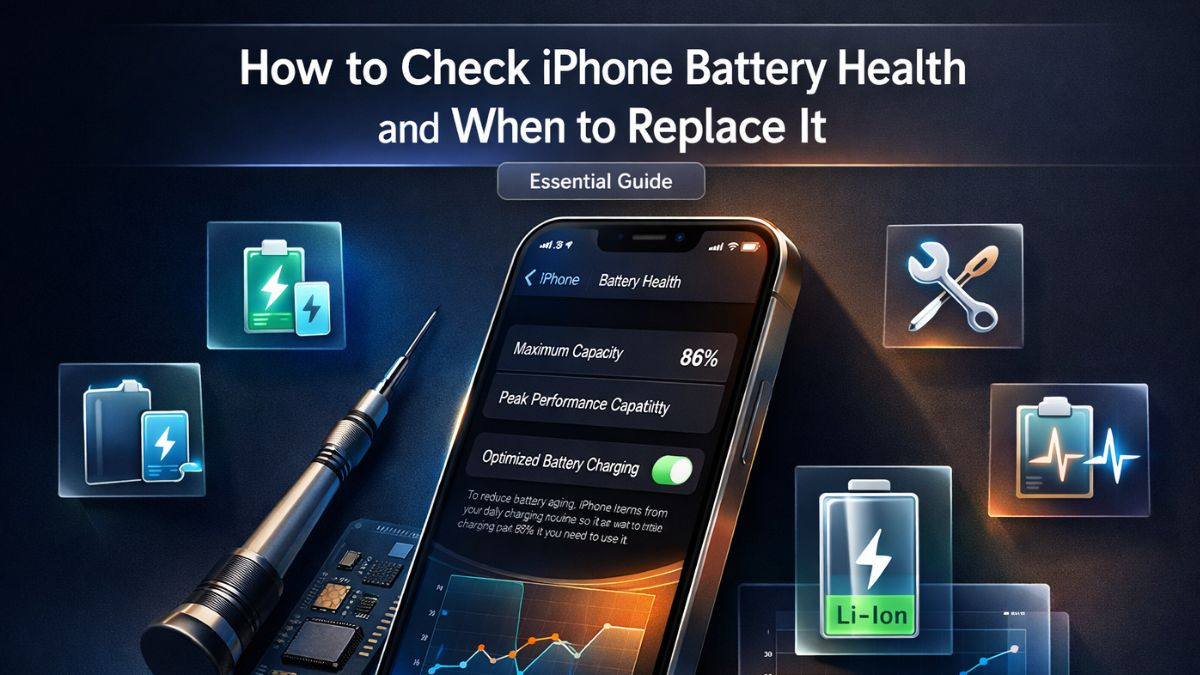
How to Check iPhone Battery Health and When to Replace It
Your iPhone is one of the most advanced pieces of technology you carry every day. It manages your calls, messages, photos, navigation, and countless other tasks that make modern life functional. But underneath all of that capability is a lithium-ion battery that has a finite lifespan, and when that battery starts to age, everything your iPhone does begins to suffer.
The frustrating part is that battery degradation happens gradually. One day your phone lasts all day on a single charge, and a few months later you are reaching for the charger by early afternoon. Many users assume the problem is software-related and spend time tweaking settings, closing apps, and updating iOS, when the real issue is a worn-out battery cell that simply cannot hold the energy it once could.
Understanding how to check iPhone battery health is one of the most practical things any iPhone owner can do. It gives you a clear, objective number that reflects how much capacity your battery has retained compared to when it was brand new. More importantly, it helps you make an informed decision about whether you need a battery replacement or whether other troubleshooting steps can extend your device's life a little further.
This article walks you through everything you need to know, from reading the built-in battery health settings on your iPhone, to recognizing the signs of a failing battery, to understanding your repair options, costs, and when it makes sense to rely on professional repair services rather than attempting anything yourself.
iPhone Battery Health: What the Percentage Actually Means
When Apple introduced battery health monitoring in iOS 11.3, it gave users direct visibility into something that had previously been hidden from view. The battery health percentage shown in your settings represents your battery's maximum capacity relative to when it was new. A brand-new iPhone battery starts at 100 percent. Over time, as you charge and discharge the battery through hundreds of cycles, that number decreases.
Apple considers a battery to be functioning within normal parameters as long as it holds above 80 percent capacity. That means a battery reading 82 percent has retained the vast majority of its original energy storage ability and should still provide reasonable daily performance. Once the number drops below 80 percent, however, you will likely notice real-world effects, including shorter usage time per charge, more aggressive battery drain during demanding tasks, and potential unexpected shutdowns.
It is important to understand that the percentage itself does not tell the whole story. A battery at 78 percent might feel fine to someone who uses their phone lightly, while a battery at 85 percent might cause issues for someone who streams video, uses GPS constantly, or keeps their screen at maximum brightness throughout the day. The percentage is a starting point, not an absolute verdict. You need to combine it with your actual usage experience to get a complete picture.
Lithium-ion batteries degrade through a combination of chemical aging and charge cycles. Each time the battery goes from 0 to 100 percent and back down, it completes one full cycle. iPhones are generally rated for around 500 full charge cycles before the battery dips below 80 percent capacity, though this varies significantly depending on how the phone is charged, stored, and used.
How to Check iPhone Battery Health Step by Step
Performing an iPhone battery health check is straightforward and requires no special tools or technical knowledge. Apple has built the diagnostic information directly into the iOS settings, making it accessible to any user in under a minute.
Start by unlocking your iPhone and opening the Settings app. Scroll down until you see the option labeled Battery and tap on it. On the next screen, tap Battery Health and Charging. This section contains the most important information about the current condition of your battery.
At the top of the screen, you will see the Maximum Capacity percentage. This is the core metric that tells you how much energy your battery can hold compared to its original design capacity. Directly below that, you may see a message describing your battery's peak performance capability. If your battery is in good shape, the message will confirm that it is currently supporting normal peak performance. If the battery has degraded significantly, you may see a message informing you that performance management has been applied to prevent unexpected shutdowns.
Further down on the same screen, you will find the Optimized Battery Charging toggle. This feature, when enabled, uses machine learning to learn your daily charging habits and delays charging past 80 percent when your iPhone predicts you will be plugged in for an extended period, such as overnight. This helps slow the rate of battery degradation over time, and it is generally recommended to leave this feature turned on.
If your iPhone is running iOS 17 or later, Apple has added additional information in this section, including the number of charge cycles your battery has completed and the date it was manufactured. This data is extremely useful when evaluating the overall condition of your battery alongside the capacity percentage.
For users who want a deeper level of iPhone battery diagnostics, third-party apps such as coconutBattery, iMazing, or 3uTools (when connected to a computer) can pull additional data from your device including cycle count, charge voltage, and temperature history. These tools can give repair technicians a much more detailed picture of battery condition before proceeding with a replacement.
Signs of a Bad iPhone Battery You Should Not Ignore
The battery health percentage gives you a number, but the symptoms your phone displays in daily use are equally important indicators. Some of the most telling signs of a bad iPhone battery appear long before the percentage drops below the critical threshold.
One of the most common complaints is an iPhone battery draining fast, even under light usage. If your phone is losing 20 to 30 percent battery in the first two hours of normal use, the battery is likely no longer functioning efficiently. This can happen even when the capacity percentage still reads 85 percent or higher, because battery cells do not always degrade uniformly.
Unexpected shutdowns are another serious warning sign. If your iPhone powers off suddenly when the battery still shows 20, 30, or even 40 percent remaining, the battery cells have likely lost the ability to deliver consistent voltage under load. This is exactly the scenario that Apple's performance management system is designed to prevent. When the system detects this risk, it throttles the processor speed to reduce power demand, which is why some older iPhones feel sluggish even though there is nothing wrong with the software or processor.
Swelling is one of the most urgent warning signs of all. iPhone battery swelling symptoms include a screen that is lifting or separating from the frame, a back panel that feels slightly raised, or a device that no longer sits flat on a table. A swollen battery is a lithium-ion cell that has experienced internal gas buildup, typically caused by chemical breakdown or overcharging. A swollen battery is a safety hazard and should be addressed immediately. Do not attempt to puncture, compress, or remove a swollen battery yourself. Take the device to a professional repair service without delay.
Excessive heat during normal use is another indicator that the battery is struggling. While it is normal for iPhones to get slightly warm during heavy tasks like gaming or video streaming, consistent heat during routine activities like browsing or texting suggests the battery is working harder than it should. Persistent iphone overheating battery issues can also accelerate further degradation, creating a cycle that worsens battery performance over time.
Slow charging, the inability to charge past a certain percentage, or an iPhone that stops charging altogether are also symptoms worth paying attention to. While some of these issues can be caused by faulty cables or charging ports, a degraded battery is often the underlying cause.
What Is iPhone Battery Performance Management and Why It Matters
Apple introduced battery performance management as a response to widespread complaints that older iPhones were slowing down significantly as their batteries aged. The mechanism works by monitoring real-time power demands and, when a worn battery cannot reliably deliver the required voltage, reducing the maximum processor speed to prevent sudden shutdowns.
In practical terms, this means your iPhone may feel noticeably slower, apps may take longer to open, and tasks that once completed instantly may now feel sluggish. Many users attribute this to software issues or assume their device is simply too old, without realizing that a battery replacement could restore near-original performance.
When you visit the Battery Health and Charging section in your settings and see a message stating that performance management has been applied, that is a clear signal that your battery is limiting your device. Apple gives you the option to disable this feature manually, but doing so increases the risk of unexpected shutdowns, which is not a practical long-term solution.
The more appropriate response is to consider an iPhone battery replacement. Once a new battery with full capacity is installed, performance management is automatically disabled, and your phone returns to its standard processing speeds. Many users who go through with a battery replacement report that their older iPhones feel as fast as they did when first purchased. It is a repair that offers genuinely significant improvement in daily usability.
How iPhone Battery Health Degrades Over Time: A Timeline
Understanding the typical rate of battery degradation helps you plan ahead and avoid being caught off guard by sudden performance drops.
| iPhone Usage Period | Approximate Battery Health | Expected Performance |
|---|---|---|
| 0 to 6 months | 97% to 100% | Full performance, all-day battery |
| 6 to 12 months | 92% to 97% | Minimal change, slight drain increase |
| 1 to 2 years | 85% to 92% | Noticeable drain, moderate performance |
| 2 to 3 years | 78% to 85% | Clear slowdown, frequent charging needed |
| 3 years and beyond | Below 78% | Significant issues, replacement recommended |
These ranges are general estimates and will vary based on how heavily the device is used, how it is charged, the ambient temperatures it is exposed to, and whether optimized charging features are enabled. Heavy users may see faster degradation, while someone who charges carefully and keeps their phone away from extreme heat may retain better battery health for longer.
DIY iPhone Battery Replacement vs. Professional Repair: Which Is Right for You?
Battery replacement is one of the more common repairs people consider attempting themselves, particularly given the availability of replacement battery kits online. Before going down that road, it is worth understanding what the process actually involves and what risks come with it.
| Factor | DIY Battery Replacement | Professional Battery Replacement |
|---|---|---|
| Skill Required | High (precision tools, adhesive work) | Handled by trained technicians |
| Cost | Lower upfront ($20 to $40 for parts) | $49 to $99 depending on model and provider |
| Battery Quality | Variable (OEM alternatives, unverified) | Genuine or certified quality parts |
| Warranty Risk | Voids Apple warranty in most cases | Reputable shops offer service warranty |
| Turnaround Time | 1 to 3 hours (if successful) | Often same-day or within hours |
| Risk of Damage | Moderate to high (cables, screen, seals) | Low (professionals use proper tools) |
| Post-Repair Calibration | Manual, often incomplete | Performed correctly with diagnostics |
Opening an iPhone is not as simple as unscrewing a panel. Modern iPhones, particularly models from the iPhone X series onward, use strong adhesive to seal the display assembly to the frame. Removing this without the right heated tools or suction cups risks tearing the display cables or cracking the screen. The battery itself is held in place with stretch-release adhesive strips that must be removed without bending or puncturing the battery cell.
There is also the matter of battery quality. Many third-party batteries sold online claim to be compatible replacements, but they may not meet the voltage, capacity, or safety specifications of genuine parts. An inferior battery can charge inconsistently, drain faster than expected, or in rare cases, present safety risks. Genuine iPhone battery replacement from a certified or reputable repair provider ensures the component inside your phone meets the standards your device was built around.
For most iPhone users, professional iPhone battery replacement from a trusted local repair shop offers the best combination of value, safety, and reliable results. The cost difference between DIY and professional is often smaller than expected, especially when you factor in the risk of needing screen repair if the opening process goes wrong.
How Much Does iPhone Battery Replacement Cost?
Battery replacement pricing varies depending on who performs the service, the iPhone model, and whether genuine or aftermarket parts are used.
| Service Provider | Approximate Battery Replacement Cost | Warranty Offered |
|---|---|---|
| Apple Store (in warranty) | Free or included with AppleCare+ | Yes, Apple warranty |
| Apple Store (out of warranty) | $69 to $99 depending on model | Limited service warranty |
| Authorized Apple Service Provider | $69 to $99 | Varies by provider |
| Independent Repair Shop | $49 to $89 | Often 30 to 90 days parts and labor |
| DIY kit (online purchase) | $20 to $40 for parts only | None |
For most out-of-warranty iPhones, an independent repair shop offering genuine iPhone battery replacement at a competitive price is an excellent option. The key is to verify that the shop uses quality parts, employs experienced technicians, and provides a written warranty on the repair.
When searching for iPhone battery replacement near me, look for shops that are transparent about the brands of components they use, offer post-repair diagnostics, and are willing to answer your questions before starting the job. A reputable shop has nothing to hide and will take the time to explain exactly what they will be doing to your device.
How to Improve iPhone Battery Health and Extend Its Lifespan
While battery degradation is inevitable, there are meaningful steps you can take to slow the process and maintain better iphone battery health for longer. These practices will not restore lost capacity, but they can prevent premature aging and help your battery perform closer to its potential for a greater number of years.
Avoid charging your iPhone overnight on a regular basis unless Optimized Battery Charging is enabled. Keeping a lithium-ion battery at 100 percent for extended periods creates unnecessary chemical stress on the cells. The sweet spot for daily battery maintenance is keeping the charge level between 20 percent and 80 percent as often as practically possible. This range reduces the electrochemical stress on the cells and slows degradation.
Heat is one of the most damaging factors for any lithium-ion battery. Avoid leaving your iPhone in direct sunlight, inside a parked car on a hot day, or in environments where temperatures consistently exceed 35 degrees Celsius (95 degrees Fahrenheit). Even brief exposure to extreme heat can cause measurable, permanent capacity loss. Similarly, charging your phone in a protective case that traps heat should be avoided, especially if the case is thick or poorly ventilated.
Fast charging is convenient, but using it every time contributes to faster battery aging. Using a standard 5W charger for routine charging and reserving fast charging for situations when you genuinely need a quick top-up is one of the more effective iphone battery maintenance habits you can adopt.
Keep your iPhone updated to the latest version of iOS. Apple regularly releases updates that include battery optimization improvements, efficiency gains, and fixes for software-level power drain issues. Staying current with system software is one of the easiest and most passive ways to support better iphone battery optimization.
Reducing screen brightness, enabling Low Power Mode when appropriate, turning off Background App Refresh for apps that do not need it, and limiting location services to apps that genuinely require them are all practical iphone battery health tips that collectively reduce daily power draw without significantly impacting usability.
Common iPhone Charging Problems Related to Battery Degradation
Battery degradation and charging problems are closely linked, and it is not always easy to tell which issue is the root cause without running a proper diagnostic.
An iPhone that charges very slowly, or one that shows a charging indicator but gains battery percentage at an unusually slow rate, may be experiencing high internal resistance caused by a degraded battery. As battery cells age, their internal resistance increases, which means they take longer to absorb charge and deliver power less efficiently.
If your iPhone shows a full charge on the screen but the percentage drops rapidly the moment you unplug it, this is a classic sign that the battery's displayed capacity does not match its actual usable capacity. The battery management system is reading the charge incorrectly because the cells are no longer performing predictably. This kind of iphone battery not holding charge problem is unlikely to improve on its own and generally requires replacement.
Some users experience charging port issues that are mistaken for battery problems. A port clogged with lint or debris, a damaged lightning or USB-C connector, or a frayed charging cable can all prevent reliable charging. However, if cleaning the port and switching to a known-good cable does not resolve the issue, and the battery health percentage is already low, the battery itself is almost certainly contributing to the problem.
For persistent charging issues, a professional iphone charging problem repair service can run a full diagnostic to determine whether the battery, charging port, or charging IC chip is responsible. Addressing the correct cause the first time saves both time and money.
When to Replace Your iPhone Battery: A Clear Decision Framework
Deciding when to replace the battery is not always as simple as looking at one number. Use the following framework to assess whether replacement makes sense for your situation.
| Indicator | Action Recommended |
|---|---|
| Battery health above 85%, no symptoms | Monitor, no replacement needed yet |
| Battery health 80% to 85%, mild symptoms | Consider replacement if symptoms bother you |
| Battery health below 80%, noticeable drain | Battery replacement strongly recommended |
| Performance management applied | Replace battery to restore full performance |
| Unexpected shutdowns with charge remaining | Replace battery immediately |
| Battery swelling visible | Urgent replacement required for safety |
| iPhone overheating under normal use | Diagnostic and likely replacement needed |
| Charging stops before 100% regularly | Diagnostic to rule out port or battery fault |
If your iPhone battery health has dropped below 80 percent and you are regularly experiencing one or more of the symptoms described above, the battery has reached the end of its effective service life. Continuing to use a significantly degraded battery will not only make the daily experience frustrating but may also put additional strain on other components, including the charging system and processor.
On the other hand, if your battery health still reads above 85 percent and your only complaint is that battery life feels slightly shorter than before, a replacement may not be the most urgent need. In that case, focusing on software optimization, disabling unnecessary background processes, and adjusting screen settings may provide noticeable improvement without the cost of a repair.
What to Expect During a Professional iPhone Battery Replacement
Knowing what happens during a professional repair helps set realistic expectations and builds confidence that the job is being done correctly.
A reputable repair shop will start by running an initial diagnostic on your device, which includes checking the current battery health percentage, cycle count if accessible, and any error logs that may point to related issues. This step ensures that battery replacement is indeed the appropriate fix before any physical work begins.
The technician will then use specialized tools to carefully heat the adhesive around the display assembly, apply controlled suction to lift the screen, and disconnect the display cables safely before accessing the battery compartment. The old battery is removed using the adhesive pull tabs underneath it, or with a solvent if the tabs have broken. The battery connector is disconnected carefully to avoid any damage to the logic board.
A new battery is installed, calibrated, and the device is reassembled with fresh adhesive sealing to maintain the original water resistance rating as closely as possible. After reassembly, the technician should run a post-repair diagnostic to confirm the new battery is being recognized correctly by the iOS system, that the battery health reading reflects 100 percent capacity, and that charging is functioning normally.
The entire process typically takes between 30 minutes and 90 minutes at a well-equipped repair shop. Many local providers offering fast iphone battery repair can complete the job while you wait, making it a convenient and minimally disruptive repair experience.
Choosing the Best iPhone Battery Replacement Service Near You
Not all repair shops are equal, and the quality of parts and workmanship can vary significantly. When evaluating your options for iphone repair services related to battery replacement, there are several factors worth examining before handing over your device.
Ask whether the shop uses genuine Apple batteries or certified equivalent components. A genuine iphone battery replacement uses a battery cell that meets Apple's specifications for voltage, capacity, and safety, which directly affects how well your phone performs after the repair. Shops that are evasive about the origin of their parts are a red flag.
Check whether the shop offers a warranty on the repair itself. A reputable provider of the best iphone battery replacement service will stand behind their work with a parts and labor warranty, typically ranging from 30 to 90 days. This gives you recourse if the battery develops problems or if the repair causes any secondary issues.
Look for technicians with documented training or certification. Apple's Independent Repair Provider program provides approved training to technicians at qualifying shops, and this certification ensures a baseline level of competency in working with Apple devices. Even shops outside this program can be excellent, but they should be able to speak clearly and confidently about their process.
Reading reviews from real customers is one of the most reliable ways to assess a shop's quality and consistency. Look specifically for reviews that mention battery replacement, post-repair performance, and how the shop handled any complications. Consistent positive feedback about the repair process, turnaround time, and customer communication is a strong indicator that you are dealing with a trustworthy provider.
iPhone Battery Health Across Different Models: What to Know
Battery health management and the specifics of battery replacement differ slightly depending on which iPhone model you own. Here is a quick reference for context.
| iPhone Model | Battery Capacity (mAh) | Typical Full Charge Life | Battery Accessible via Settings |
|---|---|---|---|
| iPhone SE (3rd Gen) | 2,018 mAh | Up to 15 hours | Yes (iOS 11.3+) |
| iPhone 12 | 2,815 mAh | Up to 17 hours | Yes |
| iPhone 13 | 3,227 mAh | Up to 19 hours | Yes |
| iPhone 14 | 3,279 mAh | Up to 20 hours | Yes |
| iPhone 15 | 3,349 mAh | Up to 20 hours | Yes (cycle count visible iOS 17+) |
| iPhone 15 Pro Max | 4,422 mAh | Up to 29 hours | Yes (cycle count visible iOS 17+) |
Older models with smaller batteries tend to show the effects of degradation more dramatically in daily use simply because there is less total capacity to begin with. An iPhone SE that has dropped to 80 percent capacity from 2,018 mAh is operating on the equivalent of roughly 1,614 mAh, which is a meaningful reduction that will be felt throughout the day. A larger battery device like the iPhone 15 Pro Max has more total capacity to lose before the real-world impact becomes severe.
Regardless of model, the principles remain the same. When the capacity drops below 80 percent and performance or battery life is becoming a practical problem, a battery replacement is the logical and cost-effective solution before considering an entirely new device.
iPhone Battery Calibration: Does It Actually Work?
Battery calibration is a topic that circulates frequently in tech communities, with some users claiming that draining the battery completely and then charging it to 100 percent can reset or improve battery health readings. It is worth addressing this directly because the information is widely misunderstood.
iPhone battery calibration in the traditional sense does not restore actual battery capacity. What calibration can do is help the battery management system recalibrate its reading so that the displayed percentage more accurately reflects the true state of charge. If your iPhone has been consistently partially charged without ever completing a full cycle, the system's model of the battery's behavior may drift slightly from reality. Running a complete discharge-to-full-charge cycle can help bring the reading back into alignment.
However, if your battery has physically aged and lost capacity, no amount of calibration will change that. The cells have experienced real chemical degradation, and the only way to restore full capacity is through a physical iphone battery replacement. Calibration is a minor software correction, not a repair solution.
The Relationship Between Battery Health and iPhone Resale Value
Many iPhone users underestimate how much battery health affects the resale value of their device. When selling a used iPhone, potential buyers frequently ask to check the battery health percentage before committing to a purchase. A phone selling for $300 with 79 percent battery health is a much harder sell than one with 91 percent, even if everything else about the devices is identical.
Getting a battery replacement done before listing your iPhone for sale is often a financially sound decision. Spending $60 to $80 on a professional replacement can increase the resale value by $100 or more, simply because the new owner will not need to budget for an immediate replacement themselves. It also signals that the device has been maintained with care, which gives buyers more confidence in the overall condition of the phone.
From the buyer's side, always check battery health before purchasing a used iPhone. If the health is below 80 percent and the seller is not willing to reduce the price accordingly or arrange a replacement before the sale, factor that cost into your offer.
Professional Repair for Related iPhone Issues
Battery problems do not always exist in isolation. A degraded battery can put stress on other components, and issues that appear to be purely battery-related sometimes have additional contributing factors. Understanding the broader repair landscape helps you make better decisions when something goes wrong with your device.
If your iPhone is experiencing screen damage alongside battery issues, getting both addressed in a single visit to a iPhone screen repair service saves time and often qualifies for a combined service discount at many shops. Similarly, if your charging port has been damaged by debris, water exposure, or connector wear, addressing it during the same service appointment as battery replacement is practical and efficient.
For users dealing with other smartphone brands facing similar battery degradation or performance issues, professional Samsung repair and mobile phone battery repair services follow similar principles, with qualified technicians performing diagnostics, sourcing quality replacement batteries, and restoring device performance.
Beyond smartphones, battery and power-related issues affect other devices as well. Laptops experience similar lithium battery degradation over time, and quality laptop repair services can replace swollen or exhausted laptop batteries with the same professional care applied to smartphone repairs. Even gaming consoles can develop battery-related problems in their controllers or handheld variants, which qualified gaming console repair technicians are equipped to handle.
The common thread across all of these services is the importance of using qualified technicians, quality parts, and established repair processes rather than rushing through a repair with inadequate tools or unverified components.
Tips for Maintaining iPhone Battery Health After Replacement
Once you have invested in a new battery, taking steps to protect that investment makes practical and financial sense. The habits that caused premature degradation in the original battery will do the same to the new one if they are not adjusted.
Re-enable Optimized Battery Charging immediately after replacement if it was turned off. This feature is one of the most effective built-in tools for reducing long-term degradation and should run continuously for the life of the battery. Avoid frequent fast charging unless necessary, and try to charge in moderate ambient temperatures rather than in very hot or very cold environments.
Monitor the battery health percentage every one to two months by returning to the Battery Health and Charging section in settings. Tracking the decline over time helps you anticipate when replacement will be needed again and allows you to plan rather than react when battery performance drops.
If your usage habits are particularly demanding, such as extensive gaming, outdoor navigation use, or running professional applications throughout the day, consider carrying a small portable battery bank to supplement your charge rather than subjecting your iPhone battery to multiple charge cycles per day. Each cycle contributes to degradation, and reducing the total number of cycles per year meaningfully extends battery lifespan.
Get Your iPhone Battery Replaced by Experts Today
If your iPhone is draining faster than it should, struggling to hold a charge, slowing down without an obvious reason, or showing a battery health percentage that has dropped below 80 percent, the right time to act is now. Battery problems rarely stay the same. They worsen gradually and can eventually affect other components if left unaddressed.
At DC Phone Repair, certified technicians provide fast, reliable, and affordable iPhone battery replacement services using quality components backed by a service warranty. Whether your battery is degraded, swollen, or causing performance management slowdowns, the team is equipped to diagnose the issue accurately and complete the repair efficiently, often on the same day you bring in your device.
The shop handles a full range of device repair services, including screen repair, charging port repair, battery replacement, and diagnostics for iPhones, Samsung phones, laptops, gaming consoles, and more. Walk-ins are welcome, and the team is happy to answer your questions before any work begins.
DC Phone Repair
2704 Marion Barry Ave SE,
Washington DC 20020, United States
(202) 478-4799
https://dcphonerepair.com/
Frequently Asked Questions
How often should I check my iPhone battery health?
Checking your iPhone battery health once every one to two months is a good habit that helps you stay ahead of performance issues before they become frustrating. If you notice symptoms like faster drain or unexpected shutdowns, check it immediately and consider visiting a professional repair service for a more detailed diagnostic.
Is it worth replacing the battery on an older iPhone model?
In most cases, yes. If the phone is otherwise functional and the battery is the primary source of performance problems, a battery replacement is significantly more affordable than purchasing a new device. An iPhone battery replacement at a reputable shop can restore near-original performance for a fraction of the cost of an upgrade.
Can a bad battery cause my iPhone screen to malfunction?
A severely degraded or swollen battery can physically push against the display assembly from the inside, causing screen separation, touch sensitivity issues, or display discoloration. If you notice any of these symptoms alongside battery problems, seek professional repair immediately to prevent further damage.
How do I know if my iPhone battery is genuine after a replacement?
After a genuine iPhone battery replacement, the Battery Health and Charging section in settings should show 100 percent maximum capacity and confirm that the battery is a genuine Apple component. If the message says "Unable to verify this iPhone has a genuine Apple battery," the shop likely used a third-party cell. Ask your repair provider about part sourcing before the repair begins.
Will replacing my iPhone battery fix slow performance?
In many cases, yes. If performance management has been applied due to a degraded battery, installing a new battery with full capacity will disable the throttling and restore standard processor speeds. Users frequently describe their phone feeling noticeably faster after an iPhone battery replacement, even on models several years old.
What should I do if my iPhone battery is swollen?
Do not attempt to remove or press on a swollen battery yourself. Take the device to a professional repair shop as soon as possible, ideally without charging it further. A swollen battery contains pressurized gas from internal chemical breakdown and poses a real safety risk if punctured or compressed. Experienced technicians have the tools and training to remove it safely and install a replacement battery.
Frequently Asked Question
Welcome to our FAQ section! Here, we've compiled a list of commonly asked questions to provide you with quick answers and assistance. If you don't find the answer you're looking for, feel free to contact us directly, and we'll be happy to help.
How long does your repair service take?
At DC Phone Repair, we are able to fix most phones within 10-15min. Walk-in Welcome, We carry all parts including phone screens, charger port, iPhone batteries, android batteries, ear speakers, black glass, loud speakers, Samsung pens and many more. We can fix your cracked screen or broken phone screen within minutes.
Can DC phone repair fix water damaged phones?
We can fix any phones, if you dropped your phone in the water no worries, DC phone repair can repair you phone. our experiences techs can run diagnostics on your device and tell you exactly what is the issue and fix it quick. Our diagnostic is completely FREE!
DO I NEED AN APPOINTMENT OR CAN I WALK-IN?
We welcome all customers including Walk-ins and appointments. Most repair times are less than 10-15mins so you don't have to leave your device with us most of the time. We Love our customers at DC Phone Repair and we strive to serve our customers in the best we can.
WHAT KIND OF PHONE REPAIR SCREEN OPTIONS DO YOU PROVIDE?
At DC Phone Repair, We carry all different types of screens, including OLED replacement Screens, LCD screens, OEM apple screens, OEM Samsung screens, call us today so we can fix your phone right!
-
00
+Glorious Years
-
00
k+Happy Customer
-
00
k+Service Complete
-
00
%Satisfactions